
On this page
Start here
Quick answer
Check the dedicated outlet and breaker, then distinguish a completely dark microwave from one with power that will not start. Monogram's guide says the door must close properly and the oven should not be used if it is damaged or operating abnormally. Do not bypass door interlocks or open the control area; persistent no-start symptoms need service.
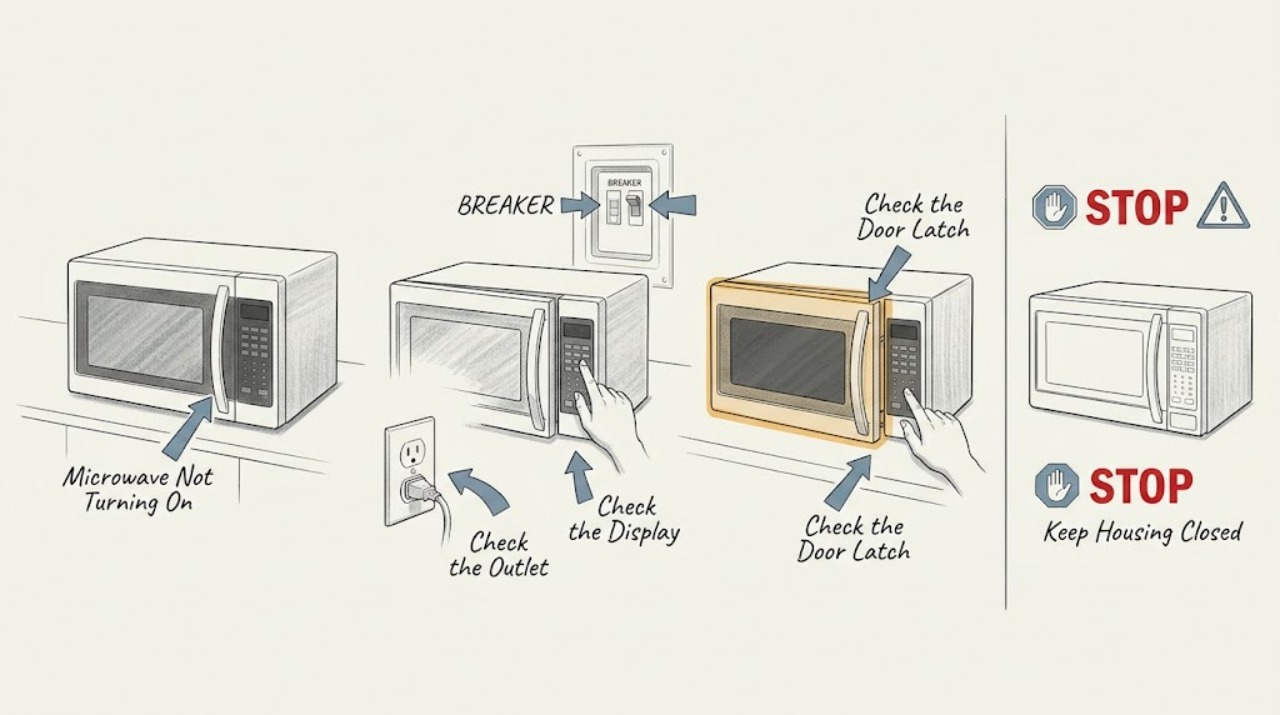
Work through in order
Diagnostic checks
Use only checks that match the exact appliance or system and its official guide.
-
Check 1
Check whether the display or clock is lit and whether the interior light responds when the door opens.
Expected result: The microwave is completely dark, or the display/light works but cooking will not start.
Next step: Use the safe outlet check for a dark unit; for partial operation continue with door and control checks.
Why this matters
Why: Complete darkness points toward supply power; partial operation points toward door sensing, controls, or a model-specific lock state.
-
Check 2
Inspect the plug and dedicated outlet externally, then check the labeled breaker or fuse without repeatedly resetting a tripping circuit.
Expected result: The outlet is dead or breaker is open, or the outlet is live and stable.
Next step: Use an electrician for the outlet/circuit and Monogram service for a live outlet with no response.
Why this matters
Why: An upstream electrical fault can explain a dark display; stable power shifts the problem to the appliance.
-
Check 3
Close the door gently and check that it aligns and latches without forcing it or pressing an interlock switch by hand.
Expected result: The door closes normally, or it is misaligned/does not latch.
Next step: Stop use and arrange service for a door that will not latch or any damaged seal/door area.
Why this matters
Why: A microwave is designed to start only when its safety door system is satisfied; a latch/interlock issue is not a user bypass task.
-
Check 4
Confirm the model number and use its Monogram owner manual for lock, control, and reset behavior; do not open panels.
Expected result: The model manual gives a matching control procedure, or the issue remains after it.
Next step: Follow the documented procedure once. If no response returns, stop and book service.
Why this matters
Why: Control sequences differ by model, while internal microwave and interlock repairs require qualified service.
Use your observations
Decision map
Find the observation that best matches what you see, then follow the next safe action.
-
PATH 01Next step
What you see
Display and interior light are both absent and the outlet/breaker is abnormal
Do this next
Leave the unit off and have the circuit checked.
-
PATH 02Next step
What you see
Display works but the door does not latch or the unit refuses to start
Do this next
Stop using the microwave and arrange qualified Monogram service.
-
PATH 03Next step
What you see
Power is stable, door latches normally, and the documented control procedure does not start cooking
Do this next
Do not remove panels; save the model information and request service.
Helpful context
Understand the symptom
A dark display and a no-start are different
First observe the display, interior light, and response to controls. That separates incoming power from a door/control condition without exposing you to microwave high-voltage components.
When checks do not resolve it
Need a professional?
Call Monogram service for a live outlet with no response, a door/interlock problem, damaged door/seal, repeat breaker trip, or any fault requiring a panel to be removed.
Common questions
FAQ
Why is a Monogram microwave display dark?
Check the dedicated outlet, plug, fuse, and breaker safely. If the outlet is live but the display remains dark, the appliance needs service rather than an opened control panel.
Can I press or bypass the microwave door switch to test it?
No. Monogram's safety guidance requires the door and interlocks to function properly; do not bypass them or use a damaged door.
Read the exact guide
Official sources
- Monogram Use and Care Guide for ZW2000 Series Built-In MicrowaveGE Appliances / Monogram · ZW2000 guide; exact Monogram model may differ
- User Manual & Care for ZEB1227SLSSGE Appliances / Monogram · ZEB1227SLSS model support example; use the exact model
Community feedback
Share a repair observation
Share a plain-text repair observation. Accepted observations are published automatically; this page may take a moment to update.