
On this page
Start here
Quick answer
When an oven will not start, first separate a blank display from a powered oven that ignores Start. With the oven safe and cool, check for a local power interruption, the correct cooking mode, an active Control or Child Lock, a delayed start or timer, and a door that is not fully closed. Confirm whether the appliance is gas, electric, or dual-fuel before interpreting sounds or ignition behavior; model instructions vary. Do not open panels, work on wiring, bypass a lock, repeatedly reset a breaker, or retry a gas ignition when there is gas odor, smoke, arcing, or unusual heat. If a safe settings and one model-authorized reset do not restore operation, arrange qualified appliance service.
Before you begin
Safety first
- A technician can safely distinguish supply, control, lock, door, timer, ignition, heating, sensor, and installation faults without the user opening panels, handling gas components, or making electrical measurements.
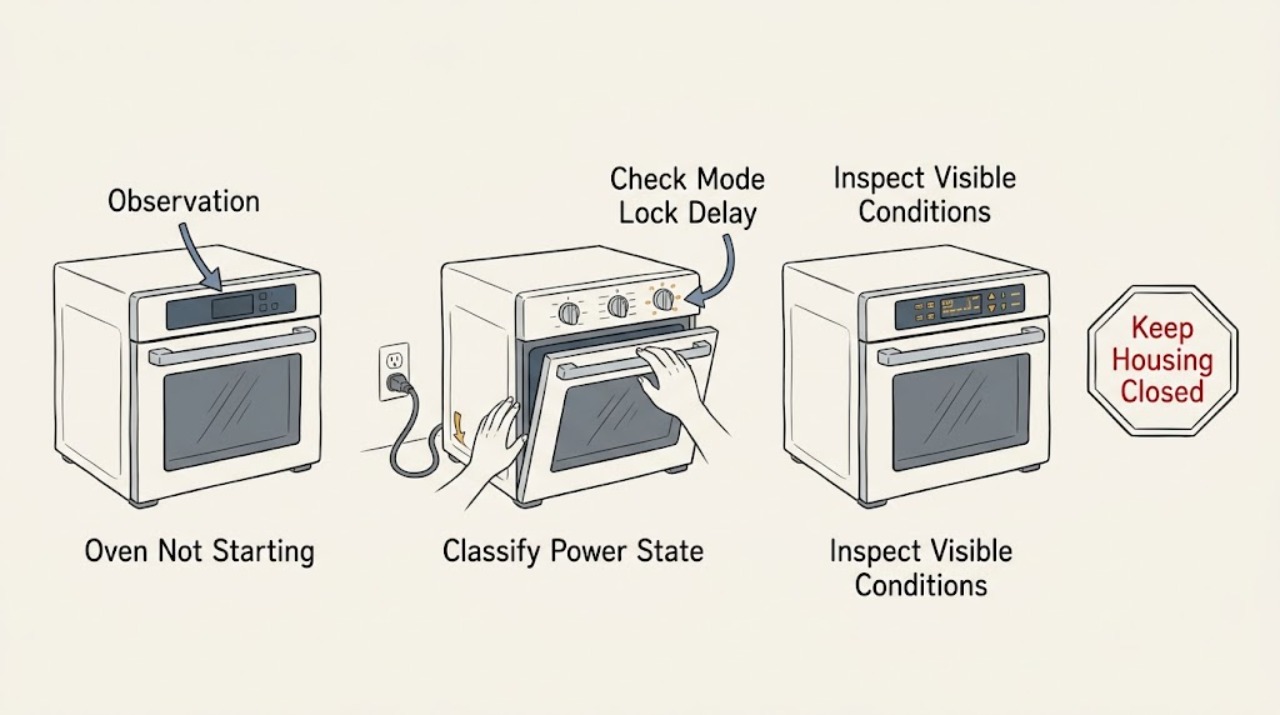
Work through in order
Diagnostic checks
Use only checks that match the exact appliance or system and its official guide.
-
Check 1
With the oven off and safe to approach, observe the display, interior light, control response, and any lock or error indication without opening panels or touching wiring. Note whether the display is blank, blinking, partially lit, or normal but Start does nothing.
Expected result: The display and light are both dead, the display is abnormal, or the display is normal but the selected cycle will not begin.
Next step: Use the matching branch below and record any exact code or icon before attempting a reset.
Why this matters
Why: No display points first to power or control supply; an abnormal display points to a control state or glitch; a normal display with no start points to settings, lock, door, timer, or a model-specific interlock.
-
Check 2
Read the display and the model manual for the selected cooking mode, Control or Child Lock, Demo mode, delayed start, timer, Sabbath or special-function state, and any required Start or confirmation step. Cancel only a clearly identified timer or setting using the normal control instructions.
Expected result: A lock icon, Demo indicator, delayed time, timer state, special mode, or missing Start confirmation explains why the command was ignored, or no such state is present.
Next step: Correct only the clearly identified setting according to the exact manual, then make one normal start attempt. If it still does not start, stop changing settings and continue with power and door observations.
Why this matters
Why: A matching control state can prevent normal start without a failed part. If the controls are normal and the oven still ignores a valid command, the control, door, lock, or power path needs deeper diagnosis.
-
Check 3
From a dry, safe location, check whether other nearby appliances or room lights have power and look at the oven's dedicated breaker or fuse position without removing covers. Do not touch damaged equipment, reset repeatedly, or continue if there is a hot outlet, odor, smoke, arcing, or water.
Expected result: The home has an outage, the oven breaker appears tripped, the panel remains blank after power is restored, or the oven has no obvious external power symptom.
Next step: If the exact manual allows one safe reset and there is no hazard, perform no more than that one reset; if it trips again or the display remains dead, keep the oven off and arrange electrical or appliance service.
Why this matters
Why: A wider outage or visibly tripped circuit can explain a blank panel. A persistent blank panel or a breaker that trips again indicates a supply or appliance fault, not a setting problem.
-
Check 4
With the oven cool, verify that the door closes fully and evenly, and note whether the oven recently ran self-clean or another high-temperature function. Observe the door or lock indication without forcing the door or bypassing a switch.
Expected result: The door is open, misaligned, or blocked; a lock icon remains after a hot or cleaning cycle; or the door appears normal and unlocked.
Next step: Allow the documented cool-down and follow only the exact model instructions. Do not pry the door, bridge a plunger, or dismantle the lock if it remains engaged.
Why this matters
Why: A door or lock interlock can prevent a cycle from starting. A hot or self-clean state may be a normal safety lock, while a lock that remains after the documented cool-down suggests service.
-
Check 5
Use the rating label or owner manual to identify gas, electric, or dual-fuel construction. For gas models, note only the normal display and ignition indications described by the manual; for electric models, note whether a selected cycle shows a normal start indication. Do not remove panels, probe wiring, open a gas line, or repeat ignition when odor or abnormal flame is present.
Expected result: The fuel type is confirmed and the expected start indication is absent, or the display starts a cycle but an abnormal click, odor, flame, or electrical symptom appears.
Next step: Stop for gas smell, delayed ignition, abnormal flame, smoke, arcing, burning odor, or repeated trips. Otherwise record the exact model and symptom and arrange appliance service if the normal start sequence does not occur.
Why this matters
Why: Fuel type determines which supply, ignition, heating, and safety paths are relevant. A missing expected indication or abnormal behavior requires model-specific service rather than a cross-brand diagnosis.
-
Check 6
If the oven is cool, dry, free of odor or damage, and the model manual authorizes a reset, carry out one documented control or power recovery and then make one normal start attempt. Record whether the display returns, the lock clears, and the cycle begins.
Expected result: The oven starts normally and remains stable, or the no-start symptom, code, lock state, or breaker problem returns immediately.
Next step: Do not repeat the reset or attempt internal diagnosis. Keep the oven off and request qualified appliance service; use electrical, gas, or fire support when the symptom points to that hazard.
Why this matters
Why: A stable recovery supports a temporary control state, but a recurring symptom indicates an unresolved power, control, interlock, ignition, heating, or installation fault.
Use your observations
Decision map
Find the observation that best matches what you see, then follow the next safe action.
-
PATH 01Next step
What you see
There is gas odor, smoke, flame outside the normal burner area, delayed ignition or a bang, electrical arcing, a hot or damaged outlet, burning odor, water near electrical equipment, or a repeated breaker trip.
Do this next
Stop using the oven. Do not operate switches or ignite anything near a gas odor, do not touch damaged electrical equipment, and move to a safe location.
-
PATH 02Next step
What you see
The display and controls are blank, blinking, incomplete, or otherwise abnormal while nearby power appears available.
Do this next
Keep the oven off and check only the external power state and manual-listed display guidance from a dry, safe location.
-
PATH 03Next step
What you see
A lock icon, Demo indication, delayed time, timer, Sabbath or special-function state, or missing confirmation step is present.
Do this next
Use only the exact model instructions to cancel or exit the identified state; do not guess at a button sequence from another oven.
-
PATH 04Next step
What you see
The door is not fully closed, a door or lock indication remains after a cool-down, or the oven recently ran a high-temperature cleaning function.
Do this next
Allow the documented cool-down and inspect the door position from the front without forcing or bypassing the switch or latch.
-
PATH 05Next step
What you see
A gas or dual-fuel oven does not follow its documented ignition sequence, the gas supply is uncertain, or abnormal flame or odor occurs.
Do this next
Do not repeat ignition, search for a leak, adjust gas components, or open the appliance. For odor or abnormal flame, stop and move away from the appliance.
-
PATH 06Next step
What you see
An electric oven has a valid mode and start command but no heating response, or only part of the range appears powered.
Do this next
Keep the appliance off and do not remove covers or make electrical measurements.
Helpful context
Understand the symptom
Identify what not starting means
A blank display and a display that lights but ignores Start are different paths. A cycle that accepts a setting but produces no heat is different again. Before changing anything, note the display, any code or lock icon, whether the interior light works, whether the oven was recently installed or moved, and whether a power interruption or cleaning cycle preceded the symptom. Do not treat an oven as safe to test if there is smoke, a burning odor, gas odor, visible arcing, or heat damage.
Use settings before hardware theories
Many controls will not respond while Control Lock, Child Lock, Demo mode, a delayed start, a timer, Sabbath mode, a temperature probe, or another special function is active. These features vary widely, so use the model manual rather than copying a button sequence from another oven. A door that is not fully closed can also prevent a cycle from starting or heating on some models.
Gas and electric ovens need different evidence
Read the rating label or manual to identify the fuel type. For a gas oven, ignition sounds or burner behavior must be interpreted only through the model instructions, and a gas smell is an immediate stop condition. For an electric oven, a display can still work while a supply leg, control, element, or safety circuit has a fault. Neither case justifies opening a panel or making an electrical measurement.
One controlled recovery, then service
If there is no hazard, the oven is cool, and the exact manual authorizes it, one power cycle may clear a control glitch. Record the result and stop if the breaker trips again or the display remains unresponsive. A persistent no-start, recurring code, failed door or lock indication, incomplete wiring, or abnormal gas or electrical behavior needs qualified service.
Safety boundary
Stop conditions
- Stop immediately for gas odor, delayed ignition, a bang, abnormal flame, smoke, fire, burning odor, visible arcing, a hot or damaged outlet, water near electrical equipment, or a repeated breaker trip.
- Do not open control or rear panels, touch wiring, make electrical measurements, bypass a door or lock switch, bridge a safety control, or adjust gas components.
- Do not repeatedly reset a breaker, repeatedly retry ignition, or run another cycle to compare a suspected fault.
- Stop if the oven is hot, wet, unstable, newly installed with uncertain wiring, or the control or lock state does not match the model manual.
- Keep the oven off when a model-authorized reset fails, an error returns, the door or lock remains engaged, or the expected start sequence does not occur.
Only after diagnosis
Potential parts
- oven control or user-interface assembly
Consider only when service confirms the control remains unresponsive after power, settings, lock, door, and model-authorized recovery checks.
Controls are model-specific; confirm the exact appliance model and service diagnosis before any replacement. - oven door or lock switch
Consider only when the door closes normally but a confirmed lock or interlock state prevents a valid start and service identifies the switch or lock as failed.
Door and lock components vary by model and safety design; do not bypass them or assume cross-model fit. - oven igniter or ignition assembly
Consider only for a gas model after service confirms the supply and control call are present but the documented ignition sequence fails.
Gas ignition work requires qualified service and exact model matching; do not perform a gas or ignition replacement yourself. - oven heating element or safety component
Consider only for an electric model after service confirms the controls and supply are correct but a heating circuit or safety component has failed.
Heating and safety components require exact model fit and de-energized professional installation.
When checks do not resolve it
Need a professional?
Request qualified appliance service when power, settings, lock, door, fuel-type, and one manual-authorized recovery check do not restore a normal start, or immediately for odor, smoke, arcing, heat damage, water near electrics, or repeated trips.
Safety scope: A technician can safely distinguish supply, control, lock, door, timer, ignition, heating, sensor, and installation faults without the user opening panels, handling gas components, or making electrical measurements.
Have this ready
- Provide the make and model, gas/electric/dual-fuel type, display state, exact error code or icon, selected mode, lock or timer state, whether the door closes, recent power outage or cleaning cycle, breaker behavior, sounds, odors, and what one manual-authorized recovery changed.
Common questions
FAQ
What should I check first when my oven will not start?
First distinguish a blank display from a powered control that ignores Start. Then check the mode, lock, delayed start or timer, door position, fuel type, and any exact error code using the model manual.
Why does my oven have power but not start?
A powered display can still be in Control Lock, Demo mode, a delayed or special cycle, or waiting for a confirmation step. A closed door or safety interlock can also matter. If the settings are valid and one manual-authorized recovery fails, request service.
Can a tripped breaker stop an oven from starting?
Yes. A wider power interruption or tripped circuit can leave the panel blank or abnormal. From a dry, safe location, observe the external circuit state and follow the exact manual; do not repeatedly reset a breaker or open the oven.
How do I know whether my oven is gas or electric?
Check the rating label, installation information, or owner manual. Do not infer fuel type from a symptom. Gas ignition and supply behavior differ from electric heating and supply behavior, and any gas odor requires an immediate stop.
When is an oven that will not start an emergency?
Stop immediately for gas odor, delayed ignition, abnormal flame, smoke, fire, burning odor, visible arcing, a hot damaged outlet, water near electrical equipment, or a repeated breaker trip. Move to safety and use the appropriate emergency or professional service route.
Read the exact guide
Official sources
- Samsung range or wall oven panel is blank, blinking, or incorrectSamsung · Oven display power, blank or incorrect panel behavior, limited power-cycle guidance, and service escalation
- Samsung Wall Oven FAQsSamsung · Wall-oven power, control or child lock, delayed start or timer, error-code, reset, and service guidance
- Self Clean or other buttons do not light up or respond, or panel is locked on Samsung ovenSamsung · Oven control lock, active-function restrictions, hot-panel behavior, cleaning, power-cycle, and service guidance
- TroubleshootingDacor · Built-in oven no-start causes including power, controls, overheating, wiring, power outage, and model-specific troubleshooting
- Samsung oven temperature issuesSamsung · Model-dependent Demo mode, gas ignition and supply symptoms, circuit reset, heating response, and service guidance
Community feedback
Share a repair observation
Share a plain-text repair observation. Accepted observations are published automatically; this page may take a moment to update.