
On this page
Start here
Quick answer
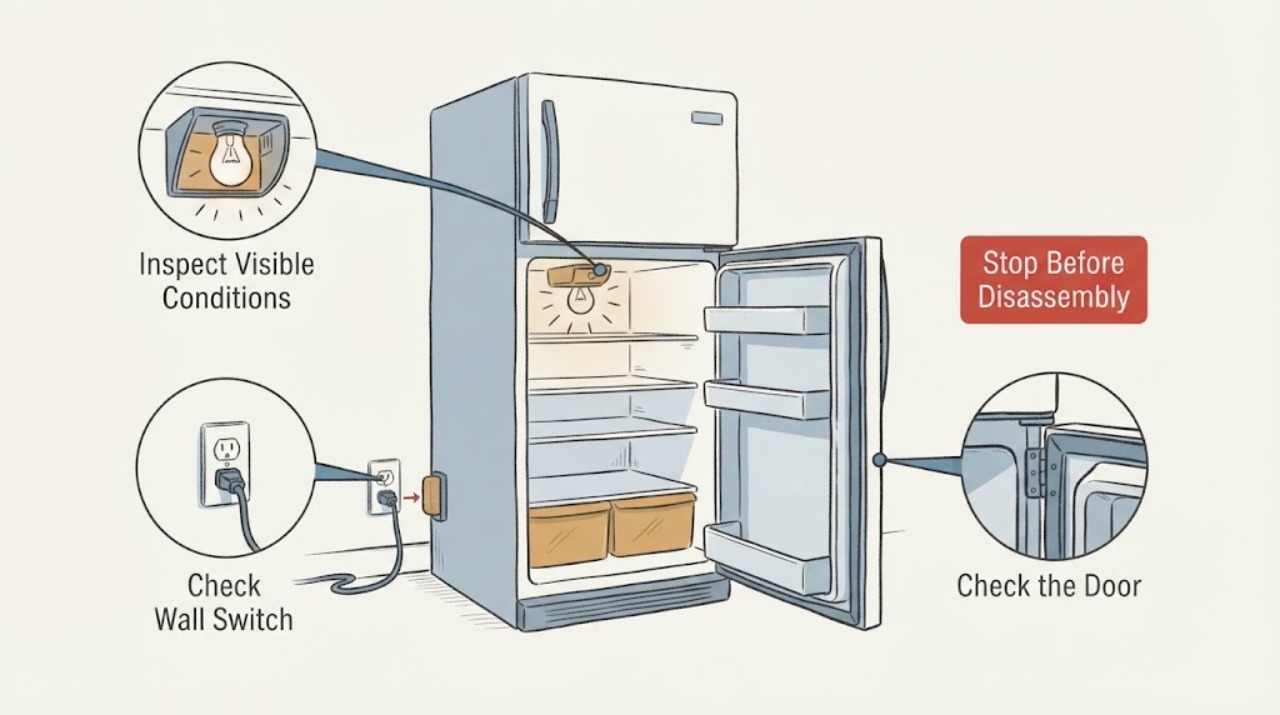
Watch whether flicker follows door movement, verify the outlet and door closure, and follow the exact model guide for any user-replaceable lamp. Integrated LED, switch, hinge-wiring, or persistent flicker needs qualified service, especially with heat or sparking.
Work through in order
Diagnostic checks
Use only checks that match the exact appliance or system and its official guide.
-
Check 1
Observe the flicker with the door stationary, then gently operate the door once while watching the light; do not press exposed wiring.
Expected result: Flicker occurs only as the door moves, continues with the door still, or all interior lights go out.
Next step: Continue with a power and door-seal check; stop if there is heat, smell, sparking, or damaged wiring.
Why this matters
Why: Door-motion dependence points to the switch, hinge wiring, or alignment; constant flicker can involve the lamp/LED driver or power connection.
-
Check 2
Check that the refrigerator plug and outlet are secure and that the door closes fully without blocking the switch or gasket.
Expected result: The outlet is stable, the door closes, or the gasket/door alignment leaves the switch partly actuated.
Next step: Remove the obstruction and close the door; do not bend the switch or hinge.
Why this matters
Why: A door left ajar can affect lighting behavior on some units; a partly actuated switch can make light state change with movement.
-
Check 3
If the model uses an accessible user-replaceable lamp, follow its exact manual; if it uses integrated LED lighting or flickering persists after door/power checks, document the pattern for service.
Expected result: A correct lamp fixes the issue, the light remains unstable, or all lights are disabled after an extended open door.
Next step: Arrange qualified service for integrated LEDs, switches, wiring, or persistent flicker.
Why this matters
Why: Sub-Zero notes integrated LED replacement is a certified-service task and that some units disable lights after a door is left ajar.
Use your observations
Decision map
Find the observation that best matches what you see, then follow the next safe action.
-
PATH 01Next step
What you see
Flicker happens only when the door moves and the light changes when the switch is gently actuated.
Do this next
Keep the door closed normally and arrange service if alignment or switch operation is unreliable.
Why this path and its safety boundary
Why it matters: Door switch or alignment is more likely than the refrigerator cooling system.
-
PATH 02Next step
What you see
All lights flicker or go out while the outlet is sound, or there is heat, smell, or visible wiring damage.
Do this next
Disconnect power if safe and obtain qualified appliance service.
Why this path and its safety boundary
Why it matters: The problem may be a shared lighting/control circuit and is not a safe lamp-only repair.
Helpful context
Understand the symptom
This guide focuses on refrigerator light flickering and uses the observed symptom to choose the next safe check.
When checks do not resolve it
Need a professional?
Arrange qualified service if the checks do not restore normal operation or if the appliance shows damaged wiring, burning smell, smoke, gas odor, sparking, or repeated tripping.
Common questions
FAQ
Can an open door cause lights to turn off?
Some Sub-Zero units can disable lights after a door is left ajar; close the door for the documented period and seek service if lights stay out.
Is a refrigerator door switch universal?
No. GE’s part page requires confirming the refrigerator model for fit; use the exact manual or part lookup.
Should I remove the refrigerator light cover?
Only if the exact manual permits an accessible lamp replacement; integrated LED work belongs to qualified service.
Read the exact guide
Official sources
- TroubleshootingSub-Zero · refrigerator lights and door state
- REFRIGERATOR DOOR LIGHT SWITCHGE Appliances · refrigerator door light switch part identity
Community feedback
Share a repair observation
Share a plain-text repair observation. Accepted observations are published automatically; this page may take a moment to update.