
On this page
Start here
Quick answer
“Not working” can mean no power, lights but no cooling, or cooling that stopped after a move, outage, or large load. Check the outlet and breaker, confirm cooling is enabled rather than Demo mode, keep vents clear, and verify doors and seals close. Allow the stabilization period in the manual after installation or a large load; arrange service for persistent warmth, no power with a good outlet, unusual heat/odor, or a failed compressor/fan symptom.
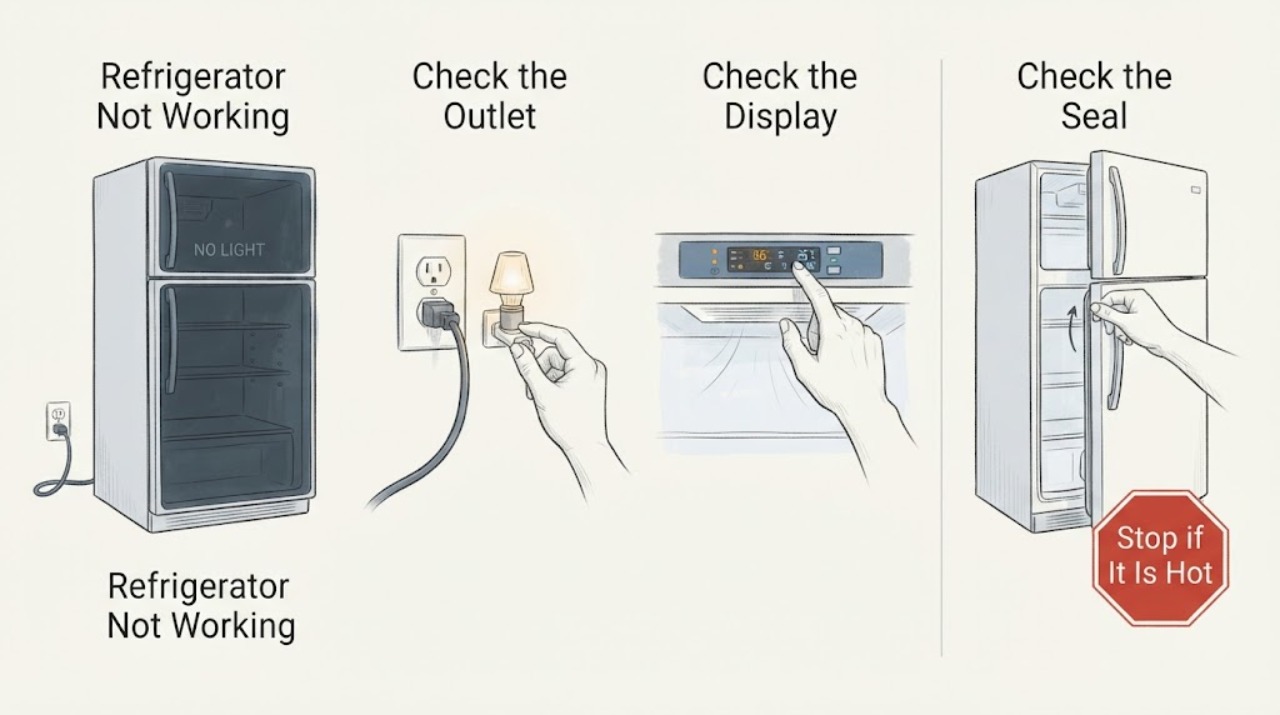
Work through in order
Diagnostic checks
Use only checks that match the exact appliance or system and its official guide.
-
Check 1
Check whether interior lights, display, fans, or sounds are present; test the outlet with a known-safe device and inspect the cord from a dry position.
Expected result: The refrigerator is completely dead, has lights but no cooling, or the outlet is dead.
Next step: Restore household power safely or arrange electrical service; do not repeatedly reset a tripping circuit.
Stop if: Stop for a hot cord, burning odor, smoke, sparks, or water near power.
Why this matters
Why: A dead outlet/circuit is upstream; lights with warmth point to cooling/control/airflow; total silence on a good outlet needs service.
-
Check 2
Confirm the cooling control is on and the refrigerator is not in Demo/Showroom mode; use the exact manual for the control interface.
Expected result: Cooling was disabled/demo was active, or settings are normal.
Next step: Enable cooling as documented and allow the manual’s stabilization period; do not use random key sequences.
Stop if: Stop if controls are unresponsive or the display is damaged.
Why this matters
Why: A disabled cooling mode explains a warm cabinet; normal settings leave airflow, sealing, and refrigeration diagnosis.
-
Check 3
Check that food does not block vents, doors close, and gaskets contact the cabinet; inspect only the accessible condenser area if the manual permits cleaning.
Expected result: Vents are blocked, a gasket leaks, or the external airflow path is dirty; or these areas are normal.
Next step: Rearrange food, clean only approved accessible surfaces, and monitor temperatures.
Stop if: Do not remove panels or use water near electrical parts.
Why this matters
Why: Blocked airflow, poor sealing, or restricted condenser airflow can lengthen runtime and reduce cooling; normal checks leave service causes.
-
Check 4
After one correction, monitor temperatures and compressor/fan behavior through the manual’s stabilization period, including after a recent move or large load.
Expected result: Temperature recovers, remains warm, or the unit cycles abnormally/gets very hot.
Next step: Protect perishable food and arrange service with temperature readings, sounds, settings, and timing.
Stop if: Do not open the sealed refrigerant system or keep operating a smoking/hot unit.
Why this matters
Why: Recovery supports a transient load or setting issue; persistent warmth or abnormal cycling needs qualified diagnosis.
Use your observations
Decision map
Find the observation that best matches what you see, then follow the next safe action.
-
PATH 01Next step
What you see
The outlet is dead and other appliances also lose power.
Do this next
Resolve power safely before testing the appliance.
Why this path and its safety boundary
Why it matters: The refrigerator is not yet shown to be faulty; the household circuit is the first branch.
-
PATH 02Next step
What you see
Lights/display work but cooling is disabled or Demo mode is active.
Do this next
Restore cooling with the exact manual procedure and monitor temperatures.
Why this path and its safety boundary
Why it matters: A control setting is the leading explanation.
-
PATH 03Next step
What you see
Vents/gasket are obstructed or leaking and temperature improves after correction.
Do this next
Keep vents clear and observe; service if cooling does not remain stable.
Why this path and its safety boundary
Why it matters: Airflow or door sealing contributed to the symptom.
-
PATH 04Next step
What you see
A good outlet and normal controls still produce persistent warmth, abnormal heat, or repeated clicks.
Do this next
Protect food and arrange qualified refrigerator service; do not open the sealed system.
Why this path and its safety boundary
Why it matters: Cooling hardware, sensor, fan, or sealed-system service is needed.
Helpful context
Understand the symptom
What to check first
Whirlpool’s troubleshooting guidance separates power, controls, airflow, doors, ambient conditions, and normal stabilization from faults. A refrigerator may run longer after installation or a large load, while controls set too cold can create freezing rather than “not working.” These checks do not authorize opening the sealed system or replacing a compressor without diagnosis.
When checks do not resolve it
Need a professional?
Arrange qualified appliance or electrical service when the safe external checks do not resolve the symptom. Provide the exact model and what you observed; do not open sealed, gas, high-voltage, or refrigerant systems yourself.
Common questions
FAQ
How long should a refrigerator take to cool?
Use the exact manual’s stabilization guidance, especially after installation, a move, or a large load. Persistent warmth after that period needs service.
Could a blocked vent make the refrigerator seem broken?
Yes. Whirlpool identifies blocked vents and poor door sealing as contributors to uneven or inadequate cooling.
Can I recharge the refrigerant myself?
No. Sealed-system work requires qualified service. Provide temperature readings and the symptom history instead.
Read the exact guide
Official sources
- Refrigerator Troubleshooting: How to Fix a FridgeWhirlpool · Whirlpool refrigerators
Community feedback
Share a repair observation
Share a plain-text repair observation. Accepted observations are published automatically; this page may take a moment to update.