
On this page
Start here
Quick answer
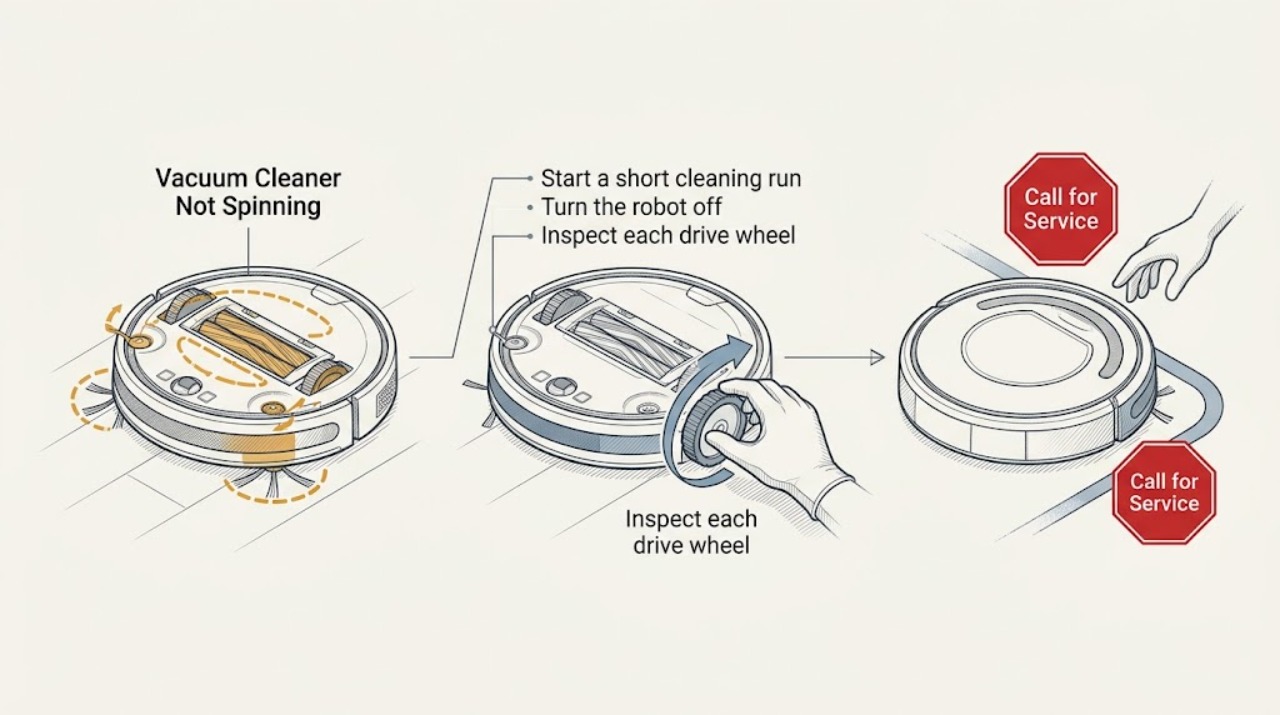
First identify what is not spinning: the main brushes, side brush, or the robot's wheels. Remove hair and debris with the robot powered off, then check the app or the robot's spoken error. If a clean brush or wheel still will not move, stop before opening the drive assembly and arrange iRobot service.
Work through in order
Diagnostic checks
Use only checks that match the exact appliance or system and its official guide.
-
Check 1
Start a short cleaning run on a clear, level floor and watch whether the robot drives while the main rubber brushes and side brush remain still.
Expected result: The robot drives but one brush is still, or the robot itself does not move.
Next step: Continue with the matching brush or wheel inspection rather than replacing a part based only on the symptom.
Why this matters
Why: Motion with a stationary brush points to the brush cage, brush ends, or brush motor; no travel points to a wheel, battery, or startup fault instead.
-
Check 2
Turn the robot off or remove it from the dock, then remove the brush module or side-brush debris that is reachable without opening the electronics.
Expected result: Hair, thread, or packed dirt is wrapped around a brush end, brush bearing, or side-brush hub.
Next step: Clear only loose reachable debris, reinstall the brush parts correctly, and test once.
Why this matters
Why: A visible obstruction can make the motor stop or trigger the brush error; a clean brush leaves a motor, gearbox, or sensor fault more likely.
-
Check 3
Inspect each drive wheel and the front caster for trapped debris, and roll the wheels by hand only while the robot is off the dock.
Expected result: A wheel is jammed, hangs lower than the other side, or turns freely while the robot reports a wheel error.
Next step: Clear surface debris and place the robot flat for one retest; do not dismantle a wheel module.
Why this matters
Why: A jam or uneven wheel can prevent the robot from driving; freely moving wheels with a persistent error suggest a sensor or drive fault.
-
Check 4
Review the exact error or light pattern in the iRobot app, then run one cleaning test after the maintenance check.
Expected result: The error clears and the brush or wheel spins, or the same error returns immediately.
Next step: Record the message and robot model, stop repeated retries, and contact iRobot Customer Care if the fault returns.
Why this matters
Why: A cleared error supports a temporary obstruction; a repeat after cleaning makes an internal motor, gearbox, sensor, or control problem more likely.
Use your observations
Decision map
Find the observation that best matches what you see, then follow the next safe action.
-
PATH 01Next step
What you see
The robot drives but the brush error returns after hair and debris are removed
Do this next
Stop running it and request service with the displayed error and model information.
Why this path and its safety boundary
Why it matters: The brush path is clear, so a brush motor, end bearing, or sensing fault is more likely than a floor obstruction.
-
PATH 02Next step
What you see
The robot cannot move and one wheel is visibly blocked or uneven
Do this next
Clear reachable debris and retest once on a level floor; seek service if the wheel remains restricted.
Why this path and its safety boundary
Why it matters: A wheel or caster restriction is more likely than a brush-only fault.
-
PATH 03Next step
What you see
All moving parts appear clear but the same error returns
Do this next
Leave the robot off the dock and arrange iRobot support.
Why this path and its safety boundary
Why it matters: The remaining fault is likely inside a motor, sensor, battery, or control assembly that the user should not open.
Helpful context
Understand the symptom
What the symptom tells you
A stationary brush can stop pickup while the robot still drives. A robot that cannot drive or immediately reports a wheel or brush error needs a different check, so watch the first few seconds of a test on a clear floor.
When checks do not resolve it
Need a professional?
Request iRobot service when a brush or wheel error returns after reachable cleaning, a wheel is damaged, there is liquid damage, or the robot still will not move.
Common questions
FAQ
Why does a Roomba move while one brush does not spin?
That pattern isolates the symptom to the brush path or brush drive more than the wheel system. Power the robot off, clear reachable debris, and request service if the brush error returns.
Should I keep restarting a Roomba that reports a brush error?
No. Perform one safe obstruction check and one retest. A repeated error after cleaning needs the message and model recorded for iRobot support.
Read the exact guide
Official sources
- Why does my Roomba® or Braava® not turn on or charge properly?iRobot Support · Roomba robot vacuum
- RebootiRobot Support · Roomba robot vacuum
- The Roomba s Series Error Messages ChartiRobot Support · Roomba robot vacuum error diagnosis
Community feedback
Share a repair observation
Share a plain-text repair observation. Accepted observations are published automatically; this page may take a moment to update.