
On this page
Start here
Quick answer
When a Roomba shows no lights or response, verify the dock has power and the robot is aligned with its charging contacts. Clean only accessible contacts, then use the correct reboot or battery-reinstallation guidance for the model. If all indicators remain off, stop and contact iRobot support rather than opening the electronics.
Work through in order
Diagnostic checks
Use only checks that match the exact appliance or system and its official guide.
-
Check 1
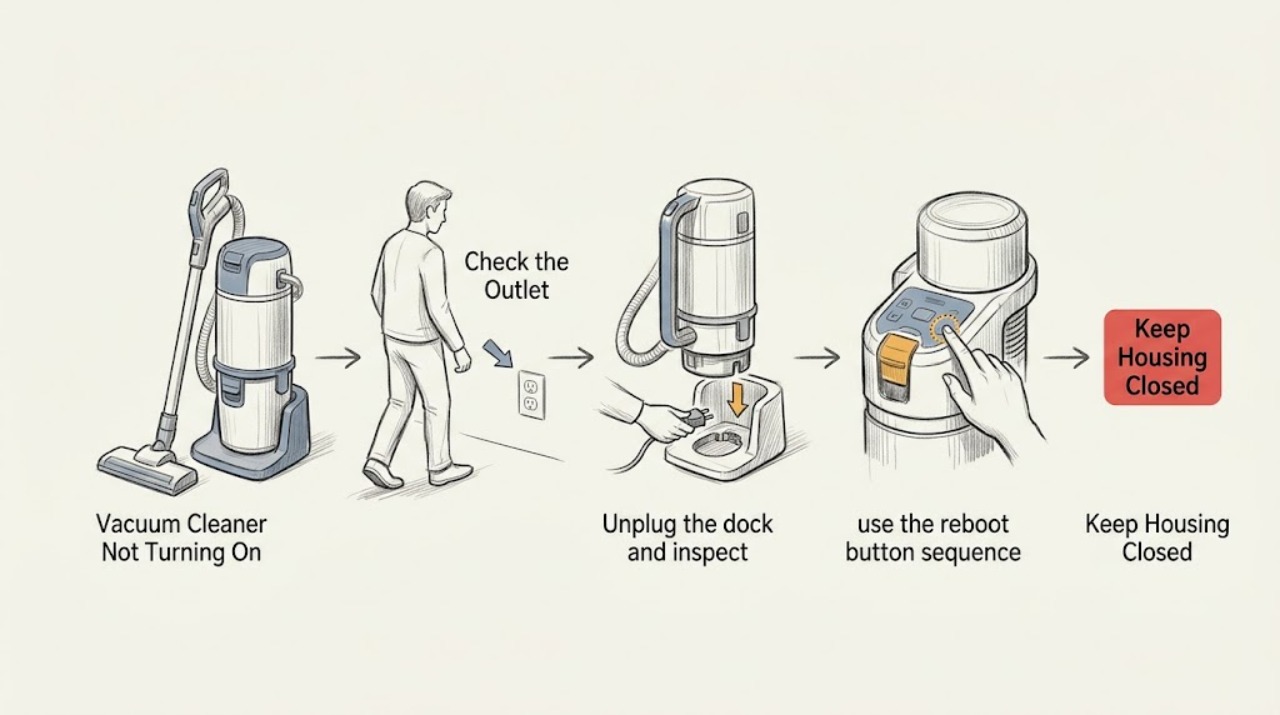
Plug the dock firmly into its outlet and place the Roomba on it in the correct direction, watching for a dock light, tone, or charging indicator.
Expected result: The dock and robot show charging, or neither recognizes the connection.
Next step: Continue with the contact inspection only if no visible damage or liquid is present.
Why this matters
Why: A charging indication confirms at least part of the incoming power path; no indication points to the outlet, cord, alignment, contacts, or battery.
-
Check 2
Unplug the dock and inspect the metal contacts on the dock and robot; wipe reachable dirt with a lightly dampened cloth and let surfaces dry before reconnecting.
Expected result: Debris is removed and charging begins, or a contact is discolored, stuck down, or damaged.
Next step: Retest once after cleaning, and stop if damage is visible.
Why this matters
Why: Debris can block current; green or copper-colored or mechanically damaged contacts need service or replacement rather than force.
-
Check 3
With the robot off the dock, use the reboot button sequence specified for its model, then return it to the dock and allow time for boot-up.
Expected result: A light or charging announcement returns, or the robot remains completely dark.
Next step: Do not repeat the sequence continuously; proceed to model-specific battery guidance or service.
Why this matters
Why: A returning indicator suggests a recoverable power state; persistent darkness makes a battery, dock, or internal power fault more likely.
-
Check 4
If the model permits user battery access, remove and reinstall the battery exactly as iRobot describes, then dock the robot again.
Expected result: The robot wakes, or no lights appear after the battery is reseated.
Next step: Arrange iRobot Customer Care and provide the serial number and charging behavior.
Why this matters
Why: A reseat can clear a battery connection or reboot state; no response after it leaves a battery, dock, or internal electronics fault.
Use your observations
Decision map
Find the observation that best matches what you see, then follow the next safe action.
-
PATH 01Next step
What you see
The dock powers on and the Roomba shows a charging indicator
Do this next
Leave it on the dock, then try one normal start after the charge indication is adequate.
Why this path and its safety boundary
Why it matters: The robot is receiving power, so allow charging before diagnosing a start or runtime complaint.
-
PATH 02Next step
What you see
The dock has power but the robot remains dark after clean contact alignment
Do this next
Stop handling the contacts and request iRobot service.
Why this path and its safety boundary
Why it matters: The robot is not accepting current through the expected charging path; a battery or internal fault is more likely.
-
PATH 03Next step
What you see
The robot wakes after a reboot or battery reseat but goes dark again off the dock
Do this next
Record the timing and error indicator and contact iRobot before ordering a battery.
Why this path and its safety boundary
Why it matters: The battery may not be holding or communicating charge, rather than the Clean command being the cause.
Helpful context
Understand the symptom
No light is a power-path symptom
A silent, dark robot is not diagnosed the same way as a robot that turns on and immediately reports an error. The dock and charging contacts provide the safest first separation.
When checks do not resolve it
Need a professional?
Contact iRobot when the dock cannot recognize the robot, contacts are damaged, the robot remains dark after the model-specific recovery steps, or liquid damage is present.
Common questions
FAQ
What does a completely dark Roomba usually mean?
It means the robot is not showing an operating or charging state, so check the dock, alignment, contacts, and battery path before blaming the Clean button.
Should I force a Roomba onto a dock that does not recognize it?
No. Check direction and clean accessible contacts, but do not bend or force damaged contacts. Persistent failure to recognize the robot needs iRobot service.
Read the exact guide
Official sources
- RebootiRobot Support · Roomba robot vacuum
- Charging Error 4 and 5: All Roomba® and Braava® ModelsiRobot Support · Roomba and Braava charging
- Why does my Roomba® or Braava® not turn on or charge properly?iRobot Support · Roomba robot vacuum
Community feedback
Share a repair observation
Share a plain-text repair observation. Accepted observations are published automatically; this page may take a moment to update.