
On this page
Start here
Quick answer
For a vacuum cleaner that will not turn on, first separate a supply or battery problem from a blocked-airway safety cutout. Check the outlet, cord, fuse or battery charge from outside, inspect for a cracked battery casing, and clear only accessible blockages with power removed. A damaged cable or battery should not be used.
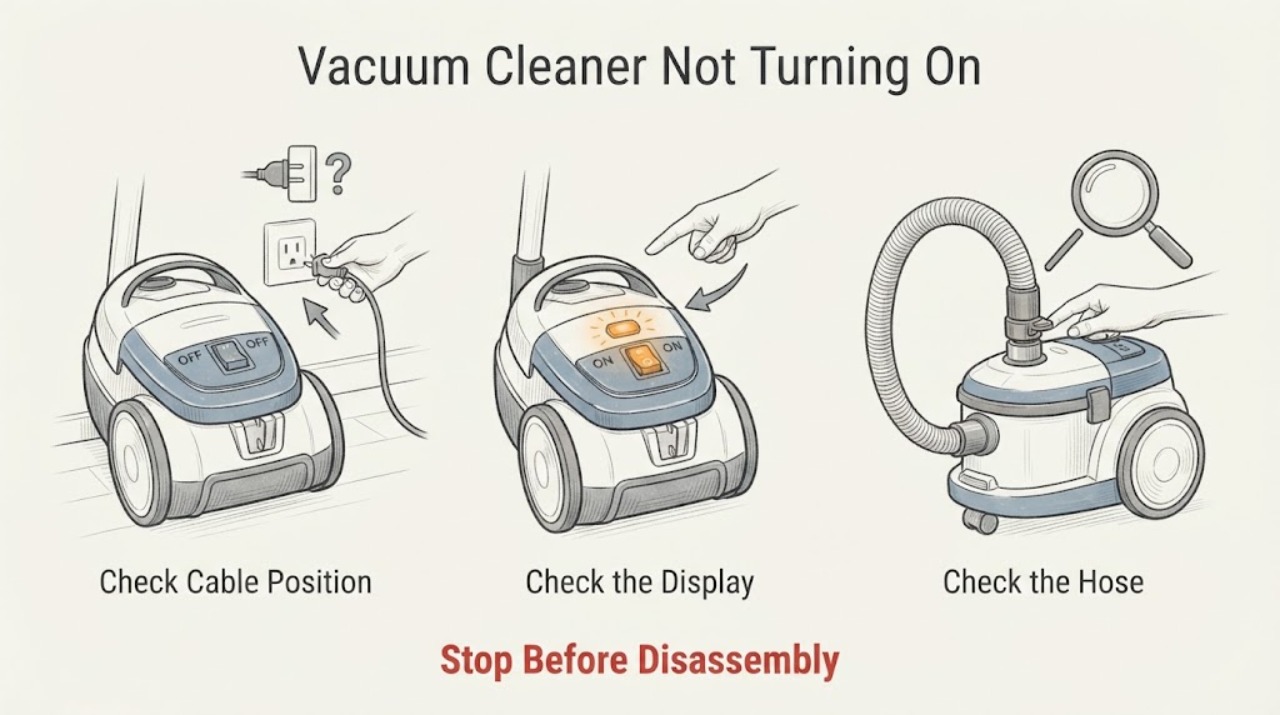
Work through in order
Diagnostic checks
Use only checks that match the exact appliance or system and its official guide.
-
Check 1
Identify whether the vacuum is corded or cordless, then check the wall socket, plug, cable, and power switch from outside.
Expected result: The outlet is dead, cable is damaged, or supply appears normal.
Next step: Use a known working outlet once; keep the vacuum unplugged if the cable or plug is damaged.
Why this matters
Why: Dyson lists a working socket and undamaged cable as first checks for corded machines.
-
Check 2
For a cordless vacuum, check the charger connection and battery charge indicator, then inspect the battery casing for cracks or damage.
Expected result: The battery is empty, casing is damaged, or charge appears normal but the vacuum stays off.
Next step: Charge using the specified charger, but do not use a damaged battery or substitute an unapproved charger.
Why this matters
Why: Low charge can explain no start; Dyson says not to use a machine with a cracked or damaged battery casing.
-
Check 3
With power removed, inspect the airway, bin inlet, wand, hose, and cleaner head for an accessible blockage.
Expected result: Airflow is blocked, or the airway is clear.
Next step: Clear only accessible dry debris and allow the machine to cool before one restart.
Why this matters
Why: Dyson notes that blocked airflow can cause a safety cutout; a clear path with no power leaves supply or internal diagnosis.
-
Check 4
Try one normal start after the checks and record whether it starts briefly, pulses, or remains completely dead.
Expected result: The motor starts, cuts out, pulses, or remains unresponsive.
Next step: Stop repeated start attempts and arrange service with the model, power, charge, and blockage observations.
Why this matters
Why: A brief start or pulse can reflect airflow protection; a dead machine after supply and airway checks needs service.
Use your observations
Decision map
Find the observation that best matches what you see, then follow the next safe action.
-
PATH 01Next step
What you see
The outlet is dead or the cable or battery casing is damaged.
Do this next
Leave the vacuum off and have the outlet checked or contact Dyson service.
Why this path and its safety boundary
Why it matters: The external supply is unsafe or unavailable.
-
PATH 02Next step
What you see
The machine starts after clearing an airway and cooling.
Do this next
Keep filters and airways maintained according to the model instructions.
Why this path and its safety boundary
Why it matters: A blockage or safety cutout was more likely than a failed motor.
-
PATH 03Next step
What you see
Supply and airway are normal but the vacuum remains dead or cuts out repeatedly.
Do this next
Stop using it and arrange qualified service; do not open the motor housing.
Why this path and its safety boundary
Why it matters: An internal battery, switch, control, or motor fault needs model-specific diagnosis.
Helpful context
Understand the symptom
This guide focuses on whether the vacuum has power, charge, or a safety cutout. The symptom is a starting point, not a part diagnosis; each result changes the next safe check.
The cited manufacturer guidance supports these external checks. Confirm model-specific controls, parts, and service procedures in the appliance manual.
Only after diagnosis
Potential parts
- battery, charger, or motor control
Relevant only after outlet, cable, charge, and airway checks identify the matching path.
Confirm the exact appliance model and manufacturer instructions before ordering.
When checks do not resolve it
Need a professional?
Call Dyson or qualified vacuum service when safe power and clear airflow do not restore operation, or when a battery or motor fault is suspected.
Common questions
FAQ
Can a blocked airway stop a vacuum from starting?
Yes. Dyson says blocked airflow can make the device cut out for safety.
Can I use a vacuum with a cracked battery casing?
No. Dyson directs owners not to use a machine with a cracked or damaged battery casing.
Read the exact guide
Official sources
- Support | No Power | DysonDyson · vacuum power, cord, socket, fuse, battery, casing, and blocked airway checks
Community feedback
Share a repair observation
Share a plain-text repair observation. Accepted observations are published automatically; this page may take a moment to update.