
On this page
Start here
Quick answer
First confirm that the fresh-food control is not set too cold, then move food away from air vents and verify the door seals. A fresh-food target around 37–40°F is typical manufacturer guidance; wait at least 24 hours after an adjustment. Persistent freezing, heavy frost, or a control that does not respond needs service.
Before you begin
Safety first
- Do not remove sealed-system panels or use sharp tools on frost; protect food and stop if controls or wiring appear damaged.
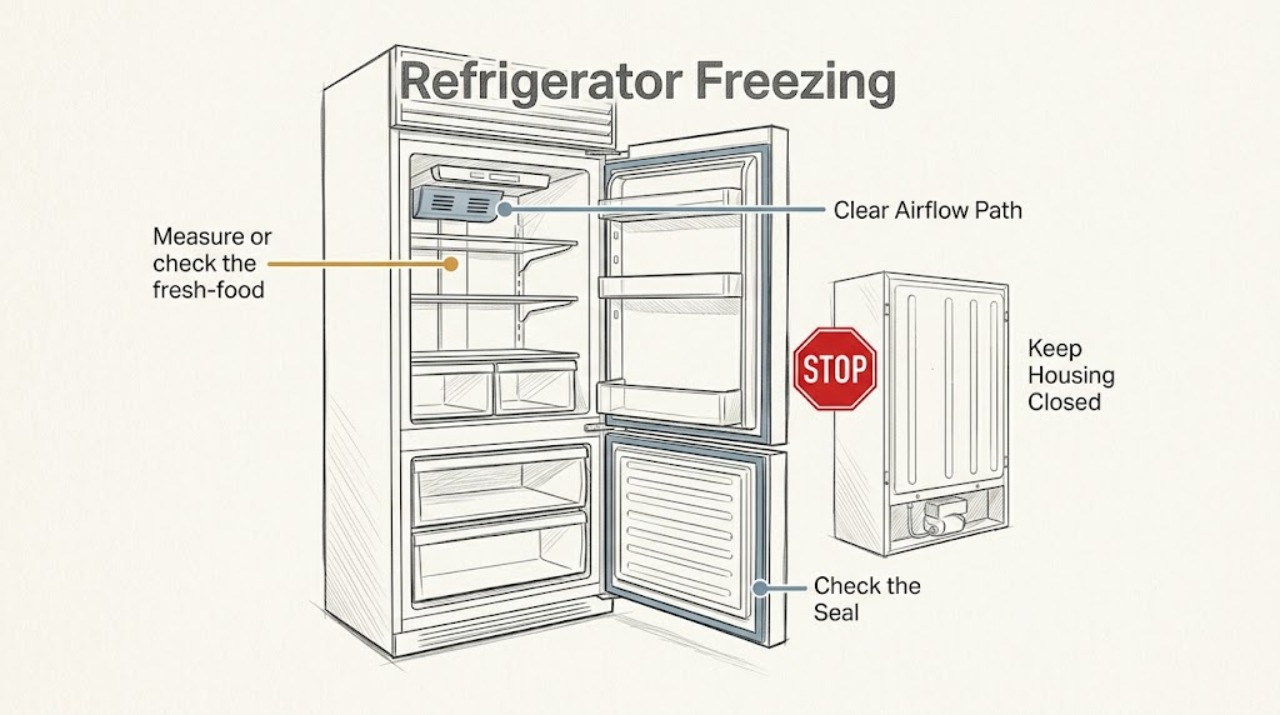
Work through in order
Diagnostic checks
Use only checks that match the exact appliance or system and its official guide.
-
Check 1
Measure or check the fresh-food setting and return it toward the model's normal range; manufacturer guidance commonly uses 37–40°F for the refrigerator section.
Expected result: The setting is colder than intended, or the setting is normal but food still freezes.
Next step: Make one small adjustment and wait at least 24 hours before judging it.
Why this matters
Why: A setting can explain broad freezing; normal settings shift attention to airflow, sensor, or control behavior.
-
Check 2
Locate the cold-air vents and move produce, drinks, and other sensitive food away from direct airflow; do not pack items tightly against the rear wall.
Expected result: Only items near a vent freeze, or freezing occurs throughout the compartment.
Next step: Keep vents clear and recheck after stabilization; do not block the return-air path.
Why this matters
Why: Local freezing suggests airflow placement; broad freezing after repositioning suggests a control or sensor issue.
-
Check 3
Inspect the door gasket and closure for a gap, frost, or an obstruction, and check whether the ice maker is enabled without a connected water supply.
Expected result: The door does not seal or the ice maker is enabled without water, or neither condition is present.
Next step: Correct an accessible obstruction or setting using the manual, then allow 24 hours for temperatures to settle.
Why this matters
Why: A poor seal can disturb temperatures; an unconnected enabled ice maker can contribute to abnormal cycling on some models, while neither finding points back to controls and airflow.
-
Check 4
After stabilization, compare freezing at different shelves and note frost, alarm, or control symptoms.
Expected result: Freezing continues, frost is heavy, or controls do not change the temperature.
Next step: Protect food and arrange qualified service; do not remove sealed-system panels.
Why this matters
Why: Persistent or unresponsive behavior is not a simple setting issue and may involve airflow, sensing, or sealed-system service.
Use your observations
Decision map
Find the observation that best matches what you see, then follow the next safe action.
-
PATH 01Next step
What you see
Only food directly in front of a vent freezes
Do this next
Reposition it and keep the vent and return path clear; reassess after 24 hours.
Why this path and its safety boundary
Why it matters: The freezing is localized to cold-air placement, making blocked or poorly positioned food more likely than a whole-compartment control fault.
-
PATH 02Next step
What you see
The setting was too cold and normalizes after one adjustment
Do this next
Leave the setting stable and monitor temperatures rather than making repeated changes.
Why this path and its safety boundary
Why it matters: The temperature control was sufficient to explain the symptom, and the appliance is responding normally.
-
PATH 03Next step
What you see
The entire fresh-food section freezes, frost is heavy, or controls do not respond
Do this next
Arrange service and report settings, shelf pattern, frost, and door-seal condition.
Why this path and its safety boundary
Why it matters: The symptom is broad or the control response is abnormal, so airflow, sensing, or control service is more likely than a simple placement issue.
Helpful context
Understand the symptom
Confirm where freezing occurs
Ice on fresh-food items is different from a freezer operating normally. Note the compartment, shelf position, and whether the problem follows a vent or a door-seal gap before changing settings.
Only after diagnosis
Potential parts
- temperature sensor or control
Only after airflow, setting, door seal, and stabilization checks show a persistent control response problem.
When checks do not resolve it
Need a professional?
Freezing remains after one controlled adjustment and clear airflow/door checks.
Safety scope: Do not remove sealed-system panels or use sharp tools on frost; protect food and stop if controls or wiring appear damaged.
Common questions
FAQ
How long should I wait after changing the temperature?
Wait at least 24 hours before judging a small adjustment, while keeping food safe and the door closed as much as practical.
Why are only items near the back freezing?
Direct cold-air flow can freeze nearby items. Move them away from vents and keep the return path clear; persistent whole-compartment freezing needs service.
Read the exact guide
Official sources
- What to Check if the Refrigerator Section is Too ColdWhirlpool Product Help (Whirlpool Corporation) · Legacy Roper refrigerators using the documented Whirlpool-family temperature layout; verify the exact Roper model manual before applying.
- Doors Not Sealing - RefrigeratorWhirlpool Product Help (Whirlpool Corporation) · Legacy Roper refrigerators using the documented Whirlpool-family gasket layout; verify the exact Roper model manual before applying.
- Home | Roper AppliancesRoper Appliances · Roper appliances; exact product documentation is model-specific
Community feedback
Share a repair observation
Share a plain-text repair observation. Accepted observations are published automatically; this page may take a moment to update.