
On this page
Start here
Quick answer
First identify what is actually failing: a scheduled stop, a remote-control problem, loss of power, or an indoor unit that stops with a blinking indicator or code. Check Timed Off/Sleep and the remote, then check the accessible breaker or RCD and perform only one safe power reset. Samsung says a blinking indoor indicator can mean a protection or error condition; if the stop repeats quickly, a code returns, water or electrical damage is present, or there is smoke or a burning smell, leave the air conditioner off and arrange qualified Samsung service. Error-code meanings and self-diagnosis procedures are model-specific.
Work through in order
Diagnostic checks
Use only checks that match the exact appliance or system and its official guide.
-
Check 1
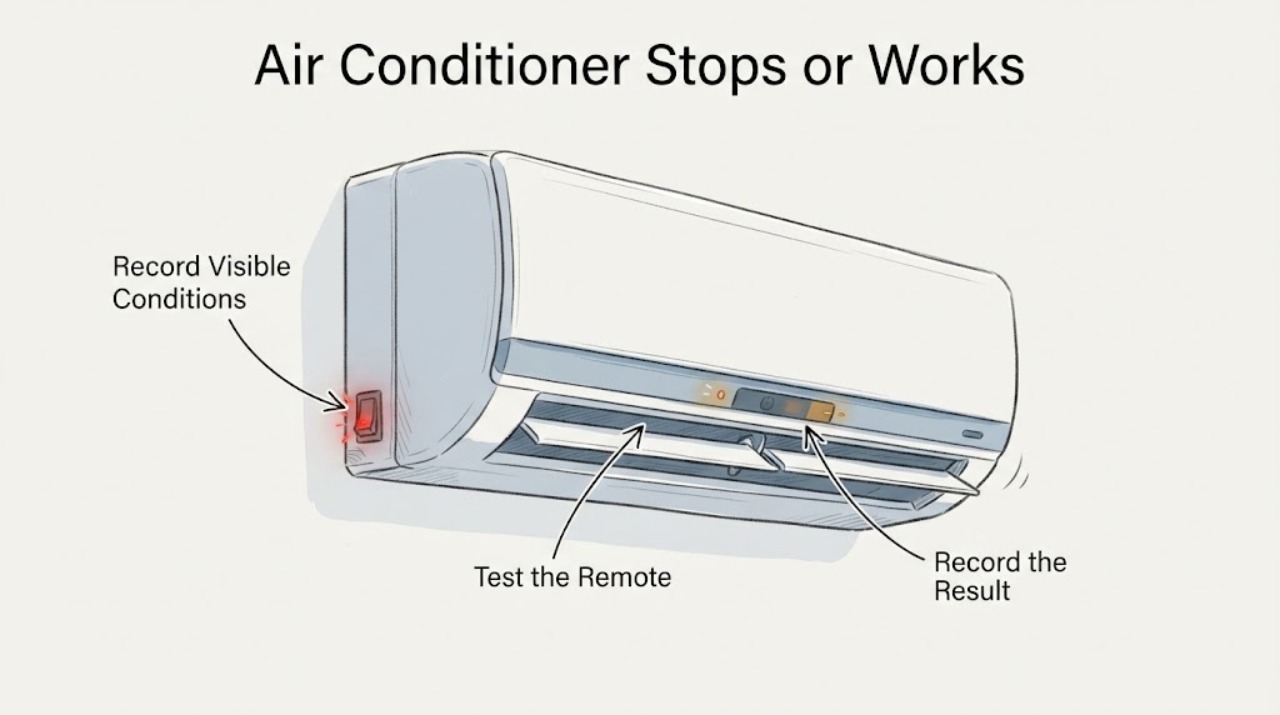
When the problem happens, record exactly what stops or fails: the remote display, indoor fan and louvers, outdoor operation, the whole display, or only cooling. Note the mode, set temperature, elapsed time, whether it restarts by itself, any blinking indicator, and the complete code or display text. Do not remove a cover to identify the cause.
Expected result: The unit stops at a repeatable time, the remote alone fails, the indoor unit stops with a blinking indicator or code, or the entire appliance loses power.
Next step: Use the matching branch below and preserve a photo or written record of the complete display for Samsung support.
Why this matters
Why: A repeatable time points first to a timer or sleep control; a remote-only symptom points to communication; a blinking indicator or code points to a protection/error path; a dead display or tripped protection device points to the power path. These observations do not identify a replaceable part.
-
Check 2
With the unit otherwise safe and dry, check the remote for Timed Off, Sleep, or another active schedule, confirm the intended mode and set temperature, replace weak remote batteries if needed, and remove an obvious obstruction between remote and indoor receiver. Try one normal command from close range.
Expected result: The schedule was active, the remote begins working after the battery or signal check, or the indoor unit still does not respond to the remote.
Next step: Do not repeatedly press commands or assume a remote fix repaired a unit that continues to stop; continue only with the accessible power check.
Why this matters
Why: A cleared schedule or restored remote response makes a control or communication issue more likely than an internal appliance failure. If the remote works but the unit still stops, continue to the power and indicator checks.
-
Check 3
If there is no smoke, burning or chemical odor, water near electrics, visible damage, or repeated protection trip, check the air conditioner's normal accessible power connection and the relevant breaker or RCD. If it has tripped, do not keep resetting it; after recording the event, perform only the single Samsung-recommended power reset by switching the unit off or unplugging it for about one minute, then restoring power.
Expected result: The breaker or RCD is tripped, the display returns after one reset, the unit remains dead, or the protection device trips again.
Next step: Leave the unit off and arrange qualified service for a repeated trip, persistent loss of power, or recurring stop. Isolate power only from a safe position and only when there is no immediate hazard.
Why this matters
Why: A single recovered display does not prove the underlying intermittent fault is gone. A dead unit or repeated trip is an electrical or appliance-fault boundary, not a reason to open the cabinet or continue resetting.
-
Check 4
After the unit is off, make only external observations permitted by the model instructions: look for a visibly blocked filter, abnormal airflow, water dripping, or unusual loud noise. Do not wash a filter or access a drain if the model manual does not authorize that step, and do not operate with water reaching electrical parts.
Expected result: Airflow is restricted, water is dripping, or the unit makes an unusual loud noise; alternatively, no external abnormality is visible.
Next step: For a leak or unusual noise, stop operation and schedule service. For a permitted filter check with no hazard, follow the exact model manual; otherwise proceed to identity and code checks rather than improvising a repair.
Why this matters
Why: Samsung's general guidance associates filter restriction, drain problems, leaks, and unusual noise with conditions that can require cleaning or professional inspection, but none of these observations proves why the unit stops. No visible issue does not rule out a control or protection fault.
-
Check 5
Match the full model number, market, and control platform before using any self-diagnosis sequence. If the appliance is a Samsung AR9500T model introduced after 2020 with the specified two-way communication and included wireless remote, the Samsung procedure can display the most recent three information codes: power the unit and remote off, face the indoor unit, then hold Mode + SET + < together for about five seconds. If your model does not meet every condition, use its manual or Samsung support instead.
Expected result: The exact AR9500T conditions are confirmed and a code appears, or the conditions cannot be confirmed / the sequence shows no useful result.
Next step: Record the full code and when it appeared, then contact Samsung service if the unit remains unreliable, the code returns, or an indicator keeps blinking. Do not select a part from a code without model-specific confirmation.
Why this matters
Why: A model-matched history can give Samsung's service team useful intermittent-fault context. A different model, market, remote, or communication arrangement makes this sequence inapplicable; a no-code result does not prove the appliance is repaired.
Use your observations
Decision map
Find the observation that best matches what you see, then follow the next safe action.
-
PATH 01Next step
What you see
The air conditioner stops at the same time or after the same elapsed interval, and Timed Off or Sleep is enabled.
Do this next
Cancel the setting according to the exact model manual and observe one normal operating cycle. If it still stops, continue with the remote, power, and indicator branches.
Why this path and its safety boundary
Why it matters: The repeatable behavior is more consistent with an active schedule than an intermittent hardware diagnosis.
-
PATH 02Next step
What you see
The remote does not control the unit, but the indoor unit responds to its local controls or otherwise remains powered.
Do this next
Replace the batteries, clear the signal path, and try one close-range command. If the unit itself stops or the symptom persists, use the exact model support path rather than repeatedly commanding it.
Why this path and its safety boundary
Why it matters: Batteries, signal obstruction, or remote/receiver communication is more likely than a total loss of appliance power.
-
PATH 03Next step
What you see
The unit stops with a blinking indoor indicator or complete code, especially if the same stop recurs quickly after restart.
Do this next
Record the exact model, market, display, and timing; use only model-matched self-diagnosis or the manual, then leave the unit off and request service if the indicator/code returns or the stop repeats.
Why this path and its safety boundary
Why it matters: Samsung treats a blinking indicator as possible protection or error behavior. Its India C154 example says an intermittent protection event may clear, but recurrence within about 10 seconds can indicate an internal fan-motor or PBA issue; that example is not a universal code definition.
-
PATH 04Next step
What you see
The display is dead, the breaker or RCD trips again, water reaches electrical areas, there is smoke or a burning/chemical odor, the cord or casing is damaged, or the unit makes a severe unusual noise.
Do this next
Stop using the air conditioner. Disconnect or isolate power only if it can be done without approaching danger, keep away from wet or damaged parts, and obtain qualified appliance/electrical service. Do not open either unit or keep resetting protection.
Why this path and its safety boundary
Why it matters: This is an immediate electrical, fire, water, or mechanical safety boundary, not a routine reliability check.
-
PATH 05Next step
What you see
No schedule, remote, power, indicator, leak, or airflow explanation fits, and the unit remains intermittent after one safe reset.
Do this next
Keep the unit out of service as needed and give Samsung the model/market, full display, operating mode, timing, reset result, and any photos. Request model-specific diagnosis rather than a guessed part.
Why this path and its safety boundary
Why it matters: An internal control, sensor, fan, communication, or other fault remains possible, but the symptom alone does not justify naming or ordering a component.
Helpful context
Understand the symptom
What unreliable operation can mean
An air conditioner that seems unreliable does not point to one part. A repeatable stop time can be a Timed Off or Sleep setting; a remote that does not communicate can look like a unit fault; a breaker or RCD interruption can remove power; and a blinking indoor indicator or recurring code can indicate protection or an error state. Samsung's published C154 example is deliberately model-scoped: an intermittent indoor-fan protection event may clear temporarily, while recurrence within about 10 seconds is treated as a possible internal fan-motor or PBA issue requiring service. Do not apply C154 or any other code meaning to an unconfirmed model.
Keep the identity and safety boundary clear
Samsung publishes different code displays and procedures by model, market, and control platform. The AR9500T post-2020 remote-control history procedure is only for the specified two-way communication models and included wireless remote; it is not a universal Samsung reset. Limit home checks to controls, an accessible protection device, and external observations. Do not open the indoor or outdoor unit, probe wiring, handle refrigerant, or repeatedly cycle power to chase an intermittent fault.
When checks do not resolve it
Need a professional?
Arrange qualified Samsung or appliance/electrical service when intermittent stopping persists after the safe control and power checks, when a code or blinking indicator returns, or whenever there is a repeated protection trip, leak near electrics, smoke, burning/chemical odor, damaged casing or cord, or severe unusual noise. Do not use the unit through a safety symptom.
Have this ready
- Provide the exact model and market, control platform or remote type, complete display/code photo, when the stop occurs, selected mode and setpoint, whether the remote or local controls respond, power/reset result, and any leak, noise, odor, or damage observations.
Common questions
FAQ
Why does my Samsung air conditioner stop and start by itself?
Check whether Timed Off or Sleep is enabled, then distinguish a remote communication problem from a power interruption or a blinking-indicator/error condition. A repeatable schedule may explain the stop; repeated stops with a code or blinking light need model-specific support rather than a guessed part.
Can I reset a Samsung air conditioner that is not reliable?
Samsung's general FAQ describes switching the unit off or unplugging it for about one minute and restoring power, but only do this once when there is no smoke, burning odor, water near electrics, visible damage, or repeated protection trip. A reset that clears the display does not prove the intermittent fault is repaired.
Can I use the AR9500T error-history button sequence on any Samsung air conditioner?
No. Samsung limits that sequence to specified AR9500T models after 2020 with the stated two-way communication and included wireless remote. Confirm every identity condition first; otherwise use the exact manual or Samsung support.
Should I replace a fan motor or control board because the air conditioner is unreliable?
No. Samsung's published C154 example is model- and code-specific, and the general symptom does not identify a part. Record the model, market, full display, timing, and reset result and let qualified service diagnose the component.
Read the exact guide
Official sources
- Samsung Air Conditioner FAQSamsung Australia · Samsung air conditioners; exact model and market controls the applicable instructions
- How to solve error codes on your Samsung indoor air conditionerSamsung India · Samsung indoor air conditioners; displayed codes and first letters vary by model, and C154 is an example rather than a universal definition
- How to perform self-diagnosis on air conditioner by using a remote controlSamsung Philippines · Only AR9500T models after 2020 with the specified two-way communication and included wireless remote; not a universal Samsung procedure
Community feedback
Share a repair observation
Share a plain-text repair observation. Accepted observations are published automatically; this page may take a moment to update.