
On this page
Start here
Quick answer
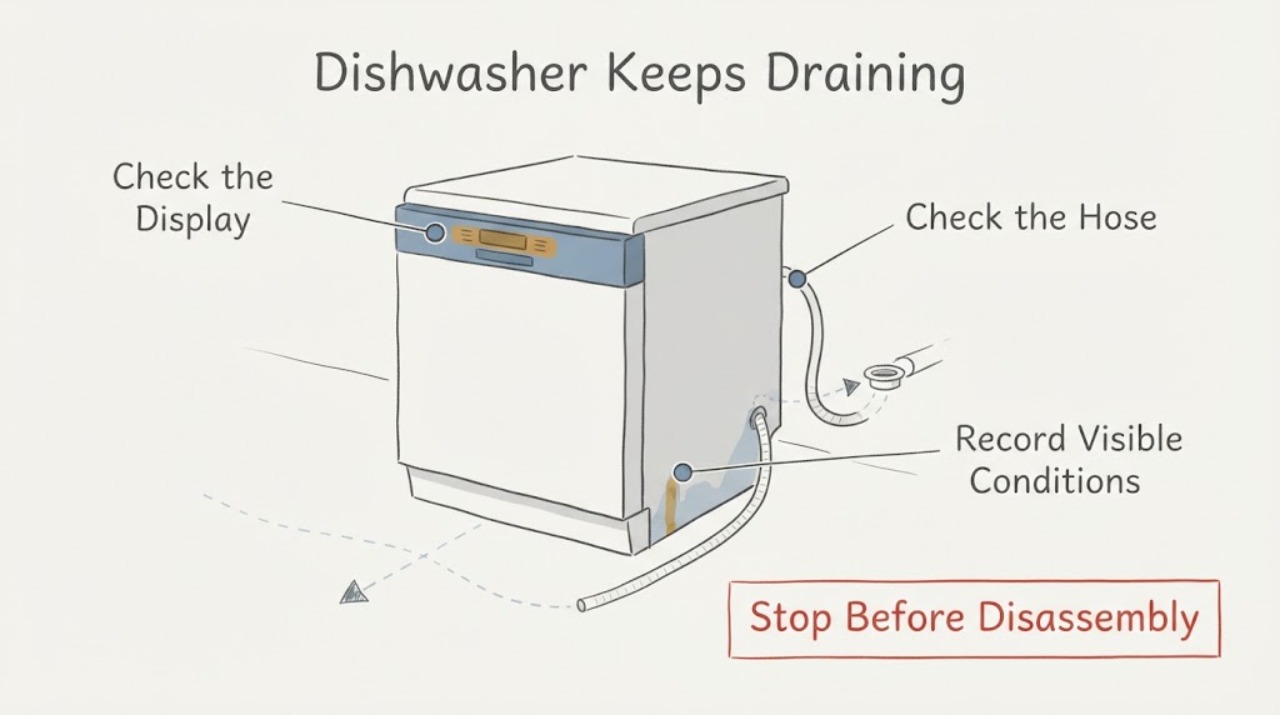
A Samsung dishwasher that will not stop draining is often responding to moisture detected by its leak-sensor system. Samsung's exact DW80J3020US product sheet identifies a digital water-leakage sensor that detects leaks and shuts off the dishwasher to prevent water damage. First switch the dishwasher off at a safe accessible power point and close the water supply if there is a visible leak. Then inspect the floor, door edge, water-supply connection and drain-hose connection for moisture, and check the display or blinking lights for a leakage indication. If the problem started after installation, verify from outside that the drain hose is not kinked or pinched, has the required high loop or air gap, and that a recently connected garbage-disposal cap was removed. Do not unplug or bypass the leak sensor, run repeated cycles to test it, or open the base. If no external cause is visible, or continuous draining returns after the documented checks and drying period, request Samsung service.
Work through in order
Diagnostic checks
Use only checks that match the exact appliance or system and its official guide.
-
Check 1
From a safe, dry position, turn the dishwasher off at its accessible control and isolate its power at the breaker or plug if water is present or the pump will not stop. If there is a visible leak, close the dishwasher water-supply valve when it can be reached safely. Do not reach under the appliance or disconnect the leak sensor.
Expected result: Water is visible on the floor, under the door or at a hose connection, or the dishwasher is dry outside but continues to drain.
Next step: Keep power off while documenting the location and amount of moisture. For a dry but continuously draining unit, continue only with the external code, hose and installation checks; do not power-cycle repeatedly or open the base.
Why this matters
Why: Visible water requires leak isolation before further testing. A dry exterior does not rule out moisture in the base or a leak-sensor state, because Samsung says moisture can trigger continuous draining even when a leak is not obvious.
-
Check 2
With power isolated, inspect the accessible water-supply hose, drain-hose connection, door edge/seal and floor for moisture, loose connections, kinks or damage. If the dishwasher was recently installed or moved, check that the drain hose is not trapped under the unit and that the sink connection uses the required high loop or air gap for the installation.
Expected result: A hose is wet, loose, kinked or pinched; the door seal is visibly displaced or damaged; the drain connection lacks the required routing; or all visible areas are dry and correctly routed.
Next step: Correct only an obvious external hose-routing or connection issue using the exact installation guide, and keep power off while doing so. Do not pull out the dishwasher, loosen concealed fittings, or repair a damaged hose connection inside the cabinet; request service if the issue is not plainly accessible.
Why this matters
Why: A visible connection or routing problem can explain leakage, backflow or moisture detection. A dry, correctly routed installation does not prove that the internal sensor, sump or pump is clear.
-
Check 3
Record any display code or blinking-light pattern before resetting. If a garbage disposal was recently connected, inspect only the visible disposal inlet to confirm the dishwasher knockout cap was removed; also check whether the sink or disposal itself drains normally.
Expected result: A leakage indication such as LE/LC or a model-specific blinking pattern is present, the disposal cap remains in place, the sink does not drain, or none of these conditions is found.
Next step: Correct a plainly visible disposal-cap or household drain blockage only at the accessible plumbing point. Use the exact DW80J3020US manual for any light pattern; do not invent a code meaning, bypass the sensor or force a cycle.
Why this matters
Why: Samsung says LE/LC or certain blinking patterns indicate moisture detection, and says a disposal cap, blocked sink or disposal can cause drainage problems. Absence of a code does not clear the dishwasher because some conditions are reported through lights or continuous draining.
-
Check 4
If no leak or installation fault is visible, leave the dishwasher unpowered long enough for accessible moisture to dry, then perform one Samsung reset by restoring power only after the external checks. If the model manual allows access to the filter/drain area, clean and reassemble only the user-removable parts exactly as shown, with power off and caution for sharp debris.
Expected result: The dishwasher stops draining and operates normally after the documented cause is corrected, or it immediately resumes continuous draining or shows the same leakage indication.
Next step: Keep power and water isolated as appropriate and request Samsung service. Do not remove the base, pump, sensor or wiring, and do not keep restoring power to see whether the protection response changes.
Why this matters
Why: A reset can clear a resolved sensor state, but Samsung says resetting alone will not fix an unresolved drain hose, leak or error condition. Repeated draining after drying and inspection leaves the cause unresolved.
Use your observations
Decision map
Find the observation that best matches what you see, then follow the next safe action.
-
PATH 01Next step
What you see
Water is actively leaking, the floor or electrical connection is wet, or the dishwasher continues draining while the source of moisture is unknown.
Do this next
Keep the dishwasher power off, close its water supply when safe, keep people away from wet electrical areas and arrange qualified appliance service or plumbing/electrical help as appropriate. Do not restart it to locate the leak.
Why this path and its safety boundary
Why it matters: The drain is acting as a water-damage protection response, and continued powered operation could worsen a leak or electrical hazard.
-
PATH 02Next step
What you see
The problem began immediately after installation or after the dishwasher was moved, and the visible drain hose is kinked/pinched, lacks the required high loop or air gap, or the disposal cap remains installed.
Do this next
Have the accessible connection corrected according to the Samsung installation guide and local plumbing rules. If the hose or connection is damaged or concealed, leave power off and use a professional installer or service technician.
Why this path and its safety boundary
Why it matters: The timing and visible installation condition make an external routing or plumbing setup issue more likely than a proven internal pump or sensor failure.
-
PATH 03Next step
What you see
No visible leak, hose-routing issue, disposal-cap issue or household drain blockage is found, but a leakage code/light pattern remains or the dishwasher resumes continuous draining after one documented reset.
Do this next
Keep the dishwasher out of use and request Samsung service with the exact model, code/light pattern, installation history and inspection results. Do not bypass the leak sensor or open the base.
Why this path and its safety boundary
Why it matters: The moisture-safety state or an internal drainage/control issue remains unresolved; external observation cannot identify the responsible sensor, pump or wiring.
-
PATH 04Next step
What you see
The drain stops after an accessible hose or disposal installation issue is corrected and the dishwasher completes a normal cycle without a leak indication.
Do this next
Monitor the next cycle for renewed moisture, backflow or continuous draining. If the symptom returns, stop using the dishwasher and request service rather than repeatedly resetting it.
Why this path and its safety boundary
Why it matters: The observed cause was consistent with external drainage or installation, and the leak-sensor protection response is no longer active.
Helpful context
Understand the symptom
Continuous draining is a protection response until proven otherwise
Samsung's exact DW80J3020US product sheet lists a digital water-leakage sensor that detects leaks and shuts off the dishwasher to prevent water damage. Samsung's support guide says detected moisture can make the dishwasher drain continuously so it will not turn off. The moisture can come from a leak, installation condition or lingering water near the sensor; a visible dry floor does not prove that the sensor or dishwasher is defective. Keep the inspection external and treat the draining as a safety signal rather than a reason to force a new cycle.
Drain routing and installation can trigger the symptom
Samsung identifies a kinked or pinched drain hose, missing high loop or air gap, a disposal cap left in place after installation, and a blocked sink or disposal as installation/plumbing conditions that can cause drain trouble or backflow. These checks can be made around the sink and visible connections. The hose, pump, sensor and base of the dishwasher should not be opened or altered without the exact installation instructions and qualified service.
Common questions
FAQ
Why does the Samsung DW80J3020US keep draining?
Samsung says moisture detected by the leak sensor can make the dishwasher drain continuously so it will not turn off. Check for visible leaks and installation/drain routing issues first; a dry floor does not prove that the sensor area is dry.
Can I unplug or bypass the leak sensor to stop the pump?
No. The exact product sheet identifies the sensor as a water-damage protection feature. Keep power off when troubleshooting moisture and use Samsung service if external checks and drying do not clear the condition.
Could the drain hose or garbage disposal cause constant draining?
An installation or plumbing problem can cause drainage and backflow trouble. Samsung recommends checking for a kinked or pinched hose, the required high loop or air gap, a blocked sink/disposal and a disposal cap that was not removed after installation. Correct only plainly accessible routing issues and follow the exact installation guide.
Should I reset the dishwasher immediately?
Samsung says reset only after troubleshooting the underlying issue. A reset can clear a resolved error state, but it will not fix a leak, drain-hose problem or moisture that remains near the sensor. If continuous draining returns, keep the dishwasher off and request service.
Read the exact guide
Official sources
- DW80J3020USSamsung Electronics America · Opened the exact Samsung product PDF. It identifies DW80J3020US and states that its digital water-leakage sensor detects leaks and shuts off the dishwasher to prevent water damage. It does not identify a failed internal component for a continuously draining unit.
- Samsung dishwasher will not turn offSamsung USA Support · Opened Samsung's official guide. It directly explains that detected moisture can cause continuous draining, and advises checking leaks, error/light indications, installation history and service; it is used for the exact symptom family rather than as proof of a specific internal failure.
- Samsung dishwasher is not drainingSamsung USA Support · Opened Samsung's official drain guide. It supports external sink/disposal and hose-routing checks and model-manual-limited filter cleaning; it is not used to diagnose an internal pump or leak-sensor failure.
- Samsung dishwasher is leaking or has a leakage error codeSamsung USA Support · Opened official Samsung leakage guidance. It supports safe power isolation, visible hose/seal/level checks, disposal-cap and excess-detergent checks, drying and service. It does not authorize opening the base or bypassing the sensor.
- How to reset your Samsung dishwasherSamsung USA Support · Opened Samsung's reset guidance. It gives a short power reset method and expressly says troubleshooting should come first because reset alone will not fix drain-hose or other underlying issues.
Community feedback
Share a repair observation
Share a plain-text repair observation. Accepted observations are published automatically; this page may take a moment to update.