
On this page
Start here
Quick answer
A Samsung dishwasher that stops before the end needs its displayed code or blinking lights checked first. Then distinguish a drain problem, water-supply problem, door interruption, or drying-phase issue. Check the sink/drain hose, door and loading, and detergent/filter condition; request service if the same stop repeats or a code returns.
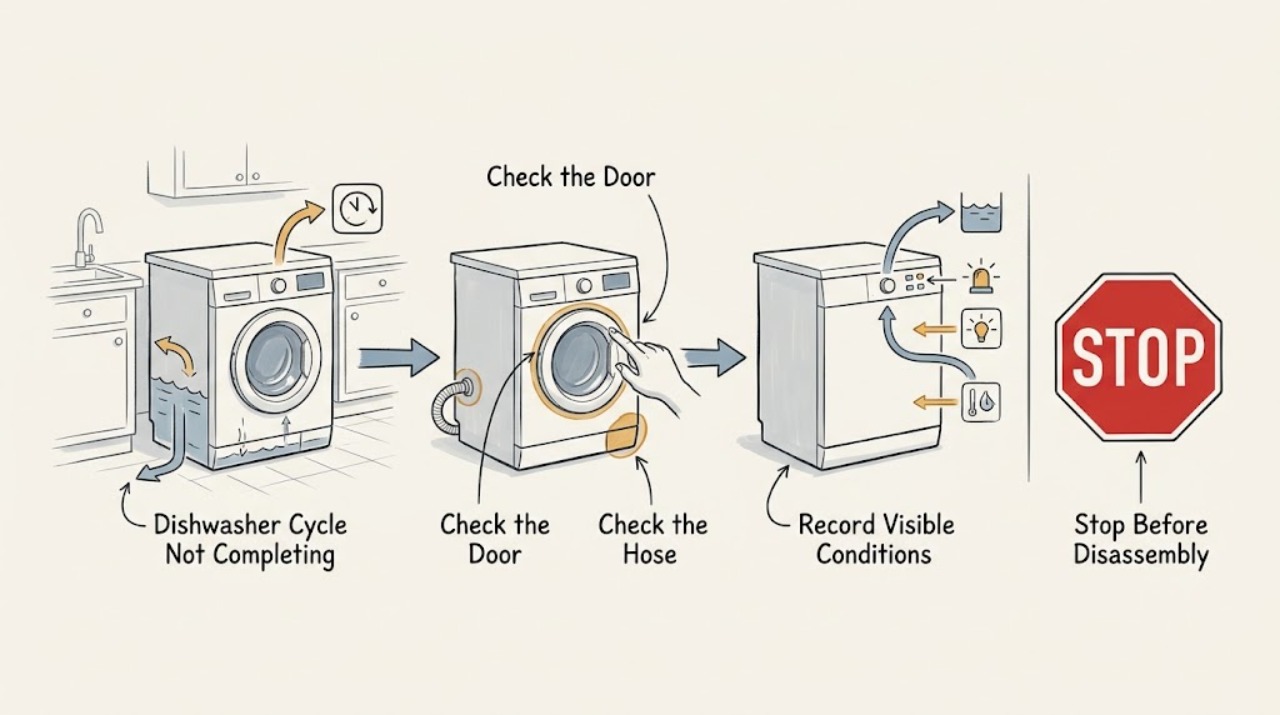
Work through in order
Diagnostic checks
Use only checks that match the exact appliance or system and its official guide.
-
Check 1
Note when the cycle stops and record any error code or blinking-light pattern before clearing it.
Expected result: It stops during initial drain/fill, mid-wash, or near drying, with or without a code.
Next step: Use the exact code guide first; do not rely on a reset alone.
Why this matters
Why: Timing and code separate drain, water, door, heater, control, and normal-status possibilities.
-
Check 2
Inspect the sink drain, garbage-disposal connection, drain hose, filter, and accessible drain area for blockage, kink, or standing water.
Expected result: The sink drains slowly, the hose is kinked, or water remains; alternatively the drain path is clear.
Next step: Correct only accessible blockage or kinks and follow local installation guidance; seek service if the pump still cannot drain.
Why this matters
Why: Samsung identifies external drain blockage, hose installation, and filter/drain debris as common causes of drain-related stopping.
-
Check 3
Check that racks and utensils are not preventing the door from closing, then start a short supervised cycle with a clear dispenser and correctly loaded tub.
Expected result: The cycle resumes/completes, or it stops again with the door appearing closed.
Next step: If the door is fully closed but the cycle repeatedly stops, preserve the code and arrange service.
Why this matters
Why: Recovery supports a loading/door interruption; recurrence points to a control, latch, fill, or other fault.
-
Check 4
If it reaches the end but leaves wet or dirty dishes, inspect detergent dispensing, spray-arm movement, filter cleanliness, and water temperature.
Expected result: Detergent remains, spray movement is blocked, the filter is dirty, or the supply is not in Samsung's normal range.
Next step: Clean/reload within the manual's limits and run one test; persistent failure with a code needs service.
Why this matters
Why: These conditions can make a completed-looking cycle ineffective or affect the drying phase.
Use your observations
Decision map
Find the observation that best matches what you see, then follow the next safe action.
-
PATH 01Next step
What you see
The tub contains water and a drain code appears when the cycle stops.
Do this next
Check the sink connection and accessible filter/drain area; stop if water cannot be safely contained.
Why this path and its safety boundary
Why it matters: A drain path, filter, hose, or pump condition is more likely than a detergent problem.
-
PATH 02Next step
What you see
The cycle stops when a rack/utensil contacts the door, then resumes after the load is corrected.
Do this next
Reload so nothing contacts the door and monitor one cycle; service is appropriate if it stops with a clear, latched door.
Why this path and its safety boundary
Why it matters: A door-interruption condition likely paused the cycle.
-
PATH 03Next step
What you see
It stops repeatedly near drying, shows a heater/sensor code, or never resumes after the accessible checks.
Do this next
Stop repeated cycles and request model-specific service with the code and stopping point.
Why this path and its safety boundary
Why it matters: The issue is beyond a simple load or drain correction.
Helpful context
Understand the symptom
Locate the point of failure
Stopping during the initial drain, after filling, during washing, or near drying points to different decisions. Note what remains in the tub and whether a code or blinking pattern appears.
When checks do not resolve it
Need a professional?
Request service for repeated early stops, heater/pump/sensor/communication codes, an unlatched or damaged door, active leakage, or any condition requiring cabinet or electrical access.
Common questions
FAQ
Is a long Samsung dishwasher cycle necessarily a failure?
No. A cycle can include an initial drain and model-specific phases. A repeated stop, error code, or water left behind is the more useful signal.
Why does the cycle stop with no code?
Samsung notes that loading can contact the door and interrupt a cycle. Check loading and door closure, then treat repeated stops as service-worthy.
Read the exact guide
Official sources
- Steps to get your Samsung dishwasher starting and filling with waterSamsung Support Canada · Samsung dishwasher start, door, child lock, delay, and fill sequence
- Detergent does not dispense in Samsung dishwasherSamsung Support US · Samsung dishwasher detergent dispenser, temperature, and obstruction checks
- Dishwasher cycle ends before dishes are cleanSamsung Support US · Samsung dishwasher early-cycle and cleaning-performance troubleshooting
- Samsung dishwasher is displaying an error codeSamsung Support US · Samsung dishwasher code meanings for drain, supply, pump, heat, leak, and controls
- Routine and deep clean your Samsung dishwasherSamsung Support US · Samsung dishwasher filter and drain-pump cleaning
- Lights are blinking on the Samsung dishwasherSamsung Support US · Samsung dishwasher blinking-light status and error interpretation
- Samsung dishwasher is not drainingSamsung Support US · Samsung dishwasher sink, drain hose, filter, and drain-area checks
Community feedback
Share a repair observation
Share a plain-text repair observation. Accepted observations are published automatically; this page may take a moment to update.