
On this page
Start here
Quick answer
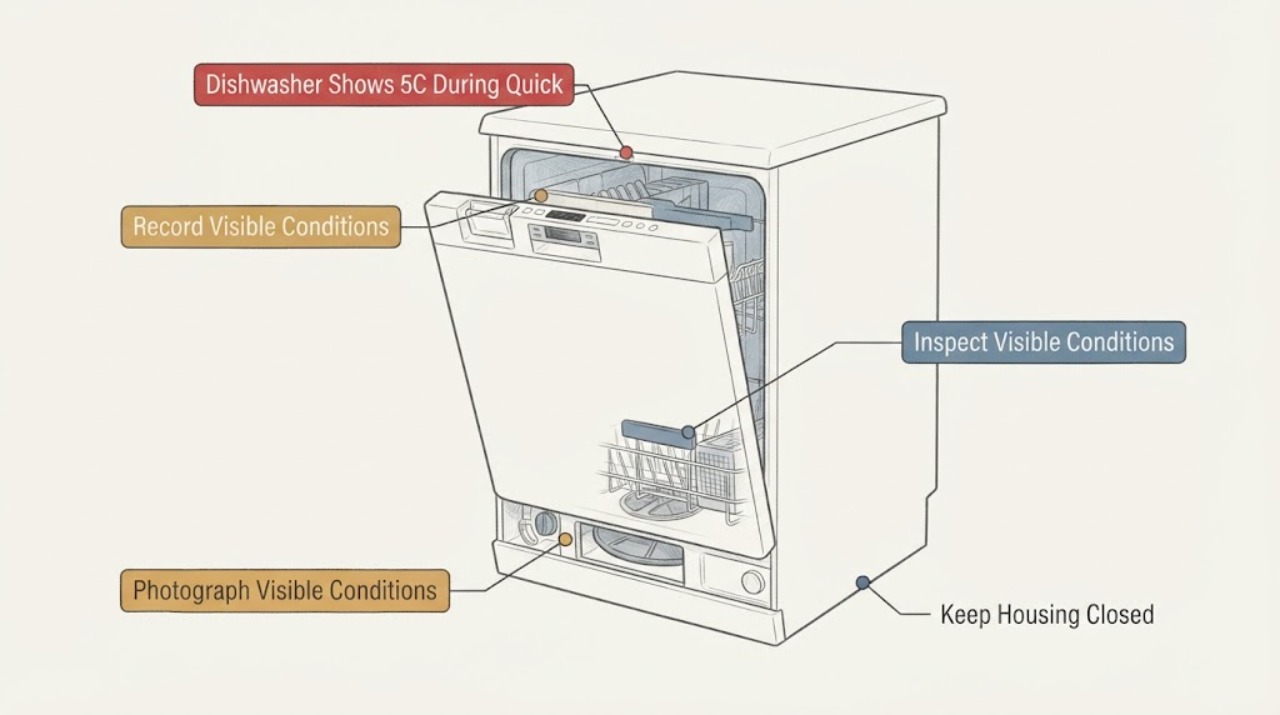
On the Samsung DW80R7061US, 5C is a drain-related indication, but the short Quick Rinse or Rinse timing does not by itself prove a failed pump or control board. First record whether the code appears before or after water enters, whether water remains in the tub, and whether the sink, air gap, garbage-disposal connection, and visible drain hose are actually blocked, kinked, pinched, or allowing backflow. Samsung's opened model-support record identifies DW80R7061US/AA and links its user and installation documentation; Samsung's drain guide specifically directs owners to inspect the sink/disposal, drain-hose routing, and air gap or high loop. Check only those accessible external conditions, do not pull out the built-in dishwasher, enter service mode, open the pump area, tilt the unit, or perform a live test. If there is water under the dishwasher, an active leak, smoke, burning smell, or electrical trip, stop using it and isolate water and power only when safely accessible. After the external checks, perform one normal power reset only if the area is dry and safe; if 5C returns, request Samsung service with the exact model, code, cycle, and water observations.
Before you begin
Safety first
- Do not enter service mode, pull out or tilt the built-in dishwasher, open electrical covers or the pump area, disconnect wet hoses, touch an impeller, perform live tests, or repeatedly run Quick Rinse/Rinse. Keep the unit off for leaks, standing water, smoke, burning smell, sparks, abnormal heat, or repeated electrical protection operation.
Work through in order
Diagnostic checks
Use only checks that match the exact appliance or system and its official guide.
-
Check 1
Before cancelling or resetting, photograph the complete display and record whether 5C appeared in Quick Rinse or Rinse, the elapsed point in the cycle, whether the door was opened, and whether the machine stopped, drained, or continued humming. If the panel uses lights, record the full repeating pattern instead of naming it from memory.
Expected result: 5C is clearly displayed during a short cycle, only a light pattern is present, a different code appears, or the code cannot be read reliably.
Next step: Keep the image, cycle name, timing, and exact model record for Samsung service. Do not enter service mode or start another cycle just to reproduce the message.
Stop if: Stop for water on the floor, smoke, burning smell, sparks, a hot connection, damaged cord, or repeated breaker/RCD operation.
Why this matters
Why: Samsung's drain guide includes 5C among drain or overflow errors, but a code or light pattern must be captured before it is compared with the exact manual. A short-cycle report alone cannot distinguish a drain event from a misread status indication.
-
Check 2
Read the rating label without moving the built-in unit and record the complete model suffix, such as the support page's DW80R7061US/AA form, serial number, purchase market, and whether the appliance matches the DW80R7061 specification family. Use Samsung's exact model support record to select the owner and installation documentation.
Expected result: The label confirms DW80R7061US with a suffix, shows a different model, or is incomplete or inaccessible.
Next step: Provide the complete label to Samsung support or qualified service and request the matching manual. Do not use a code or drain instruction from another DW80 series variant as a substitute.
Stop if: Do not pull the dishwasher out, remove the toe-kick, open the junction box, or expose wiring to reach a label.
Why this matters
Why: Samsung's support record identifies DW80R7061US/AA and its linked documents, while the product sheet identifies the DW80R7061US variant. A missing suffix or different market can change installation details and code interpretation.
-
Check 3
After the dishwasher is stopped and safe to approach, observe the tub and floor without reaching into the pump area: note whether water remains in the tub, whether the floor under the unit is wet, whether the drain pump sound continued after the stop, and whether the water level changed before 5C appeared.
Expected result: The tub is empty, water remains in the tub, the floor is wet, the machine drained then stopped, or the machine stopped before any water entered.
Next step: For retained water or a leak, keep the dishwasher off and arrange service after the safe external checks. If no water remains, continue by checking the household drain path rather than guessing a component.
Stop if: Do not run another cycle with a leak, water under the unit, water near electrical parts, or a need to access the base or pump.
Why this matters
Why: Standing water or a level that does not fall supports the drain branch; a wet floor is a separate leak-safety branch. An empty tub after the code does not prove that the pump or control is healthy, and stopping before fill may be a different event.
-
Check 4
Inspect only the accessible external drain route: look at the sink drain opening, garbage-disposal connection if present, air gap if installed, and visible hose for a clog, kink, pinch, damage, missing high loop, or backflow path. Do not disconnect the hose or move the dishwasher.
Expected result: The sink/disposal is blocked, the visible hose is kinked or pinched, the air-gap/high-loop arrangement is absent or visibly incorrect, the disposal connection was recently changed, or the external route looks clear.
Next step: Correct only an obvious, dry, accessible external obstruction or hose kink according to local installation requirements and the exact manual. If the route is clear or 5C returns, stop and request service.
Stop if: Do not pull the unit, disconnect wet plumbing, open the pump/filter housing beyond the exact owner manual, or reach toward an impeller.
Why this matters
Why: Samsung says a sink or disposal blockage and incorrect hose routing can prevent draining or allow water to backflow. A clear external route makes an internal drain or sensing condition more plausible, but does not identify a pump or control-board fault.
-
Check 5
Check the connected sink separately without operating the dishwasher: run the sink water for about 30 seconds and observe whether the sink drains normally. If the sink backs up, stop there; if the external drain path is clear and the dishwasher area is dry, use Samsung's normal unplug-or-breaker reset once, then record whether 5C returns.
Expected result: The sink drains normally, the sink backs up, the dishwasher clears 5C after one reset, or 5C returns or the controls remain stopped.
Next step: Contact a plumber for a sink or household drain blockage. For a returning 5C or stopped dishwasher after the external route is clear, leave the appliance off and request Samsung or qualified dishwasher service.
Stop if: Do not repeatedly reset or run Quick Rinse/Rinse, and stop immediately for a leak, smoke, burning smell, sparks, abnormal heat, or electrical trip.
Why this matters
Why: Samsung states that a sink that does not drain points to household plumbing, while its reset guide says a reset cannot correct a drain-hose installation problem and recurring errors need further troubleshooting or service. A clear reset does not prove a pump or board condition.
Use your observations
Decision map
Find the observation that best matches what you see, then follow the next safe action.
-
PATH 01Next step
What you see
5C appears in Quick Rinse or Rinse and water remains in the tub or the water level did not fall before the stop.
Do this next
Check the sink/disposal, air gap or high loop, and visible drain-hose routing without moving the dishwasher. If those are clear or 5C returns, request service.
Why this path and its safety boundary
Why it matters: This matches Samsung's drain-error branch. The short-cycle timing identifies when the drain expectation failed, not which internal part failed.
-
PATH 02Next step
What you see
The sink backs up, the garbage disposal connection is blocked, or the drain hose is visibly kinked, pinched, or missing the required anti-backflow routing.
Do this next
Address only the accessible household drain or visible hose-routing condition under the exact installation guidance. Use a plumber for a blocked sink and service for a damaged or inaccessible dishwasher connection.
Why this path and its safety boundary
Why it matters: Samsung identifies household drain blockage and drain-hose routing as external causes of dishwasher drain problems; a sink result points to plumbing rather than proving a dishwasher pump failure.
-
PATH 03Next step
What you see
The sink drains normally, the visible drain route is clear, the tub is empty or the water drained, and 5C returns after one safe reset or the dishwasher stops again.
Do this next
Leave the dishwasher off and give Samsung service the full model suffix, display photo, Quick Rinse/Rinse timing, water status, external drain observations, and reset result.
Why this path and its safety boundary
Why it matters: The common external branches have not resolved the model-specific drain indication. Samsung's reset guidance says to request service when troubleshooting does not clear the problem; the observation does not justify naming a pump, sensor, or control board.
-
PATH 04Next step
What you see
Water is under the unit, there is an active leak, smoke, burning smell, sparks, abnormal heat, a hot connection, or repeated electrical protection operation.
Do this next
Stop using the dishwasher, close its water supply, and isolate power only if safely accessible without touching water or damaged parts; arrange qualified appliance or electrical help. Do not reset or run it again.
Why this path and its safety boundary
Why it matters: This is a water, fire, or electrical safety stop independent of whether the display truly reads 5C.
Helpful context
Understand the symptom
The useful clue is not simply that 5C appeared. It is whether the code is a true drain failure in a short cycle: did water enter, is water still visible in the tub, did the machine drain before stopping, and does the connected sink drain normally? Samsung classifies 5C with drain or overflow errors and points first to the household drain connection and hose routing. Those checks can explain a short-cycle stop without proving a pump or control-board fault.
The model support record is for DW80R7061US/AA, while the product specification identifies the DW80R7061US model family and its Rinse Only cycle. Keep the complete rating-label suffix and purchase market with the display photo so Samsung can select the matching manual. Do not use a different Samsung dishwasher platform's pump procedure or code table.
When checks do not resolve it
Need a professional?
Request Samsung or qualified service for a recurring 5C after the accessible sink, disposal, air-gap/high-loop, and visible hose checks, retained water, an unclear model suffix, or a control that remains stopped. Use plumbing service when the connected sink itself backs up.
Safety scope: Do not enter service mode, pull out or tilt the built-in dishwasher, open electrical covers or the pump area, disconnect wet hoses, touch an impeller, perform live tests, or repeatedly run Quick Rinse/Rinse. Keep the unit off for leaks, standing water, smoke, burning smell, sparks, abnormal heat, or repeated electrical protection operation.
Have this ready
- Provide the complete DW80R7061US model suffix, serial number, purchase market, display photograph or light pattern, Quick Rinse/Rinse selection, stop timing, whether water entered or remained, sink result, visible hose/air-gap/disposal observations, and the result of the one safe reset.
Read the exact guide
Official sources
- DW80R7061 Samsung StormWash 42 dBA DishwasherSamsung · The opened official Samsung specification sheet identifies the DW80R7061 family, lists DW80R7061US as a model variant, and lists Rinse Only among the wash cycles. It does not define 5C or justify an internal part conclusion.
- DW80R7061US/AA | Samsung Support CaribbeanSamsung · The opened official Samsung support record identifies DW80R7061US/AA and lists user and installation manual records with English, Spanish, and regional-market availability metadata. It is used for model and suffix matching, not as proof of a pump or control-board diagnosis.
- Samsung dishwasher is not drainingSamsung · The opened U.S. Samsung dishwasher guide includes 5C among drain or overflow errors and directs owners to inspect the sink drain, garbage disposal, air gap or high loop, drain-hose routing, and accessible drain/filter area under the exact manual. It states that a sink that does not drain points to household plumbing.
- How to reset your Samsung dishwasherSamsung · The opened Samsung U.S. reset guide says to troubleshoot before resetting, notes that a drain issue such as 5C can result from drain-hose installation, and directs the owner to request service when troubleshooting does not clear the issue.
- 5C/5E, 4C/4E, and LC/LE information codes on my dishwasher.Samsung · The opened Samsung UK dishwasher page identifies 5C/5E as drainage issues and directs owners to contact Samsung service if the information code continues. Because regional instructions differ, this source is used only to corroborate the drain-code category and not to transfer a pump-removal procedure to the DW80R7061US.
Community feedback
Share a repair observation
Share a plain-text repair observation. Accepted observations are published automatically; this page may take a moment to update.