
On this page
Start here
Quick answer
Samsung identifies the DW80R7060US/AA as a StormWash dishwasher with three spray wash arms. A StormWash piece stopping at a different angle after each cycle is not, by itself, proof of failure: a rotating nozzle can stop wherever the final water movement ends. The useful checks are whether the exact nozzle or arm rotates freely with the dishwasher off, whether a rack or pot handle blocks it, whether its holes are clogged, and whether wash coverage is poor. Load large items face down in the marked StormWash area, keep handles and tall items out of the spray path, and use only the exact manual's nozzle-removal steps. Samsung's cleaning guidance allows checking a reinserted nozzle by rotating it by hand, but do not force, bend, pry, remove the circulation pump, or guess a replacement part. Stop for binding, cracks, scraping, poor coverage after a clear load, leaks, or water near electrical parts and arrange qualified service.
Before you begin
Safety first
- Do not force or bend a spray arm/nozzle, pry a cap, remove the circulation pump, open the electrical area, or operate with a loose/damaged part. Keep the dishwasher off for leaks, water near electrical parts, smoke, burning odor, harsh impact, or visible damage.
Work through in order
Diagnostic checks
Use only checks that match the exact appliance or system and its official guide.
-
Check 1
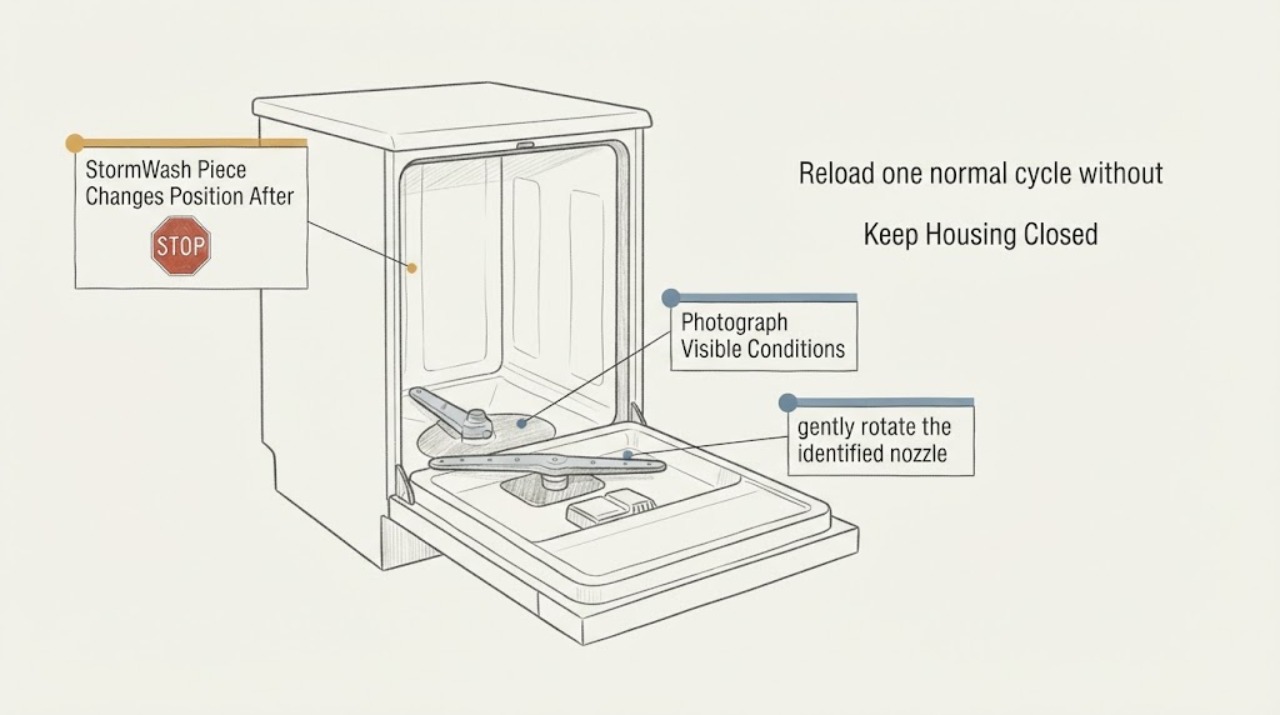
Confirm the rating label as DW80R7060US/AA and identify which part is being called the StormWash piece: the targeted lower-rack nozzle, lower arm, middle arm, or upper/top nozzle. With the dishwasher off, photograph its position before loading and after a cycle and note whether the StormWash-area dishes are actually clean.
Expected result: The exact model and part location are clear, or the piece cannot be distinguished from the other spray arms and rack parts.
Next step: Use the full /AA identity and matching manual before removing anything. If the location is uncertain, do not order a part or copy another Samsung model's procedure.
Why this matters
Why: Samsung's exact-model page and specification establish the DW80R7060US/AA platform and three-arm arrangement, but the word piece does not identify an assembly. Different arms have different access and mounting.
-
Check 2
With the dishwasher powered off and the racks cool, gently rotate the identified nozzle or arm by hand through its normal free travel. Check only for smooth movement, a loose or cracked piece, rubbing on the tub, or a rack item touching it; do not force past a stop or use a tool.
Expected result: The part turns freely, stops at a designed position, binds, scrapes, wobbles, is cracked, or cannot be safely reached as the exact manual describes.
Next step: Leave a damaged, loose, binding, or inaccessible assembly alone and arrange service. If it moves freely and is intact, continue with load and nozzle-hole checks.
Stop if: Do not bend, twist, unscrew, pry, or force the StormWash piece, and do not reach into a pump or guarded opening.
Why this matters
Why: A free-moving intact part that stops at different angles is compatible with normal rotation. Resistance, rubbing, looseness, or damage points to obstruction, incorrect engagement, or service; hand movement cannot prove water-pressure or circulation performance.
-
Check 3
Reload one normal cycle without obstructing the spray path. For StormWash, place large durable items face down in the marked StormWash area on the left side of the lower rack; keep pot handles, tall items, and loose pieces from touching the targeted nozzle or another rack.
Expected result: The piece clears the rack and coverage is normal, a handle or tall item blocks it, or the piece remains at a different final angle while coverage is normal.
Next step: Correct only the visible loading obstruction and compare one normal cycle. If the piece still binds or coverage remains poor with correct loading, stop repeated trials and arrange service.
Why this matters
Why: Samsung says the StormWash zone receives additional targeted water power, and a load in the spray path can restrict movement or coverage. A different stopped angle with normal cleaning is not a failure signal.
-
Check 4
Turn the dishwasher off and, following the exact Samsung manual, remove only the rack or nozzle that provides access. Inspect visible nozzle holes for food or mineral debris; if the model's nozzle is removable, clean it with a small soft brush and running water, then reinsert and secure it without force.
Expected result: Holes are clogged, the cap or arm is not seated, the part is loose/cracked, or the holes and engagement look clear and correct.
Next step: Use only the exact manual's removal and reassembly sequence. If cleaning changes free movement and coverage, monitor; if it remains abnormal, arrange appliance service.
Stop if: Do not drill or enlarge jets, substitute a nozzle, use pliers, dismantle the circulation system, or continue if the part will not lock securely.
Why this matters
Why: Samsung states that clogged nozzle holes reduce cleaning performance and says to check correct engagement by rotating a reinserted nozzle. Cleaning can explain poor coverage, but a cracked or unsecured part is not made safe by forcing it.
-
Check 5
After the part is correctly seated and the load is clear, compare the result on one normal cycle from outside: inspect the StormWash-area dishes for coverage, listen for scraping or repeated knocking, and check around the door and floor for water. Do not touch the arm while operating or run an empty cycle.
Expected result: Cleaning is normal despite a different final angle, coverage is poor, a harsh noise appears, or water is outside the tub.
Next step: Stop repeated testing for poor coverage, harsh noise, a loose arm, or any leak and arrange Samsung or qualified dishwasher service. Keep the dishwasher off if water reaches electrical areas.
Why this matters
Why: Normal coverage with free movement makes the final position a weak symptom. Poor coverage after a clean, unobstructed arm suggests a water-delivery, circulation, nozzle, or control issue that cannot be identified safely by watching its parked angle. Noise or a leak raises a service branch.
-
Check 6
Prepare the service handoff if the piece remains abnormal: provide the exact DW80R7060US/AA model, part location, before/after photos, free-movement result with power off, load position, clogged-hole findings, coverage result, noises, leaks, and recent cleaning or installation work.
Expected result: The position changes but the arms are intact and cleaning is normal, or restriction/damage and poor coverage or noise remain.
Next step: Monitor only an intact, freely moving unit with normal coverage. For persistent restriction, poor coverage, harsh noise, damage, or a leak, stop use and request qualified service; do not guess a part.
Why this matters
Why: The exact-model support route and specification identify the platform, while the observation history distinguishes a harmless final angle from a repeatable mechanical or water-delivery problem. The opened sources do not justify naming a replacement arm or pump.
Use your observations
Decision map
Find the observation that best matches what you see, then follow the next safe action.
-
PATH 01Next step
What you see
The StormWash piece is intact, rotates freely with power off, clears the rack, and dishes receive normal coverage even though it stops at a different angle after each wash.
Do this next
Keep the normal loading arrangement and monitor. Do not replace the part or force it into a preferred parked position.
Why this path and its safety boundary
Why it matters: The angle is consistent with a rotating spray part stopping wherever the final water movement ends; it is not enough evidence of a failed arm or nozzle.
-
PATH 02Next step
What you see
A pot handle, tall item, rack tine, or another dish touches the StormWash nozzle/arm, or the marked StormWash zone is loaded differently from Samsung's guidance.
Do this next
Reload large items face down in the marked left-side StormWash area with the spray path clear, then compare one normal cycle. Stop and service if interference is absent but the fault remains.
Why this path and its safety boundary
Why it matters: Loading interference is more likely than a failed rotating assembly and can restrict spray coverage or movement.
-
PATH 03Next step
What you see
Nozzle holes are visibly clogged or a removable part was not fully seated, and cleaning/reassembly restores free movement and wash coverage.
Do this next
Use the exact cleaning sequence and monitor. If the part will not secure, becomes loose/cracked, or the problem returns, stop and arrange service rather than forcing it.
Why this path and its safety boundary
Why it matters: Debris or incorrect engagement is the leading explanation for this episode; Samsung warns that blocked holes reduce cleaning performance and requires correct reassembly.
-
PATH 04Next step
What you see
The piece binds, scrapes, wobbles, is cracked, remains loose after exact reassembly, or gives poor coverage with a clear load and clean nozzle.
Do this next
Stop repeated cycles and arrange Samsung or qualified dishwasher service with the exact model, photos, and coverage history. Do not force, dismantle, or order a guessed arm, pump, or nozzle.
Why this path and its safety boundary
Why it matters: This is no longer a final-position question; a damaged assembly or water-delivery/circulation/control problem needs model-specific diagnosis. A stopped angle cannot identify the failed component.
-
PATH 05Next step
What you see
A leak, water near electrical parts, smoke, burning odor, harsh repeated impact, or other visible damage appears during or after the cycle.
Do this next
Stop the dishwasher, keep clear, and isolate power and water only from safe accessible controls. Arrange qualified service; do not restart it to verify the sound or leak.
Why this path and its safety boundary
Why it matters: This is a water/electrical or equipment-safety stop condition, not a spray-arm adjustment problem.
Helpful context
Understand the symptom
StormWash is a targeted rotating spray function, not a position-lock mechanism. The DW80R7060US/AA specification lists StormWash and three spray wash arms: upper, middle, and lower. A different final angle is therefore weak evidence; free movement with power off, a visible obstruction or crack, poor coverage, or a leak is more useful.
Keep checks inside the tub and at the loading boundary. Samsung says its common nozzle steps may not match every model, so use the exact manual for this model. Do not force an arm, open the circulation system, or operate with a loose or damaged piece.
When checks do not resolve it
Need a professional?
Use the exact Samsung DW80R7060US/AA support route or qualified dishwasher service for persistent binding, poor StormWash coverage, a loose/cracked assembly, abnormal noise, or a leak. Do not move into internal diagnosis based only on the stopped position.
Safety scope: Do not force or bend a spray arm/nozzle, pry a cap, remove the circulation pump, open the electrical area, or operate with a loose/damaged part. Keep the dishwasher off for leaks, water near electrical parts, smoke, burning odor, harsh impact, or visible damage.
Have this ready
- Provide the full DW80R7060US/AA identity, exact nozzle/arm location, before/after photos, free-movement result with power off, load position, clogged-hole and reassembly observations, coverage result, noises, leaks, and recent cleaning or installation history.
Common questions
FAQ
Should the StormWash piece return to the same position after every wash?
Not necessarily. A rotating nozzle or arm can stop at different angles. Judge it by free movement with power off, lack of obstruction or damage, and actual wash coverage rather than by its final angle alone.
Where should dishes go when using StormWash on the DW80R7060US?
Samsung's setup guidance places large items face down in the marked StormWash area on the left side of the lower rack. Keep handles and tall items away from the targeted spray path.
Can I turn the Samsung spray arm by hand?
With the dishwasher off and the part accessible, Samsung's cleaning guidance says to check correct engagement by rotating a reinserted nozzle by hand. It should move freely; do not force, bend, pry, or reach into the pump.
When should I stop using the dishwasher?
Stop for a binding, cracked, loose, or scraping spray assembly, persistent poor coverage, a leak, water near electrical parts, smoke, burning odor, harsh repeated impact, or other visible damage. Arrange qualified service rather than guessing a part.
Read the exact guide
Official sources
- Samsung Dishwasher Support USSamsung Support US · Support hub used to route to the exact user manual and service; it is not evidence of a specific part failure.
- Routine and deep clean your Samsung dishwasherSamsung Support US · Samsung says the nozzle steps are common and directs users to the exact manual when they do not match; use only the steps applicable to DW80R7060US/AA.
- How to set up your Samsung DishwasherSamsung Support US · General Samsung setup guidance used for StormWash zone placement; it does not identify a failed arm or nozzle on the exact model.
- DW80R7060US/AA Warranty and Service Support | Samsung Support USSamsung Support US · Exact US model page used for model identity and service routing; it is not a spray-arm diagnosis guide.
- Samsung DW80R7060 StormWash 42 dBA Dishwasher Specification SheetSamsung Electronics America · Official platform specification used to confirm StormWash, three spray wash arms, and DW80R7060US; it does not prove a particular failed component.
Community feedback
Share a repair observation
Share a plain-text repair observation. Accepted observations are published automatically; this page may take a moment to update.