
On this page
Start here
Quick answer
If a Samsung dishwasher will not start, check the door latch, Control/Child Lock, Delay Start, and whether the first short drain phase is being mistaken for a delay. Press Start briefly rather than holding it, because holding it can cancel the cycle. If the panel is completely dead, use the separate power and breaker checks; if the panel works but the cycle still will not begin, request service.
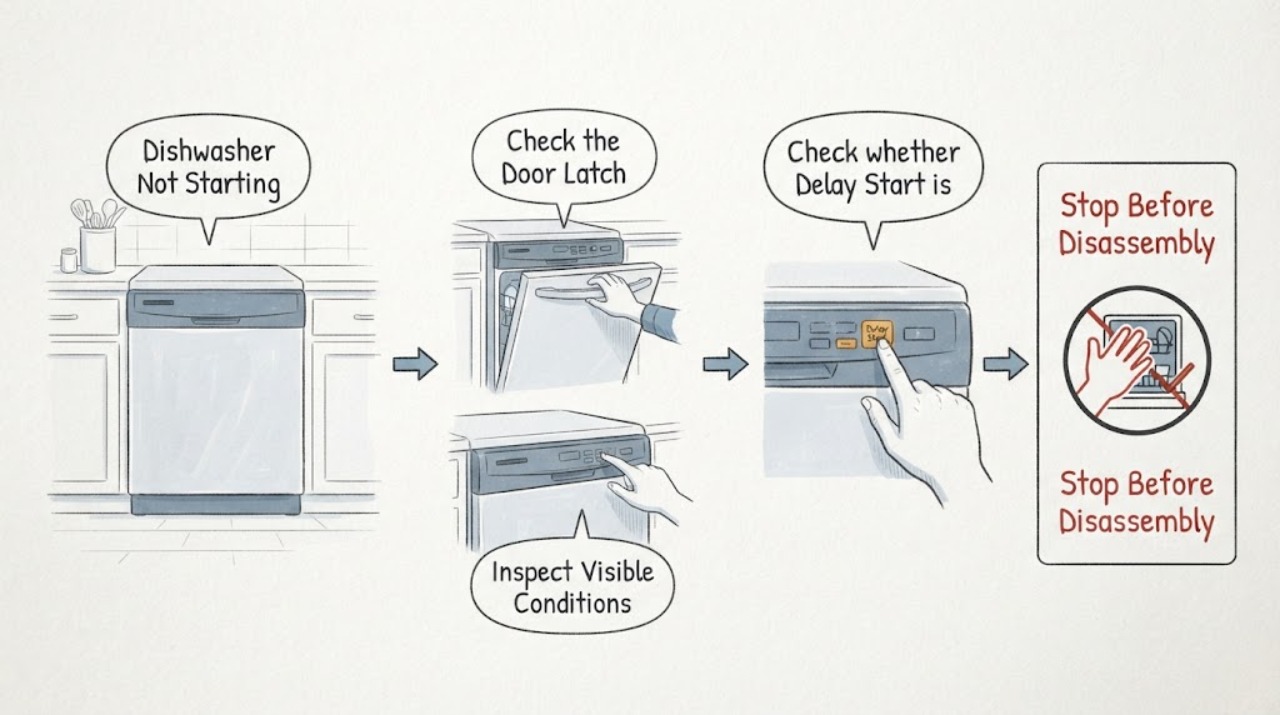
Work through in order
Diagnostic checks
Use only checks that match the exact appliance or system and its official guide.
-
Check 1
Close the door firmly and inspect the latch area for a rack, tall dish, or debris preventing the door from seating.
Expected result: The latch clicks and the cycle begins, or the panel remains idle as if the door is open.
Next step: Reposition the obstruction and try once more; do not force a damaged latch.
Why this matters
Why: A door that is not detected as closed prevents Samsung dishwashers from starting; a correctly latched door shifts attention to controls or power.
-
Check 2
Look for a padlock icon or other indication that Child Lock/Control Lock is active, and use the model's documented button hold to turn it off.
Expected result: Buttons become responsive and the dishwasher accepts Start, or the controls remain unresponsive.
Next step: Use the exact model manual for the lock combination; if it remains locked or shows an error, stop and arrange service.
Why this matters
Why: A lock setting can block input without indicating a mechanical failure; continued unresponsiveness suggests a control or power issue.
-
Check 3
Check whether Delay Start is selected, then press Start briefly and wait through the dishwasher's initial drain phase.
Expected result: The machine drains for a short time before filling, or it never advances beyond the drain/control state.
Next step: Cancel Delay Start and press Start briefly; if it still will not progress, record any code or blinking lights.
Why this matters
Why: An initial drain is normal, while Delay Start or a held Start press can make the dishwasher seem unresponsive or cancel the cycle.
-
Check 4
If the panel is dark, check the dishwasher breaker and any nearby wall switch, then restore power once if a circuit is tripped.
Expected result: The display returns, or the breaker trips again or the display stays dark.
Next step: If power does not remain stable, stop and contact an electrician or qualified appliance service.
Why this matters
Why: A tripped circuit or switch can prevent all operation; a repeated trip is an electrical fault, not a cue to keep resetting it.
Use your observations
Decision map
Find the observation that best matches what you see, then follow the next safe action.
-
PATH 01Next step
What you see
The panel is responsive, the door latch is secure, and a short drain is heard before filling.
Do this next
Allow the drain phase to finish and watch whether the wash cycle begins.
Why this path and its safety boundary
Why it matters: The dishwasher has accepted the cycle; the initial drain is normal and is not itself a start failure.
-
PATH 02Next step
What you see
The panel is lit but buttons do nothing or a padlock icon is present.
Do this next
Use the model-specific lock control once; if input remains blocked, request service.
Why this path and its safety boundary
Why it matters: Control/Child Lock or a control-panel issue is more likely than a water-supply failure.
-
PATH 03Next step
What you see
The panel is dark, a breaker trips again, or the dishwasher stopped after an electrical event.
Do this next
Leave the breaker off if it will not hold and use an electrician or qualified technician; do not open the machine.
Why this path and its safety boundary
Why it matters: Power supply, installation, or an internal electrical fault needs attention.
Helpful context
Understand the symptom
Starting is different from powering on
A lit panel does not guarantee that a cycle has been accepted. Samsung describes a short initial drain, door detection, lock settings, Delay Start, and Start-button behavior as separate reasons a dishwasher may appear not to start.
When checks do not resolve it
Need a professional?
Request qualified service if the door is sound but the cycle never starts after lock, Delay Start, Start-button, and power checks, or if the breaker trips again. If the dishwasher has been newly installed, have the installer verify the required electrical setup.
Common questions
FAQ
Why does my Samsung dishwasher sound like it starts but not fill immediately?
Samsung describes a short initial drain of leftover water before the selected cycle fills. If it continues draining or never advances, check the door, controls, and error indications.
What if the breaker trips when I try to start it?
Reset it only once if safe. If it trips again, leave it off and have an electrician or qualified appliance technician diagnose the circuit or dishwasher.
Read the exact guide
Official sources
- Steps to get your Samsung dishwasher starting and filling with waterSamsung Electronics Canada · Samsung dishwasher start sequence, door latch, Child Lock, Delay Start, Start button, and service
- Samsung dishwasher will not turn onSamsung Electronics America · Samsung dishwasher Power button, breaker, nearby switch, and support escalation
- How to reset your Samsung dishwasherSamsung Electronics America · Samsung dishwasher reset limits and installation/start distinction
Community feedback
Share a repair observation
Share a plain-text repair observation. Accepted observations are published automatically; this page may take a moment to update.