
On this page
Start here
Quick answer
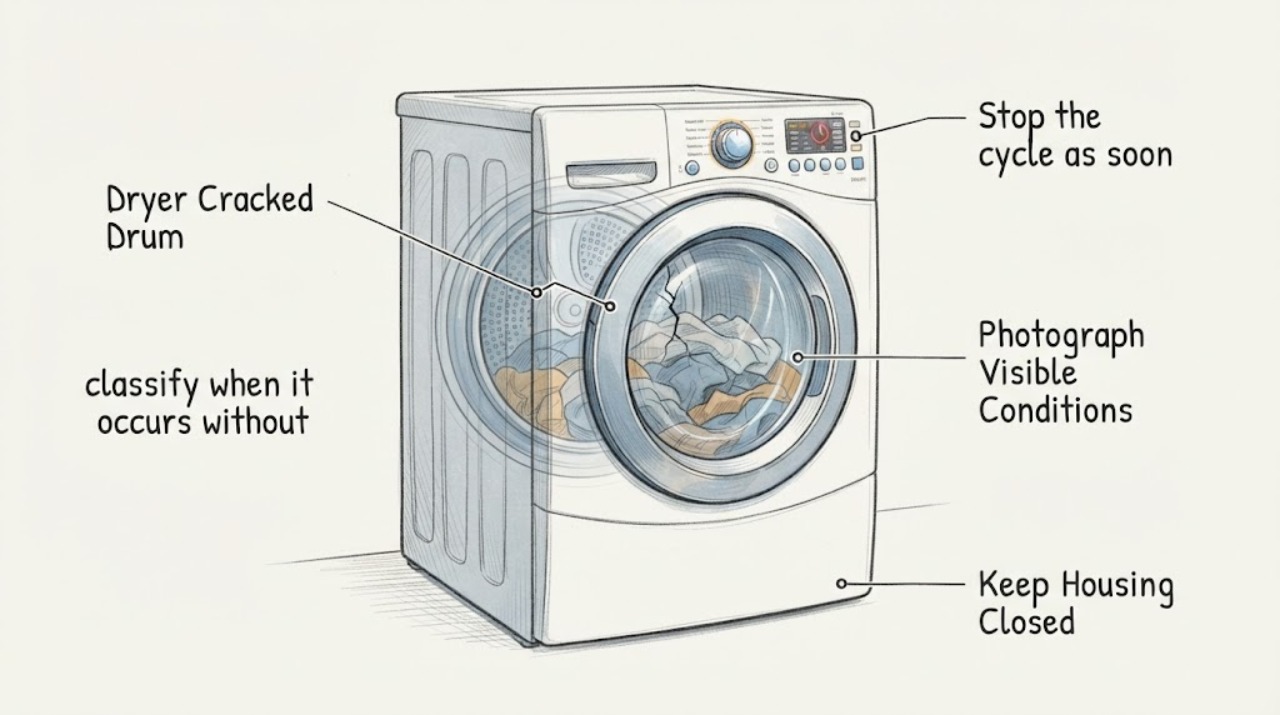
Do not run the Samsung dryer again after seeing a crack, hearing a new clunk, or seeing the drum deform as it turns. Turn it off, disconnect power when safe, remove clothing carefully and take photos of the crack, surrounding rubbing/damage and the full rating label. The exact Reddit report confirms this symptom on a roughly two-year-old Samsung dryer after medium loads, but it does not identify the model or prove a brand-wide defect. Use Samsung model support or qualified appliance service; do not patch, weld, tape, force or repeatedly heat-test the drum.
Before you begin
Safety first
- Do not run repeated cycles, heat-test an identified crack, patch/weld/tape the drum, force rotation, remove panels, bypass a safety device or order an unverified drum/roller/belt/support part.
Work through in order
Diagnostic checks
Use only checks that match the exact appliance or system and its official guide.
-
Check 1
Stop the cycle as soon as a crack, clunking with visible drum deformation, scraping, sharp edge or clothing snag is found. Disconnect the dryer from power at the plug or breaker only if it is safe to do so; do not reach around a sharp crack or run an empty test.
Expected result: The drum has a visible crack/deformation or the abnormal sound disappears only when the dryer is stopped.
Next step: Keep the dryer out of service and arrange model-specific Samsung or qualified appliance service. If there is smoke, burning odor, exposed wiring or a hot outlet, leave it de-energized and address the electrical/fire hazard first.
Why this matters
Why: The drum or its support path is physically unresolved. Samsung's normal-noise guidance cannot clear a visibly damaged drum.
-
Check 2
With power isolated and the drum cool, photograph the crack through the open door, any sharp edge/rub marks or clothing damage, and the complete rating-label model and serial information. Do not remove panels, rotate a damaged drum forcefully or reach into hidden gaps.
Expected result: The crack location and label are clear, or the damage cannot be seen without disassembly.
Next step: Send the exact observations to Samsung support or a qualified technician. Do not order a drum, roller, belt or support from a generic Samsung family listing.
Why this matters
Why: Photos and exact identity let service determine the correct drum/support inspection; inability to see the damage externally is not evidence that it is safe to run.
-
Check 3
If no crack or deformation is actually visible and the original complaint is only a sound, classify when it occurs without disassembling the dryer: with a load, empty, at startup or continuously. Do not perform this comparison when a crack is already confirmed.
Expected result: The sound occurs only with bulky/overloaded contents, or it persists with an empty drum or normal-sized load.
Next step: Reduce or rearrange a non-damaged load only when the drum is intact; otherwise stop and request service.
Why this matters
Why: Samsung says loaded thumping can be contents hitting the drum, while empty-drum abnormal noise and persistent rattling/squealing/grinding require service. This distinction does not explain a visible crack.
-
Check 4
Use Samsung Dryer Support with the exact model code and ask for a repair/warranty assessment. Provide the age, load conditions, sound timeline, photos, whether clothing was caught or damaged, and whether the drum is deformed. Do not promise coverage based on age or a community claim.
Expected result: Samsung can identify the model and offers a service/warranty route, or the model cannot be located and the damage requires an independent technician.
Next step: Keep the appliance disconnected until service confirms the repair path. Do not patch the drum, weld it, use metal tape/adhesive, bypass a safety device or repeatedly heat-test it.
Why this matters
Why: The exact model controls manual, parts and coverage decisions; the public evidence does not establish a universal Samsung cracked-drum campaign or a compatible replacement.
Use your observations
Decision map
Find the observation that best matches what you see, then follow the next safe action.
-
PATH 01Next step
What you see
A crack, sharp edge, clothing snag or oval drum is visible, or the drum rubs after the clunking begins.
Do this next
Stop, disconnect power when safe, remove clothing carefully and request model-specific service.
Why this path and its safety boundary
Why it matters: This is physical drum damage, not a normal load-thumping decision. The exact failed support or compatible part is not established.
-
PATH 02Next step
What you see
No crack or deformation is visible and the sound occurs only with bulky contents.
Do this next
Use a smaller, balanced load only if the drum is intact and the sound stops; stop and request service if noise persists.
Why this path and its safety boundary
Why it matters: Samsung says loaded thumping can be caused by contents hitting the drum or overloading; this does not apply once damage is visible.
-
PATH 03Next step
What you see
The dryer makes the clunk, scraping, squealing or grinding sound with no clothes, or the sound persists with a normal load.
Do this next
Stop using the dryer, disconnect it when safe and arrange Samsung or qualified appliance service.
Why this path and its safety boundary
Why it matters: Samsung directs abnormal empty-drum noise and persistent abnormal sounds to service rather than continued user testing.
-
PATH 04Next step
What you see
The rating label cannot be read, the crack cannot be inspected without opening panels, or the source of damage is uncertain.
Do this next
Do not run the dryer to gather more evidence; have a qualified technician identify the model and inspect the machine.
Why this path and its safety boundary
Why it matters: A generic Samsung dryer page cannot establish drum compatibility, warranty coverage or a safe internal repair.
Helpful context
Understand the symptom
A visible crack changes the decision from noise sorting to stop-use
The exact report says a Samsung dryer began clunking, then showed a large crack that made the back of the drum ovalize on each revolution. That is materially different from Samsung's ordinary loaded-thump guidance. A medium load does not make a visibly damaged drum safe, and the report does not establish whether the crack is at a weld, support, roller contact or another area. Stop operation rather than trying to reproduce the sound.
Model identification is required before a repair decision
Samsung's Dryer Support page asks for a model code to locate manuals, warranty information and repair service. Photograph the rating label before moving the appliance and preserve the exact suffix. A community report about another Samsung dryer, a generic drum listing or a claimed class action cannot establish fit, coverage or a safe repair for this unidentified unit.
When checks do not resolve it
Need a professional?
Arrange Samsung or qualified appliance service for any visible drum crack/deformation, persistent abnormal noise, clothing snag/damage, or inspection that would require opening panels. Address smoke, burning odor, exposed wiring or a hot outlet as an electrical/fire hazard before appliance diagnosis.
Safety scope: Do not run repeated cycles, heat-test an identified crack, patch/weld/tape the drum, force rotation, remove panels, bypass a safety device or order an unverified drum/roller/belt/support part.
Have this ready
- Provide the exact rating-label model and serial, age, sound timeline, load size, crack photos, drum deformation/rub marks, clothing damage and any smoke/odor/electrical observations.
Common questions
FAQ
Does a medium load rule out a cracked Samsung dryer drum?
No. The exact community report says the owner had not dried anything bigger than a medium load and still found a large crack. That is a reported case, not proof of cause or a Samsung-wide defect; a visible crack remains a stop-use condition.
Can I keep using the dryer if the crack is quiet?
No. Quiet operation does not repair a damaged drum or rule out rubbing, sharp edges or later clothing damage. Disconnect it when safe and obtain model-specific service.
Can I patch a cracked drum with tape or adhesive?
Do not patch, weld or tape the drum as a user repair. Samsung support needs the exact model for a repair assessment, and the opened sources do not establish a safe patch or compatible replacement for an unidentified model.
Read the exact guide
Official sources
- 2 year old Samsung Dryer - Cracked Drum: Known IssueReddit · Opened exact Reddit post used to confirm the clunk, visible crack, drum ovalization and medium-load condition. It does not provide an exact model or official defect/coverage conclusion.
- Dryers | Samsung Support USSamsung · Opened official Samsung support page; used to require the exact model code before a manual, parts or coverage decision.
- Samsung dryer is vibrating or shakingSamsung · Opened official Samsung US support page; used only for safe external level/load checks and the service boundary, not for internal drum diagnosis.
- Samsung dryer is too noisySamsung · Opened official Samsung US support page; used to distinguish loaded thumping from abnormal empty-drum or persistent noise. It does not diagnose a cracked drum or establish a part.
Community feedback
Share a repair observation
Share a plain-text repair observation. Accepted observations are published automatically; this page may take a moment to update.