
On this page
Start here
Quick answer
Samsung's UK support page identifies SDC16709/XEU as the regional model page, so confirm the full suffix and manual before treating a flashing filter symbol as a fault. On Samsung tumble dryers, filter-related indicators may flash briefly at startup and stop after about five seconds; that brief behavior can be a normal reminder state. A warning that continues during a cycle or returns after each load is different: with the dryer off and cool, clean and completely dry the lint-filter assembly, reinstall both filter layers correctly, then check the model-documented heat-exchanger cover and fins. Samsung says a blocked filter or heat exchanger reduces airflow and drying performance, and its information-code guide routes persistent NC/NC1, NC2, tC/tE, or FIL+tEr indications to model-specific cleaning or service. Do not bypass a sensor, run without the inner filter, bend exchanger fins, open the cabinet, or make live electrical checks. Stop for smoke, flame, burning odor, abnormal heat, a hot or damaged cord/outlet, or repeated safety shutdowns.
Before you begin
Safety first
- Do not bypass a filter or airflow sensor, operate without the complete dry filter assembly, bend exchanger fins, open the dryer cabinet, touch wiring, or make live electrical measurements. Keep the dryer off for smoke, flame, burning odor, severe heat, electrical damage, or repeated safety shutdowns.
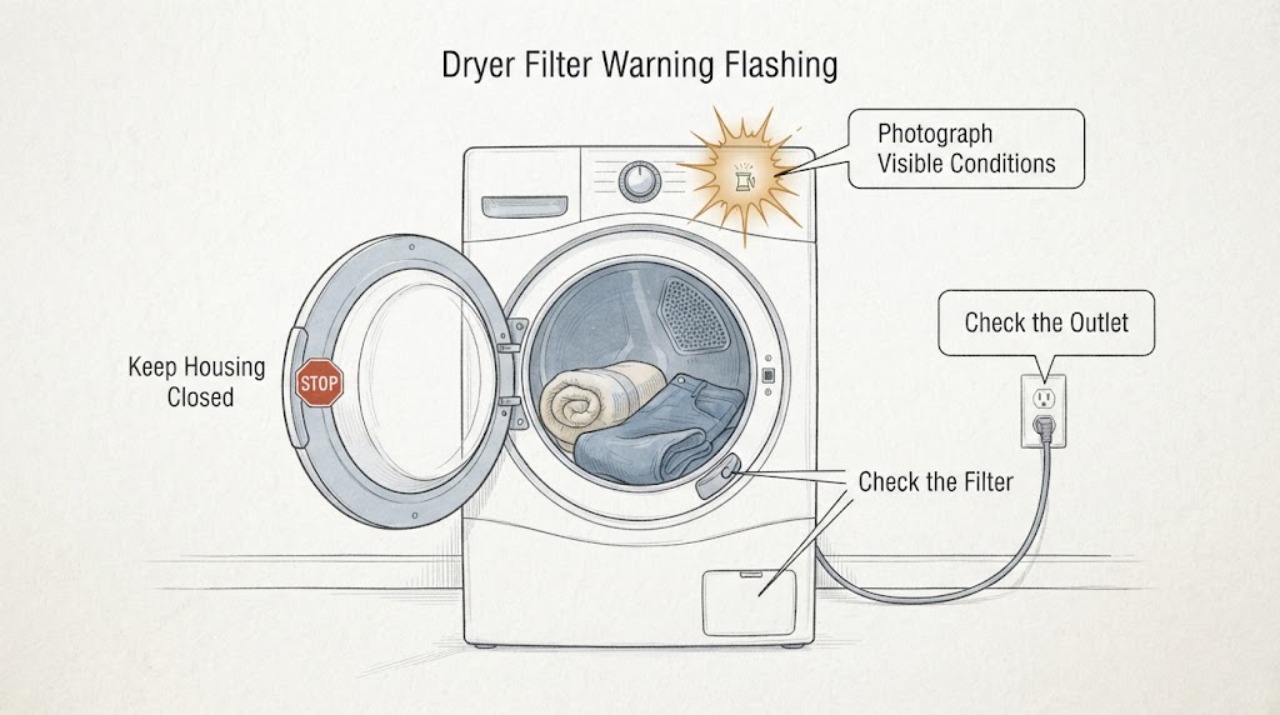
Work through in order
Diagnostic checks
Use only checks that match the exact appliance or system and its official guide.
-
Check 1
Photograph the panel and rating label and record the complete identity, including whether it reads SDC16709/XEU or another market suffix. Note whether the filter symbol flashes only during startup, stops within about five seconds, remains on during the cycle, returns after each load, or appears with an information code such as NC, NC1, NC2, tC, tE, or FIL+tEr.
Expected result: The full suffix is confirmed and the warning is a brief startup flash, a persistent/recurring warning, or a code that remains visible.
Next step: Use the matching regional manual for the confirmed suffix. If the warning persists or the code is not listed for this model, continue only with the cool, external filter/heat-exchanger checks and plan service if it remains.
Why this matters
Why: Samsung states that indicator appearance depends on the dryer model and that both filter indicators may flash initially and stop after five seconds if no action is required. Persistent codes have different documented meanings, so the exact suffix and display text matter.
-
Check 2
Stop the dryer, let it cool, and inspect from a safe dry position for smoke, flame, burning odor, unusually hot air or casing, a hot/damaged cord or outlet, scorch marks, or repeated power loss. Do not restart a warning dryer just to reproduce the light.
Expected result: There is no safety sign, or there is smoke, flame, odor, abnormal heat, electrical damage, or repeated shutdown/tripping.
Next step: For any hazard sign, stop using the dryer, keep clear, and isolate power only from a safe accessible control. Arrange qualified appliance/electrical help and follow local emergency guidance for active smoke or fire.
Stop if: Do not continue to filter or heat-exchanger checks when smoke, flame, burning odor, damaged wiring, or abnormal heat is present.
Why this matters
Why: A filter warning can accompany restricted airflow, but smoke, flame, severe heat, or electrical damage is a fire/electrical stop condition rather than a cleaning reminder. Samsung routes persistent dryer problems and information codes to service.
-
Check 3
With the dryer off and cool, remove the accessible lint filter as shown in the SDC16709 manual. Separate the inner and outer filter if the assembly has two layers, remove lint from both, clean with the supplied brush and running water as permitted, dry both completely, and reinstall the inner filter inside the outer filter before returning the assembly to its original position.
Expected result: Lint, film, or dampness is present; a filter layer is missing or misassembled; or the filters are clean, fully dry, and correctly locked in place.
Next step: Correct only the accessible filter cleaning and assembly. If a frame, mesh, latch, or filter layer is damaged or will not seat, stop using the dryer and arrange service rather than bypassing the warning.
Stop if: Do not operate without both model-required filter layers, use a damaged screen, or reach into the cabinet or fan path.
Why this matters
Why: Samsung says the filter should be cleaned after each load, a wet filter can reduce drying performance, and the dryer must not run without the inner filter inside the outer filter. Misassembly can keep a filter warning active or restrict airflow.
-
Check 4
If the exact manual identifies an accessible heat-exchanger cover for this SDC16709 variant, open only that external cover after the dryer is cool, unlock the model-documented levers, and inspect for lint or debris. Clean only with the supplied brush in the documented direction; do not use water on the exchanger, touch it bare-handed, or bend its fins.
Expected result: The heat exchanger is visibly clogged, the cover/lever will not lock, the fins are bent or damaged, the model does not match the shown access, or the exchanger is clean and correctly closed.
Next step: Clean and close only the model-documented accessible assembly. If access differs, the fins are damaged, or the warning remains, stop repeated heated cycles and arrange Samsung service.
Stop if: Do not bend fins, use water on the exchanger, remove internal panels, or substitute a filter/cover.
Why this matters
Why: Samsung links a filter/heat-exchanger warning and poor drying to accumulated debris, but states that the indicator design and access vary by model. A damaged or incorrectly closed cover can itself sustain a warning and needs service.
-
Check 5
Check the load and airflow result without bypassing the warning: avoid overloading, separate unusually light and heavy items, check for an obstructed external vent or duct if this model uses one, and note whether drying time, heat, or moisture collection changed after the cool filter/exchanger cleaning. Do not disconnect a vent to run repeated heated cycles.
Expected result: Drying and airflow return to normal and the warning clears, drying remains slow with a clear filter/exchanger, or the warning returns with normal loading and visible airflow.
Next step: Monitor one normal load only when all parts are correctly fitted and no safety sign exists. If the warning or slow drying returns, stop changing loads and arrange qualified diagnosis.
Why this matters
Why: Samsung says blocked lint or exchanger airflow reduces drying performance and recommends correcting load size and sorting. Normal airflow observations do not rule out an internal temperature sensor, control, fan, or thermal issue when the warning recurs.
-
Check 6
Prepare the service handoff if the warning persists: provide the full model/suffix, display photo or code, when the light starts, filter and exchanger cleaning date, filter/cover fit, load size, drying time, outside vent observations, and any heat, odor, power, or shutdown event. State that the sensor was not bypassed and the cabinet was not opened.
Expected result: The warning is persistent or recurring despite correct cool cleaning, or it cannot be cleared without disassembly or a model-specific procedure that is unavailable.
Next step: Keep the dryer out of service if the warning persists with abnormal heat, slow drying, or an error. Arrange Samsung appliance diagnosis; do not replace a sensor, control, thermal part, or vent component based only on the warning light.
Why this matters
Why: Samsung's information-code guide says codes may differ by model and directs owners to the model manual or service when the listed solution does not clear them. A recurring warning after cleaning is no longer established as a lint-only reminder.
Use your observations
Decision map
Find the observation that best matches what you see, then follow the next safe action.
-
PATH 01Next step
What you see
The filter indicator flashes at startup and stops within about five seconds, the filters are correctly installed, and drying is normal with no error code.
Do this next
Continue cleaning the filter after each load and follow the SDC16709/XEU manual. Arrange service if the flash becomes persistent, drying changes, or a code appears.
Why this path and its safety boundary
Why it matters: Samsung describes this brief initial flashing as a possible normal indicator behavior when no action is required; it is not the same as a persistent warning.
-
PATH 02Next step
What you see
Lint, dampness, a missing inner layer, or incorrect filter assembly is found and the warning clears after the cool filter is cleaned, dried, and correctly reinstalled.
Do this next
Keep the complete dry filter assembly in place and clean it after each load. Monitor one normal load; if the warning returns, proceed to the exchanger/service branch.
Why this path and its safety boundary
Why it matters: The filter assembly and airflow path are the leading explanation for this episode; Samsung warns that wet or missing filter layers reduce performance and can cause problems.
-
PATH 03Next step
What you see
The heat exchanger or its accessible cover is clogged or not locked, and the exact manual permits cleaning; the warning or drying performance improves after correct cleaning and closure.
Do this next
Use only the exact SDC16709 variant's procedure and monitor. Stop for damaged fins, a cover that will not lock, or a warning that returns after cleaning and arrange service.
Why this path and its safety boundary
Why it matters: Accumulated debris or a cover not seated correctly can restrict heat exchange and sustain the warning. Samsung says the indicator design and access differ by model.
-
PATH 04Next step
What you see
The filters and exchanger are clean, dry, correctly assembled, and airflow/load are reasonable, but the warning persists or returns, drying is slow, an NC/NC1/NC2/tC/tE/FIL+tEr indication remains, or the dryer overheats.
Do this next
Stop repeated heated cycles and arrange Samsung or qualified appliance diagnosis. Do not bypass the sensor, open the cabinet, or order a guessed part.
Why this path and its safety boundary
Why it matters: An airflow-sensor, temperature-sensor, control, thermal, fan, or cover problem remains possible, but the warning alone cannot identify the failed component.
-
PATH 05Next step
What you see
Smoke, flame, burning odor, severe abnormal heat, a hot or damaged cord/outlet, visible scorch, or repeated safety shutdown/tripping occurs.
Do this next
Stop the dryer, stay clear, and isolate power only from a safe accessible control. Obtain emergency or qualified electrical/appliance help as appropriate; do not restart to test the filter light.
Why this path and its safety boundary
Why it matters: This is a dryer fire/electrical stop condition, not a filter-reminder branch.
Helpful context
Understand the symptom
SDC16709 is a regional Samsung tumble-dryer model: the opened Samsung UK page lists SDC16709/XEU. The warning light's appearance and meaning can vary by market and model revision. A short flash when the dryer is switched on is not the same as a warning that stays on or returns during drying. Treat the latter as a filter assembly, heat-exchanger, airflow, or sensor/service decision—not as permission to bypass the warning.
The owner-safe boundary is the cool, accessible filter and model-documented heat-exchanger cover. Samsung warns that the heat exchanger can be hot and that its fins must not be bent or damaged. Never operate without the inner lint filter, open the cabinet, remove sensors, probe live circuits, or keep running heated cycles while airflow or fire-safety symptoms are present.
When checks do not resolve it
Need a professional?
Use the Samsung SDC16709/XEU support route or a qualified appliance professional for a persistent/recurring filter warning, a damaged or unseated filter/exchanger cover, slow drying after safe cleaning, or a persistent information code. Use qualified electrical help for a hot/damaged supply or repeated tripping.
Safety scope: Do not bypass a filter or airflow sensor, operate without the complete dry filter assembly, bend exchanger fins, open the dryer cabinet, touch wiring, or make live electrical measurements. Keep the dryer off for smoke, flame, burning odor, severe heat, electrical damage, or repeated safety shutdowns.
Have this ready
- Provide the full SDC16709 market suffix, serial, display photo/code, timing of the flash, filter and exchanger cleaning/assembly observations, load and drying result, vent observations, and any heat, odor, power, or shutdown event. State that the cabinet was not opened and the sensor was not bypassed.
Common questions
FAQ
Is a Samsung dryer filter light that flashes at startup always a fault?
No. Samsung says some filter indicators flash initially and stop after about five seconds if no action is required. A light that stays on, returns during the cycle, or comes with a code needs the exact model manual and cleaning/service path.
How often should the SDC16709 lint filter be cleaned?
Samsung recommends cleaning the lint filter after each load. Remove lint from the model-required layers, dry them completely, and reinstall the inner filter inside the outer filter before use.
Can I clean the heat exchanger when the filter warning flashes?
Only if the exact SDC16709 regional manual shows that accessible procedure. Let the dryer cool, use the documented brush direction, do not use water on the exchanger, do not touch it bare-handed, and do not bend the fins.
When does a filter warning require service?
Arrange service if the warning persists after correct cool cleaning, the cover or filter will not seat, drying remains slow, a code remains, or the dryer overheats. Stop immediately for smoke, flame, burning odor, severe heat, electrical damage, or repeated shutdowns.
Read the exact guide
Official sources
- How do I troubleshoot my Samsung dryer?Samsung Support UK · General Samsung dryer troubleshooting; use it to prioritize external checks, not to identify an internal part.
- Samsung Tumble Dryer error codes - what do they mean?Samsung Support UK · General Samsung dryer code guidance; codes can differ by model and must be checked against the SDC16709/XEU manual.
- SDC16709 | Samsung Support UKSamsung Support UK · Exact UK regional model page; confirm the full market suffix because indicator appearance and manual content can vary by region.
- How to clean the lint filter on a tumble dryerSamsung Support UK · General Samsung tumble-dryer filter guidance; follow the SDC16709/XEU manual if the assembly differs.
- How to clean the heat exchanger on a dryerSamsung Support UK · General Samsung guidance; it says indicator designs and access vary by model, so confirm the SDC16709/XEU manual before opening a cover.
- My Samsung tumble dryer is not drying my clothesSamsung Support UK · General Samsung dryer guidance used for the airflow result branch; exact vent/test availability varies by model.
Community feedback
Share a repair observation
Share a plain-text repair observation. Accepted observations are published automatically; this page may take a moment to update.