
On this page
Start here
Quick answer
If a Samsung dryer is not heating, first decide whether it has no heat at all or is merely warm, slow, or in a cooling portion of the cycle. Use a model-supported Time Dry or another cycle that should heat, turn Eco Dry off if applicable, and check the lint filter and exhaust path. A vented dryer may reduce heat when it detects restricted airflow; a ventless or heat-pump model may instead require the correct cycle and a clean heat exchanger or filter. Check the home's breaker or fuses and, for a gas model, the gas supply, but do not open the dryer or make live electrical checks. Record any code before resetting: Samsung associates HC/hE-family heating errors with temperature or airflow conditions, 9C1 and similar codes with supply abnormalities, HC2 with gas ignition, and 3C with motor error, but meanings vary by model. Smoke, gas odor, burning or electrical smell, sparks, abnormal heat, a damaged cord, or a repeated trip means stop immediately and arrange qualified service.
Before you begin
Safety first
- This article supports model/type identification, ordinary control and load checks, user-accessible lint and airflow care, and one model-supported restart only when safe. Do not access live wiring, terminal blocks, gas assemblies, heaters, motors, sensors, heat-pump refrigerant circuits, or thermal devices.
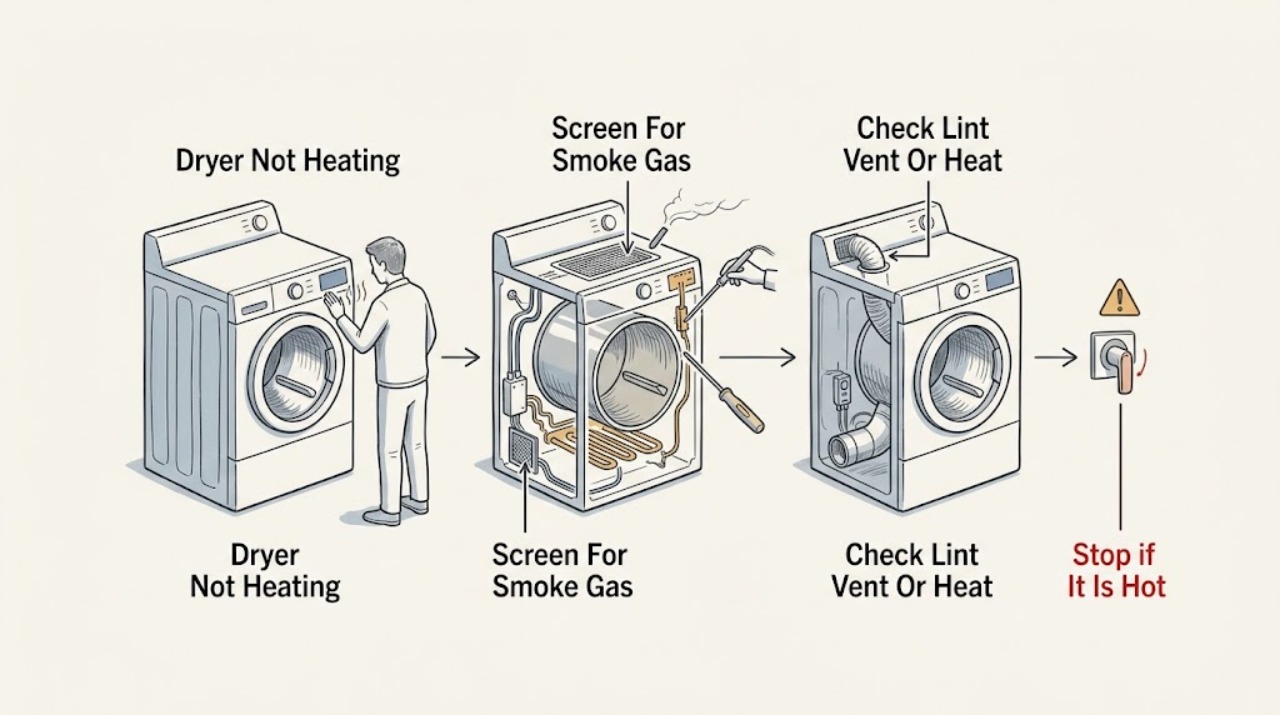
Work through in order
Diagnostic checks
Use only checks that match the exact appliance or system and its official guide.
-
Check 1
Turn the dryer off and look from a safe position for smoke, a gas odor, burning or electrical smell, sparks, a hot or damaged cord, melted material, liquid on controls, or unusually high cabinet or laundry-room heat.
Expected result: Record whether the symptom is no heat, low heat, a sudden shutdown, or an error, and whether any odor, smoke, spark, gas, heat, or repeat breaker trip is present.
Next step: For gas odor or visible smoke, clear people from the area and contact emergency services from safety without operating switches or appliances. For burning/electrical odor, sparks, abnormal heat, or a damaged cord, leave the dryer off and arrange qualified service.
Stop if: Do not run another cycle, touch a hot or damaged cord, repeatedly reset power, or open the dryer when smoke, gas odor, sparks, burning smell, or uncontrolled heat is present.
Why this matters
Why: A gas/smoke/electrical or overheating symptom is a safety event, not a vent or cycle experiment. A hazard-free dryer can proceed only with ordinary external checks.
-
Check 2
Identify the exact Samsung model and whether it is vented, ventless/condensing, heat-pump, electric, or gas. If there is no hazard and the manual permits it, use a normal heat-producing Time Dry or equivalent cycle with Eco Dry off and observe the dryer without reaching into a moving drum.
Expected result: After the model's safe observation interval, record whether there is no warmth, some warmth, normal heat followed by cooling, a very short cycle, or an error. Note whether the selected cycle intentionally uses little or no heat.
Next step: If there is some warmth or cooling behavior, continue with load, lint, and airflow checks. If there is no heat at all, preserve any code and continue only with the applicable power and airflow checks.
Stop if: Do not use a no-heat cycle as a heater test, open the door repeatedly during a hot cycle, or continue if smoke, gas odor, abnormal heat, or an error appears.
Why this matters
Why: Samsung distinguishes no heat from insufficient heat and notes that Eco Dry and cooling can make a healthy dryer feel cold at first or near the end. A completely cold drum on a heat-producing cycle is a service branch after the basic checks.
-
Check 3
With the dryer off and cool, clean the user-accessible lint filter. For a vented model, inspect the visible exhaust path and exterior hood for lint, kinks, flattening, or blocked airflow; for a ventless or heat-pump model, check the model-specific heat-exchanger/optional-filter alert, water tank, drain, or filter only as the manual permits.
Expected result: Record whether the lint screen is clogged, the vent blockage test reports a clog or abnormal temperature, the outside flap opens, the heat-exchanger alert is present, or the load area is hot despite weak airflow.
Next step: Correct only an accessible lint, load, vent, filter, tank, or heat-exchanger condition described by the exact manual, then make one attended normal attempt. If airflow or heat remains abnormal, request service.
Stop if: Do not run without the lint filter, use plastic/foil or crushed venting, insert tools into the duct, remove sealed heat-pump covers, or continue after smoke, burning odor, abnormal heat, or repeated thermal errors.
Why this matters
Why: Samsung says restricted lint or exhaust can trap heat and cause reduced heating or HC-family errors. Ventless models can have heat-exchanger or cooling-cycle conditions that do not map to a conventional vented dryer.
-
Check 4
Compare the load with the selected cycle and model manual: remove an obviously overloaded load, separate heavy fabrics, reposition a bulky item, or add suitable items if an extremely small load cannot tumble; check Eco Dry, Sensor/Time Dry, Air Fluff, and cooling settings.
Expected result: Record whether the drum tumbles, the cycle ends too quickly, clothes are merely damp, heavy items remain wet, the cycle is an air-only/cooling phase, or a suitable load heats normally.
Next step: Use the correct cycle and load once, with Eco Dry off if applicable. If the dryer still produces no heat or the cycle stops abnormally, preserve the model and symptom details for service.
Stop if: Do not exceed the manual's load guidance, dry heat-sensitive material on an unsuitable setting, or continue a load that smells scorched or becomes unusually hot.
Why this matters
Why: Samsung links overloaded, very small, or poorly matched loads and no-heat/air cycles with poor drying. This branch can explain low or apparently absent heat without identifying a heater or thermostat fault.
-
Check 5
For an electric dryer, inspect only the accessible plug, outlet, cord, and breaker/fuse state; for a gas dryer, also confirm the external gas supply is available if this can be done without touching a connection. Do not open a terminal or gas assembly.
Expected result: Record whether the display works, whether the drum tumbles but heat is absent, whether the breaker/fuse trips, whether a 9C1/voltage code appears, and whether a gas model has a gas-ignition code or no gas supply.
Next step: If the outlet, cord, breaker, installation, or gas supply is uncertain or the breaker trips again, leave the dryer off and arrange qualified electrical/gas/appliance service. Otherwise continue with the exact error-code branch.
Stop if: Do not measure live voltage, remove the terminal cover, use an extension cord, alter gas connections, or repeatedly reset a breaker.
Why this matters
Why: Samsung associates abnormal voltage with 9C1-family errors and notes that gas dryers need gas supply. A lit display or working motor does not prove the heating supply or ignition path is healthy.
-
Check 6
Record the exact code or blinking-light pattern before any reset, compare it with the exact model manual and Samsung's code guide, and perform at most one model-supported power-off/restart when the dryer is safe, cool, dry, and free of odors or damage.
Expected result: Record whether HC/hE-family heating or temperature errors, 9C1/voltage errors, HC2 gas-ignition errors, 3C motor errors, communication errors, or unknown codes clear or return, and whether the dryer heats normally afterward.
Next step: Leave the dryer off and request Samsung-authorized or qualified service if the code returns, no heat remains after the vent and setting checks, or the panel/motor/heating system behaves abnormally. Provide the model, code, cycle, load, and airflow observations.
Stop if: Do not repeat resets, run diagnostics when the model already displays an error unless the manual allows it, open the cabinet, or bypass a thermal, door, control, gas, or electrical safety.
Why this matters
Why: Samsung treats codes as different fault families: airflow/temperature, supply, gas ignition, motor, or communication. A returned code after the documented restart indicates service, not permission to replace a part by guesswork.
Use your observations
Decision map
Find the observation that best matches what you see, then follow the next safe action.
-
PATH 01Safety boundary
What you see
The dryer has visible smoke, gas odor, burning/electrical smell, sparks, abnormal heat, a hot/damaged cord, or a breaker that trips again.
Do this next
For gas odor or smoke, clear the building and contact emergency services from outside or another safe location. For electrical smell, sparks, damage, or abnormal heat, keep the dryer off and arrange qualified service.
Why this path and its safety boundary
Why it matters: This is an immediate fire, gas, or electrical safety event.
Safety stop: Do not turn on appliances or switches around gas odor, run another cycle, touch damaged parts, or repeatedly reset power.
-
PATH 02Safety boundary
What you see
The dryer produces some warmth, the selected cycle includes Eco Dry or cooling, or the load is unusually small, heavy, bulky, or overloaded.
Do this next
Use the correct heat-producing cycle, turn Eco Dry off if applicable, and correct the load once according to the manual.
Why this path and its safety boundary
Why it matters: The observed low heat or dampness may be a cycle, load, or normal cooling condition rather than a heater failure.
Safety stop: Stop for scorching, smoke, burning odor, abnormal heat, or an error rather than changing to a hotter cycle.
-
PATH 03Safety boundary
What you see
The lint filter, vent blockage test, exterior hood, vent path, heat exchanger, optional filter, or tank/drain condition is abnormal.
Do this next
Clean or correct only the accessible item and model-supported path, then recheck once. Request service if the test remains abnormal or the dryer still has no heat.
Why this path and its safety boundary
Why it matters: Restricted airflow or heat exchange can trap heat, reduce dryer heat, lengthen cycles, or trigger protection.
Safety stop: Do not use a blocked, crushed, unsuitable, or missing vent/filter, open sealed heat-pump parts, or bypass thermal protection.
-
PATH 04Safety boundary
What you see
The display is blank, an electric dryer has a 9C1/voltage symptom, a gas dryer has no gas supply, or the breaker/fuse/cord installation is abnormal.
Do this next
Leave the dryer off and arrange qualified electrical, gas, or appliance service for supply and installation diagnosis.
Why this path and its safety boundary
Why it matters: The heating supply or gas ignition path may be unavailable even if part of the dryer still works.
Safety stop: Do not probe live wiring, open the terminal, alter gas connections, use an extension cord, or keep resetting a trip.
-
PATH 05Safety boundary
What you see
HC/hE-family, HC2, 3C, communication, repeated temperature, or unknown error returns after the model-supported single restart, or the dryer remains completely cold after basic checks.
Do this next
Request Samsung-authorized or qualified service with the exact code, model, cycle, load, and airflow/power observations.
Why this path and its safety boundary
Why it matters: A persistent heating, gas ignition, motor, communication, sensor, or internal component fault is likely; the code does not select a replacement part.
Safety stop: Do not keep resetting, run repeated hot cycles, open the cabinet, or replace a heater, thermostat, motor, sensor, or board by code guess.
Helpful context
Understand the symptom
No heat, low heat, and cooling are different symptoms
Samsung support first asks whether the dryer is heating at all. A Time Dry cycle with Eco Dry off can help distinguish a completely cold drum from a dryer that is warm but slow. Some cycles intentionally reduce or delay heat, and a dryer may be in its cooling portion near the end. Do not infer a heater failure from one short touch check or from a cycle that is not supposed to heat.
Vented, ventless, and heat-pump models need different airflow checks
For a vented dryer, a clogged, kinked, flattened, poorly fitted, or unsuitable exhaust can trap heat and cause the dryer to reduce heat. Ventless and heat-pump models may have a heat exchanger, optional filter, drain, or water tank instead of a conventional exhaust path. Use only the cleaning and test procedure in the exact model manual; do not disconnect a vent or open a heat-pump system just to experiment.
An error code narrows the branch but does not name the part
Samsung uses different codes for heating, temperature, voltage, communication, motor, and gas-ignition conditions. Record the exact characters, including capitalization and whether the display is digital or a blinking-light pattern. A one-time model-supported reset may clear a transient control state, but a returning code needs service and should not trigger a guessed heater, thermostat, motor, or sensor replacement.
Safety boundary
Stop conditions
- Stop immediately for visible smoke, gas odor, burning/electrical smell, sparks, abnormal heat, a hot or damaged cord, liquid on controls, or a breaker that trips again.
- Do not open the cabinet, terminal, burner, heater, heat-pump circuit, or control board; do not measure live voltage or bypass thermal, door, gas, or electrical safety devices.
- Do not operate without the lint filter, with a blocked/crushed/unsuitable vent, with damaged heat-exchanger parts, or after repeated thermal/voltage errors.
- Do not keep resetting the dryer, run a diagnostics procedure when the model already shows an error unless the manual allows it, or substitute another model's code meanings.
- Arrange qualified service when no heat remains after the applicable cycle, lint/airflow, load, and supply checks, or when a code returns.
When checks do not resolve it
Need a professional?
Arrange Samsung-authorized or qualified appliance service when the dryer produces no heat on a heat-producing cycle after the applicable lint, vent/heat-exchanger, load, and supply checks; an HC/hE-family, HC2, 3C, voltage, communication, or unknown code returns; the dryer repeatedly stops; or the heating system is suspected. Use a licensed electrician for supply, cord, outlet, or recurring breaker issues and qualified gas service for gas supply or ignition concerns. Treat gas odor, smoke, sparks, burning smell, abnormal heat, and damaged wiring as immediate safety escalations.
Safety scope: This article supports model/type identification, ordinary control and load checks, user-accessible lint and airflow care, and one model-supported restart only when safe. Do not access live wiring, terminal blocks, gas assemblies, heaters, motors, sensors, heat-pump refrigerant circuits, or thermal devices.
Common questions
FAQ
Why is my Samsung dryer not heating at all?
Confirm that the selected cycle should heat and turn Eco Dry off if applicable. Then clean the lint filter, check the applicable vent or heat exchanger, and review power or gas supply without opening the dryer. If the drum remains completely cold after the model-supported checks, request service.
Can Eco Dry make a Samsung dryer feel cold?
Yes. Samsung says Eco Dry intentionally reduces heat and may use no hot air at the beginning of some cycles. Compare only with a heat-producing cycle and the exact model instructions before concluding that the heater has failed.
Can a blocked vent cause a Samsung dryer to stop heating?
Yes. Samsung says a clogged or kinked exhaust can trap heat and cause the dryer to reduce heat or stop as protection. Clean the user-accessible lint and exhaust path and use the model's vent test if supported. Persistent restriction or no heat needs service.
What does HC or HC2 mean on a Samsung dryer?
Samsung groups HC/hE-family codes with heating or abnormal-temperature conditions and HC2 with a gas-ignition error. Record the exact code and model, clean only the applicable lint/vent path, and request service if the code returns. Do not infer a heater, thermostat, or gas part from the code alone.
When should I stop using a Samsung dryer that is not heating?
Stop for smoke, gas odor, burning or electrical smell, sparks, abnormal heat, a hot or damaged cord, liquid on controls, or a repeated breaker trip. Do not run another cycle or open the dryer. Clear the area for gas odor or smoke and arrange emergency or qualified service as appropriate.
Read the exact guide
Official sources
- Samsung dryer displays an error codeSamsung US Support · Error meanings and display styles vary by model; use the exact model manual for final interpretation.
- Samsung dryer smells or smokesSamsung US Support · Safety guidance for Samsung dryers; follow local emergency instructions and exact model warnings.
- Samsung dryer loses power or won't turn onSamsung US Support · Power guidance for Samsung dryers; cord and supply requirements are model and installation specific.
- Run a Vent Blockage test on your Samsung dryerSamsung US Support · Only for models that support the documented test; follow the exact model manual when button combinations differ.
- Clothes are not dry after using Samsung dryerSamsung US Support · General Samsung dryer guidance; exact cycle names, tests, and vent requirements vary by model.
- Clothes are not dry after Samsung ventless dryer cycleSamsung US Support · Ventless-model guidance; only apply heat-exchanger, tank, drain, and no-exhaust steps when the model has those features.
- Samsung Dryer FAQ | Product, Shipping & SupportSamsung US · Brand-level FAQ; exact manual controls, diagnostics, and model features govern.
Community feedback
Share a repair observation
Share a plain-text repair observation. Accepted observations are published automatically; this page may take a moment to update.