
On this page
Start here
Quick answer
A Samsung dryer may keep the panel or drum light on after a cycle, and Wrinkle Prevent can tumble clothes intermittently without heat after the cycle ends. Open the door or press Power as the model instructs to distinguish that normal post-cycle behavior from a dryer that continues spinning, heating, or ignores controls. Check Child Lock and the exact cycle status before trying one safe power reset. If the drum keeps turning, heat continues, Power does not respond, or the dryer has smoke, gas odor, burning smell, sparks, overheating, or repeated breaker trips, stop using it and arrange qualified service. Do not bypass the door or control safety and do not repeatedly reset power.
Before you begin
Safety first
- A panel or drum light can remain on normally, and Wrinkle Prevent can tumble without heat. Continuous motion, persistent heat, an unresponsive stop control, smoke, gas odor, burning smell, sparks, overheating, or repeated trips requires stopping the dryer and using the appropriate professional or emergency path. Never bypass a safety control or work inside the dryer.
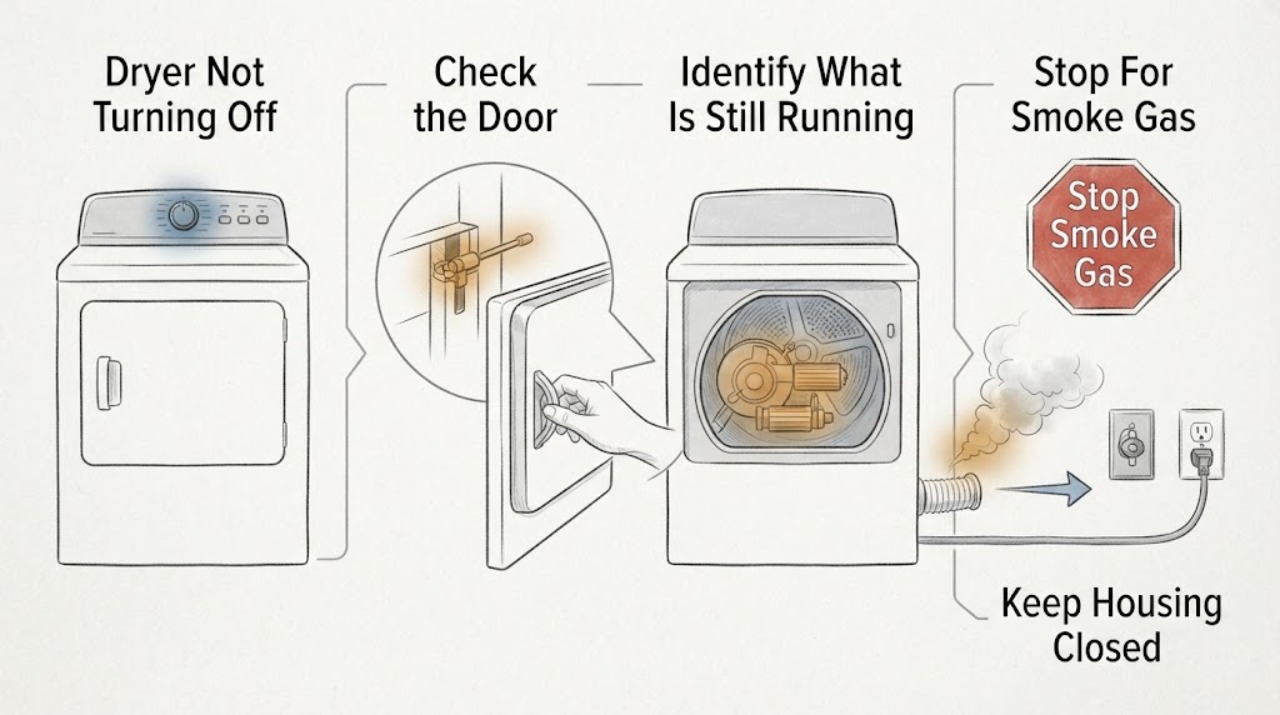
Work through in order
Diagnostic checks
Use only checks that match the exact appliance or system and its official guide.
-
Check 1
Stop the dryer immediately if there is visible smoke, gas odor, burning or electrical smell, a spark, abnormal heat, damaged wiring, or a repeated breaker trip. Do not open the door to investigate a fire, operate switches in a gas-smell area, or start another cycle.
Expected result: The dryer is quiet and free of odor, smoke, sparks, overheating, and electrical damage, or one of those hazards is present.
Next step: For gas odor or smoke, clear the area and contact emergency help from outside. For burning or electrical smell without an active emergency, leave the dryer off and arrange qualified service.
Why this matters
Why: An active fire, gas, or electrical hazard is an emergency or service boundary, not a normal shutoff symptom.
-
Check 2
Without reaching into the machine, read the display and observe from a safe position whether only the panel or drum light is on, the drum is tumbling without heat, the drum is still heating, or the dryer is completely unresponsive to Power.
Expected result: The panel or light remains on but the drum is stopped; the drum tumbles intermittently; the drum runs continuously; heat persists; or the controls do not respond.
Next step: Follow the normal-post-cycle branch for light or no-heat tumbling. If motion, heat, or control failure persists, stop using the dryer and continue only with the safe control and power checks below.
Why this matters
Why: A light or panel can be normal after shutdown, and Wrinkle Prevent tumbles without heat. Continuous tumbling, continued heat, or no control response is not explained by a light alone.
-
Check 3
If the cycle has ended and the drum turns without heat, check whether Wrinkle Prevent is enabled and open the door only if the dryer is in a normal safe state and the manual permits it. Do not reach into a moving drum; use the door as the normal stop signal for the post-cycle function.
Expected result: The display shows END or Wrinkle Prevent and the drum stops when the door is opened, or the drum keeps running or heating after the door is opened or after the post-cycle state should end.
Next step: If it stops normally, remove the load or disable Wrinkle Prevent using the model's controls. If it does not stop, keep the dryer out of service and request qualified diagnosis.
Why this matters
Why: Wrinkle Prevent is a normal no-heat post-cycle behavior on applicable models. Failure to stop through the normal door or control path points to a door switch, motor control, or other fault.
-
Check 4
Press Power once as the exact model manual describes and check the display for Child Lock, a delay, remote-control state, or an error. If Child Lock is shown, use the model's documented control combination to turn it off; do not guess or force buttons, and do not treat a locked panel as a mechanical failure until the icon and manual are checked.
Expected result: Child Lock or another control state explains the ignored buttons, Power responds normally, or the panel remains unresponsive and the drum or heat continues.
Next step: If the control state was the cause, stop the cycle normally and monitor it. If Power still cannot stop motion or heat, do not bypass the controls; proceed to one safe reset or service.
Why this matters
Why: Child Lock can disable most controls, while cycle-specific options vary by model. A panel that remains unresponsive after the documented lock state is cleared suggests a control or power fault.
-
Check 5
From outside the dryer, determine whether the drum is only tumbling intermittently with no heat or is running continuously and producing heat after the cycle should have ended. Do not touch the drum, vent, heater area, motor, or internal wiring to make this determination.
Expected result: Only no-heat intermittent tumbling occurs, the drum runs continuously, heat continues, the drum will not stop when the door is opened, or the dryer stops but the panel remains lit.
Next step: Use the normal post-cycle controls only for the first case. For continuous motion or heat, keep the dryer off and arrange service; for a panel light alone, follow the model's normal shutdown behavior.
Why this matters
Why: No-heat intermittent movement is consistent with Wrinkle Prevent. Continuous motion, continued heat, or failure of the door stop signal is a service symptom; a lit panel by itself may be normal on some models.
-
Check 6
Only when there is no gas odor, smoke, burning smell, abnormal heat, water, visible damage, or repeated trip, and the model guidance permits it, isolate the dryer using the normal household disconnect once, restore power, and press Power. Do not use a reset to keep operating a dryer that immediately resumes continuous motion or heat.
Expected result: The dryer returns to a normal idle state, or it resumes running, heating, ignores Power, shows the same error, or trips protection again.
Next step: If the symptom returns, leave the dryer out of service and request qualified Samsung appliance service. If a breaker trips or an odor or smoke appears, stop and use the urgent safety path.
Why this matters
Why: A single reset may clear a transient control state. A recurring run or heat condition indicates a persistent control, motor, heater, door, or wiring fault and needs professional diagnosis.
Use your observations
Decision map
Find the observation that best matches what you see, then follow the next safe action.
-
PATH 01Next step
What you see
There is smoke, gas odor, burning or electrical smell, a spark, abnormal overheating, or repeated breaker tripping.
Do this next
Stop immediately. For gas odor or smoke, clear the building and seek emergency help from outside without operating switches in the area. For electrical or burning smell, leave the dryer off and arrange qualified service.
-
PATH 02Next step
What you see
The cycle has ended, the dryer displays its completed state, and the drum only tumbles intermittently without heat or only a light/panel remains on.
Do this next
Check Wrinkle Prevent and the model's normal door or Power behavior. This can be normal on applicable models; remove the load or change the option according to the manual.
-
PATH 03Next step
What you see
The drum runs continuously, heat continues after the cycle, or the dryer does not stop when the door or Power control is used normally.
Do this next
Stop using the dryer, do not bypass the door or control safety, and request qualified service. Do not keep resetting or testing it with clothing inside.
-
PATH 04Next step
What you see
Child Lock, a delay, a remote-control state, or an error explains why buttons appear not to work.
Do this next
Use the exact model manual to clear the setting or interpret the error, then stop the cycle normally. If the panel remains unresponsive, arrange service.
-
PATH 05Next step
What you see
A single safe reset does not stop the motion or heat, or the same symptom returns.
Do this next
Leave the dryer out of service and provide the technician the model, cycle state, Wrinkle Prevent status, door response, heat behavior, display code, and any odor or breaker history.
Helpful context
Understand the symptom
A light staying on is not the same as a dryer running
Samsung notes that some models keep the panel or drum light on after a cycle. Wrinkle Prevent may also rotate the drum for a short period and then tumble intermittently, without heat, so clothes do not sit still. The relevant question is whether the drum is turning, whether heat is still being produced, and whether the Power control changes the state.
Check the displayed state and controls
Read the display before pressing several buttons. END, a Wrinkle Prevent indicator, a Child Lock symbol, a delay or remote-control state, or an error can each change what a button appears to do. Samsung control combinations vary by model, so use the user manual rather than guessing a two-button sequence.
Separate motor, heater, and control symptoms
Intermittent no-heat tumbling after a completed cycle is different from a drum that will not stop, and both are different from a heater that stays on. Do not reach into a moving or hot drum to diagnose it. If Power and the door do not stop the cycle in the model's normal way, keep the dryer out of service until it is inspected.
Use one safe reset only
A single manual-approved power reset can help distinguish a transient control state from a persistent fault. It is not a repair for a stuck relay, motor control, heater, door switch, or wiring problem. Never bypass a safety device or keep cycling a dryer that smells hot, burns, smokes, sparks, trips protection, or has a gas odor.
Safety boundary
Stop conditions
- Stop immediately for smoke, gas odor, burning or electrical smell, sparks, abnormal overheating, or repeated breaker trips.
- Do not reach into a moving or hot drum or use the door as a handhold while motion continues.
- Do not bypass the door switch, Child Lock, thermal safety, motor control, or other safety device.
- Do not repeatedly reset power or run another cycle when the dryer resumes continuous motion or heat.
- Do not open the cabinet or work on the motor, heater, gas connection, wiring, or controls as a homeowner.
When checks do not resolve it
Need a professional?
Request qualified Samsung or appliance service when the drum keeps running continuously, heat remains on after the cycle, the door or Power control cannot stop the dryer, the panel stays unresponsive after Child Lock is cleared, or one safe reset does not resolve the symptom. Stop immediately for smoke, gas odor, burning or electrical smell, sparks, abnormal overheating, or repeated breaker trips.
Common questions
FAQ
Is it normal for a Samsung dryer to keep spinning after the cycle ends?
It can be normal when Wrinkle Prevent is enabled: the drum tumbles without heat for a while and then intermittently. It is not normal for the drum to run continuously, keep heating, or ignore the normal door and Power controls.
Why is the Samsung dryer light still on after I turn it off?
Some Samsung models keep the panel or drum light on briefly after shutdown. Judge the condition by whether the drum is moving or heat continues, not by the light alone. Persistent motion or heat needs service.
Could Child Lock make the dryer seem impossible to turn off?
Child Lock disables most buttons on some models, while Power may still behave differently by model. Check the icon and exact manual instructions. Do not force controls or bypass the lock; if the panel remains unresponsive, request service.
What should I do if the dryer keeps heating after the cycle?
Stop using it and do not run another cycle. Continuous heat after the cycle is not the no-heat Wrinkle Prevent behavior. Arrange qualified service, and stop immediately for smoke, burning smell, sparks, overheating, or a breaker trip.
Should I keep resetting the dryer if it will not turn off?
No. A single reset is reasonable only when the dryer is cool, dry, undamaged, and free of odor or smoke, and the model guidance permits it. If the symptom returns, leave it out of service and request qualified diagnosis.
Read the exact guide
Official sources
- Samsung dryer smells or smokesSamsung Electronics · Samsung dryer gas odor, smoke, burning smell, electrical smell, and service safety guidance
- Cycles, settings, and features on your Samsung dryerSamsung Electronics · Samsung dryer cycle completion, Sensor/Manual Dry, Steam, Eco Dry, and Wrinkle Prevent behavior
- Samsung dryer will not stop spinning or power offSamsung Electronics · Samsung dryer post-cycle lights, Wrinkle Prevent, Power behavior, reset, and service guidance
- Control buttons on Samsung dryer do not respondSamsung Electronics · Samsung dryer Power, Child Lock, model-specific controls, and service guidance
Community feedback
Share a repair observation
Share a plain-text repair observation. Accepted observations are published automatically; this page may take a moment to update.