
On this page
Start here
Quick answer
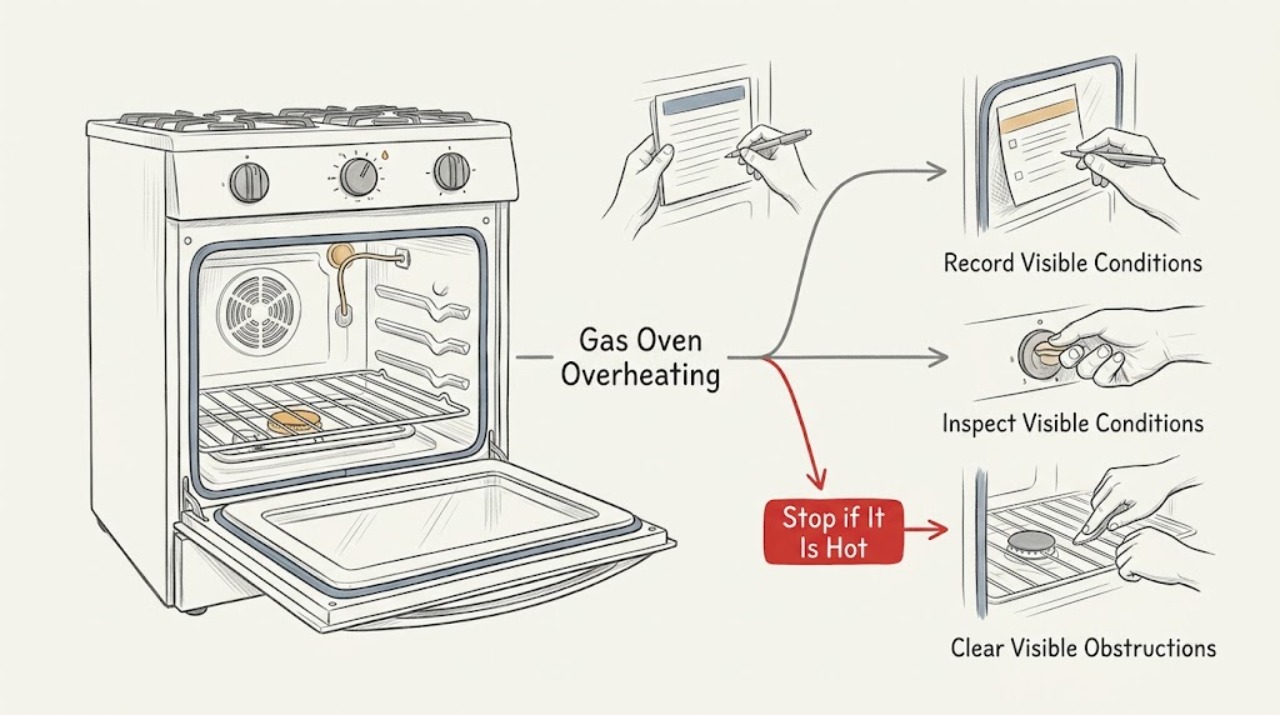
A Samsung gas oven normally cycles the burner on and off around the selected temperature, so a brief flame change, warm exhaust, or a temperature reading that moves above and below the setting is not automatically overheating. Treat it as a fault when the oven continues heating after it should stop, food burns at normal settings, the display shows a temperature-related code, the door or nearby surfaces become abnormally hot, or the flame is abnormal. Record the model, mode, setting, display, and symptom; check the setting, airflow, door, and vent only from a safe external position. Do not adjust gas pressure, open the burner or control cabinet, or keep testing a unit with gas odor, smoke, carbon-monoxide alarm, arcing, or fire risk. Turn it off, leave the area if gas or smoke is present, and arrange qualified Samsung appliance or gas service.
Work through in order
Diagnostic checks
Use only checks that match the exact appliance or system and its official guide.
-
Check 1
Record the complete Samsung model number, whether the appliance is a gas range or wall oven, the cooking mode, set temperature, displayed temperature or code, and exactly when the oven seems too hot: during preheat, after reaching the setting, in one mode, or after the control is turned off.
Expected result: The burner cycles on and off around the setting, the display shows a code such as C-24, the oven continues heating after the control is off, the symptom affects one mode, or there is smoke, gas odor, or an alarm.
Next step: Keep the oven off when a danger symptom is present. Otherwise continue with the matching safe branch and use the exact model manual for code and mode instructions.
Why this matters
Why: Normal cycling is different from a fast-rise code, a control or sensor fault, a mode-specific fault, or an immediate safety event. The model determines the meaning of an unlisted code.
-
Check 2
From a safe position, observe one normal preheat with the oven empty except for the model-approved rack arrangement. Keep the door closed and note whether the oven reaches its set point and then cycles instead of heating continuously; do not place hands or instruments in the hot cavity.
Expected result: The oven reaches the set point and cycles, never settles and continues heating, stays at an unexpected display value, or becomes unsafe to approach.
Next step: End the test if the temperature continues to rise, the oven cannot be turned off normally, or heat damages nearby material. Arrange qualified service; do not run repeated trials.
Why this matters
Why: A reach-and-cycle pattern is consistent with temperature control operation. Continuous heat, uncontrolled temperature rise, or an unsafe exterior points toward sensor, control, burner, vent, door, or installation service rather than a recipe adjustment.
-
Check 3
Inspect the external rear or cooktop vent area for a pan, foil, utensil, or other object covering the vent, and check that the oven door is fully closed and its visible gasket is not obviously torn or displaced. Remove only a cool, loose obstruction; do not remove panels or the door.
Expected result: The vent is covered, the door is not fully seated, the gasket is visibly damaged, or the external airflow and door appear clear.
Next step: If a cool external obstruction is plainly removable, clear it and follow the model manual once. If the code returns, the door is damaged, or overheating continues, stop using the oven and request service.
Why this matters
Why: Samsung links a C-24 rapid-rise condition to a blocked or partly blocked vent. A poor door seal can change heat behavior, while a clear external path means the fault may be internal or model-specific.
-
Check 4
Check the selected mode, temperature, timer, temperature offset, and any Demo or special cooking function against the exact Samsung manual. Confirm that a stored calibration or mode setting has not changed; do not enter a guessed service or calibration sequence.
Expected result: A wrong mode or offset explains the cooking result, a special function changes the expected temperature, the setting is correct, or the oven remains too hot with the documented settings.
Next step: Restore only a clearly documented setting. Do not use calibration to mask uncontrolled heating, a safety lock, a gas-pressure issue, or a temperature code; arrange diagnosis when the fault persists.
Why this matters
Why: Samsung notes that temperature calibration changes the normal cooking result and that the adjustment is model-specific. A correct setting with persistent overheating is evidence for service, not for further offset changes.
-
Check 5
If the display shows a temperature or sensor code, photograph the exact text and note the mode and time. Compare it with the Samsung support page or manual for that model; do not generalize a code from another Samsung range.
Expected result: The code is documented as a fast temperature rise or another model-specific fault, it returns after one documented reset, or no code is present.
Next step: Use only the exact model's documented reset or observation. If a code returns, the oven remains too hot, or the control cannot stop heat, turn it off and arrange qualified service.
Why this matters
Why: A documented code can direct a vent or service branch, but an unlisted or recurring code needs model-specific diagnosis. No code does not rule out a control, sensor, burner, or gas-supply fault.
-
Check 6
Without touching the flame assembly or gas fittings, observe whether cooktop burners have normal ignition and whether the oven's overheating symptom changes only when a cooktop burner is operating. Stop immediately for yellow or unstable flame, delayed ignition, gas odor, soot, or a burner that will not turn off.
Expected result: The symptom depends on another burner, the flame is abnormal, a burner fails to ignite, or the gas and flame behavior appears normal but the oven still overheats.
Next step: Do not repeat this observation when gas odor, delayed ignition, abnormal flame, or heat damage is present. Turn the appliance off if safe and obtain qualified gas or appliance service.
Why this matters
Why: Samsung notes that gas-range ignition and pressure behavior can affect heating and that gas-pressure or installation conditions require professional help. A normal-looking flame does not authorize gas-line or regulator work.
-
Check 7
After one safe, model-approved external correction, verify only from outside that the oven stops heating at the selected setting, cycles normally, and produces no smoke, gas odor, carbon-monoxide alarm, abnormal flame, arcing, or heat damage.
Expected result: The oven now cycles normally without a hazard, or it continues heating, returns a code, remains unusually hot, or shows any safety symptom.
Next step: Stop using the oven when the result is abnormal or unsafe. Provide the model, code, mode, setting, timing, photos, and observations to qualified Samsung appliance or gas service; do not run another proof cycle.
Why this matters
Why: A normal cycle after clearing a documented external obstruction supports a ventilation or setting cause. Persistent or unsafe behavior indicates a sensor, control, burner, gas, door, vent, or installation fault requiring service.
Use your observations
Decision map
Find the observation that best matches what you see, then follow the next safe action.
-
PATH 01Next step
What you see
The burner turns on and off around the selected temperature, the oven reaches the setting, and there is no abnormal smell, smoke, alarm, or heat damage.
Do this next
Use the model-recommended rack, cookware, and mode. If food consistently burns or the setting is inaccurate, use the model's documented calibration guidance or arrange service rather than raising the heat.
Why this path and its safety boundary
Why it matters: The observed fluctuation is consistent with normal temperature cycling rather than uncontrolled overheating.
-
PATH 02Next step
What you see
The display shows C-24 or another documented fast-temperature-rise condition, and a cool, external vent obstruction is visible.
Do this next
Clear only the cool, accessible obstruction as the model guide permits, stop the oven if it remains too hot, and request service if the code returns. Do not open the range or modify the vent.
Why this path and its safety boundary
Why it matters: Samsung associates C-24 with a temperature rising faster than normal, generally from a covered or partly covered rear vent.
-
PATH 03Next step
What you see
The oven continues heating after the control should stop, the temperature keeps rising, the door or nearby surface is abnormally hot, or a sensor/control code returns.
Do this next
Turn the oven off if safe, keep people away from hot surfaces, and arrange qualified Samsung appliance service. Do not repeatedly cycle power or continue cooking to test it.
Why this path and its safety boundary
Why it matters: A control, sensor, burner, gas, door, or ventilation fault remains possible; this is not a recipe or thermometer adjustment problem.
-
PATH 04Next step
What you see
The symptom changes with a cooktop burner, ignition is abnormal, a flame is yellow or unstable, gas odor is present, or the oven has delayed ignition or a bang.
Do this next
Stop using the range. Avoid flames and electrical switching when gas is suspected, leave the area, and seek qualified gas or emergency help from a safe location. Do not adjust pressure, relight repeatedly, or remove gas parts.
Why this path and its safety boundary
Why it matters: A gas-supply, pressure, combustion, or installation condition is possible and requires a qualified gas professional.
-
PATH 05Next step
What you see
Smoke, carbon-monoxide alarm, fire, visible arcing, melting or scorching, a persistent burning smell, or an electrical trip occurs.
Do this next
Stop using the appliance and move away from the hazard. Follow local emergency and gas-safety instructions from a safe location; do not re-energize, relight, or open the appliance.
Why this path and its safety boundary
Why it matters: There is an immediate fire, combustion, or electrical hazard rather than a normal overheating complaint.
Helpful context
Understand the symptom
First decide whether the heat is normal cycling
A gas oven does not hold the burner on continuously. Samsung describes the burner igniting and turning off repeatedly to maintain the selected average temperature. Warm air at the vent and a short burner cycle can therefore be normal. An oven that keeps heating, gives inconsistent results, or produces a danger signal needs a different path from ordinary preheating.
Use the display, mode, and food result as clues
Write down the exact model, cooking mode, set temperature, displayed temperature or code, and when the symptom occurs. Samsung identifies C-24 as a fast temperature-rise condition that can be related to a blocked rear vent, but codes and controls vary by model. Do not apply a code explanation from another model or use a kitchen thermometer as proof of a precise internal temperature.
Gas and heat symptoms set a hard stop
A visible flame or gas smell changes the risk. Do not remove burners, adjust the regulator, open the gas circuit, or repeatedly relight an oven to investigate. Turn controls off if safe, avoid flames and electrical switching when gas is suspected, leave the area, and use qualified emergency or gas assistance from a safe location. Smoke, a carbon-monoxide alarm, fire, arcing, or heat damage also requires immediate stoppage.
Only after diagnosis
Potential parts
- oven temperature sensor
Consider only after model-specific diagnosis confirms a sensor or sensor-circuit fault rather than normal cycling, calibration, venting, or gas-supply conditions.
Sensor shape, connector, and calibration vary by model; confirm the complete model and qualified installation requirements before ordering. - oven control or thermostat assembly
Consider only when qualified testing confirms that the control is not regulating the burner or responding to the sensor correctly.
Control assemblies are model- and revision-specific and may involve gas and electrical safety checks; do not substitute or install without qualified service. - gas burner or ignition component
Consider only after a qualified technician identifies an ignition, burner, flame, or combustion fault and rules out supply and installation conditions.
Gas components require exact model fit and safe combustion verification; do not remove, adjust, or test the gas circuit yourself.
When checks do not resolve it
Need a professional?
Arrange qualified Samsung appliance or gas service when the oven continues heating after the setting or control is off, a temperature or sensor code returns, a documented vent check does not resolve the issue, food burns despite correct settings, the door or gasket is damaged, gas pressure or flame behavior is abnormal, or any smoke, carbon-monoxide alarm, burning smell, scorching, arcing, heat damage, or electrical trip occurs.
Common questions
FAQ
Is it normal for a Samsung gas oven burner to turn on and off?
Yes. Samsung says the oven can ignite and turn off repeatedly to maintain the selected average temperature. It is not normal if the oven keeps heating after it should stop, the temperature rises without settling, food burns at correct settings, or a danger symptom appears.
What does C-24 mean on a Samsung gas oven?
Samsung describes C-24 as the temperature rising faster than normal and generally links it to a covered or partly covered rear vent. Check only for a cool, visible obstruction as the model guide permits; if the code returns or the oven remains too hot, stop using it and request service.
Can I adjust the gas pressure when my Samsung oven overheats?
No. Gas pressure and combustion depend on the model and installation. Do not adjust a regulator, gas fitting, burner, or air setting yourself. For abnormal flame, gas odor, delayed ignition, or persistent overheating, stop using the appliance and arrange qualified gas or appliance service.
Read the exact guide
Official sources
- Flame issues on Samsung gas cooktop or rangeSamsung Support · Samsung gas cooktop and range flame appearance and support guidance
- Calibrate your oven's temperatureSamsung Support · Samsung oven temperature calibration, model-specific settings, and limits of ordinary oven thermometers
- Samsung oven temperature issuesSamsung Support · Samsung oven temperature behavior, gas-range heating checks, venting, cycling, and service guidance
- Samsung range or wall oven error codesSamsung Support · Samsung range and wall-oven code meanings, C-24 fast temperature rise, vent check, reset limits, and service guidance
- Odor or smoke from Samsung ovenSamsung Support · Samsung oven smoke and odor context for first use, self-cleaning, and normal cooking
- Wall Ovens | Samsung Support USSamsung Support · Samsung oven manuals, model search, and request-repair support routing
- Samsung oven door is lockedSamsung Support · Samsung range door high-temperature lock, cool-down, power state, and service guidance
Community feedback
Share a repair observation
Share a plain-text repair observation. Accepted observations are published automatically; this page may take a moment to update.