
On this page
Start here
Quick answer
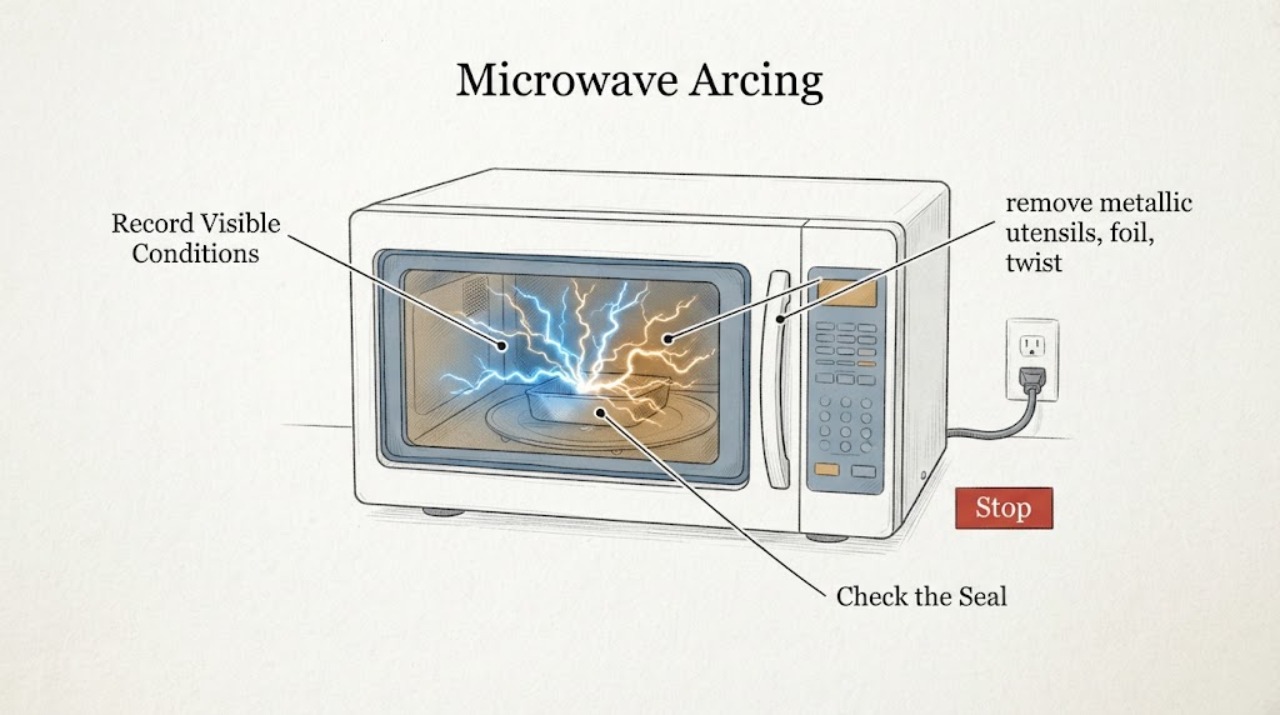
If a Samsung microwave arcs or sparks, stop the cycle immediately and do not run it empty. Once it is off and cool, remove metal utensils, foil, twist ties, and cookware with metallic decoration; clean accessible food residue; and confirm the glass turntable is installed. Only perform the model-supported water-bowl check if there is no visible cavity, door, seal, or waveguide-cover damage. If sparking returns with a microwave-safe container and clean cavity, stop using the microwave and request Samsung service. Do not remove internal covers, bypass the door interlock, or decide that replacement is safe from the spark alone.
Work through in order
Diagnostic checks
Use only checks that match the exact appliance or system and its official guide.
-
Check 1
Stop the cycle immediately, let the microwave cool, and record whether the spark appeared with food, an empty cavity, a specific container, the turntable, or a particular area of the cavity.
Expected result: The spark stopped when the cycle stopped, or smoke, flame, scorching, a burning odor, a damaged door or seal, exposed wiring, or a damaged cavity is visible.
Next step: Keep the microwave unused and arrange qualified Samsung appliance service for any visible damage, smoke, flame, burning odor, or unexplained arc.
Stop if: Do not restart the microwave just to watch the spark recur.
Why this matters
Why: Stopping first prevents a short-lived cooking event from becoming prolonged arcing. Visible damage or a fire or microwave-energy warning is beyond an ordinary cookware check.
-
Check 2
With the unit off and cool, remove metallic utensils, foil, twist ties, and dishes or cookware with gold, silver, or other metallic decoration. Check the food and packaging for a hidden metal fragment.
Expected result: A conductive item or metallic decoration was present, or no metal was found.
Next step: Use only cookware that the exact model manual approves. If no conductive item was found, or if the spark left a mark, proceed to the cavity and service checks.
Stop if: Do not use foil or a metal utensil as a diagnostic test.
Why this matters
Why: Samsung identifies metal objects, foil, twist ties, and metallic accents as common causes of arcing. Removing the item supports a cookware or packaging cause but does not clear a damaged cavity or internal component.
-
Check 3
Clean accessible food splashes and residue from the cavity, door seal, and floor with the method allowed by the exact Samsung manual. Reinstall the glass turntable and any removable support correctly before another test.
Expected result: Food or grease residue was present, the turntable was missing or incorrectly placed, or the cavity and turntable were already clean and correctly installed.
Next step: If the cavity has no damage and the suspected residue or installation issue was corrected, use the cautious water check below once. If arcing persists, request service.
Stop if: Do not remove the waveguide or magnetron cover, scrape the cavity coating, or operate without the glass turntable.
Why this matters
Why: Samsung notes that food residue can cause popping and that operating without the glass turntable can contribute to uneven energy distribution and sparking. A clean, correctly assembled cavity with recurring arcs points away from simple residue.
-
Check 4
Only when the cavity, door, seal, and visible internal surfaces are undamaged, place a bowl or glass of water in the correctly assembled microwave and run the brief water check specified by the exact model manual; never run the microwave empty.
Expected result: The water check runs without a spark, the same popping or arcing returns, or the microwave does not operate normally.
Next step: Use the result and the original load details to decide whether service is needed. Stop immediately if a spark, smoke, or burning odor returns.
Stop if: Do not continue repeated cycles or test an empty cavity.
Why this matters
Why: A clean water test without arcing makes food, residue, or cookware more likely; a repeat spark with a nonmetallic load keeps an appliance fault in the decision path. The check is not a test of internal high-voltage parts.
-
Check 5
Record the full model label, cooking mode, cookware and food used, location of the arc, visible marks, whether the turntable was installed, and the result of the single cautious water check before contacting Samsung.
Expected result: The spark was isolated to a removed conductive item and does not recur, or it recurs with a clean cavity and microwave-safe water load.
Next step: For recurring or unexplained arcing, stop using the microwave and provide these observations to qualified Samsung service; do not choose repair or replacement from the symptom alone.
Stop if: Do not open the cabinet, probe electrical parts, or bypass an interlock.
Why this matters
Why: A cleared symptom after removing the identified item favors a usage or residue cause. Recurring arcing with a safe load, a damaged cover or cavity, or a damaged seal may indicate an internal component or shielding issue that cannot be identified safely from outside.
Use your observations
Decision map
Find the observation that best matches what you see, then follow the next safe action.
-
PATH 01Next step
What you see
A metal tie, utensil, foil, metallic decoration, or contaminated food package was found, and no cavity or door damage is visible.
Do this next
Discard or remove the offending item, clean accessible residue, and use only model-approved cookware. Do not repeat a spark-producing cycle.
Why this path and its safety boundary
Why it matters: The removable conductive material is the leading explanation for that event, but the appliance should still be checked for a burn mark or recurring arc.
-
PATH 02Next step
What you see
The cavity was dirty or the turntable was missing or mispositioned, and one cautious water check completes without arcing.
Do this next
Keep the cavity clean and the turntable correctly installed. Stop and request service if arcing returns with normal cookware or a safe water load.
Why this path and its safety boundary
Why it matters: Residue or assembly can explain the event, and the clean nonmetallic check did not reproduce it; this is not proof that hidden damage is absent.
-
PATH 03Safety boundary
What you see
Arcing returns with a clean cavity, installed turntable, and a microwave-safe water load, or it occurs with no removable conductive item present.
Do this next
Stop using the microwave, disconnect power only if safe, and request qualified Samsung appliance service.
Why this path and its safety boundary
Why it matters: Samsung says persistent sparking may indicate damaged or worn internal components and requires professional diagnosis; a user cannot identify a safe internal part from the visible arc.
Safety stop: Do not remove internal covers, test high-voltage circuits, or attempt a cabinet repair.
-
PATH 04Next step
What you see
The door, seal, cavity, or waveguide-cover area is damaged, or there is smoke, flame, a burning odor, or a repeated breaker trip.
Do this next
Stop immediately, keep people away, disconnect power only if safe, and arrange qualified appliance or electrical service. Follow local emergency guidance for an active fire or acute hazard.
Why this path and its safety boundary
Why it matters: This is an immediate fire, electrical, or microwave-energy safety boundary rather than a cookware problem.
-
PATH 05Next step
What you see
The microwave makes only occasional food-related popping, with no visible arc, no damage, and no recurrence during a clean water check.
Do this next
Clean the cavity, use the correct cookware, and monitor normally. If visible sparks or persistent popping occur during the water check, stop and request service.
Why this path and its safety boundary
Why it matters: Samsung notes that foods with high fat or water content and ordinary food residue can create popping sounds; sound alone does not prove arcing.
Helpful context
Understand the symptom
A spark is a stop-and-identify symptom
A one-time spark from a metal tie or decorated dish has a different next step from repeated arcing in an empty, clean cavity. Record what was inside, where the arc appeared, and whether there is any visible damage before deciding between a cautious retest and service.
Never test an empty microwave
Samsung warns that running a microwave completely empty can cause popping and damage. Stop immediately for smoke, flames, a burning smell, damaged wiring, a damaged door or seal, or repeated arcing.
When checks do not resolve it
Need a professional?
Request qualified Samsung appliance service for recurring arcing after conductive items and residue are removed, visible cavity, door, seal, or waveguide-cover damage, or any unexplained spark. Do not attempt internal microwave repair.
Common questions
FAQ
Can I use the Samsung microwave again after removing a metal utensil that caused a spark?
Only after the unit is off and cool, the cavity and turntable are checked for visible damage, and the exact model manual permits a cautious nonmetallic water check. Stop and request service if the spark returns or any damage is visible.
Should I replace the microwave immediately because it sparked?
Not from the spark alone. A removable conductive item or food residue can cause a one-time event, while recurring arcing with a clean cavity or visible damage requires qualified diagnosis. Do not open the cabinet to decide which internal part failed.
Read the exact guide
Official sources
- What to do if my Samsung microwave is sparking during operation?Samsung Support Gulf · Most Samsung microwave models including countertop, built-in, and over-the-range variants; exact model manual controls
- Samsung microwave is making weird noisesSamsung Support US · Samsung microwaves; use exact model manual for operation
- What to do before requesting service on broken microwaveSamsung Support New Zealand · Samsung microwave basic troubleshooting; region-specific support contact details are not used
Community feedback
Share a repair observation
Share a plain-text repair observation. Accepted observations are published automatically; this page may take a moment to update.