
On this page
Start here
Quick answer
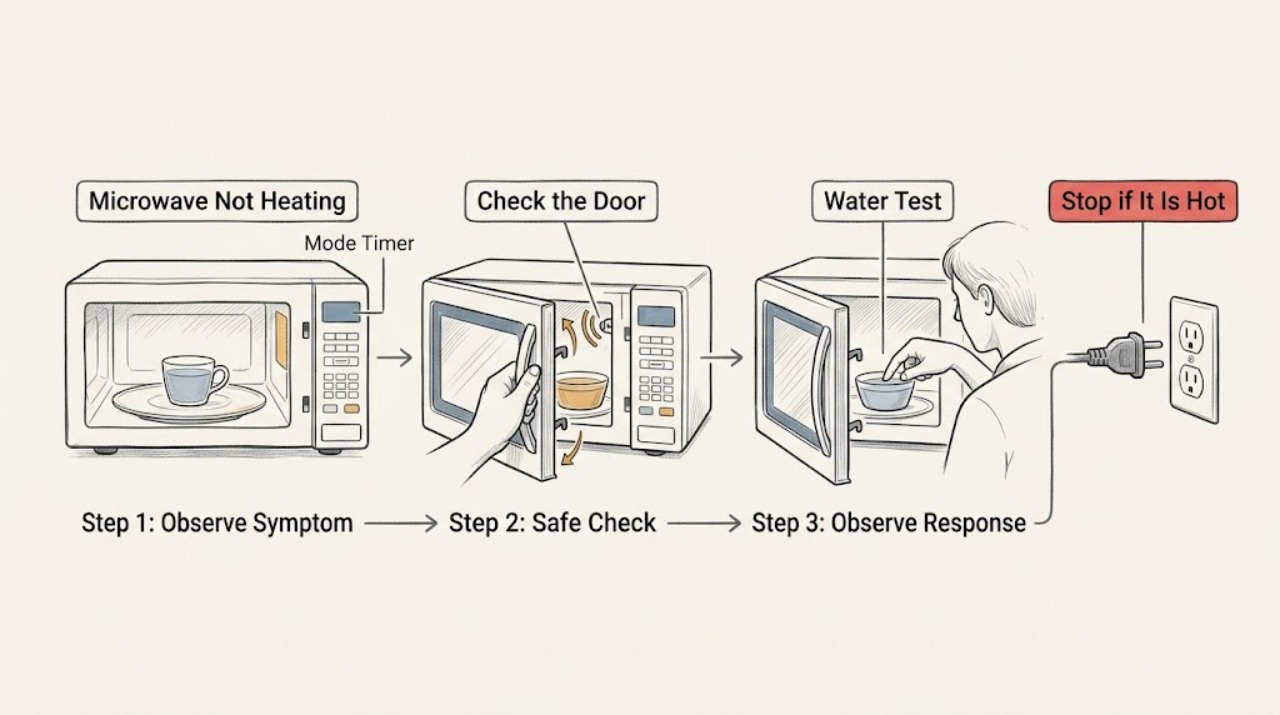
Test heating with a microwave-safe cup of water and first check for Demo mode, Kitchen Timer, a door that is not fully closed, and inadequate clearance on an over-the-range model. Samsung says Demo mode can run the timer without turning on heating, while door and ventilation conditions can leave the oven running without warming food. If those external checks are normal, stop and request service; do not access the magnetron or other high-voltage parts.
Before you begin
Safety first
- External settings, cleaning, and clearance checks are the limit; high-voltage heating diagnosis requires a qualified technician.
Work through in order
Diagnostic checks
Use only checks that match the exact appliance or system and its official guide.
-
Check 1
Place a microwave-safe cup or bowl of water in the cavity and run a brief normal cooking cycle while staying nearby; do not run the cavity empty.
Expected result: The water becomes warm, stays cool while the timer runs normally, or the timer counts down unusually fast.
Next step: Stop the test and inspect the selected mode, timer, door, and clearance rather than opening the appliance.
Why this matters
Why: Warm water indicates the symptom may be food, container, or sensor-cycle variation; cool water with a fast countdown is consistent with Demo mode, while normal timing with no heat needs the next checks.
-
Check 2
Confirm the control is set to a normal microwave cooking cycle rather than Kitchen Timer, and check the exact model's settings for Demo mode.
Expected result: The timer was a Kitchen Timer or Demo mode was enabled, or a normal cooking cycle is selected.
Next step: Exit the mode only using the exact model instructions and repeat the supervised water test once.
Why this matters
Why: Samsung says Kitchen Timer does not perform cooking and Demo mode lets functions operate without turning on the magnetron.
-
Check 3
Inspect and wipe the door edge, latch area, and frame with a soft damp cloth, then close the door fully without slamming or forcing it.
Expected result: The door now closes completely and heating returns, or it remains loose, damaged, or the oven runs without heating.
Next step: Stop using the unit and request service for a damaged latch, door, or persistent no-heat result.
Why this matters
Why: Samsung says an incompletely closed door can allow the microwave to run without heating; damage or persistent failure is not an ordinary-user repair.
-
Check 4
For an over-the-range model, compare the visible installation clearance and vent path with the exact installation manual; remove only accessible obstruction or grease from the approved exterior/filter areas.
Expected result: The microwave has restricted clearance or a blocked/dirty accessible vent path, or the installation matches the manual.
Next step: Correct only an accessible installation or filter condition allowed by the manual, then retest once. Do not remove the unit from its mount.
Why this matters
Why: Samsung says inadequate clearance can prevent proper venting and result in weak or absent heating; a correct installation shifts the concern to service.
Use your observations
Decision map
Find the observation that best matches what you see, then follow the next safe action.
-
PATH 01Next step
What you see
The timer counts down much faster than usual or the selected function was Kitchen Timer, and heating returns after selecting a normal cycle or documented setting.
Do this next
Use the exact model's normal cooking control and monitor the next cycle.
Why this path and its safety boundary
Why it matters: A mode selection, not a failed heating assembly, was the leading cause.
-
PATH 02Next step
What you see
Heating returns after the door/frame is cleaned and fully closed, or after an accessible clearance/filter issue is corrected.
Do this next
Keep the door and approved vent areas clean and follow the model installation manual.
Why this path and its safety boundary
Why it matters: The external interlock or venting condition was more likely than an internal heating fault.
-
PATH 03Next step
What you see
A supervised water test stays cool with normal timing after mode, door, and clearance checks are normal.
Do this next
Stop using the microwave and request Samsung service; do not open the cabinet or replace high-voltage parts.
Why this path and its safety boundary
Why it matters: An internal heating or control fault remains possible and cannot be safely isolated by the user.
Helpful context
Understand the symptom
Running is not the same as heating
A display and countdown can look normal even when a mode, timer, door interlock, or installation condition prevents heating. Use one controlled water test and the timer behavior to separate settings from a service fault.
When checks do not resolve it
Need a professional?
Provide the model, whether the timer ran at normal speed, the selected mode, door condition, and the result of the supervised water test.
Safety scope: External settings, cleaning, and clearance checks are the limit; high-voltage heating diagnosis requires a qualified technician.
Common questions
FAQ
Why does my Samsung microwave run but not heat?
Check whether the timer is in Demo mode or Kitchen Timer, confirm the door closes completely, and check model-specific clearance and venting. If a supervised cup-of-water test remains cool, request service.
Can I test a Samsung microwave by running it empty?
No. Use a microwave-safe cup or bowl of water for a brief supervised test; Samsung cautions against running the cavity empty.
Read the exact guide
Official sources
- How to clean a Samsung microwaveSamsung · Samsung microwave cleaning guidance
- Samsung microwave is making weird noisesSamsung · Samsung microwave operating tests
- Samsung microwave does not heatSamsung · Samsung microwave no-heat troubleshooting; exact model manual governs settings and installation
Community feedback
Share a repair observation
Share a plain-text repair observation. Accepted observations are published automatically; this page may take a moment to update.