
On this page
Start here
Quick answer
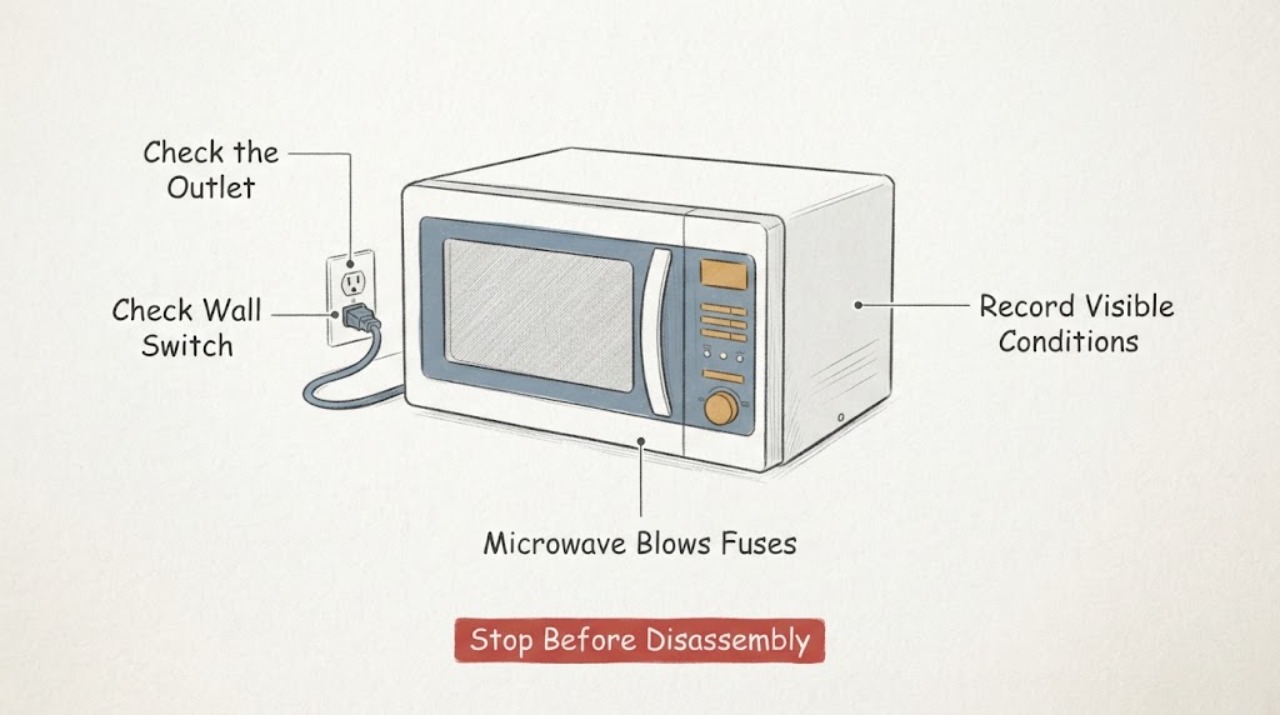
If a Samsung microwave blows a fuse or trips the breaker, stop repeatedly restoring power and do not replace the microwave fuse yourself. From a safe, dry position, note whether the interruption occurs when the unit is plugged in or when cooking is started, check only the external plug, outlet, cord, door and visible cavity condition, and record the full model number. Samsung's public guidance sends persistent power and internal-component problems to support or a service center; microwave high-voltage components and covers are not a user repair task.
Work through in order
Diagnostic checks
Use only checks that match the exact appliance or system and its official guide.
-
Check 1
Stop using the microwave after the fuse or breaker opens again. Unplug a countertop unit, or switch off the dedicated circuit from a safe, dry position; do not keep restoring power to see whether it holds.
Expected result: The power interruption remains isolated, or the breaker/fuse opens again without another test.
Next step: Leave the microwave disconnected and proceed only with external documentation and a service request. Do not open the cabinet or replace the microwave fuse.
Why this matters
Why: A repeated protective-device operation means the appliance needs diagnosis before further use; it does not identify which internal circuit is at fault.
-
Check 2
From outside the appliance, record when the interruption occurs: immediately when power is restored, when the door is closed, when Start is pressed, or only during a cooking or heating load.
Expected result: The fuse or breaker opens at plug-in, at door closure, at Start, or after the unit has been running.
Next step: Write the timing and any display, sound, smell, smoke, or visible spark in the service record. Do not repeat the event deliberately.
Why this matters
Why: The timing is a service diagnostic clue, but none of these observations proves a specific fuse, switch, control, or high-voltage component failure.
-
Check 3
Check only the external plug, cord, outlet face, and accessible breaker or fuse panel for obvious damage, heat, moisture, or a shared overloaded circuit; do not use a meter or alter the wiring.
Expected result: The cord or plug is damaged, the outlet is wet or scorched, the breaker will not reset, or the external supply appears normal.
Next step: If there is damage, heat, moisture, arcing, or a breaker that will not hold, leave it isolated and obtain qualified electrical or appliance service. Do not use an extension cord or substitute outlet wiring.
Why this matters
Why: An external supply hazard needs electrical attention and can be unsafe independently of the microwave. A normal-looking outlet does not clear the microwave's internal fault.
-
Check 4
With power isolated and without removing any cover, inspect the door, latch area, cavity walls, turntable, and visible interior surfaces for food debris, metal objects, scorch marks, cracks, exposed wiring, or moisture.
Expected result: A metal object, spill, visible cavity damage, exposed wire, damaged door/seal, or no visible abnormality is present.
Next step: Remove only a loose, non-damaged object or wipe an accessible surface after the unit is disconnected. If there is damage, moisture near controls, scorching, or exposed wiring, do not operate the microwave and request service.
Why this matters
Why: Samsung identifies metal, damaged components, door/seal conditions, and moisture as reasons to stop or seek service; a clean-looking cavity does not rule out an internal electrical fault.
-
Check 5
Photograph the rating label and record the complete Samsung model code, serial number if accessible, installation type, and the exact fuse/breaker timing before contacting Samsung Support.
Expected result: The model code is complete and readable, or it is missing/partial while the failure repeats.
Next step: Use Samsung's official support route or an authorized service center. Tell the technician whether the protective device opened at plug-in, door closure, Start, or during heating, and keep the microwave disconnected.
Why this matters
Why: Samsung's support system uses the model code or product name to select manuals and repair options. A missing model prevents model-specific instructions, but does not justify generic internal repair advice.
Use your observations
Decision map
Find the observation that best matches what you see, then follow the next safe action.
-
PATH 01Next step
What you see
The fuse or breaker opens again as soon as power is restored, before a cooking command is selected.
Do this next
Keep it disconnected and arrange Samsung or qualified appliance service. Do not install another fuse or open the cabinet.
Why this path and its safety boundary
Why it matters: The microwave has a persistent electrical fault or supply interaction that cannot be safely isolated by an ordinary user; the exact internal cause is not established.
-
PATH 02Next step
What you see
The protective device opens only when Start is pressed, the door is closed, or a cooking load begins.
Do this next
Stop reproducing the event, record the exact timing and model, and request professional diagnosis. Do not bypass the door interlock or test high-voltage parts.
Why this path and its safety boundary
Why it matters: The timing narrows the service symptom but does not prove a door-switch, control, or high-voltage component diagnosis.
-
PATH 03Next step
What you see
The cord, plug, outlet, breaker panel, door, cavity, or visible wiring shows heat, moisture, scorch marks, arcing, cracks, or other damage.
Do this next
Leave the unit isolated and obtain qualified electrical or appliance service. Do not touch exposed wiring, remove covers, or operate the microwave to test it.
Why this path and its safety boundary
Why it matters: There is an immediate electrical or microwave-safety hazard that overrides routine troubleshooting.
-
PATH 04Next step
What you see
The outlet and visible appliance surfaces appear normal, but the fuse or breaker has opened more than once.
Do this next
Keep the microwave off and provide Samsung Support with the model, installation type, timing, and any display or sound observations.
Why this path and its safety boundary
Why it matters: An internal or model-specific issue remains possible even without visible damage; a visual check cannot clear the microwave for use.
Helpful context
Understand the symptom
A fuse that opens repeatedly is a stop condition, not a reason to keep fitting replacement fuses or to open the microwave. The timing is useful for the technician, but it does not identify a door switch, filter board, magnetron, capacitor, thermal device, or other component from the outside.
The checks below stay at the user-accessible boundary. Do not remove the outer cover, test live wiring, discharge a capacitor, bypass a door interlock, substitute a fuse, or run the microwave with a safety part disconnected.
When checks do not resolve it
Need a professional?
A qualified microwave technician should identify the exact Samsung model, inspect the supply and interlock/high-voltage systems using the applicable service procedure, and determine whether repair is safe. The user should not access or test those components.
Common questions
FAQ
Should I keep replacing the Samsung microwave fuse?
No. A fuse that opens again is a stop condition. Leave the microwave disconnected and arrange qualified service; do not repeatedly restore power or access the fuse and high-voltage components.
Does the timing prove a bad door switch or magnetron?
No. Whether the fuse opens at plug-in, door closure, Start, or heating is useful information for a technician, but it does not identify the failed component from the outside.
What should I send Samsung Support?
Provide the complete model code, installation type, whether the unit is countertop or over-the-range, the exact timing of the fuse or breaker operation, and any visible smoke, sparks, moisture, odor, or damage. Keep the appliance disconnected.
Read the exact guide
Official sources
- How to troubleshoot a Samsung microwave ovenSamsung Gulf · Opened Samsung official troubleshooting guidance covering most Samsung countertop and built-in microwave models. It supports external power, door, visible condition, circuit, and service-boundary checks; it does not authorize internal fuse or high-voltage repair.
- Microwaves | Samsung Support USSamsung US · Opened Samsung US support index; it directs users to search by model code or product name and provides manual/download and repair-request routes.
- What does the error code on my Samsung microwave mean?Samsung US · Opened Samsung US microwave support guidance. It is used only for the safe power-isolation and service-escalation pattern, not as a fuse-definition or internal repair guide.
- What to do if my Samsung microwave is sparking during operation?Samsung Gulf · Opened Samsung official guidance for most countertop, built-in, and over-the-range models. It supports stopping use, checking only visible cavity/door conditions, and professional service for persistent or internal issues.
Community feedback
Share a repair observation
Share a plain-text repair observation. Accepted observations are published automatically; this page may take a moment to update.