
On this page
Start here
Quick answer
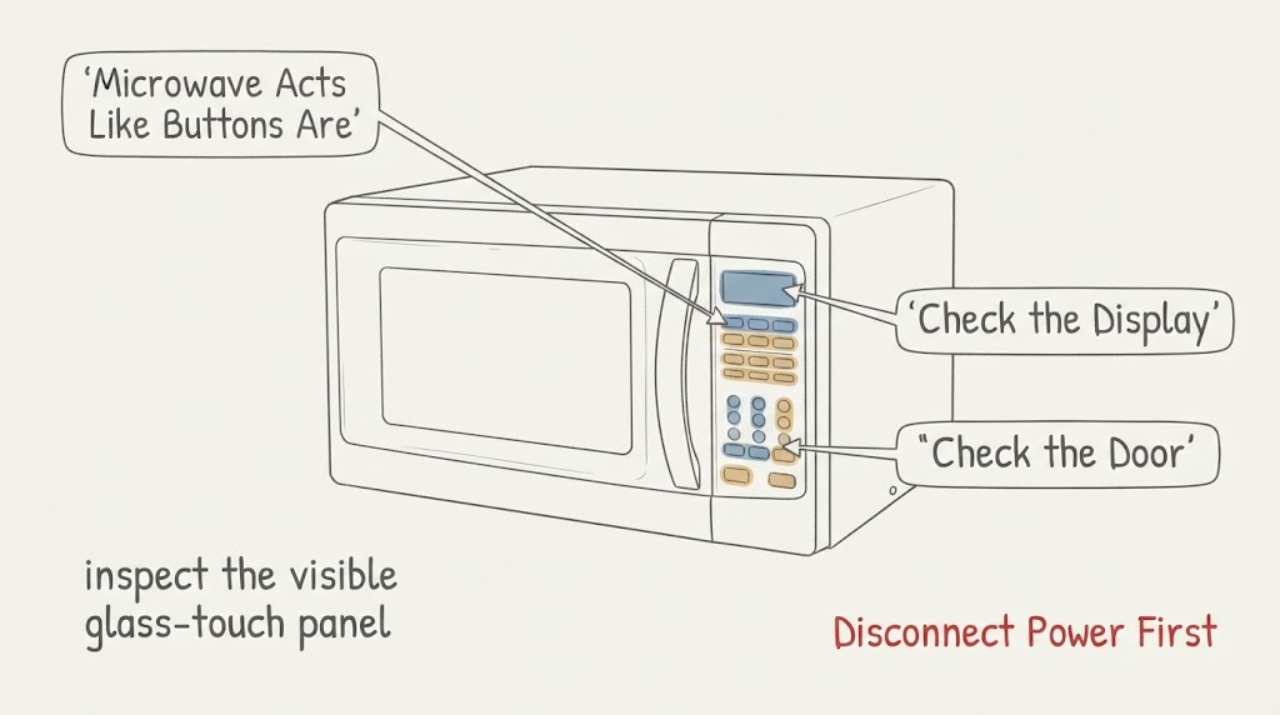
Treat a Samsung ME21K7010DS microwave that activates as though a button is being held as a safety fault, not as an ordinary unresponsive-panel problem. If it starts a cook cycle, produces heat, the turntable or fan runs without a deliberate command, or a key is repeatedly registered, stop it immediately and disconnect power if it is safe to do so; do not open the cabinet or bypass the door interlock. With power off, wipe the glass-touch panel with a lightly damp lint-free cloth and dry it completely, because Samsung warns against sprays, excess liquid, abrasive cleaners, and sharp objects. Check the display for Control Lock only through the exact ME21K7010DS manual, then perform one 60-second power reset. Observe the idle panel without starting a cooking test. If the panel activates itself again, or if any heat starts without an intentional command, leave the microwave disconnected and request professional service. Do not guess that the touch panel or control board is the failed part.
Before you begin
Safety first
- Do not open the microwave cabinet, access the high-voltage section, bypass or adjust the door interlock, insert tools, measure live or high voltage, or replace a touch panel or control board as a self-diagnosis. Disconnect power and stop use for autonomous heating, smoke, sparking, burning odor, a hot cord or outlet, or repeated breaker trips.
Work through in order
Diagnostic checks
Use only checks that match the exact appliance or system and its official guide.
-
Check 1
If the microwave starts a cook cycle, produces heat, turns the turntable or fan on, or registers a key without a deliberate touch, stop the operation and disconnect power at the accessible plug or circuit breaker if doing so is safe. Do not reach through a door opening to stop a running cycle or touch hot food or the cavity immediately.
Expected result: The microwave remains idle, or it starts/continues a cycle or heating without an intentional command.
Next step: For any autonomous operation, leave the microwave disconnected and request qualified appliance service. Do not reconnect it to see whether the behavior repeats.
Stop if: Do not open the outer cover, bypass the door interlock, insert tools, or continue using the microwave after uncommanded heating.
Why this matters
Why: Samsung specifically treats a control panel that activates by itself or starts a short cycle without being touched as a service condition. Any uncommanded heating is more urgent than a panel that merely misses a touch.
-
Check 2
With power disconnected and the cavity cool, inspect the visible glass-touch panel for condensation, grease, food residue, cleaner film, or an object pressing against it. Wipe the panel with a lightly damp lint-free or microfiber cloth, then dry it completely.
Expected result: Residue or moisture is visible and the panel is normal after drying, or the panel is clean and still registers touches by itself.
Next step: If the panel remains clean and self-activates, keep power disconnected and proceed to service. Do not spray cleaner onto the panel or use an abrasive or sharp tool.
Stop if: Do not pour liquid onto the panel, spray through vents, use bleach or solvent, scrape the glass, or remove the control surface.
Why this matters
Why: Samsung identifies cleaning and complete drying as the first user-level panel check. A clean, dry panel that continues to self-register is not proven to have a particular touch assembly or control-board failure.
-
Check 3
Read the full rating label and compare the appliance with Samsung's ME21K7010DS support entry. Note the display, visible control labels, and whether the behavior is a single false key, a repeated key, or a sequence of keys; do not try random button combinations.
Expected result: The label clearly reads ME21K7010DS and the control layout matches, the suffix or market differs, or the displayed behavior cannot be described reliably.
Next step: If identity or panel layout is uncertain, stop model-specific button advice and obtain the exact manual or Samsung service identification. Preserve a photo or written description without leaving power connected.
Stop if: Do not apply a child-lock sequence from another Samsung microwave, hold keys repeatedly, or infer a control-board fault from an uncertain panel identity.
Why this matters
Why: Samsung provides model-specific manuals and warns that control-lock behavior and button functions vary. An incorrect suffix or imported-market panel can make a borrowed unlock or reset sequence unsafe or ineffective.
-
Check 4
After cleaning and confirming the correct manual, perform one reset only: disconnect the microwave or switch off its circuit breaker for 60 seconds, then restore power and observe the idle display without starting a cooking program.
Expected result: The display returns normally and remains idle, the same key registers without touch, or a cook cycle/heating starts without a deliberate command.
Next step: If the panel remains normal at idle, use the exact manual for ordinary operation and monitor it. If it self-activates or heats, disconnect power again if safe and request service.
Stop if: Do not repeatedly cycle power, operate with autonomous heating, or test the microwave with a container of food after a self-start event.
Why this matters
Why: Samsung lists a 60-second power cycle as a reset for panel problems, but recurrence after one reset is evidence for service rather than permission to repeat resets or open the unit.
-
Check 5
Check for a visible Control Lock indicator only after power is stable and only use the lock/unlock method printed in the exact ME21K7010DS manual. Record whether the lock blocks all normal input or whether an apparent key still activates without touch.
Expected result: Control Lock is visibly enabled and normal input is blocked, the lock is not shown, or random input continues despite the lock state.
Next step: Use the exact manual once to change the lock state if appropriate. If random input or autonomous operation continues, disconnect the microwave and arrange service rather than trying additional combinations.
Stop if: Do not bypass the lock, force keys, or treat a lock indicator as permission to run a heating test.
Why this matters
Why: Control Lock explains intended button refusal, not a panel that acts as though a key is continuously pressed. Samsung directs owners to the user manual for the model-specific lock behavior.
-
Check 6
Document the exact model and market, the key or sequence that appears without touch, whether the microwave was heating, the display message, the cleaning and single-reset result, and any odor, smoke, sparking, or breaker event. Keep the microwave disconnected if the fault recurs.
Expected result: The fault is repeatable without heating, or there has been uncommanded heating or an electrical warning.
Next step: Request professional service and provide the evidence. For smoke, sparking, burning odor, hot wiring, or repeated breaker trips, leave the unit disconnected and arrange urgent qualified appliance/electrical assessment.
Stop if: Do not remove the cover, measure high voltage, bypass the door interlock, or reconnect the microwave to demonstrate the fault.
Why this matters
Why: A precise symptom record helps Samsung or a qualified technician decide whether to inspect the control interface, control system, door-safety system, or power circuit. It does not identify a replacement part for the user.
Use your observations
Decision map
Find the observation that best matches what you see, then follow the next safe action.
-
PATH 01Next step
What you see
A cooking cycle, heat, turntable, or fan starts without an intentional command, or a key appears continuously pressed.
Do this next
Disconnect power if safe, keep the microwave out of use, and request qualified service. Do not reconnect it for another test.
Why this path and its safety boundary
Why it matters: Samsung identifies self-activating control panels and unsolicited short cycles as service conditions. This is not a cleaning or ordinary Control Lock problem once autonomous operation occurs.
-
PATH 02Next step
What you see
The panel had moisture or residue, becomes normal after a careful power-off clean and complete drying, and does not activate by itself after one reset.
Do this next
Use the manual for normal operation and monitor without deliberately heating to reproduce the fault. Stop and request service if random input returns.
Why this path and its safety boundary
Why it matters: Surface contamination or moisture was a plausible input-detection contributor, but the result does not prove the panel is permanently repaired.
-
PATH 03Next step
What you see
The display shows Control Lock and normal buttons are blocked, but there is no autonomous activation.
Do this next
Apply the model-specific lock method once if needed. If the panel still acts by itself after the lock state is resolved, disconnect power and arrange service.
Why this path and its safety boundary
Why it matters: The lock state can explain intentional refusal of input. It does not explain a key registering without touch, so use only the exact model manual for changing the lock.
-
PATH 04Next step
What you see
The panel remains clean and dry, the exact model is confirmed, and random input returns after one 60-second reset without a deliberate touch.
Do this next
Leave the microwave disconnected and request professional diagnosis. Do not order a touch panel or control board based only on the symptom.
Why this path and its safety boundary
Why it matters: The fault persists beyond Samsung's documented user-level cleaning, lock check, and single reset. A touch interface, control system, wiring, or another appliance-side cause remains possible but is not identified.
-
PATH 05Next step
What you see
Smoke, sparking, burning odor, a hot cord or outlet, a repeated breaker trip, or heat continues after a stop command.
Do this next
Keep the microwave disconnected, do not touch hot or damaged parts, and arrange qualified appliance or electrical service. Do not bypass the door interlock or restore power to retest.
Why this path and its safety boundary
Why it matters: This is an immediate microwave electrical and fire-safety condition, regardless of which key appears to activate.
Helpful context
Understand the symptom
Random activation is different from a panel that simply will not respond
Samsung's official guidance separates a nonresponsive panel from one that activates by itself. On the ME21K7010DS, the product specification identifies glass-touch bottom controls, so moisture, residue, accidental contact, or a control fault can look like a key is being held. The safe first question is whether the microwave remains idle. A self-starting or heating microwave is a stop-use event, not a reason to keep pressing keys or to replace a board from a symptom alone.
Clean only the outside of the panel with power disconnected
With the microwave disconnected from power, use only a lightly damp, lint-free cloth on the visible control surface and dry it thoroughly. Samsung says not to use spray, excess water, abrasive chemicals, bleach, steel wool, or sharp objects on the panel, and warns against getting liquid into vents. Do not remove the control panel or outer cover to dry or inspect it.
When checks do not resolve it
Need a professional?
Request Samsung or qualified microwave service if the panel activates by itself, starts any cycle without a deliberate command, repeats the fault after the panel is cleaned and one 60-second reset, or has a visible electrical warning. A microwave that only has a lock or ordinary nonresponse should still use the exact ME21K7010DS manual before further button advice.
Safety scope: Do not open the microwave cabinet, access the high-voltage section, bypass or adjust the door interlock, insert tools, measure live or high voltage, or replace a touch panel or control board as a self-diagnosis. Disconnect power and stop use for autonomous heating, smoke, sparking, burning odor, a hot cord or outlet, or repeated breaker trips.
Have this ready
- Provide the complete ME21K7010DS label and market, display and control layout, the apparent key or sequence, whether heat or a turntable/fan started, the Control Lock indication, cleaning and one-reset result, and any smoke, odor, sparking, cord, outlet, or breaker observation.
Common questions
FAQ
What should I do if the Samsung microwave starts by itself?
Stop using it and disconnect power if safe. Samsung specifically says a panel that activates without being touched or starts a short cycle without a command needs service. Do not reconnect it to see whether it happens again.
Can moisture on the ME21K7010DS panel cause false button presses?
Moisture or residue can interfere with touch detection, so with power disconnected, wipe the visible panel with a damp lint-free cloth and dry it completely. Samsung prohibits sprays, excess liquid, abrasive cleaners, and sharp objects on the panel. If it still self-activates, use service.
Should I keep pressing buttons to clear Control Lock?
No. Check the exact ME21K7010DS manual for the lock method. Control Lock can block intended input, but it does not make a key activate by itself; repeated random combinations can obscure the symptom and are not a repair.
Can I replace the touch panel or control board myself?
Do not select either part from random button behavior. Samsung's public guidance stops at cleaning, checking the lock, one power reset, and service when the panel self-activates. Microwave cabinet and high-voltage work require qualified service.
Read the exact guide
Official sources
- How to clean a Samsung microwaveSamsung · Official Samsung cleaning guidance used only for the visible panel cleaning boundary; it does not authorize cabinet opening or diagnose the control system.
- ME21K7010_V6.inddSamsung Electronics America · Official Samsung product specification for ME21K7010DS, used only for exact product identity and the glass-touch control/display boundary, not for internal repair conclusions.
- ME21K7010DS Over the Range Microwave with PowerGrill, 2.1 cu.ft | Samsung Support CASamsung · Official Samsung Canada support page for the exact assigned ME21K7010DS model family and market variant; used to retrieve the model's manual rather than transfer a button sequence from another microwave.
- Samsung microwave control panel does not respondSamsung · Official Samsung microwave guidance used for the exact safety boundary that a panel activating by itself or starting a short cycle without touch requires service, plus cleaning, Control Lock, and one 60-second reset steps. It does not identify a ME21K7010DS replacement part.
Community feedback
Share a repair observation
Share a plain-text repair observation. Accepted observations are published automatically; this page may take a moment to update.