
On this page
Start here
Quick answer
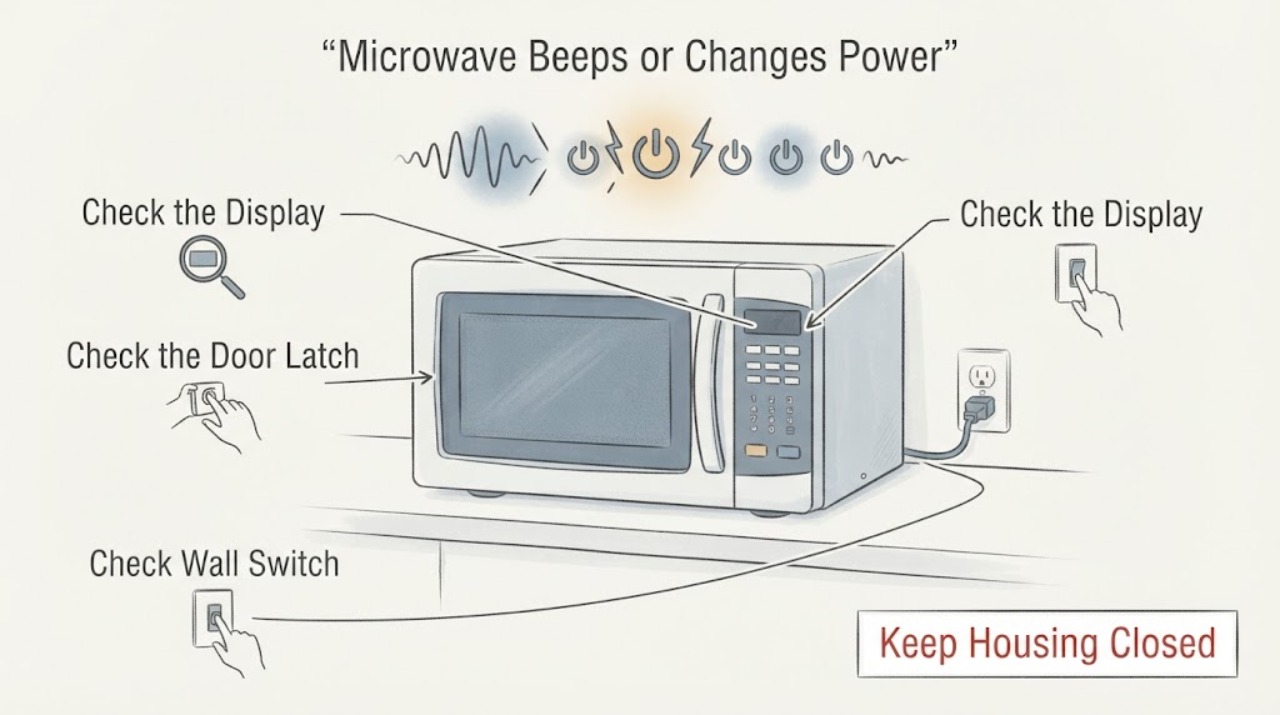
Treat an SMH1816S that starts, changes power, or cycles without a command as unsafe to keep testing. If the microwave runs by itself, unplug it or switch off its circuit if that is safely accessible, do not use it, and request service; Samsung calls that behavior a fire hazard. If it only beeps, observe whether the panel is activating on its own, whether the vent fan is reacting to real cooktop heat, and whether the sound continues after a single model-appropriate power cycle. With power disconnected, wipe and dry only the accessible door latch area and control-panel surface; do not open the cover, probe the door switches, bypass an interlock, or work around the high-voltage section. Samsung's opened support page lists SMH1816S/XAC and its manuals, but the assigned identity does not include a regional suffix, so a technician should confirm the exact label before using model-specific instructions.
Work through in order
Diagnostic checks
Use only checks that match the exact appliance or system and its official guide.
-
Check 1
Watch from a safe distance and identify what is actually operating: the magnetron/cooking cycle, the turntable, the interior light, the vent fan, the display, or only the audible chime. If any cooking starts with no command, the door is closed and the unit runs, or power levels change without input, disconnect power if safely accessible and stop using it.
Expected result: The microwave starts or cooks by itself, only the fan runs after cooktop heat, only a beep sounds, or the panel/display changes without a touch.
Next step: For uncommanded cooking or panel activity, leave the SMH1816S disconnected and request service. For a fan that follows real cooktop heat, let the heat dissipate; if the fan runs with no heat, request service rather than opening the unit.
Why this matters
Why: Samsung says a microwave that starts by itself is a fire hazard. A vent fan can run automatically when cooktop heat is high, while a self-activating panel or uncommanded short cycle is a service condition.
-
Check 2
With power disconnected and the door open, wipe the accessible control-panel surface and the door-latch area with a lightly damp cloth, then dry them. Do not spray liquid into seams, remove the outer cover, probe the latch, or bypass any door interlock.
Expected result: The panel or latch area was damp or dirty, or the surface is clean and dry but the panel still beeps, activates, or changes settings without a deliberate touch.
Next step: If the abnormal behavior remains after the surface is dry, stop testing and arrange service. Do not order a keypad, control board, latch, or switch from the symptom alone.
Why this matters
Why: Samsung identifies cleaning and drying the control panel, door, and latch as limited external checks. A clean, dry surface does not rule in a keypad, latch, relay, or control-board failure.
-
Check 3
If the microwave has not started by itself and there is no smoke, arcing, burning smell, damaged cord, or wet control area, perform at most one Samsung-recommended power cycle: unplug it or switch off its circuit, wait about one minute, and restore power. Do not run the microwave empty.
Expected result: The beeping and control behavior stop after power is restored, or the same beeping, self-activation, cycling, or power-level change returns.
Next step: If the symptom returns, disconnect the microwave and request service. If the unit starts by itself after power is restored, disconnect it immediately and do not run another cycle.
Why this matters
Why: Samsung presents a power cycle as a limited reset for beeping or panel issues, but says continued or returning symptoms require service. A reset does not prove that the underlying control or safety system is sound.
-
Check 4
Record the exact display text, whether the beeps occur while idle or only at the end of a commanded cycle, whether any key appears to activate itself, which power level is shown, and whether the fan, light, turntable, or cooking function runs. Record the model suffix from the rating label without removing panels.
Expected result: A code or model suffix is visible, or the behavior remains an uncommanded or inconsistent cycle after the safe external checks.
Next step: Give the full SMH1816S label, regional suffix, symptom timing, and power-cycle result to Samsung or a qualified microwave technician. Do not open the high-voltage compartment or test door switches, fuses, capacitors, magnetron wiring, or control-board terminals.
Why this matters
Why: Samsung's support and manual paths are model-specific, and its error guidance routes returning errors to service. The symptom record helps distinguish a normal completion sound from a control or safety fault without guessing an internal part.
-
Check 5
If the unit is only making a normal cooking sound or completion chime, compare the event with an intentional cycle without running it empty; inspect only removable, user-accessible tray or roller seating when the power is disconnected. Stop immediately if the symptom includes arcing, smoke, a strong new noise, self-starting, or power changes without input.
Expected result: The sound occurs only during a commanded cycle and matches normal fan/turntable operation, or it is new, much louder, accompanied by arcing, or associated with uncommanded control changes.
Next step: For a normal, command-linked sound, continue ordinary use only if all controls behave normally. For abnormal noise or any uncommanded behavior, keep the microwave disconnected and request service.
Why this matters
Why: Samsung says some humming, buzzing, clicking, or food-related popping can be normal, but significantly louder or persistent abnormal noise merits service. The noise guidance does not explain uncommanded power-level changes.
Use your observations
Decision map
Find the observation that best matches what you see, then follow the next safe action.
-
PATH 01Next step
What you see
The microwave begins cooking or changes power without a deliberate command, including immediately after the door is closed.
Do this next
Unplug it or switch off its circuit if safely accessible, do not use it or repeat a test, and arrange qualified Samsung or microwave service. Do not open the cover or bypass the door interlock.
Why this path and its safety boundary
Why it matters: Samsung classifies a microwave that starts by itself as a fire hazard, and uncommanded control-panel activation requires service.
-
PATH 02Next step
What you see
The vent fan runs only while the cooktop is hot, but the microwave does not cook or change settings by itself.
Do this next
Let the cooktop heat dissipate. If the fan runs with no heat or any cooking/control activity starts without input, disconnect the unit and request service.
Why this path and its safety boundary
Why it matters: Samsung says the over-the-range vent can turn on automatically to protect the microwave from rising cooktop heat.
-
PATH 03Next step
What you see
The panel beeps or changes keys/settings without being touched, or a short cycle starts unexpectedly, but the microwave is not currently cooking by itself.
Do this next
Disconnect power, do not keep testing buttons, and request service with the exact SMH1816S suffix and the recorded behavior.
Why this path and its safety boundary
Why it matters: Samsung treats self-activating controls and recurring beeping as a service condition after external cleaning and a limited power cycle.
-
PATH 04Next step
What you see
The only sound is a normal command-linked hum, fan, turntable click, or end-of-cycle chime, and every control responds only to deliberate input.
Do this next
Keep the exact model manual available and monitor without empty operation. Request service if the sound becomes significantly louder, persists outside a commanded cycle, or is joined by self-activation or arcing.
Why this path and its safety boundary
Why it matters: Samsung documents several operating sounds as normal, but a new significant increase, arcing, or recurrence of erratic power changes is not established as normal by the noise guide.
Helpful context
Understand the symptom
Separate a harmless beep from an appliance that is operating by itself
The assigned SMH1816S report combines erratic beeps while idle with power-level changes during cooking. A normal completion chime, an over-the-range vent fan responding to cooktop heat, and a panel that is generating commands without a touch are different observations. Samsung's opened support pages treat a microwave that starts without interaction as a fire hazard and treat a self-activating control panel as a service condition. Do not keep running cycles to see whether the behavior repeats.
Use only surface checks and a controlled power cycle when the unit is not self-starting
With the microwave disconnected from power, clean and dry the accessible control-panel and door-latch surfaces without opening the cabinet or reaching into the latch. If the unit has not started by itself and there is no smoke, burning smell, arcing, damaged cord, or wet control area, Samsung's general guidance allows one power cycle; if the abnormal beeping, self-activation, or changing power returns, stop and request service. The exact SMH1816S regional suffix should accompany the service request because Samsung's support page lists separate documentation variants.
When checks do not resolve it
Need a professional?
Request service immediately for self-starting or uncommanded cooking, self-activating controls, arcing, smoke, burning smell, damaged wiring, or recurring power-level changes. Also request service when beeping returns after the limited external checks and one power cycle, or when the noise becomes significantly louder.
Common questions
FAQ
Is it safe to keep using an SMH1816S that starts or cycles by itself?
No. Samsung calls a microwave that starts by itself a fire hazard. Disconnect it if safely accessible, do not use it, and request service. Do not try to correct the door switch or control board yourself.
Can erratic beeps be muted instead of repaired?
Samsung provides a model-dependent sound setting, but muting does not address a panel that activates itself or a microwave that changes power without a command. After a single safe power cycle, recurring or abnormal beeping should be serviced.
What if only the vent fan turns on by itself?
Samsung says the vent may start automatically when cooktop heat is rising and the microwave needs protection. If there is no cooktop heat, or if the microwave also cooks or changes controls without input, disconnect it and request service.
Does power-level cycling prove that the magnetron or control board is bad?
No. The reported behavior does not identify a particular internal part. Record whether the change is commanded or occurs by itself, then use the exact model suffix for professional diagnosis; never open the high-voltage section to investigate.
Read the exact guide
Official sources
- Samsung microwave turns on by itselfSamsung · Used for the fire-hazard warning, unplug-and-do-not-use boundary for uncommanded cooking, external door/latch cleaning, and distinction between heat-triggered vent operation and a fault. It does not authorize internal door-switch or high-voltage work.
- Samsung microwave keeps beepingSamsung · Used for the distinction between ordinary completion beeps and beeping while unused, the one power-cycle boundary, the warning against empty operation, and service when beeping continues or returns. Sound-setting steps remain model-dependent.
- ML1-MD4 1.8 cu.ft Over the Range Microwave (Stainless Steel) | Samsung Support CASamsung · Opened support page used to confirm the Samsung SMH1816S/XAC model identity and the existence of linked installation and user manuals. It is not used as evidence for an unlisted internal repair or for every regional suffix.
- Samsung microwave control panel does not respondSamsung · Used for surface cleaning/drying, the self-activating-panel service boundary, control-lock/model-manual caveat, and one power-cycle instruction. It does not identify a failed keypad, relay, control board, or door switch.
- Samsung microwave is making weird noisesSamsung · Used only to distinguish common command-linked humming, buzzing, clicking, rattling, and food-related popping from a significantly louder or persistent noise requiring service; it is not used to explain uncommanded power-level changes.
- What does the error code on my Samsung microwave mean?Samsung · Used only for the external record-and-service boundary if the display shows a code, and for Samsung's instruction to power down, allow moisture to dry, and request service if the code returns. No code is assigned to this topic.
Community feedback
Share a repair observation
Share a plain-text repair observation. Accepted observations are published automatically; this page may take a moment to update.