
On this page
Start here
Quick answer
For the Samsung ME16K3000AW, start with safe external checks: disconnect power, wipe the control panel with a damp lint-free cloth and dry it, use a bare finger without pressing hard, and check the exact manual for Control Lock. Samsung’s model support page identifies the ME16K3000AW/AA family and its support documentation, while Samsung’s microwave control-panel guide says to power-cycle for 60 seconds and request service if buttons still fail. If the panel activates by itself, starts a cycle without a touch, requires excessive force, or the microwave has smoke, arcing, heat or a damaged cord, leave it disconnected and arrange professional service. Do not open the microwave or test its high-voltage circuitry.
Work through in order
Diagnostic checks
Use only checks that match the exact appliance or system and its official guide.
-
Check 1
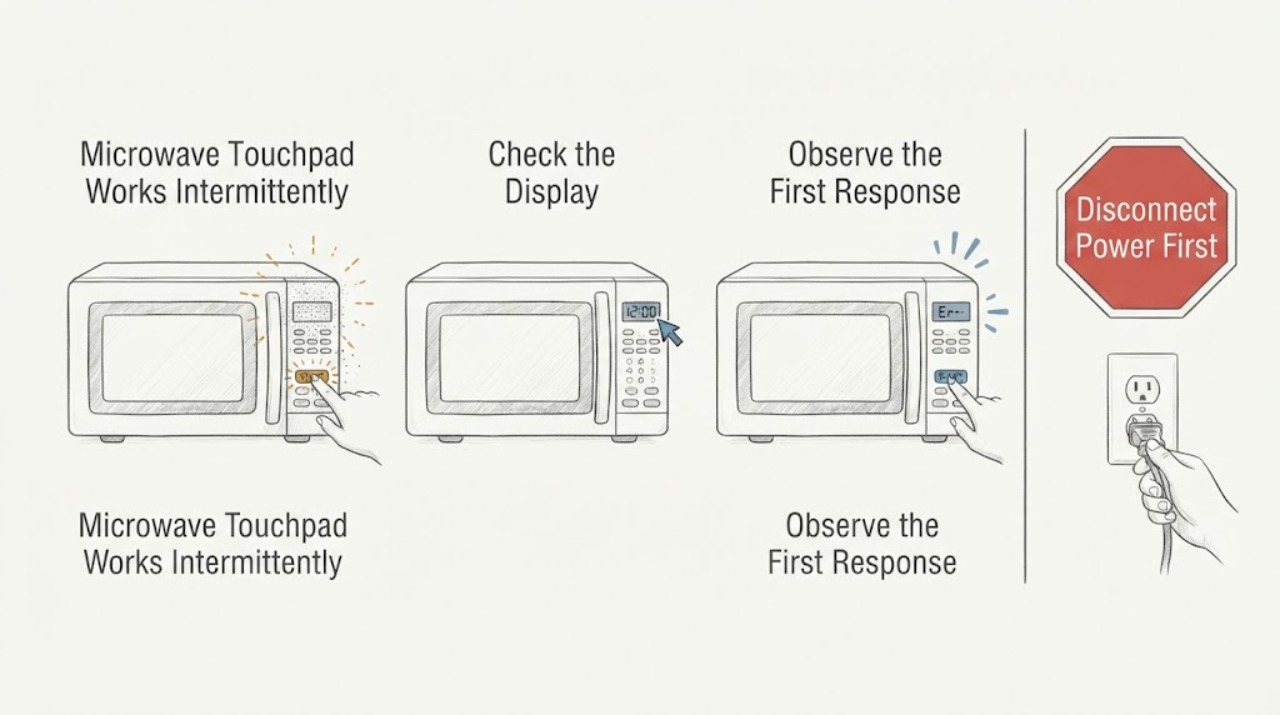
Disconnect the microwave from power before touching the control panel, unless there is active smoke, fire, arcing or another immediate hazard that makes approaching it unsafe.
Expected result: The panel is dark, some buttons fail intermittently, the panel activates without touch, or the appliance has smoke, sparks, heat damage or a damaged cord.
Next step: Keep the microwave disconnected. For smoke, fire, arcing or exposed damage, leave the area and follow local emergency guidance; otherwise continue only with the safe external check below.
Stop if: Do not open the microwave, reset a tripping circuit repeatedly, or touch a damaged cord or wet appliance.
Why this matters
Why: A dark panel may be a power issue; intermittent or self-activating controls are not safely identified as a keypad part from the symptom alone, and smoke/arcing is an immediate stop-use condition.
-
Check 2
Wipe the disconnected, cool control panel with a damp lint-free or microfiber cloth and dry it fully before touching any button.
Expected result: Buttons respond after cleaning, remain intermittent, or residue/moisture is visible around the panel or seams.
Next step: Use the panel only with a bare finger and normal light contact. If buttons still fail or moisture has entered a seam, leave the unit disconnected and arrange service.
Stop if: Do not spray cleaner into the panel, insert tools, or use excessive pressure.
Why this matters
Why: Samsung identifies a dirty or damp surface as a possible reason the panel does not detect a touch; persistence after a dry clean points toward service rather than harder pressing.
-
Check 3
Check Control Lock using only the ME16K3000AW/AA owner manual and compare the physical layout with the exact ME16K3000A* control guide.
Expected result: All or several buttons are disabled while the display is normal, only certain keys fail, or the manual’s lock instructions do not match the observed panel.
Next step: If the exact manual confirms Control Lock, use only its documented control. If not, stop changing settings and continue to the reset/service boundary.
Stop if: Do not assume Demo mode; Samsung’s exact ME16K3000A* guide states this model does not have Demo mode.
Why this matters
Why: Samsung says Control Lock can disable other buttons, while the exact family guide establishes the control-panel location and basic Clock/number/Enter-Start controls. A mismatch does not authorize a sequence from another model.
-
Check 4
If there is no self-activation, smoke, arcing, heat or cord damage, perform one Samsung-guided power cycle by disconnecting power for 60 seconds, then restore power and observe the panel without starting a heating cycle.
Expected result: All buttons recover, only the same buttons remain intermittent, the panel starts a cycle without touch, or the display stays dead.
Next step: Use the microwave only if the panel behaves normally and the door and cord are sound. Otherwise keep it disconnected and request professional service.
Stop if: Do not repeat resets, run the microwave empty, or test by bypassing the door or control safety system.
Why this matters
Why: A reset can clear a temporary control state but cannot distinguish a membrane, control or wiring fault; self-activation and persistent failure require service.
-
Check 5
Document the exact model suffix, serial number, failed button pattern, display state, whether the panel activates on its own, power-cycle result and any odor, spark, heat or cord damage for Samsung service.
Expected result: The fault remains intermittent, the panel self-activates, or the microwave works only when pressure is excessive.
Next step: Use Samsung’s support/service route for the ME16K3000AW/AA and keep the cabinet closed until inspected.
Stop if: Do not order a keypad or control board from a symptom-only diagnosis and do not remove the outer cover.
Why this matters
Why: Samsung treats self-activation, excessive-force operation and persistent unresponsiveness as service conditions; the pattern helps service scope the unit without unsafe disassembly.
Use your observations
Decision map
Find the observation that best matches what you see, then follow the next safe action.
-
PATH 01Next step
What you see
The control panel activates by itself, behaves as if one key is held, starts a short cycle without a touch, or buttons work only with excessive force.
Do this next
Disconnect the microwave and request professional Samsung service; do not open the cabinet or keep testing.
Why this path and its safety boundary
Why it matters: Samsung treats these as service conditions rather than normal touch sensitivity.
-
PATH 02Next step
What you see
The display is normal, no safety symptom is present, and all buttons begin responding after the panel is cleaned and dried.
Do this next
Use normal light bare-finger touches and monitor. If the intermittent failure returns, stop and request service.
Why this path and its safety boundary
Why it matters: Surface contamination or moisture was a plausible temporary cause, but the repair is not established if the fault returns.
-
PATH 03Next step
What you see
All or several buttons remain unavailable while the display works, and the exact manual confirms Control Lock is enabled.
Do this next
Use only the ME16K3000AW/AA manual’s documented unlock control; do not use a sequence from another Samsung model.
Why this path and its safety boundary
Why it matters: The lock state can intentionally suppress button input.
-
PATH 04Next step
What you see
The panel remains intermittent or dead after one 60-second power cycle, or there is smoke, arcing, heat damage, a damaged cord or an unexpected start.
Do this next
Keep the microwave disconnected and arrange qualified appliance service.
Why this path and its safety boundary
Why it matters: The public guidance no longer supports a safe user correction and does not identify an internal part.
Helpful context
Understand the symptom
Keep an intermittent touchpad problem outside the microwave cabinet
The assigned identity is Samsung ME16K3000AW. Samsung’s official specification describes this family as an over-the-range microwave with digital membrane touch control, and the model support page lists the ME16K3000AW/AA documentation route. A button that works only sometimes can be caused by surface contamination, touch technique, Control Lock or a control fault; it does not identify a keypad, membrane, board or ribbon-cable part. Leave the microwave cabinet closed because internal microwave circuitry can retain dangerous voltage.
Clean and dry the panel before interpreting the symptom
With the microwave disconnected, Samsung says to wipe the control panel with a damp lint-free or microfiber cloth and dry it completely. Use a bare finger and normal light contact; a button that responds only when pressed hard should be treated as a service symptom, not a reason to press harder. Keep liquid out of seams, vents and the door area.
Check Control Lock and the exact control layout
Samsung notes that Control Lock can make other buttons appear not to respond and directs the reader to the model manual for the unlock behavior. The exact ME16K3000A* guide places the control panel to the right of the door and documents the Clock/number/Enter-Start controls; it also states that this model does not have Demo mode. Do not copy an unlock or Demo sequence from another Samsung microwave.
Use one safe 60-second power cycle
If the panel is not self-activating and there is no smoke, arcing, heat damage or cord problem, Samsung’s control-panel guidance allows disconnecting power for a full 60 seconds and then checking the panel. A temporary recovery does not prove the fault is repaired; if the same buttons fail again, stop using the microwave and request service.
Escalate self-activating or persistent controls
Samsung specifically directs service if the panel activates without being touched, behaves as though one key is continuously pressed, starts a short cycle unexpectedly, or remains unresponsive after the external checks. Do not remove the outer cover, probe the keypad ribbon, test the control board, bypass a door interlock or operate the microwave with damaged wiring.
When checks do not resolve it
Need a professional?
Request qualified Samsung service if the panel self-activates, requires excessive force, remains intermittent after cleaning and one 60-second reset, or shows smoke, arcing, heat damage or cord damage. Do not open the microwave or bypass a safety interlock.
Common questions
FAQ
Can I press harder on a button that works only sometimes?
No. Samsung says buttons should not require excessive force; if they do, request service. Harder pressing can damage the membrane and does not diagnose the control.
How do I unlock the Samsung ME16K3000AW?
Use the exact ME16K3000AW/AA owner manual. Samsung’s general guide says some microwaves have Control Lock but directs users to the model manual for the specific behavior; do not copy another model’s sequence.
Does the ME16K3000AW have Demo mode?
The Samsung ME16K3000A* control guide states that this model does not have Demo mode. A touchpad fault should therefore not be treated as a Demo-mode issue based on a generic Samsung sequence.
Is it safe to remove the outer cover to inspect the keypad?
No. Keep the microwave cabinet closed. Internal high-voltage components and control wiring require qualified service, especially if the unit has arcing, heat, smoke or a damaged cord.
Read the exact guide
Official sources
- Checking the control panel, Setting the time: ME16K3000A*Samsung Electronics USA · Exact-family Samsung guide used to establish the panel position and that this model does not have Demo mode; it does not define an internal keypad repair.
- Samsung microwave control panel does not respondSamsung Electronics USA · Official Samsung microwave family troubleshooting used for the assigned touchpad symptom; it does not authorize internal repair or identify a specific part.
- ME16K3000 Over-the-Range Microwave SpecificationsSamsung Electronics America · Official Samsung product specification used to confirm ME16K3000AW is a digital membrane-touch over-the-range microwave; it does not support part fitment or internal diagnosis.
- ME16K3000AW/AA | Samsung SupportSamsung Electronics Canada · Exact Samsung support page for the assigned model family; it identifies ME16K3000AW/AA, links the control-panel support topic and lists the user manual download.
Community feedback
Share a repair observation
Share a plain-text repair observation. Accepted observations are published automatically; this page may take a moment to update.