
On this page
Start here
Quick answer
If this is a Samsung over-the-range microwave, a fan that starts and stops while the cooktop is hot can be the automatic heat-protection behavior: Samsung says the vent can turn on when rising cooktop heat could damage the microwave and may stay on until the heat dissipates. First separate that pattern from a fan that cuts out with no heat, runs at one speed despite different settings, or makes abnormal noise. Use the model's Vent control, inspect only the visible filter and duct path, and keep the cabinet closed. If the fan runs with no heat, will not respond to its controls, has abnormal noise, or the microwave itself starts without an intentional command, stop using it and request Samsung service; do not guess a motor, switch or control-board replacement.
Before you begin
Safety first
- Do not remove the microwave cabinet, reach into the blower, probe internal wiring, discharge a capacitor, bypass a door interlock or substitute a guessed fan motor, switch or control board. If the microwave starts heating without an intentional command, or there is smoke, burning smell, arcing or a hot/damaged cord, disconnect power only if safe, stop using it and request qualified service.
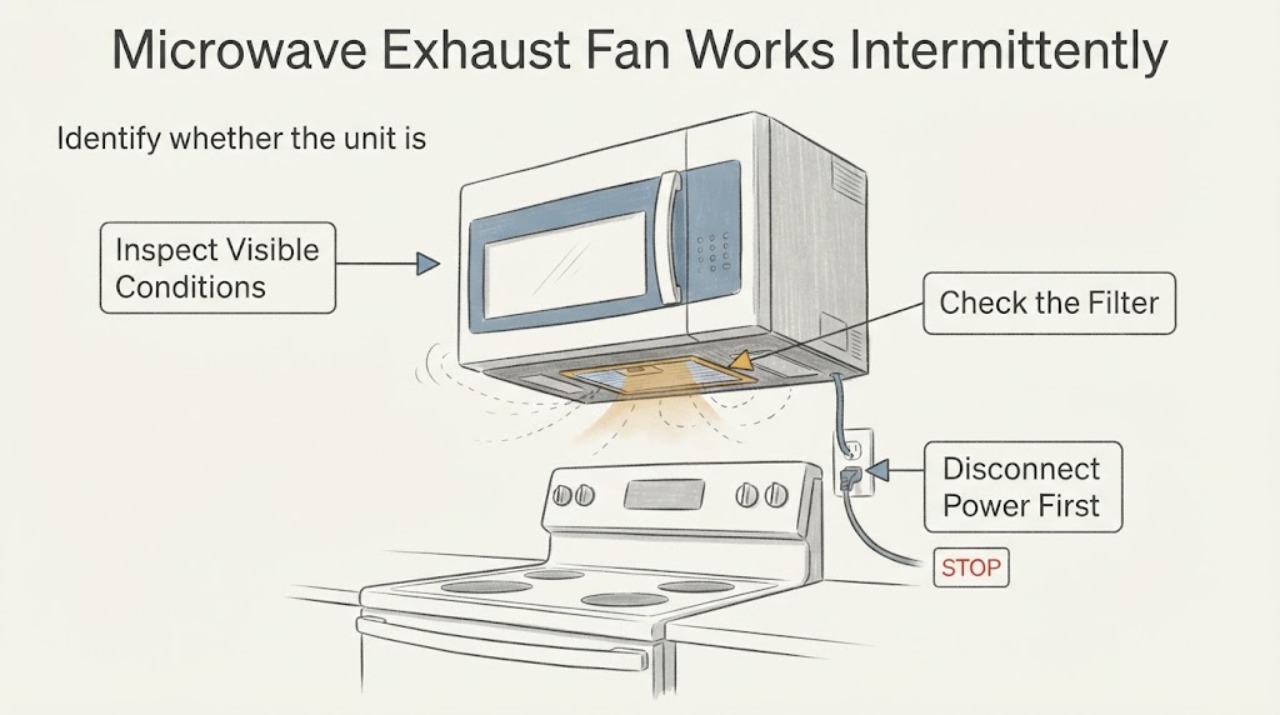
Work through in order
Diagnostic checks
Use only checks that match the exact appliance or system and its official guide.
-
Check 1
Identify whether the unit is a Samsung over-the-range microwave with a hood vent, then note when the fan changes: during a hot cooktop cycle, during microwave cooking, after cooking stops, or while the appliance is cool and unused. Do not run the microwave empty just to reproduce a fan sound.
Expected result: The fan starts while cooktop or microwave heat is present and stops after cooling, or it starts/cuts out with no heat.
Next step: For the heat-linked pattern, let the cooktop and microwave cool and use the model's Vent control when needed. For a no-heat start or a fan that cuts out while heat is present, stop troubleshooting at the external checks and request Samsung service.
Why this matters
Why: Samsung says excess cooktop heat can automatically start the vent and keep it on until heat dissipates. A no-heat occurrence is outside that documented automatic behavior and needs service assessment.
-
Check 2
With no cooking cycle running, use the Vent On/Off control and each speed setting documented for the model. Observe whether the fan starts when commanded, stops when turned off after the appliance is cool, and changes airflow or sound between settings.
Expected result: The fan responds and the speed changes are distinct, or every setting sounds and moves air the same way or produces abnormal noise.
Next step: If the settings respond normally, record the heat and timing pattern. If they do not, stop cycling the control and arrange service with the exact model and the observed setting behavior.
Why this matters
Why: Samsung says a working fan should behave differently at its available settings; identical behavior or abnormal noise is a reason to request service, not proof of a particular failed part.
-
Check 3
From outside the appliance, inspect the visible grease filter or mesh and the accessible duct outlet for heavy buildup or an obvious obstruction. Clean or remove only what the exact Samsung model manual identifies as user-accessible, with power off and no liquid near the controls; do not remove the microwave cabinet or reach into the blower.
Expected result: The visible filter/mesh or outlet is clogged, or the visible airflow path is clear but the intermittent behavior remains.
Next step: Correct only the documented external maintenance issue and observe one normal cooking cycle. If the fan still cuts out, has poor or abnormal airflow, or the model manual gives no safe user procedure, request service.
Why this matters
Why: Samsung's microwave FAQ lists a clogged filter or blocked duct as possible causes of vent problems. A clear external path does not establish that an internal fan, switch or board has failed.
-
Check 4
Record the model and serial label, the fan setting, whether the cooktop or microwave was hot, how long the fan ran after cooking, and any grinding, squealing, smoke, burning smell or electrical symptoms. Keep the cabinet closed and do not probe wiring or bypass an interlock.
Expected result: Only a heat-linked fan run is present, or the event includes abnormal noise, smell, smoke, electrical damage, door/interlock concerns or microwave heating without an intentional command.
Next step: For smoke, burning smell, damaged cord or a microwave that starts by itself, disconnect power only if safe, do not use it, and request qualified Samsung service. Otherwise provide the model label and timing record to service if the intermittent fan persists.
Why this matters
Why: The first pattern matches Samsung's documented automatic vent protection more closely. The other observations are service or stop conditions and cannot be diagnosed to a component from this symptom alone.
Use your observations
Decision map
Find the observation that best matches what you see, then follow the next safe action.
-
PATH 01Next step
What you see
The fan starts during strong cooktop heat and stops only after the cooktop and microwave have cooled.
Do this next
Allow the heat to dissipate, use the Vent control for normal cooking ventilation, and monitor whether the fan behaves normally when the appliance is cool.
Why this path and its safety boundary
Why it matters: This matches Samsung's documented automatic heat-protection behavior for an over-the-range microwave and does not by itself prove a failed fan part.
-
PATH 02Next step
What you see
The vent starts or stops while the microwave and cooktop are cool, or it cuts out while substantial heat is still rising.
Do this next
Stop repeated tests, keep the cabinet closed and request Samsung service with the model, setting and timing record.
Why this path and its safety boundary
Why it matters: That timing is not explained by Samsung's automatic heat description and may require model-specific service diagnosis; it does not identify a sensor, relay or control-board failure.
-
PATH 03Next step
What you see
The fan responds to Vent controls and produces clearly different airflow at its documented speeds with normal sound.
Do this next
Use the exact model manual for control behavior and continue observing heat-linked operation. Do not replace a part based only on the word intermittent.
Why this path and its safety boundary
Why it matters: Samsung says distinct speed behavior and normal sound indicate the vent is operating as expected for the available settings; intermittent timing may be tied to automatic heat or a control sequence that varies by model.
-
PATH 04Next step
What you see
Every speed sounds the same, the fan makes abnormal noise, or a visible filter/duct obstruction remains after the documented external maintenance.
Do this next
Stop trying to compensate with repeated speed changes, correct only the model-documented external obstruction, and arrange service if the symptom remains.
Why this path and its safety boundary
Why it matters: Samsung treats identical speed behavior or abnormal noise as a service condition, while a blocked visible path can reduce vent performance without identifying an internal failure.
-
PATH 05Next step
What you see
The microwave itself starts heating without an intentional command, or there is smoke, burning smell, arcing, a hot/damaged cord or door/interlock damage.
Do this next
Unplug or disconnect power only if safe, do not use the microwave, and request qualified Samsung service. Do not open the cabinet or attempt high-voltage or interlock repair.
Why this path and its safety boundary
Why it matters: Samsung identifies a microwave that starts by itself as a fire hazard; these conditions are not ordinary intermittent vent operation.
Helpful context
Understand the symptom
First decide whether the fan is reacting to heat
Samsung describes the hood vent on its over-the-range microwaves as both a user-controlled exhaust and a heat-protection feature. A cooktop burner, boiling pan or a hot microwave cavity can make the vent start without a button press; Samsung says it may not turn off until the heat has dissipated. That can look intermittent as the fan changes or returns during cooking. The same explanation does not cover a fan that starts in a cool, unused kitchen, cuts out while heat is present, or is accompanied by an abnormal sound.
Use the controls and visible airflow path without opening the cabinet
On models with a Vent On/Off button, Samsung says to use it to turn the vent on and off; the speed control may be a separate two- or four-speed button, or the Vent button may cycle the speeds. Check each available setting and observe whether the airflow and sound change. Samsung also lists a clogged grease filter or mesh and a blocked external duct as possible reasons for poor vent operation. Inspect only parts meant to be accessed from outside and follow the exact model manual for cleaning or removal; do not reach into the blower or remove the microwave cover.
Know the service boundary
No model number was supplied, so the evidence does not support naming a fan motor, thermal switch, relay or control board. Samsung's support pages route model-specific manuals and repair requests through its microwave support center. If the vent runs with no heat, has the same behavior at every setting, makes abnormal noise, or the microwave begins heating without an intentional command, stop the relevant operation and use Samsung service rather than testing internal wiring or bypassing a safety device.
When checks do not resolve it
Need a professional?
Request Samsung service when the vent fan starts with no heat, cuts out while heat is present, responds identically at every speed, makes abnormal noise, or remains intermittent after the model-documented external filter/duct checks. Provide the complete model and serial labels, the selected speed, heat conditions, run time and any visible obstruction.
Safety scope: Do not remove the microwave cabinet, reach into the blower, probe internal wiring, discharge a capacitor, bypass a door interlock or substitute a guessed fan motor, switch or control board. If the microwave starts heating without an intentional command, or there is smoke, burning smell, arcing or a hot/damaged cord, disconnect power only if safe, stop using it and request qualified service.
Common questions
FAQ
Why does my Samsung microwave fan turn on and then stop?
On Samsung over-the-range models, cooktop heat can automatically start the vent and the fan may remain on until the heat dissipates. If it starts or stops with no heat, or cuts out while the appliance is hot, the timing is not explained by that normal heat-protection description and should be assessed by service.
How can I tell whether the Samsung vent fan is working?
Use the Vent On/Off control and each speed setting listed for your model. Samsung says the fan should behave differently at different settings; if all settings seem identical or the noise is abnormal, request service.
Should I replace the Samsung microwave fan motor or sensor?
Not from intermittent operation alone. No model was supplied, and the opened Samsung material does not identify a specific failed component or cross-model fit. Record the timing and model label and use Samsung's model-specific service route.
What if the microwave starts by itself instead of only the vent fan?
Samsung treats a microwave that starts by itself as a fire hazard. Unplug it or disconnect power only if safe, do not use it, and request service; do not confuse this with the separate automatic vent response to cooktop heat.
Read the exact guide
Official sources
- Samsung microwave turns on by itselfSamsung Electronics America · Samsung's official troubleshooting page includes a specific branch for an automatically turning-on microwave vent. It supports the family-level distinction between heat-triggered vent operation and a vent that turns on without heat; no model-specific internal diagnosis is inferred.
- Microwaves | Samsung Support USSamsung Electronics America · Samsung's official microwave support hub provides model/manual lookup and repair support. It is used to route an unspecified-model appliance to the exact documentation and service path, not as evidence for a component diagnosis.
- Vent fan is weak on over-the-range Samsung microwaveSamsung Electronics America · The opened Samsung troubleshooting page concerns an over-the-range microwave vent. It supports comparing all available speed settings and escalating identical behavior or abnormal noise; it does not diagnose a particular motor or switch.
- Use the lights and vents on your Samsung over-the-range microwaveSamsung Electronics America · The opened Samsung page is explicitly for over-the-range microwaves and describes Vent On/Off plus model-dependent two- or four-speed controls. It is used for external control checks only; exact buttons vary by model.
- Samsung Microwave FAQsSamsung Electronics America · The opened Samsung FAQ lists filter/mesh and external duct blockage among possible vent-operation issues and says model features vary. It is used only for visible external checks and routing, not for an internal component conclusion.
Community feedback
Share a repair observation
Share a plain-text repair observation. Accepted observations are published automatically; this page may take a moment to update.