
On this page
Start here
Quick answer
On Samsung microwaves, an actually displayed SE or -SE- is associated with a touch-key condition; Samsung's regional guidance describes a key held too long or a key-short error and says dust or water on the button can be involved. After boiling orange peels, steam or condensation is a credible trigger, but a seven-segment display that looks like 5E must be photographed rather than assumed to be SE because codes vary by model and market. Stop using the microwave, isolate power from a dry safe position, wipe only accessible control and door surfaces, and let any moisture dry completely. Restore power once for 60 seconds only after the accessible area is dry. If SE returns, the panel remains unresponsive or self-activates, the door is damaged, or the unit still will not function, leave it disconnected and request Samsung service. Never remove the cabinet, bypass the door interlock, or test the high-voltage circuit.
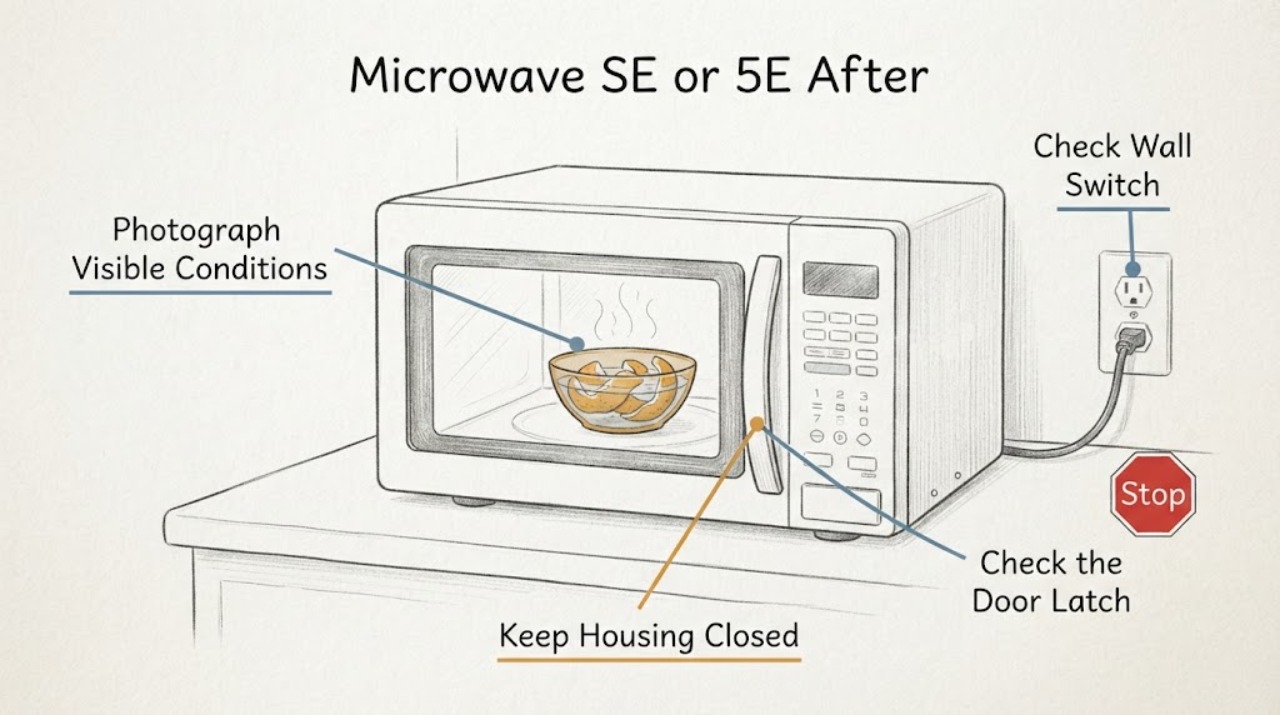
Work through in order
Diagnostic checks
Use only checks that match the exact appliance or system and its official guide.
-
Check 1
Photograph the display before pressing buttons and transcribe every character, including dashes, a leading hyphen, a lowercase-looking S, or a character that resembles 5. Record whether Stop/Clear responds, whether the display is lit, and whether the microwave is countertop, over-the-range, or built in. Do not assume a 5E-looking display is the same code as SE.
Expected result: The display clearly shows SE or -SE-, clearly shows a different code, or cannot be read reliably; the panel may also be frozen or self-activating.
Next step: Keep the photo, exact model label, market, and timing after the orange-peel steaming event for the matching Samsung manual or service request.
Stop if: Do not enter a diagnostic mode or keep pressing an unresponsive or self-activating panel to make the characters change.
Why this matters
Why: Samsung's opened microwave sources use SE/-SE- for a touch-key condition, but code lists and solutions vary by market and model. An uncertain display cannot safely select a reset sequence or component.
-
Check 2
Stop the microwave and isolate power from a dry, safe position by unplugging it or switching off its circuit breaker. If it is an over-the-range or built-in unit and the plug is not safely reachable, use the breaker rather than reaching behind the appliance.
Expected result: The unit is now isolated, or the plug/breaker, cord, outlet, cabinet, or surrounding area is wet, hot, damaged, sparking, or repeatedly tripping.
Next step: Keep power off and obtain qualified appliance or electrical help if there is water near electrics, smoke, sparking, a hot or damaged cord, burning odor, or a repeated trip.
Stop if: Do not touch wet electrical parts, pull on a damaged cord, or restore power to see whether a hazard repeats.
Why this matters
Why: Samsung's microwave code guidance starts with unplugging or switching off the breaker. Water or an electrical symptom changes this from a simple control reset to a safety and service issue.
-
Check 3
With power isolated and the oven cool, inspect only the outside of the control panel, door surface, latch area, and accessible underside for droplets or condensation from the orange-peel steam. Wipe visible moisture with a dry soft cloth; do not spray cleaner into vents, seams, keys, or the door, and do not remove the control panel.
Expected result: Moisture is visible on an accessible surface, moisture appears between door panes or inside a seam, or all accessible surfaces are dry.
Next step: Leave the door open briefly after the oven is cool to help accessible condensation evaporate. If moisture entered a seam, the panel remains abnormal, or the display persists, keep power off and request service.
Stop if: Do not use a hair dryer, insert cloth into vents, pour cleaner or water into the controls, or probe behind the panel.
Why this matters
Why: Samsung says steam and high-water-content cooking can create condensation, while moisture around electronics can contribute to errors. Moisture inside a seam or behind the panel is not an invitation to open the cabinet.
-
Check 4
After the accessible area is fully dry and there is no electrical or door hazard, leave the microwave unpowered for 60 seconds, then restore power once. Do not keep cycling the breaker, and do not run it empty to remove the smell.
Expected result: The code clears and the panel behaves normally, the same SE/-SE- returns immediately, or the microwave remains unresponsive without a code.
Next step: If the code returns or the unit remains nonfunctional, switch it off and request Samsung service with the photo, model, market, and steam event. If it clears, do not immediately repeat the orange-peel steaming procedure; monitor ordinary supervised use and stop if the warning returns.
Stop if: Do not run the microwave empty, bypass the door, or repeatedly restore power to test a persistent fault.
Why this matters
Why: Samsung says a one-time 60-second reset may clear an error, but a returning code requires service. Clearing the display once does not prove that steam or a touch-key fault has been permanently resolved.
-
Check 5
Before any further use, check externally that the door closes and latches normally, the control does not activate by itself, and there is no cracked glass, damaged seal, sparking, burning smell, or liquid in the cavity. Do not test heating if the door or panel behavior is abnormal.
Expected result: The door and keys behave normally, a key is stuck or unresponsive, the microwave starts without a command, or the door/seal is damaged.
Next step: Use Samsung service for a returning code, abnormal panel, damaged door, or failure to operate. Provide the exact model and full display photo instead of ordering a keypad, control board, or door part from the symptom alone.
Stop if: Never bypass the door interlock, remove the cabinet, test live high-voltage parts, or keep using a microwave that starts by itself or sparks.
Why this matters
Why: Samsung's microwave code guidance places SE/-SE- in the key/touch area, and a damaged or self-activating control or door interface is unsafe to diagnose by repeated operation. A normal-looking door does not authorize cabinet or high-voltage work.
Use your observations
Decision map
Find the observation that best matches what you see, then follow the next safe action.
-
PATH 01Next step
What you see
The display is confirmed as SE or -SE-, accessible moisture was present after steaming, and the code disappears after the surfaces dry and one 60-second power cycle.
Do this next
Do not repeat the orange-peel steaming or empty-running test. Use only ordinary supervised operation, and stop and request service if SE returns or the panel behaves abnormally.
Why this path and its safety boundary
Why it matters: A moisture-affected touch-key condition or transient control state is more plausible than a proven high-voltage failure, but the single clear does not establish a permanent repair.
-
PATH 02Next step
What you see
SE/-SE- returns immediately or after the next command, the microwave still will not function, or the control panel remains stuck or unresponsive despite dry accessible surfaces.
Do this next
Keep the microwave disconnected and request Samsung service with the exact model, market, display photo, and timing after the steam event.
Why this path and its safety boundary
Why it matters: Samsung treats a returning microwave error as a service condition; the code identifies a touch-key area but does not prove whether the keypad, moisture path, control, wiring, or another component is at fault.
-
PATH 03Next step
What you see
The display only looks like 5E, has missing segments, or does not match SE/-SE- in the exact model's manual.
Do this next
Keep the unit off if it is not functioning, identify the rating-label model and market, and use the matching Samsung manual or service channel before any reset beyond the single safe power cycle.
Why this path and its safety boundary
Why it matters: The code identity is unresolved. Samsung publishes different microwave code sets by market and platform, so a 5E interpretation from a cooktop, oven, or another model cannot be transferred safely.
-
PATH 04Next step
What you see
The door is damaged or misaligned, the microwave starts without a command, the panel activates by itself, or there is smoke, sparking, burning odor, a hot cord, water near electrical parts, or a repeated breaker trip.
Do this next
Stop using the microwave, isolate power only from a dry safe position, keep clear of the hazard, and obtain qualified appliance or electrical service.
Why this path and its safety boundary
Why it matters: Door-interlock, control, fire, shock, and moisture hazards take priority over identifying whether the display says SE or 5E.
Helpful context
Understand the symptom
Why the orange-peel step matters
Boiling orange peels produces steam. Samsung says moisture from a spill or steam can contribute to microwave errors, and its condensation guidance says moisture from high-water-content cooking is often normal while the oven is cooling. That makes drying the accessible surfaces the first safe response, but it does not prove that moisture is the only cause of a microwave that remains dead or that repeatedly shows SE.
SE is not a universal Samsung microwave code
Samsung's Canada and UK microwave pages identify SE or -SE- as a key or touch-key condition, but they also note that regional products and code sets differ. If the display looks like 5E, capture the complete characters and find the exact model manual rather than borrowing a 5E meaning from a Samsung oven, cooktop, or another microwave platform.
When checks do not resolve it
Need a professional?
Request Samsung service if SE/-SE- returns after the accessible area is dry and one 60-second reset, if the microwave remains nonfunctional, if moisture entered a seam or control area, or if the exact display cannot be identified. Stop immediately for a damaged door or seal, self-starting controls, smoke, sparks, burning odor, a hot or damaged cord, water near electrics, or repeated breaker trips; keep the unit disconnected and use qualified appliance or electrical help. Do not remove the cabinet, bypass the door interlock, test high-voltage parts, or repeatedly restore power.
Common questions
FAQ
What does SE mean on a Samsung microwave?
Samsung's regional microwave pages associate SE or -SE- with a key or touch-key condition. The exact display and model still matter, and a character that looks like 5E should be photographed rather than mapped to SE automatically.
Could boiling orange peels have caused the error?
The steam can leave condensation, and Samsung says moisture from steam or a spill can contribute to microwave errors. That makes drying the accessible area reasonable, but it does not prove that moisture is the only cause if the code returns or the unit stays dead.
How long should I leave the microwave unplugged?
Samsung's general microwave error guidance says to wait 60 seconds when moisture is not the issue; when steam or a spill may have reached electronics, let the accessible area dry before restoring power. Use one reset only, not repeated cycling.
Can I remove the cover and dry the inside?
No. Do not remove the cabinet or work around the high-voltage section. Wipe only accessible external or cavity surfaces after the oven is cool and disconnected; moisture inside a seam or a returning code needs qualified service.
Should I run it empty to remove the orange smell?
Do not run an empty microwave to test or remove the smell after an SE/5E event. First resolve the error and confirm safe operation through the matching model guidance; a returning code or abnormal control needs service.
Read the exact guide
Official sources
- Samsung Microwave Oven error codes - what do they mean?Samsung · Opened official UK Samsung microwave error-code page; used for the exact SE/-SE- display variants, touch-key interpretation, cleaning water/dust from a button, and service boundary. It is not a universal model-independent procedure.
- Understanding the meaning of error codes on your Samsung microwaveSamsung · Opened official Canadian Samsung microwave code page; used as a regional comparison showing SE as Key Short Error and that a model purchased elsewhere may use different codes or solutions.
- What does the error code on my Samsung microwave mean?Samsung · Opened official Samsung microwave error-code guidance; use for the US code list, moisture-after-steam advice, one 60-second reset, and service escalation. It does not establish that every market or model uses the same display format.
- Why is there condensation on your Samsung microwave door?Samsung · Opened official Samsung condensation guidance for Canadian-market microwaves; used for steam/condensation context and safe drying of cooled accessible surfaces, not for assigning a code meaning.
- Displayed information codes on my Samsung microwaveSamsung · Opened official Samsung microwave code page as an additional regional confirmation of the SE touch-key boundary and technician escalation; not used to generalize a model-specific 5E meaning.
Community feedback
Share a repair observation
Share a plain-text repair observation. Accepted observations are published automatically; this page may take a moment to update.