
On this page
Start here
Quick answer
On a Samsung SMH2117S/XAC, a clock that returns to zero together with a vent fan that starts without cooktop heat is not a normal timer setting to ignore. First separate a normal heat-triggered hood-fan response from a control or power symptom: Samsung says the vent may start automatically when excess heat rises from the cooktop, but says to request service if it turns on when there is no heat. Record whether the clock resets, the fan starts with the cooktop cold, or any microwave cooking function, light, or turntable activates by itself. If the microwave itself starts without a command, unplug it and do not use it. Otherwise, with no hazard, clean and dry the control panel, perform only one 60-second power cycle, and observe whether the time and fan behavior return. A recurring clock reset or random fan after that check needs Samsung or qualified microwave service; do not open the cabinet or probe the high-voltage section.
Before you begin
Safety first
- Do not open the microwave cabinet or door-control assembly, probe live wiring or the high-voltage capacitor/magnetron circuit, bypass door interlocks, or run the unit with covers removed. Unplug and stop using it for spontaneous cooking, smoke, arcing, burning odor, damaged power parts, or repeated breaker trips.
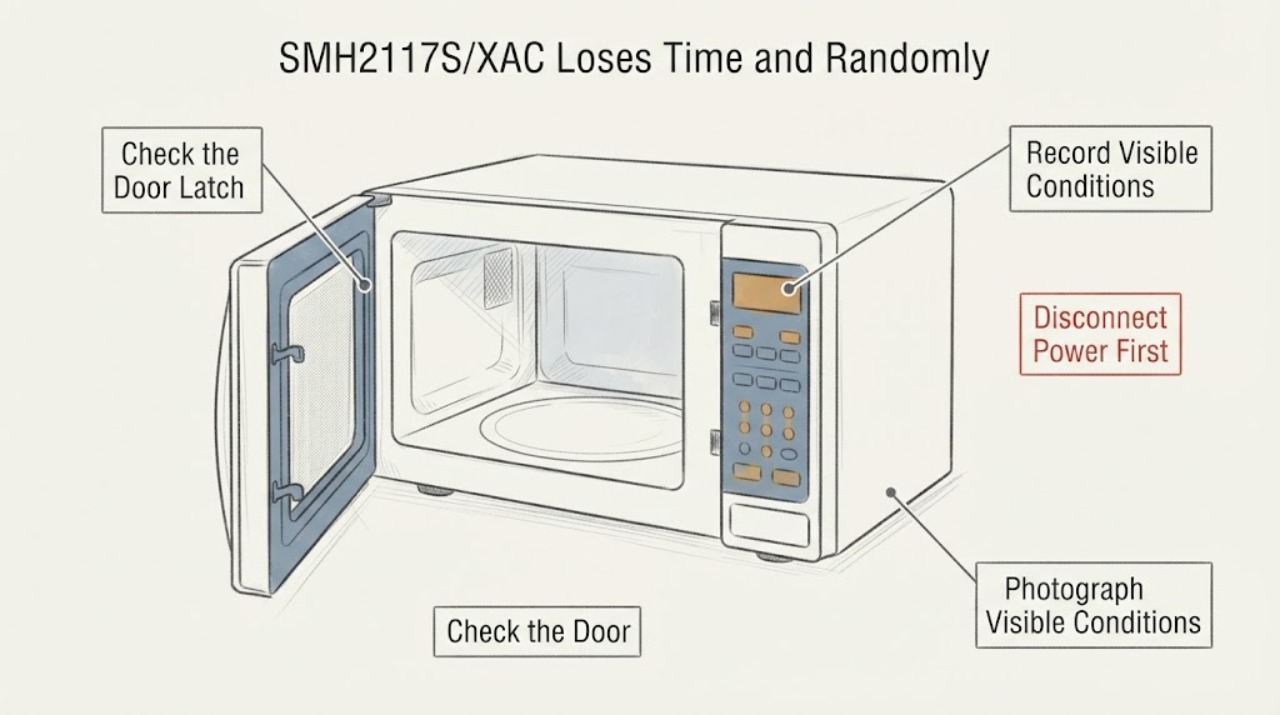
Work through in order
Diagnostic checks
Use only checks that match the exact appliance or system and its official guide.
-
Check 1
Screen the microwave for an immediate hazard before testing any control. From outside, note smoke, arcing, burning odor, a hot or damaged plug/outlet, a damaged door or latch, a tripped breaker, or the microwave cooking, lighting, or turning by itself. If the microwave function starts without a command, unplug it from a safe, dry position and do not use it.
Expected result: Only the hood fan is intermittent, the fan and clock are abnormal with no cooking, or a microwave cooking function/light/turntable activates without a command.
Next step: Keep the unit out of service for any hazard or spontaneous cooking and arrange qualified microwave/electrical service. If no hazard is present, continue with the heat-versus-control classification.
Stop if: Do not replug to reproduce spontaneous cooking, touch a damaged plug or latch, reset a repeatedly tripping breaker, or remove the cabinet.
Why this matters
Why: A fan-only symptom still needs diagnosis when there is no cooktop heat, but spontaneous microwave operation is an immediate fire hazard. A normal-looking display does not make an uncontrolled appliance safe.
-
Check 2
Classify each fan event against the cooktop: record whether a burner or other heat source was recently used, whether the microwave cavity was cooking, how long the fan ran after the heat stopped, and whether it started while the cooktop and microwave were both cold. Do not call a short post-cooking run random until the heat context is recorded.
Expected result: The fan starts only during or after substantial cooktop heat, or it starts with no heat and coincides with a clock reset, lights, keypad activity, or other unexpected control behavior.
Next step: For heat-linked operation, reduce cooktop heat and let the fan dissipate heat as designed. For no-heat or combined control behavior, keep a symptom log and arrange service without repeated reproduction tests.
Stop if: Do not place hands near the fan, reach through vents, remove filters or covers to inspect wiring, or operate the microwave to create heat merely to test the fan.
Why this matters
Why: Samsung documents automatic fan operation for excess cooktop heat. A no-heat start, especially alongside a clock reset or other self-activation, is outside that normal branch and points to service rather than a fan-setting adjustment.
-
Check 3
Record the clock behavior precisely: whether the time returns to 0, disappears, flashes after power restoration, or loses time while the appliance remains powered; note whether the fan event occurs at the same moment. Photograph the display and write down whether any other function, light, or turntable changes without input.
Expected result: The clock resets only after a known outage, resets while power appears continuous, or resets together with random fan/control activation.
Next step: Include the exact timing and display behavior in the service request. Do not replace a clock, keypad, or board based only on the display symptom.
Stop if: Do not open the control area, test mains voltage, probe capacitors, or use a service manual procedure intended for qualified technicians.
Why this matters
Why: A known outage can erase a clock setting without proving an internal fault. A reset during apparent continuous power, or a clock reset synchronized with self-activating controls, is a combined control/power symptom and cannot be mapped to a single component from observation.
-
Check 4
With the microwave idle and disconnected from cooking use, wipe the exterior control panel and nearby door/latch surfaces with a damp cloth, then dry thoroughly. Use a bare finger and normal pressure when checking a control; do not spray cleaner into vents or the panel. Check the exact XAC manual for any control-lock state rather than assuming a lock sequence from another Samsung model.
Expected result: The panel responds normally and the fan remains off, only one or more controls self-activate, or the clock/fan fault continues despite a clean, dry panel.
Next step: If the symptom persists or any key activates by itself, stop using the microwave and arrange service. Keep the panel and door dry while waiting.
Stop if: Do not force keys, remove the keypad overlay, bypass door switches, or continue using a panel that activates without touch.
Why this matters
Why: Samsung notes that moisture, residue, inadequate contact, control lock, or a key that acts as held down can affect control response. Cleaning can remove an external cause, but it cannot establish that the control assembly is the failed part.
-
Check 5
If there is no smoke, arcing, burning odor, spontaneous microwave operation, damaged cord, or other hazard, perform one 60-second power cycle using the plug or breaker only from a safe, dry position. Restore power once, reset the clock, and observe without starting a cooking cycle. If the fan or clock fault returns, stop the test.
Expected result: The time remains stable and the fan is normal, the symptom returns after a day or another idle period, or the fault returns immediately after power is restored.
Next step: Provide the service provider the before-and-after timeline, exact model, fan heat context, display photos, and any other self-activation. Do not repeat power cycles as a substitute for diagnosis.
Stop if: Do not run a cooking cycle to force the fan on, leave the microwave unattended, make live measurements, or remove the outer cover.
Why this matters
Why: A temporary recovery after power cycling is consistent with a transient control state but does not prove the fault is repaired. Recurrence, especially the exact combination reported for this model, supports a persistent control/power diagnosis.
Use your observations
Decision map
Find the observation that best matches what you see, then follow the next safe action.
-
PATH 01Next step
What you see
The vent fan starts only while the cooktop is hot or shortly after cooking, the clock remains stable, and no microwave function activates by itself.
Do this next
Allow the fan to run until the heat dissipates and avoid testing it by hand. Request service if it runs with no heat, does not stop after the heat clears, or the clock/control symptoms appear.
Why this path and its safety boundary
Why it matters: This matches Samsung's documented automatic heat-protection behavior more closely than a random control fault.
-
PATH 02Safety boundary
What you see
The clock returns to zero or loses time while power appears continuous, and the vent fan starts or stops while the cooktop and microwave are cold.
Do this next
Keep the microwave out of service after one safe power-cycle check and arrange qualified Samsung or microwave service with the exact timing and display record.
Why this path and its safety boundary
Why it matters: The combined pattern is outside the documented heat-triggered fan branch. It is consistent with a recurring control or power symptom, but it does not identify a keypad, board, wiring, or other part.
Safety stop: No cabinet opening, live electrical test, part substitution, repeated reset, or unattended operation.
-
PATH 03Safety boundary
What you see
The microwave's cooking energy, turntable, or lamp starts without a command, or the panel acts as though a key is continuously pressed.
Do this next
Unplug from a safe position, keep clear, and request qualified microwave service. Seek emergency assistance for smoke, fire, or active arcing.
Why this path and its safety boundary
Why it matters: Samsung treats self-starting microwave operation as a fire hazard and directs the owner not to use the unit; self-activating controls also require service rather than more button tests.
Safety stop: Do not reconnect, open the cabinet, bypass door interlocks, or try to identify the high-voltage component yourself.
-
PATH 04Next step
What you see
The fault disappears after cleaning and one safe 60-second power cycle, with no recurrence, no self-activation, and no heat, smoke, odor, cord, or breaker problem.
Do this next
Monitor without deliberately recreating the fan event, keep the panel dry, and stop using the microwave if the clock resets or the fan activates with no heat again.
Why this path and its safety boundary
Why it matters: A transient control or moisture/residue condition is possible, but the temporary result is not proof that a recurring combined fault is resolved.
Helpful context
Understand the symptom
The exact identity here is Samsung SMH2117S/XAC, an over-the-range microwave. Samsung's model support page provides a model-specific manual and installation material, while the general Samsung fan guidance supplies the important comparison: a vent fan can be automatic when the cooktop is hot, but a fan that starts with no heat is a service symptom. The clock repeatedly falling back to zero adds a separate control or power observation; it is not explained by the fan's normal heat-protection behavior.
A matching public case reports this exact model losing its time and randomly switching the fan on and off, with a temporary improvement after unplugging. That confirms the symptom pattern is worth documenting, not that a particular panel, board, or wireless mechanism is the cause. Do not open the microwave, even if you are comfortable repairing other appliances: the high-voltage section and door interlocks require qualified service.
Only after diagnosis
Potential parts
- control-panel interface or control module
Consider this category only after qualified service reproduces the clock/fan behavior and isolates the user interface, control module, wiring, or power path for the exact XAC model.
The symptom and model prefix do not establish part fit or which assembly failed. Confirm the full SMH2117S/XAC identity and Samsung service documentation before ordering or opening the door.
When checks do not resolve it
Need a professional?
Arrange Samsung or qualified microwave service for recurring clock resets, fan activation with no cooktop heat, self-activating controls, or any combined symptom that returns after one safe panel-cleaning and 60-second power check. Include electrical service when the outlet, cord, or breaker is implicated.
Safety scope: Do not open the microwave cabinet or door-control assembly, probe live wiring or the high-voltage capacitor/magnetron circuit, bypass door interlocks, or run the unit with covers removed. Unplug and stop using it for spontaneous cooking, smoke, arcing, burning odor, damaged power parts, or repeated breaker trips.
Have this ready
- Provide SMH2117S/XAC, serial and rating-label information, market, display photographs, the exact clock-reset behavior, fan start/stop timing, whether the cooktop was hot, any other self-activation, power-cycle duration and result, door/latch observations, and any smoke, odor, heat, or breaker history.
Common questions
FAQ
Is the vent fan supposed to turn on by itself on this Samsung microwave?
It can turn on automatically when excess heat rises from the cooktop, and Samsung says it may remain on until that heat dissipates. If it starts while the cooktop and microwave are cold, especially with a clock reset or other self-activation, it is not explained by that normal heat branch and needs service.
Does unplugging the SMH2117S/XAC fix the problem?
A 60-second power cycle can clear a transient control state, but a temporary recovery is not a repair. If the clock loses time again or the fan returns with no heat, stop repeating the reset and arrange qualified service.
Could a wet or corroded keypad be causing the clock and fan behavior?
Moisture or residue can affect a control panel, and Samsung recommends cleaning and drying the panel with normal bare-finger contact. That does not prove corrosion or authorize opening the door panel. Self-activating controls or recurrence after cleaning require service.
Can I inspect the control board or high-voltage parts myself?
No. Do not open the microwave cabinet, test live wiring, discharge a capacitor, touch the magnetron or high-voltage circuit, or bypass the door interlocks. Give the technician the exact XAC model, symptom timing, and display/fan record instead.
Read the exact guide
Official sources
- Samsung microwave not keeping time and vent fan randomly turns onReddit r/appliancerepair · Exact Reddit post naming Samsung SMH2117S XAC and describing the same combined clock-reset and random vent-fan behavior; used only as a lived symptom case, not as manufacturer authority or a confirmed repair.
- ML1-MD4 - Four à micro-ondes à hotte intégrée de 2,1 pi³ (acier inoxydable)Samsung Canada Support · Exact Samsung model-support page opened for SMH2117S/XAC; it confirms the model identity and model-specific manual availability. It is not used to infer an internal fault or a US-market procedure.
- Samsung microwave turns on by itselfSamsung US Support · Official Samsung microwave guide opened for the distinction between normal heat-triggered vent operation and a vent fan that starts with no heat, plus the no-use rule for spontaneous microwave operation.
- Samsung microwave control panel does not respondSamsung US Support · Official Samsung microwave control-panel guide opened for the external no-disassembly checks and 60-second power-cycle boundary; it does not identify a specific SMH2117S/XAC component.
Community feedback
Share a repair observation
Share a plain-text repair observation. Accepted observations are published automatically; this page may take a moment to update.