
On this page
Start here
Quick answer
For cakes in the Samsung NE58H9950WS, start with a repeatable setup rather than changing parts: use the exact recipe's Bake mode unless you intentionally choose Convection Bake, preheat fully, use the rack position and pan type specified by the model manual, center the pan with room for airflow, and keep the door closed while baking. Samsung identifies this model as a Flex Duo electric range with Chef Bake and Convection Bake. Samsung's general convection guidance says Convection Bake suits cakes, works best with one lower rack, and may automatically convert a recipe temperature 25°F lower. If the same cake still browns unevenly or remains underbaked after the setup is consistent, use the exact manual's temperature-adjustment instructions; Samsung permits calibration up to ±35°F on supported ranges. Do not treat a recipe-setting mismatch as a failed heating part.
Before you begin
Safety first
- Do not remove panels, probe live heating elements, bypass thermal controls or diagnose a sensor/control board from cake browning. Use only the user calibration procedure in the exact Samsung manual.
Work through in order
Diagnostic checks
Use only checks that match the exact appliance or system and its official guide.
-
Check 1
Confirm the complete model label and whether the divider is installed. Use Samsung's NE58H9950WS support page and the exact manual for the oven arrangement before choosing settings; do not copy a control sequence from another Samsung range.
Expected result: The label matches NE58H9950WS and the oven is being used as a single cavity or with Flex Duo divided, or the label/arrangement is uncertain.
Next step: Record the full model suffix and use the matching Samsung manual. If the divider is installed, follow the manual's mode and rack restrictions for that configuration before judging cake results.
Why this matters
Why: Samsung identifies this model as a Flex Duo range, so cavity arrangement changes which controls and space are available. An uncertain model or divider state makes another range's setting sequence unsafe to transfer.
-
Check 2
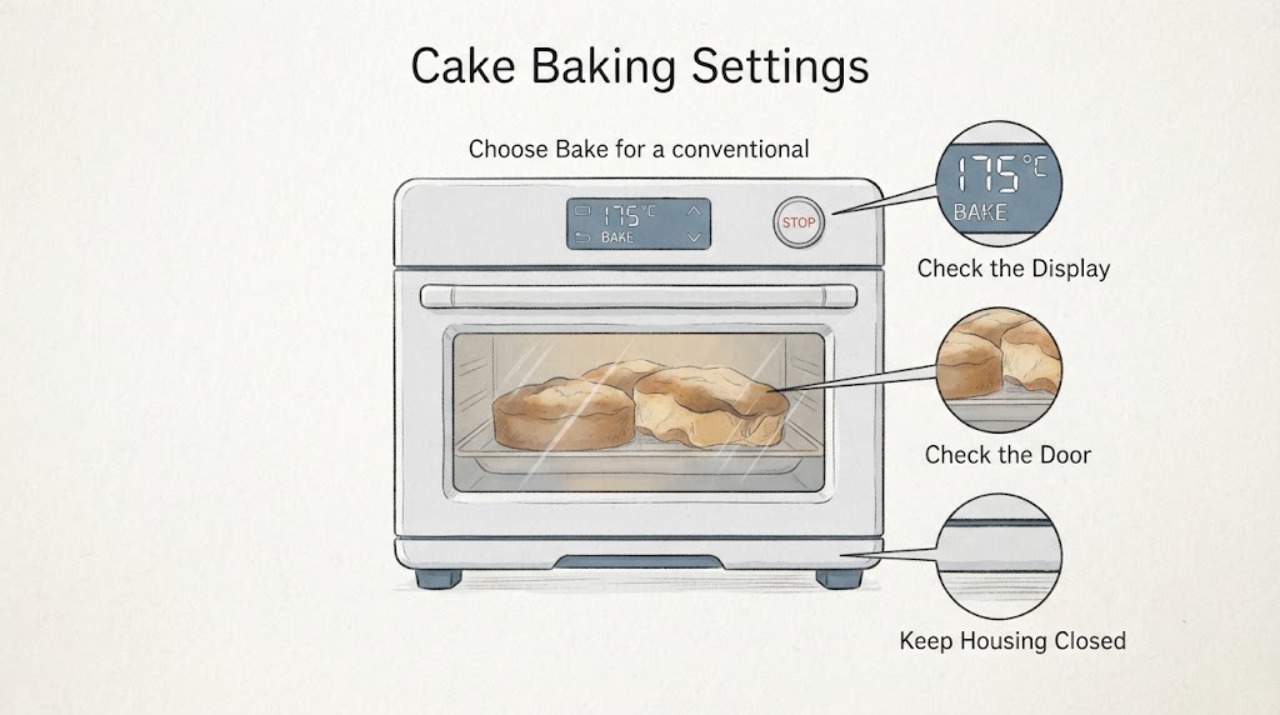
Choose Bake for a conventional recipe or Convection Bake only when you intend convection. Preheat completely before placing the cake in the oven, and check whether the model's convection auto-conversion is active.
Expected result: The recipe was baked in Bake, or it was baked in Convection Bake with the documented 25°F conversion understood; alternatively, the mode and conversion were mixed or unknown.
Next step: Repeat the recipe once with one deliberate mode and the exact manual/recipe temperature rule. Do not compensate twice by manually lowering a temperature that the oven already converted.
Why this matters
Why: Samsung says Convection Bake suits cakes and that convection cooking may automatically reduce the entered recipe temperature by 25°F. A mode/conversion mismatch can change browning and bake time without a failed component.
-
Check 3
Use the exact manual's rack recommendation, center the cake pan, keep at least about one inch of space around the food and use cookware appropriate to the recipe. Keep the door closed during the bake.
Expected result: The pan is centered with clear airflow and the recommended rack, or the pan is dark/oversized, crowded, off-center or repeatedly exposed by door opening.
Next step: Correct the setup and compare the same recipe again before changing calibration. Do not cover the rack or oven bottom with foil because Samsung warns it can block airflow, melt or damage the oven.
Why this matters
Why: Samsung says rack position and cookware affect results, dark pans brown edges faster, airflow needs space and door opening releases heat. These observations can explain uneven browning or a slow bake without proving an oven fault.
-
Check 4
If the setup is repeatable, note whether the oven preheats normally and whether the cake is consistently too light, too dark, raw in the center or overdone at the edges. Use Samsung's preheat behavior guidance rather than placing an oven thermometer inside as the only test.
Expected result: The oven reaches its preheat indication normally but the same recipe remains consistently off, or it takes unusually long to preheat/does not reach the set indication.
Next step: For a supported repeatable offset, follow the exact NE58H9950WS manual's calibration procedure. For slow/no preheat, a breaker issue or persistent failure, stop experimenting and request Samsung service.
Why this matters
Why: A repeatable result with normal preheat may justify the model's temperature-adjustment path. A preheat failure or excessive delay points toward a heating/power/service issue rather than a cake-setting preference.
-
Check 5
After one controlled repeat and any manual-approved calibration, compare the result using the same recipe, pan and rack. Do not remove panels, probe live elements or infer a failed sensor/heater from browning alone.
Expected result: The controlled bake improves after setup/calibration, or the cake remains consistently wrong and the oven also shows heating, display or electrical symptoms.
Next step: Keep the documented setup if it works. Otherwise provide Samsung service the full model, mode, set temperature, preheat behavior and repeatable result; do not attempt internal electrical repair.
Why this matters
Why: Improvement supports a settings/setup or calibration explanation. Persistent poor cooking with other symptoms exceeds a safe user adjustment and needs model-specific diagnosis.
Use your observations
Decision map
Find the observation that best matches what you see, then follow the next safe action.
-
PATH 01Next step
What you see
The cake was made with a mixed Bake/Convection Bake choice, an unknown auto-conversion state, incomplete preheat or repeated door openings.
Do this next
Repeat with one deliberate mode, full preheat, the exact manual rack position and no unnecessary door opening; do not apply a second manual temperature reduction after Samsung conversion.
Why this path and its safety boundary
Why it matters: The result can be explained by a cooking setup mismatch before any oven fault is established.
-
PATH 02Next step
What you see
The same recipe, pan, rack and mode produce a consistent temperature-direction error while the oven preheats normally.
Do this next
Use only the NE58H9950WS manual's calibration sequence and stay within Samsung's supported adjustment range; compare the same controlled bake afterward.
Why this path and its safety boundary
Why it matters: A supported thermostat calibration adjustment may be appropriate, but the result still does not identify a specific failed part.
-
PATH 03Next step
What you see
The oven does not preheat normally, remains wrong after a controlled setup and manual-approved calibration, or shows electrical/display/heating symptoms.
Do this next
Stop internal troubleshooting and request Samsung service with the full model, mode, set temperature, preheat timing and repeatable result. Do not open the range or probe live components.
Why this path and its safety boundary
Why it matters: The general settings guidance cannot distinguish a heating, power, sensor or control problem, and internal testing is not a safe cake-baking adjustment.
Helpful context
Understand the symptom
Choose the mode before changing the temperature
The opened NE58H9950WS specification confirms that this range has a conventional Bake function, Convection Bake, Chef Bake and Flex Duo. Samsung's general convection guidance says Convection Bake is intended for baked goods including cakes, but recipes written for regular cooking may be automatically converted 25°F lower when convection is selected. Start by matching the recipe to Bake or Convection Bake deliberately; do not subtract another 25°F by hand unless the model's conversion has been disabled or the recipe specifically requires it.
Rack, pan and door habits can look like a temperature fault
Samsung says the exact manual contains rack-position and cookware recommendations, and that dark pans absorb more heat and brown edges more readily than light pans. It also calls for airflow around the food and warns that opening the door lets hot air escape. For a cake, use the manual's rack position, center the pan, keep about an inch of space around items and avoid checking through repeated door openings before diagnosing the oven itself.
When a repeatable result justifies calibration or service
If the same recipe, pan, rack and mode repeatedly produce the same under- or over-baking pattern, Samsung's temperature guidance provides a calibration path on supported ranges and says to use the exact manual for the button sequence. Calibration changes the target temperature; it does not repair a heating, power or control failure. If the oven still does not cook the recipe correctly after an appropriate adjustment, Samsung directs the owner to request service.
When checks do not resolve it
Need a professional?
Contact Samsung service if the oven fails to preheat normally, stays inaccurate after a controlled bake and exact manual calibration, or has electrical, display or heating symptoms.
Safety scope: Do not remove panels, probe live heating elements, bypass thermal controls or diagnose a sensor/control board from cake browning. Use only the user calibration procedure in the exact Samsung manual.
Have this ready
- Provide the full model suffix, single/Flex Duo arrangement, Bake or Convection Bake mode, entered temperature, conversion state, rack and pan type, preheat behavior and the repeatable cake result.
Common questions
FAQ
Should I use Bake or Convection Bake for cakes on the NE58H9950WS?
Use the recipe's conventional Bake setting unless you intentionally choose Convection Bake. Samsung says Convection Bake is suitable for cakes, but convection may automatically convert the entered temperature 25°F lower, so do not lower it twice.
Why is one side of my cake darker?
First check the model-recommended rack, pan color and airflow. Samsung says dark pans brown more readily, items need surrounding space and opening the door releases heat. Correct those variables before calibrating.
Can I calibrate this Samsung range if cakes are always underbaked?
Samsung says supported ranges can be calibrated up to 35°F higher or lower, but the exact button sequence belongs to the model manual. Use calibration only after a repeatable setup and request service if the result remains wrong.
Does poor cake baking prove the heating element is bad?
No. Mode conversion, rack position, pan, airflow, door opening and calibration can all affect results. If the oven also fails to preheat or remains inaccurate after the exact setup and manual-approved calibration, have Samsung service diagnose it rather than opening the range.
Read the exact guide
Official sources
- Samsung oven temperature issuesSamsung Support US · Opened Samsung's official oven-temperature troubleshooting page. It supports rack/cookware, airflow, door, calibration and preheat checks and directs owners to the exact manual and service when results remain wrong.
- NE58H9950WSSamsung Electronics America · Opened the official Samsung product PDF. It identifies the exact model and lists Chef Bake, Flex Duo, Bake and Convection Bake features and temperature ranges.
- How to use your Samsung convection ovenSamsung Support US · Opened Samsung's official convection-oven guidance. It identifies Convection Bake as suitable for cakes, recommends one lower rack, describes 25°F automatic conversion and gives the preheat/use sequence; exact model controls remain manual-specific.
- CHEF COLLECTION NE9900 5.8 cu.ft Electric Range (Stainless Steel)Samsung Support Canada · Opened Samsung's exact model support page. It identifies NE58H9950WS and exposes its user manual, quick guide, support topics and service route; use it to confirm the exact regional suffix and manual.
Community feedback
Share a repair observation
Share a plain-text repair observation. Accepted observations are published automatically; this page may take a moment to update.