
On this page
Start here
Quick answer
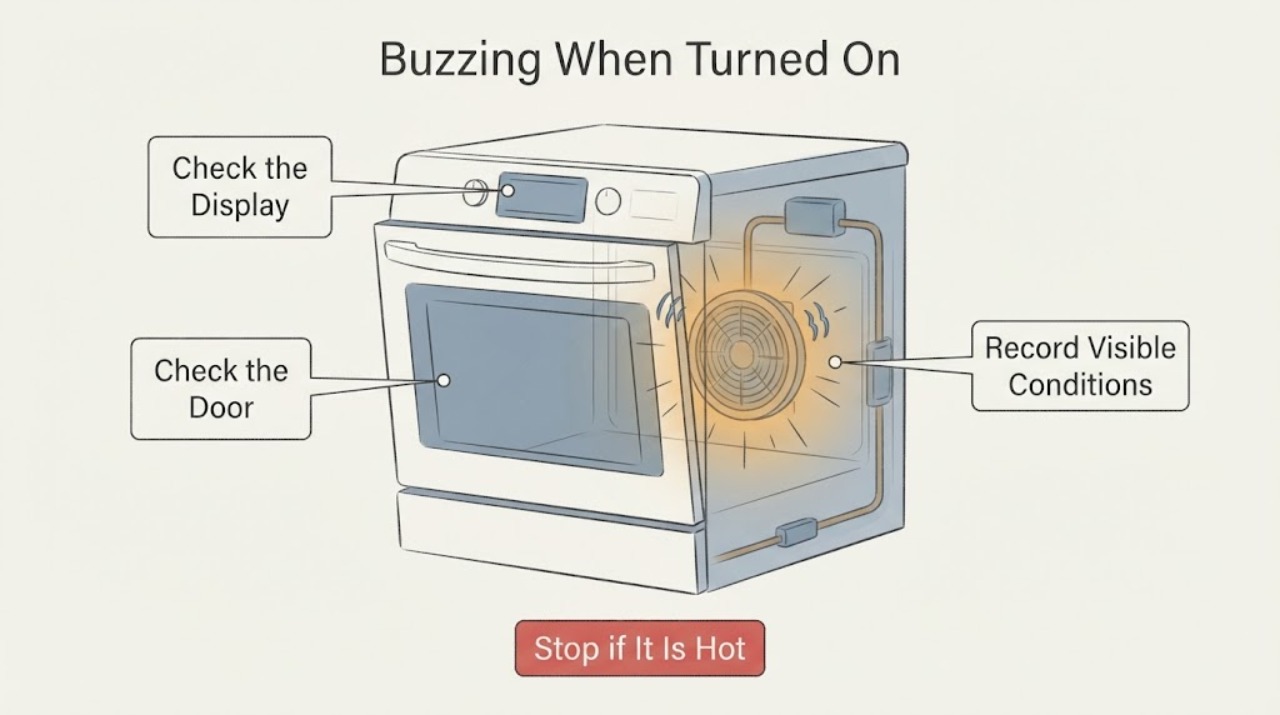
Samsung's NQ70M6650DG/AA is listed in Samsung documentation as a wall-oven model. A low, steady buzz or airflow that begins with preheating, a cooking mode, or the cooling period can be a normal fan sound; Samsung says its oven fans are generally quiet and may run at intervals or while the electronics cool. A buzz that is harsh, grinding, squealing, crackling, accompanied by smoke, an electrical or burning smell, abnormal heat, arcing, a hot connection, a blank or restarting display, or a repeated trip is not a normal operating sound. Turn the oven off and stop testing for those signs. Otherwise, record whether the sound follows the fan or a heating transition, check only cool removable racks and the visible door or vent area, and leave the wall-oven cabinet, wiring, relay, and fan assembly to qualified service.
Work through in order
Diagnostic checks
Use only checks that match the exact appliance or system and its official guide.
-
Check 1
From a safe distance, note whether the display is normal and record exactly when the buzz begins and ends: immediately on power-up, when a cooking mode is selected, as preheating starts, when the door closes, during a fan interval, or after the oven is switched off. Describe the sound as low and steady, pulsing, clicking, crackling, squealing, grinding, or scraping, and make a short recording if doing so does not require approaching a hot or damaged appliance.
Expected result: The sound is low and regular and follows airflow or a normal mode transition, or it is loud, harsh, irregular, or independent of a cooking or cooling event.
Next step: Use the normal-sound branch only when the oven remains otherwise stable and safe. For a harsh, escalating, unexplained, or persistent sound, turn the oven off and arrange model-specific service rather than reproducing it.
Why this matters
Why: Samsung describes quiet fan sounds and relay clicks as possible operating sounds, while abnormal fan noise such as squealing or grinding should be serviced. Timing and character distinguish an operating noise from a fault signal more reliably than the word buzzing alone.
-
Check 2
Before any further run, check from outside for smoke, an electrical or burning smell, scorching, sparks or arcing, an unusually hot control area or connection, a damaged cord or installation, unexpected display resets, uncontrolled heating, or a repeatedly tripped circuit. Do not remove the trim, microwave or oven panels, junction-box cover, fan guard, or control panel.
Expected result: Any heat, odor, smoke, arcing, visible damage, display disturbance, uncontrolled heat, or repeated trip is present, or the exterior and controls appear normal.
Next step: For any warning, stop using the wall oven and isolate power only from a safe, dry position if that can be done without touching a hot or damaged connection; obtain qualified appliance or electrical service. If there is no warning, keep the oven cool before the next visible check.
Stop if: Do not restart the oven after smoke, burning smell, arcing, abnormal heat, uncontrolled heating, or a repeated circuit trip.
Why this matters
Why: A fire, electrical, or control warning takes priority over deciding whether the buzz is a fan or relay. A normal display and exterior do not prove that an internal connection or motor is sound.
-
Check 3
With the oven fully cool and off, inspect only the visible, removable racks, trays, divider or cookware, door edge, and accessible vent openings for foil, packaging, a loose item, or contact that could vibrate. Reseat or remove only a cool removable item as the exact manual permits; do not touch the rear fan, hidden heating areas, wiring, or any microwave section.
Expected result: A removable rack, tray, foil, or item is visibly loose or touching a surface, or all visible items are secure while the buzz remains.
Next step: If the item was clearly the source and there is no safety warning, make one controlled observation. If the sound remains, becomes harsh, or comes from behind a guard or panel, stop and request service.
Why this matters
Why: A loose removable item can add a rattle to an otherwise normal fan or relay event. A persistent buzz with no visible cause points toward a fan, motor, relay, control, or another internal condition that cannot be identified safely by looking through the cavity.
-
Check 4
Compare the sound with the door closed and then, only after the oven is cool and no cooking is under way, note whether opening the door changes a fan sound; do not place hands near the fan or defeat a door switch. If the oven has a convection setting, record whether the sound starts or pulses only with that setting; do not run a heating cycle solely to force a comparison if the buzz is abnormal.
Expected result: The sound stops or changes with the documented fan interval or convection mode, or it continues with the door open and outside the expected fan behavior.
Next step: Leave a quiet, expected fan sound alone and monitor it through one normal operation. For a fan that scrapes, squeals, grinds, is unusually loud, or never stops when the oven is cool, arrange service without accessing the fan.
Why this matters
Why: Samsung says the convection fan stops when the door is opened and can run in intervals during convection cooking, while the hidden cooling fan responds to electronics heat. A change that tracks those conditions makes fan airflow more likely; a persistent harsh buzz does not become normal just because a fan is nearby.
-
Check 5
Note whether the buzz is paired with the oven actually heating, the display remaining stable, and the temperature behaving normally; do not open the cabinet or touch heating, relay, or supply components. If the sound is a brief click rather than a sustained buzz, record whether it tracks heating cycles and fades as the temperature stabilizes.
Expected result: Heating and controls are normal with a brief regular click, or the buzz is sustained and controls or heating are abnormal.
Next step: A quiet, brief, repeatable operating click without a safety symptom can be monitored. For sustained buzzing, failed or uncontrolled heating, display resets, or a sound that worsens, stop use and request qualified service.
Why this matters
Why: Samsung attributes oven clicks during use to circuit relays and says some metal sounds occur as the range heats or cools. A sustained buzz with a display or heating symptom is a different control or electrical decision, not a relay diagnosis from sound alone.
Use your observations
Decision map
Find the observation that best matches what you see, then follow the next safe action.
-
PATH 01Next step
What you see
The buzz is low and regular, begins with preheating or a cooking mode, changes with airflow or a fan interval, and the display, heating behavior, and exterior remain normal.
Do this next
Monitor one normal operation and the brief cooling period afterward. Arrange service if the volume, character, timing, or duration changes, or if a new symptom appears.
Why this path and its safety boundary
Why it matters: The pattern is consistent with Samsung's described cooling or convection fan operation rather than proof of a failed part. The NQ70M6650DG/AA model identity is confirmed, but the sound need not be eliminated if it remains within the documented quiet fan pattern.
-
PATH 02Next step
What you see
The buzz is harsh, irregular, loud, scraping, squealing, or grinding; continues when the oven is cool; or does not follow the documented fan or heating timing.
Do this next
Stop using the oven and arrange Samsung or qualified appliance service. Provide the model, recording, mode, timing, and whether the noise changes with the door or convection setting; do not remove panels or order a guessed part.
Why this path and its safety boundary
Why it matters: Samsung treats abnormal fan sounds as a service condition. The sound may involve a fan, motor, relay, control, or another internal part, but the acoustic description does not identify which component.
-
PATH 03Next step
What you see
The sound occurs only when a cool rack, tray, foil, divider, or other visible removable item vibrates or contacts the cavity, and it disappears after that item is safely reseated or removed.
Do this next
Use the exact manual's rack and accessory positions and monitor. If the buzz returns with no loose item, treat it as an unresolved oven sound and request service.
Why this path and its safety boundary
Why it matters: The removable item can explain the noise without proving an internal fan or relay fault. The conclusion is limited to that observed cycle and should not be generalized if the sound returns empty.
-
PATH 04Next step
What you see
The buzz is accompanied by smoke, a burning or electrical smell, scorching, arcing, a hot connection, a blank or restarting display, uncontrolled heating, or a repeated circuit trip.
Do this next
Stop the oven, keep clear, isolate power only if safe from a dry position, and obtain qualified appliance or electrical service. Do not run another cycle to reproduce the sound or open the wall-oven cabinet.
Why this path and its safety boundary
Why it matters: This is an immediate electrical, fire, or control safety boundary, not a normal fan or relay branch.
-
PATH 05Next step
What you see
The label is not NQ70M6650DG/AA, the sound is from a different appliance or cooktop, or the user cannot tell whether the sound is a buzz, click, fan hum, or impact.
Do this next
Photograph the full model label and record the sound and operating mode; use the matching Samsung manual or service path instead of transferring this article's conclusion.
Why this path and its safety boundary
Why it matters: The opened model and sound guidance no longer establish the correct identity or mechanism. A different Samsung range, gas appliance, induction cooktop, or wall-oven revision can have different normal sounds and service boundaries.
Helpful context
Understand the symptom
The exact identity is Samsung NQ70M6650DG/AA. Samsung's product documentation lists that full model as a Wall Oven, so the useful first question is when the buzz starts and whether it is low and regular airflow or a new harsh electrical or mechanical sound. Do not transfer a sound explanation from a gas range, induction cooktop, or a different Samsung model without checking the matching documentation.
Samsung identifies two oven fans: an internal cooling fan that runs when electronics are hot, and a convection fan that circulates heated air. The cooling fan may operate after use, while a convection fan can start during preheating and cycle during convection cooking. This timing is the key observation for a buzz that begins when the oven is turned on; it is not permission to remove a fan guard or open the wall-oven cabinet.
When checks do not resolve it
Need a professional?
Request Samsung or qualified appliance service for a persistent, harsh, loud, scraping, squealing, grinding, or unexplained buzz; a fan that does not follow expected operation; a stable display with abnormal heating; or any sound that returns after one safe visible-item check. Stop immediately for smoke, burning or electrical smell, scorching, arcing, abnormal heat, a hot connection, uncontrolled heating, a damaged installation, or a repeated circuit trip. Do not open the wall-oven cabinet, microwave section, fan guard, relay area, junction box, or control panel, and leave supply or internal component work to qualified professionals.
Common questions
FAQ
Is a buzzing sound normal when the Samsung NQ70M6650DG/AA is turned on?
It can be normal when it is a low, steady fan sound that follows preheating, cooking airflow, or the cooling period and the oven otherwise behaves normally. Samsung says abnormal squealing, grinding, or squeaking from a fan needs service. A harsh or electrical-sounding buzz should not be tested repeatedly.
How can I tell a cooling-fan buzz from a relay sound?
A cooling or convection fan produces a low airflow or hum and follows the fan's operating interval; Samsung says the convection fan can stop when the door opens. A relay is more often heard as a brief click when heating switches. Timing helps classify the sound, but neither pattern authorizes access to internal parts.
Should I remove the back panel to inspect the buzzing fan or relay?
No. The NQ70M6650DG/AA is a wall-oven model, and its fan, relay, heating, supply, and control areas are not user-safe access points. Record the sound and operating conditions, stop for any electrical or heat warning, and arrange qualified service.
Does a buzzing sound prove the control board or fan motor is bad?
No. Samsung's sound guidance covers normal fans and relay clicks as well as abnormal fan noise, but the sound alone cannot separate a fan, motor, relay, control, heating, or supply issue. Do not order a component until the exact model and symptom are professionally assessed.
Read the exact guide
Official sources
- Samsung cooktop and range: common sounds and operational noisesSamsung Electronics America · Samsung explains relay clicks during oven use, cooling-fan buzzing or whirring, convection-fan operation, and heat-related thumping; it advises service when a normally described sound becomes significantly louder or abnormal.
- warranty | Official Samsung Support USSamsung Electronics America · The opened Samsung US page displays the exact model identifier NQ70M6650DG/AA. It is used to anchor the assigned model identity and support/service route, not to infer a specific failed part.
- Samsung Home Appliances model listSamsung Electronics America · The opened Samsung PDF lists NQ70M6650DG/AA under Cooking as a Wall Oven. It confirms the assigned product class and model suffix but does not establish a component failure or universal sound behavior.
- Samsung oven fan is making a noise or will not turn offSamsung Electronics America · Samsung distinguishes the hidden cooling fan from the visible convection fan, describes expected fan timing and quiet hum, and directs service for a fan that never turns on or off or makes squealing, grinding, or squeaking sounds.
Community feedback
Share a repair observation
Share a plain-text repair observation. Accepted observations are published automatically; this page may take a moment to update.