
On this page
Start here
Quick answer
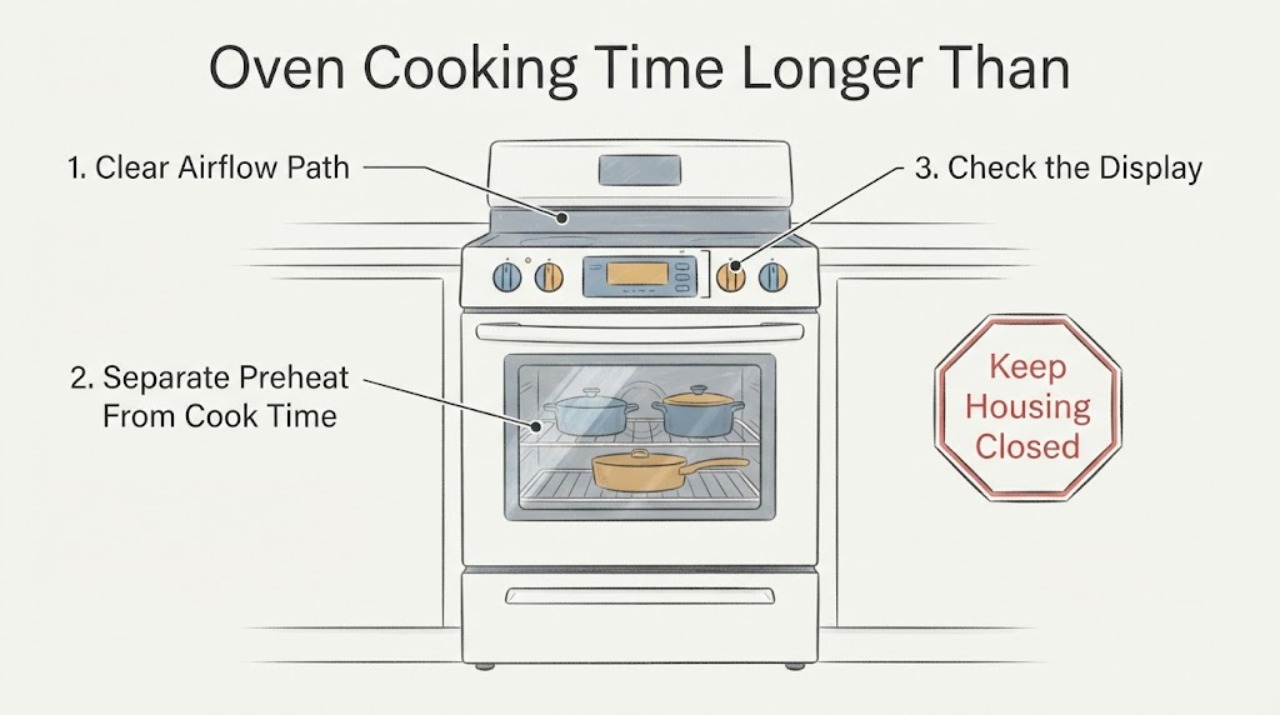
Separate a long preheat from food that cooks slowly after preheating. Samsung's official guide says to test a room-temperature empty oven with one rack at 350°F and time the beep without opening the door; the guide uses 20 minutes as its service threshold for that test. Before service, check the exact manual's rack and cookware guidance, keep the door closed, leave airflow around food, and confirm whether convection mode is automatically converting the set temperature for recipes written for regular Bake. Do not diagnose a heating element, sensor or gas system from one recipe. If the controlled preheat is still slow, cooking is inconsistent, the oven cannot reach temperature, or the gas/electrical supply is abnormal, stop experimenting and request Samsung service or qualified electrical/gas help.
Before you begin
Safety first
- No panel opening, live voltage test, gas-pressure adjustment, igniter/element diagnosis or internal part replacement is included.
Work through in order
Diagnostic checks
Use only checks that match the exact appliance or system and its official guide.
-
Check 1
Write down whether the delay is before the preheat beep or after the oven indicates it is ready. Record the recipe, food quantity, rack, mode, set temperature and whether the door was opened.
Expected result: The oven takes a long time to beep, or it beeps on time but the food still takes longer or cooks unevenly.
Next step: Use the matching branch rather than replacing or adjusting a component from the title alone.
Why this matters
Why: A slow preheat points to the preheat/supply path, while a normal preheat with slow or uneven food points first to mode, rack, cookware, airflow, recipe or calibration conditions.
-
Check 2
With the oven empty and at room temperature, leave one rack inside, set 350°F and time from Start until the oven beeps. Keep the door closed and do not use an oven thermometer for this Samsung preheat check.
Expected result: The oven reaches the preheat beep within the guide's 20-minute benchmark, or it takes longer than 20 minutes / does not beep.
Next step: If the controlled test is over 20 minutes or never completes, stop repeated cooking tests and request Samsung service. Record fuel type and model for the service call.
Why this matters
Why: Samsung uses this controlled test to separate a normal preheat result from a slow-preheat condition; opening the door or adding food makes the comparison invalid.
-
Check 3
For a normal preheat but slow cooking, compare the rack position and cookware with the exact Samsung manual, leave space around food for airflow and avoid blocking vents or lining the oven with foil.
Expected result: The rack, pan, load spacing or foil differs from the manual, or the setup matches the manual.
Next step: Correct only the visible setup, then use the same recipe and mode once. If the result remains slow or uneven, continue with the mode and calibration checks or service.
Why this matters
Why: Samsung says rack position, cookware, airflow and foil can change how heat reaches food; a correct setup makes those explanations less likely but does not diagnose a component.
-
Check 4
Confirm whether the recipe expects regular Bake, Convection Bake, Convection Roast or another Samsung mode. If using convection, check the model manual and whether Auto Conversion is enabled before comparing a recipe temperature or time.
Expected result: Convection or automatic temperature conversion is active, or the recipe and mode match.
Next step: Use the recipe's intended mode and the exact manual's conversion setting. Do not compensate by guessing a heating-part failure or changing several settings at once.
Why this matters
Why: Samsung says convection circulates heat and may automatically reduce an entered temperature by 25°F for recipes written for conventional cooking; mode conversion can change the comparison without a fault.
-
Check 5
If the same trusted recipe is consistently undercooked or overcooked while the controlled preheat is normal, check the exact Samsung manual for Temperature Adjustment or Thermostat Adjustment. Do not copy another model's button sequence or use a household oven thermometer as the calibration standard.
Expected result: The manual supports calibration and the cooking result is consistently biased, or results vary from one run to another / calibration is unavailable.
Next step: Apply only the manual-supported adjustment and confirm with the same trusted recipe. Request service if the result is inconsistent, the adjustment is insufficient or the control cannot be matched.
Why this matters
Why: Samsung supports model-specific calibration for a consistent bias, but inconsistent results or a need beyond the supported range requires further diagnosis rather than repeated adjustment.
-
Check 6
For a slow or failed preheat, record whether the oven is gas or electric and whether cooktop burners or other oven functions behave normally. Do not measure live voltage or gas pressure yourself; use a qualified installer, electrician, gas professional or Samsung service.
Expected result: An electric range may have a supply issue, a gas range has abnormal ignition/supply behavior, or the supply appears normal but the controlled test remains slow.
Next step: Stop repeated tests and arrange the appropriate professional service. Provide model, fuel type, controlled preheat time, mode and any display or ignition symptom.
Why this matters
Why: Samsung notes that lower voltage can increase electric-range preheat time and that gas pressure/ignition behavior requires professional or gas-company assistance; normal external observations do not prove an internal part is good.
-
Check 7
Request Samsung service when the controlled preheat exceeds the official benchmark, the oven never reaches temperature, the cooking result remains wrong after exact setup and calibration checks, or there is smoke, sparking, a breaker trip, gas odor or visible damage.
Expected result: The symptom persists or a safety condition is present.
Next step: Stop using the oven for a hazard and arrange qualified service; do not open panels or continue cooking to collect more evidence.
Why this matters
Why: The available symptom does not identify a heating element, sensor, control, gas valve, igniter or supply fault, and internal diagnosis is outside safe user checks.
Use your observations
Decision map
Find the observation that best matches what you see, then follow the next safe action.
-
PATH 01Next step
What you see
The controlled empty-oven preheat reaches the beep within Samsung's benchmark, but the recipe is slow or uneven.
Do this next
Match the recipe to the mode, rack and cookware in the exact manual, then assess consistent calibration bias before service.
Why this path and its safety boundary
Why it matters: The heating system reaches the test target; cooking mode, rack, cookware, airflow, door opening, load or calibration are more appropriate first checks.
-
PATH 02Next step
What you see
The empty oven with one rack at 350°F takes more than 20 minutes to beep or never reaches the beep.
Do this next
Stop repeated cooking tests and request Samsung service with the model, fuel type and measured preheat time.
Why this path and its safety boundary
Why it matters: Samsung treats this as a slow-preheat condition that should be sent to service after the controlled test.
-
PATH 03Next step
What you see
Convection mode or Auto Conversion is enabled while the recipe was written for regular Bake.
Do this next
Use the recipe's intended mode and the exact manual's conversion setting before judging the oven.
Why this path and its safety boundary
Why it matters: The temperature and cooking-time comparison may be invalid because Samsung uses fan circulation and may reduce the entered temperature for recipe compatibility.
-
PATH 04Next step
What you see
The same trusted recipe is consistently undercooked or overcooked but preheat is normal.
Do this next
Use only the exact manual's calibration procedure and supported range; request service for inconsistent results or an inadequate adjustment.
Why this path and its safety boundary
Why it matters: A model-supported calibration adjustment may be relevant, but the result is not proof of a failed sensor or element.
-
PATH 05Next step
What you see
There is gas odor, smoke, sparking, a breaker trip, abnormal flame, visible damage or food-safety uncertainty.
Do this next
Stop using the oven and follow the relevant gas, fire or electrical emergency procedure before arranging qualified service.
Why this path and its safety boundary
Why it matters: The symptom has crossed the appliance troubleshooting boundary.
Helpful context
Understand the symptom
A longer recipe time can come from slow preheating, a convection conversion, rack or cookware choices, repeated door opening, calibration, food size or an actual heating problem. Samsung's opened temperature guide gives a controlled preheat test, while its cooking guidance says to follow the model manual for rack position, cookware and calibration. One undercooked dish is not enough to name a failed element or sensor.
The task does not identify the Samsung model or fuel type. Keep gas and electric branches separate, and use the exact manual for mode names, calibration controls and any installation requirement. Do not perform live voltage or gas-pressure testing as a household check.
If the oven has smoke, a gas smell, sparking, a breaker trip, visible damage or an abnormal flame, stop using it and use the appropriate emergency or qualified-service boundary instead of repeating a cooking test.
When checks do not resolve it
Need a professional?
Request Samsung service when the controlled empty-oven preheat takes longer than the official benchmark or the oven never reaches the target., Use qualified electrical or gas help for supply concerns; do not perform live voltage or gas-pressure tests., Stop immediately for smoke, sparking, gas odor, abnormal flame, breaker trips, visible damage or any condition that makes continued cooking unsafe.
Safety scope: No panel opening, live voltage test, gas-pressure adjustment, igniter/element diagnosis or internal part replacement is included.
Have this ready
- complete Samsung model number and fuel type
- whether the delay is preheat or post-preheat cooking
- controlled 350°F preheat time and whether the beep occurred
- mode, Auto Conversion, rack, cookware and door-opening details
- calibration history and any gas, electrical, smoke or display symptom
Common questions
FAQ
How long should a Samsung oven take to preheat?
Samsung's official temperature guide uses an empty, room-temperature oven with one rack at 350°F and says the beep should occur within 20 minutes for that test. Keep the door closed and do not use a household oven thermometer for the test; if it exceeds the benchmark, request service.
Can convection make a Samsung recipe seem to take longer?
Mode comparisons can be misleading. Samsung says convection circulates heat and may automatically reduce the entered temperature by 25°F for recipes written for regular cooking. Match the recipe, mode and Auto Conversion setting using the exact manual before diagnosing a fault.
Should I calibrate a Samsung oven that cooks slowly?
Calibration is relevant only when the same trusted recipe is consistently undercooked or overcooked and the preheat is normal. Samsung supports model-specific temperature adjustment up to 35°F higher or lower; use the exact manual and do not copy another model's controls.
Could power or gas supply make a Samsung oven preheat slowly?
Samsung says lower voltage can increase electric-range preheat time and gives a separate gas-pressure path for gas ranges. Do not test live voltage or adjust gas pressure yourself; use qualified electrical/gas help or Samsung service.
Read the exact guide
Official sources
- Calibrate your oven's temperatureSamsung · Opened official Samsung US support article. It supports consistent recipe-bias calibration only; the exact menu/button sequence is model-specific and the article warns that ordinary oven thermometers are not accurate for calibration.
- How to use your Samsung convection ovenSamsung · Opened official Samsung US support article. It supports mode and recipe-comparison guidance for Samsung convection models; exact model manual controls mode availability and conversion settings.
- Samsung oven temperature issuesSamsung · Opened official Samsung US troubleshooting guide. It directly covers ovens that take too long to reach temperature and provides the controlled preheat benchmark; exact model manual remains controlling for controls and calibration.
Community feedback
Share a repair observation
Share a plain-text repair observation. Accepted observations are published automatically; this page may take a moment to update.