
On this page
Start here
Quick answer
For the Samsung NE59N6630SG/AA, treat a flickering clock or control display as a display/power symptom, not as an oven-light problem. Confirm the complete model suffix and record whether the whole display, only some segments, or the display brightness changes, and whether the oven, cooktop, nearby lights, or breaker also react. If there is burning smell, smoke, arcing, a hot panel or cord, visible damage, or a repeated trip, stop using the electric range and do not keep resetting it. With no hazard and the oven cool, Samsung's general display guidance allows one power reset at the breaker; turn it off for about 60 seconds and restore power once. If the flicker returns, the display remains unreadable, or the appliance or household power is affected, leave further diagnosis to Samsung or qualified appliance/electrical service. Do not open the control panel, reconnect wiring, or make live measurements.
Before you begin
Safety first
- Do not open the control panel or rear cover, touch terminals or connectors, alter the range cord, bypass a breaker or other protection, or measure an energized electric range. Keep the appliance out of service for smoke, odor, arcing, heat, visible damage, repeated trips, or an unreadable recurring display.
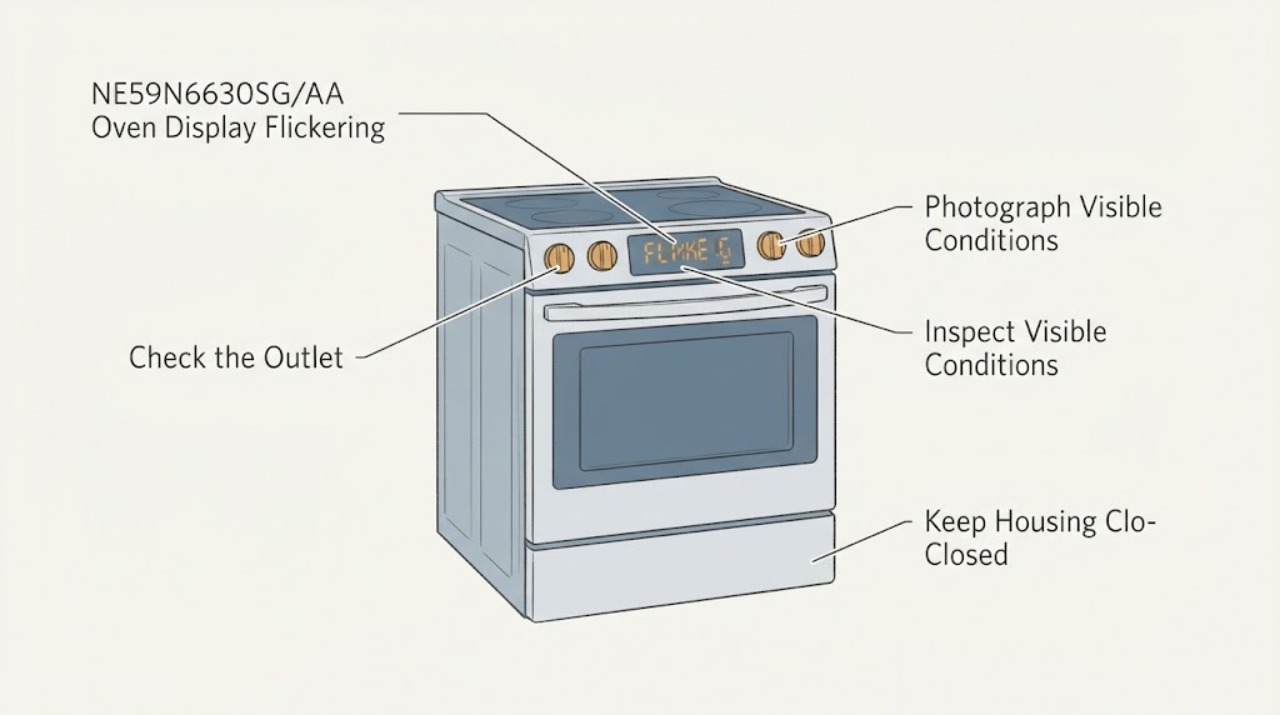
Work through in order
Diagnostic checks
Use only checks that match the exact appliance or system and its official guide.
-
Check 1
From a safe position, photograph the front display and rating label, and record the complete model as NE59N6630SG/AA, serial information, market, and the exact pattern: whole display blinking, missing segments, dim/bright cycling, or a message that appears and disappears. Note whether this is the display itself, not the interior oven lamp.
Expected result: The model suffix is confirmed and the display symptom can be described, or the label is incomplete and the symptom may actually be an interior light change.
Next step: Keep the exact label and a safe-distance video for service. If the identity or affected component is uncertain, do not order a display or control part; continue only with external observations.
Why this matters
Why: Samsung's exact-model support page and catalog establish the NE59N6630SG/AA range identity, but a general Samsung display guide cannot prove the failure mode of every suffix. Separating a panel symptom from a lamp symptom prevents the light-specific family guidance from being misapplied.
-
Check 2
Without touching the range or opening anything, check from outside for burning smell, smoke, visible arcing, a hot control area or cord, melted or scorched plastic, a damaged outlet, or a breaker/residual-current device that has tripped. Do not reach behind the range to inspect terminals.
Expected result: There is no hazard sign, or there is smoke, an electrical odor, heat, visible damage, arcing, or repeated protective-device operation.
Next step: For any hazard sign, stop using the range, keep clear of hot or damaged surfaces, and isolate power only from a safe accessible control if that can be done without contact with damaged equipment. Do not reset protection repeatedly; obtain qualified appliance/electrical help and follow local emergency guidance for active smoke or fire.
Stop if: Do not continue to the reset or any other test when smoke, arcing, a hot panel/cord, or repeated tripping is present.
Why this matters
Why: A display fault accompanied by heat, odor, arc, damage, or a trip may involve an electrical or fire hazard rather than a display-only problem. Samsung advises service for unexplained smoke or odor during normal use, and its electric-range guidance puts supply installation within qualified work.
-
Check 3
With the oven off and cool, observe whether the flicker is confined to the display or occurs with oven operation, cooktop operation, nearby household lights, or a power interruption. Note whether the appliance still heats and whether a normal control selection changes the pattern. Do not run a high-heat cycle as a test and do not use a meter.
Expected result: Only the display flickers while cooking remains normal, the whole range or nearby lights fluctuate, the display goes blank, or the breaker trips.
Next step: Keep the range out of service and arrange qualified service for recurring display-only flicker, any wider power symptom, or an unreadable panel. Give the provider the exact model, video, operating state, and whether the oven or cooktop still worked.
Why this matters
Why: A display-only symptom narrows the next assessment toward the display/control path but does not identify a replaceable part. Whole-appliance or household fluctuation raises a supply, connection, or control concern; a blank or unreadable panel can also prevent safe confirmation of settings.
-
Check 4
Record the operating state when the flicker occurs: idle clock, preheat, bake, broil, a hot-panel indication, Self Clean, or control lock. Do not start Self Clean or repeatedly change modes to reproduce the issue; only read the visible state from outside.
Expected result: The behavior appears only during a documented mode or lock state, or it also occurs during ordinary idle operation and normal cooking.
Next step: Let a high-heat function finish and cool naturally if one was already running. If the display flickers in ordinary operation, stop repeated testing and use the service branch; do not enter an undocumented diagnostic mode.
Why this matters
Why: Samsung documents that panel behavior and available controls can vary with functions such as Self Clean or a locked/hot state. A recurring flicker in ordinary idle or cooking operation is not explained merely by a mode label and needs diagnosis.
-
Check 5
If there is no hazard, the oven is cool, and the breaker is safely accessible, perform Samsung's display reset once: switch the range circuit off for about 60 seconds, then restore it. Observe whether the complete display returns stable and whether the fault comes back without manipulating wiring or the control panel.
Expected result: The display is stable after one reset, remains blank or flickers immediately, or the reset is followed by a trip, smell, smoke, spark, or heat.
Next step: Do not repeat the reset as a workaround. If the fault returns or any warning sign appears, leave the range isolated and arrange Samsung or qualified appliance/electrical service. If it stays stable, monitor it and keep the recorded model and symptom history in case it recurs.
Why this matters
Why: Samsung says a power cycle can reset a blinking or incorrect display and directs the owner to request service when the problem persists. A temporary recovery does not prove that a failing display, control, connection, or supply problem is repaired.
-
Check 6
Prepare the service handoff: provide the exact NE59N6630SG/AA and serial, the safe-distance video, the first and latest occurrence, selected mode, whether oven/cooktop operation changed, breaker events, and every hazard observation. State that no control-board cover was opened and no live test was performed.
Expected result: The record distinguishes a display-only recurrence from a supply-wide or safety-related event, or the symptom cannot be reproduced but remains documented.
Next step: Request qualified diagnosis of the incoming supply/installation, display and control path, connectors, and any related damage. Keep the range out of service if the display is unreadable or the fault is recurrent or hazardous.
Why this matters
Why: The exact-model page supports routing to Samsung service, while the observed timing and safety facts help a qualified technician assess the correct branch without relying on an unverified part guess. A Reddit report of this same model is only anecdotal and cannot establish part fit or a user repair procedure.
Use your observations
Decision map
Find the observation that best matches what you see, then follow the next safe action.
-
PATH 01Next step
What you see
The display is the only symptom, the oven and cooktop remain normal, there are no hazard signs, and one Samsung power reset leaves the display stable.
Do this next
Monitor without repeated cycling. If flicker returns, becomes unreadable, or spreads to other appliance functions, stop using the range and arrange qualified service.
Why this path and its safety boundary
Why it matters: A transient control state is possible, but the reset is not a component diagnosis and does not confirm a lasting repair.
-
PATH 02Next step
What you see
The display flickers together with the whole range, nearby household lights, a power interruption, or a breaker/residual-current trip.
Do this next
Stop using the range, do not reset protection repeatedly, and have a qualified appliance technician or electrician assess the supply and appliance from a safe boundary.
Why this path and its safety boundary
Why it matters: The pattern is broader than an isolated display symptom and may involve supply, installation, connection, or control behavior; no user observation can safely identify which part is at fault.
-
PATH 03Next step
What you see
The flicker is limited to a documented lock/hot/function state and disappears after the range has cooled and returned to ordinary idle operation.
Do this next
Use the exact manual/state guidance for normal operation. If the display flickers outside that state, request service rather than entering diagnostics or opening the panel.
Why this path and its safety boundary
Why it matters: The state may explain a temporary panel response, but it does not explain flicker during normal idle or cooking and should not be used to justify Self Clean or repeated reproduction tests.
-
PATH 04Next step
What you see
The display remains unreadable, flickers in ordinary operation after one reset, or a safe-distance report cannot separate display-only behavior from a wider electrical symptom.
Do this next
Keep the range out of service and arrange Samsung or qualified appliance service with the model suffix, video, and symptom timeline. Do not guess a part or perform internal work.
Why this path and its safety boundary
Why it matters: The issue needs model-specific diagnosis of the display/control and power path. The exact-model Reddit outcome is a user report, not confirmation that an LED display or any other part fits this range.
-
PATH 05Next step
What you see
There is smoke, burning smell, visible arc, hot panel or cord, melted/scorched material, damaged outlet, or repeated protection trips.
Do this next
Stop using the range and stay clear of damaged or hot equipment. Isolate power only if it is safely accessible, do not reset repeatedly, and obtain qualified emergency, electrical, or appliance help as appropriate.
Why this path and its safety boundary
Why it matters: This is an electrical, fire, or equipment-safety stop condition, not a display troubleshooting branch.
Helpful context
Understand the symptom
This topic is about the front control/clock display flickering on the Samsung NE59N6630SG/AA electric freestanding range. It is different from an interior oven lamp changing when a door or cooking mode changes. A display that flickers only in a particular state may be a control-state clue; a display that flashes randomly, loses segments, or flickers with other electrical symptoms needs a power and safety assessment. The exact /AA suffix matters when matching a manual or service record.
User checks should stay external and low risk. Do not remove the control panel or rear cover, touch terminals, reseat internal connectors, alter the range cord, bypass protection, or use a meter on an energized appliance. Samsung's installation guidance recommends a qualified electrician for electric-range installation; an unexplained recurring display fault is therefore not a reason to improvise wiring work.
When checks do not resolve it
Need a professional?
Use Samsung support or a qualified appliance/electrical professional for a recurring or unreadable display, any wider power symptom, a fault after one reset, or any smoke, burning smell, arc, hot panel/cord, damaged outlet, scorch, or repeated trip.
Safety scope: Do not open the control panel or rear cover, touch terminals or connectors, alter the range cord, bypass a breaker or other protection, or measure an energized electric range. Keep the appliance out of service for smoke, odor, arcing, heat, visible damage, repeated trips, or an unreadable recurring display.
Have this ready
- Provide NE59N6630SG/AA, serial and market, safe-distance photos/video, the display pattern, operating mode, whether oven/cooktop operation or nearby lights changed, breaker events, and the hazard observations. State whether the issue existed since installation and that no live test or internal access was attempted.
Common questions
FAQ
Is a flickering display the same as a flickering Samsung oven light?
No. This article concerns the front clock/control display on the NE59N6630SG/AA. An interior lamp can have different door or mode behavior, so do not use lamp-specific guidance to diagnose a blinking panel.
Can I reset a Samsung range with a flickering display?
Only when there is no smoke, odor, heat, arc, damage, or repeated trip and the oven is cool. Samsung's display guidance supports switching the breaker off for about 60 seconds and restoring power once; recurring flicker needs service rather than repeated resets.
Does the exact model matter for a display replacement?
Yes. Confirm the full NE59N6630SG/AA identity and market before any service or part decision. A community report that an LED display replacement worked on one unit is not proof of compatibility or a safe owner-repair instruction.
When should I stop using the range immediately?
Stop for smoke, burning smell, visible arcing, a hot control area or cord, melted or scorched material, a damaged outlet, an unreadable recurring display, or repeated breaker/residual-current trips. Do not open the panel or make live measurements; obtain qualified help.
Read the exact guide
Official sources
- There is smoke or an odor coming from Samsung ovenSamsung Support US · General Samsung oven smoke/odor guidance used only for the stop-and-service boundary.
- Samsung range or wall oven panel is blank, blinking, or incorrectSamsung Support US · General Samsung display guidance; it does not establish a model-specific failed component for NE59N6630SG/AA.
- 2018 Samsung Oven with Flickering DisplayReddit r/appliancerepair · Exact-model community report; useful only as anecdotal context and not as Samsung-confirmed diagnosis or repair permission.
- Samsung Home Appliances 2018 Product CatalogSamsung · 2018 Samsung catalog entry used for model/family identity; not a troubleshooting or part-fit guide.
- Install your Samsung gas or electric rangeSamsung Support US · General electric-range installation and safety guidance; it does not authorize user wiring work on the target range.
- NE59N6630SG/AA Warranty and Service Support | Samsung Support USSamsung Support US · Exact US model page used to preserve the full model suffix and route service; it is not a display repair manual.
- Self Clean or other buttons do not light up or respond, or panel is locked on Samsung ovenSamsung Support US · General Samsung panel-state guidance; it does not explain recurrent ordinary-mode flicker on the exact model.
Community feedback
Share a repair observation
Share a plain-text repair observation. Accepted observations are published automatically; this page may take a moment to update.