
On this page
Start here
Quick answer
A Samsung oven that will not start can have no power at all, or it can have a live display but be held by a control lock, Demo mode, delayed start, timer, door condition, or an error. First record the model, display, mode, and whether the cooktop also works. If the panel is blank or blinking, check the supply and use one model-approved power cycle only when there is no heat, smoke, gas odor, or electrical damage. If the panel works, confirm the correct cooking mode, time, lock state, delay, and fully closed door; gas models also require a safe distinction between no gas supply and an ignition fault. Do not open panels, adjust gas parts, bypass a door switch, or keep resetting a tripped circuit. Stop for gas odor, delayed ignition, abnormal flame, smoke, carbon-monoxide alarm, arcing, burning smell, or repeated trips and arrange qualified Samsung appliance, gas, or electrical service.
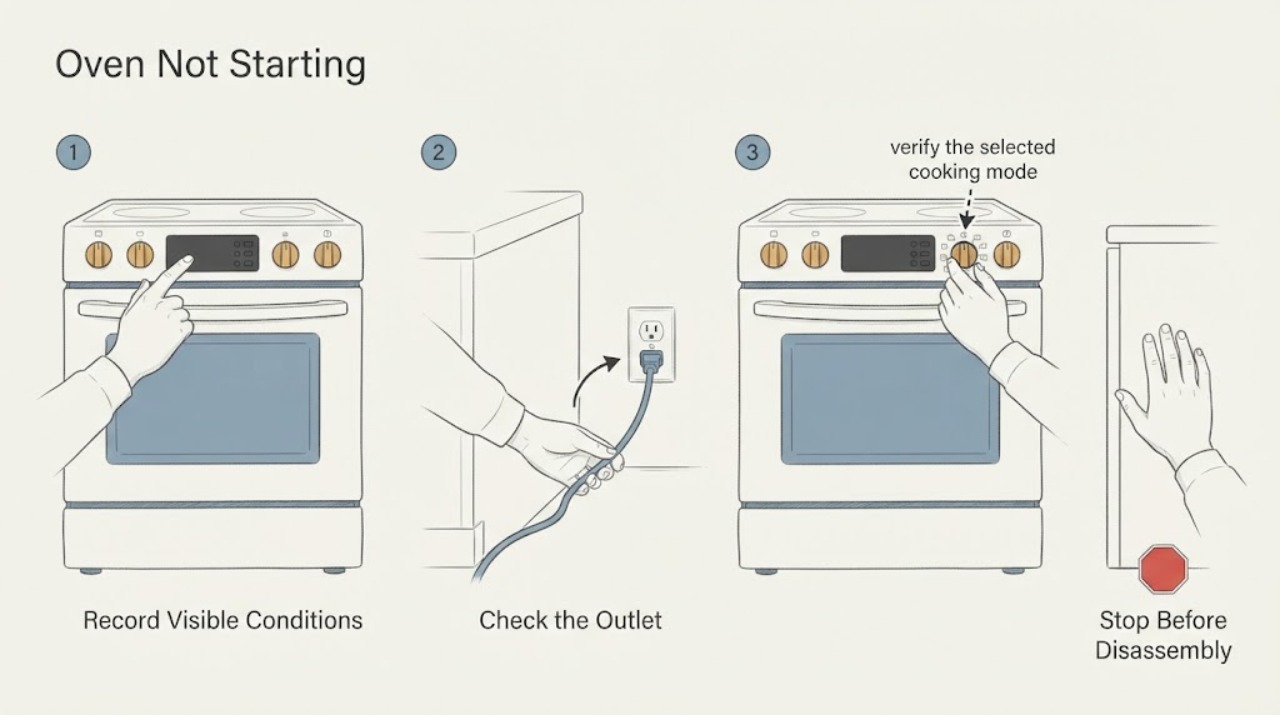
Work through in order
Diagnostic checks
Use only checks that match the exact appliance or system and its official guide.
-
Check 1
Record the complete Samsung model number, range or wall-oven type, display state, clock, mode, temperature or time entry, and whether the cooktop, oven light, or other functions have power.
Expected result: The panel is blank or blinking, the display is normal but Start does nothing, a lock or Demo indicator is present, a delay or timer is shown, or an error code appears.
Next step: Stop immediately for smoke, gas odor, burning smell, arcing, heat damage, or repeated trips. Otherwise follow the matching branch and keep the exact model and display information.
Why this matters
Why: Blank or unstable controls point toward power or control diagnosis. A live panel with a lock, delay, invalid mode, door state, or code points to a control or safety condition rather than a dead appliance.
-
Check 2
If the panel is blank, blinking, or incomplete, check the appliance's visible plug and outlet condition without touching damaged or wet parts, and check whether the dedicated circuit protection has moved. Do not remove the range or access wiring.
Expected result: The plug or outlet is damaged, the circuit has tripped, the display has been unstable since installation, or the visible connection and protection appear normal.
Next step: Do not keep resetting a trip or use a damaged outlet. Arrange qualified electrical or appliance service; if the area is dry and safe and the model allows it, perform only one documented power cycle later.
Why this matters
Why: Samsung says an oven panel may not work correctly when the power connection is improper and recommends service when the issue continues. A damaged connection or repeated trip is an electrical stop condition.
-
Check 3
If the display is active, verify the selected cooking mode, temperature or time, Start command, timer, Cook Time, Delay Start, and any Sabbath or special function against the exact Samsung manual. Do not change a setting merely to hide a safety message.
Expected result: The oven is in a delayed or timed state, the selected function is unavailable, a special mode is active, Start has not been accepted, or the settings are valid and the oven still does not begin.
Next step: Cancel only a clearly identified timer or delay using the model instructions, then enter one normal mode and use the documented Start control. Stop if the panel remains unresponsive or an error returns.
Why this matters
Why: A timer or delayed start can intentionally postpone cooking, and some functions are unavailable in certain states. A valid start request with no response shifts attention to lock, door sensing, power, code, or control service.
-
Check 4
Check the display for Control Lock, Child Lock, oven lock, or Demo mode and use only the exact model manual's release instruction. From outside, confirm the door closes fully and no rack, divider, or visible obstruction prevents the door switch from sensing closure.
Expected result: A lock or Demo indicator is present, a door code appears, the door does not close fully, a divider or rack is misplaced, or the controls and door state look normal.
Next step: Clear only a documented lock or Demo setting. Reseat a cool, accessible rack or divider if the manual permits; do not force, pry, bypass, or dismantle the door switch or latch.
Why this matters
Why: Samsung states that Control Lock can prevent panel response and that Demo mode prevents heating. A door-state code or incomplete closure can prevent a cooking function from beginning.
-
Check 5
If an error or information code is shown, photograph the exact code and note the mode, door state, and time it appeared. Compare it with the Samsung guide for the exact model; do not interpret a code from another range.
Expected result: The code identifies Demo mode, a door or power condition, a temperature or vent condition, an electronic communication issue, or is not listed for the model.
Next step: Perform at most the model-documented reset or external correction. If the code returns, the oven will not start, or the panel becomes unstable, stop using the appliance and arrange service.
Why this matters
Why: A documented code can direct a safe settings or external check. An unlisted or returning code requires model-specific service rather than repeated button sequences.
-
Check 6
For a Samsung gas range only, confirm the gas control is in the normal off or on state and observe whether a cooktop burner has normal ignition, without removing parts or repeatedly attempting ignition. Do not perform this check if any gas odor, delayed ignition, abnormal flame, or combustion symptom is present.
Expected result: The cooktop burners also fail to light, the oven behaves differently when a burner is operating, a flame is yellow or unstable, or the cooktop behaves normally but the oven still will not start.
Next step: Stop for gas odor, abnormal flame, delayed ignition, or a bang. Otherwise record the observation and arrange qualified gas or appliance service if the oven still will not start; do not adjust gas pressure or relight repeatedly.
Why this matters
Why: Samsung identifies gas supply and pressure as possible gas-range heating conditions, but a normal cooktop flame does not prove that the oven ignition system is safe or functional.
-
Check 7
Only when the area is dry, there is no heat or gas warning, and the model permits it, perform one controlled power cycle using the Samsung instructions. After restoring power, enter one normal cooking mode and observe the display without opening panels or repeating resets.
Expected result: The display recovers and the oven accepts a normal start, the panel remains blank or unstable, an error returns, or the breaker trips or an abnormal smell appears.
Next step: Stop using the oven for a returning fault or safety symptom and arrange qualified Samsung appliance, gas, or electrical service. Do not run another test cycle.
Why this matters
Why: A power cycle can clear a temporary control state, but it cannot repair a supply connection, door switch, ignition system, sensor, or control fault. A trip or smell is a stop condition.
Use your observations
Decision map
Find the observation that best matches what you see, then follow the next safe action.
-
PATH 01Next step
What you see
The display is blank, blinking, or incomplete, or other range functions also lose power.
Do this next
Inspect only the visible plug and outlet for safe, dry, undamaged condition and check the circuit once. Do not repeatedly reset protection; arrange qualified electrical or appliance service for instability.
Why this path and its safety boundary
Why it matters: A supply connection, circuit, or control issue is more likely than a mode-selection issue.
-
PATH 02Next step
What you see
The display is active but a lock, Demo, delayed start, timer, Sabbath, or unavailable-function state is shown.
Do this next
Use the exact model manual to clear or cancel the identified state, then enter one normal mode and press the documented Start control. Escalate if the state returns or controls remain unresponsive.
Why this path and its safety boundary
Why it matters: A settings or safety state may be preventing a normal start.
-
PATH 03Next step
What you see
The display is active, the settings are valid, the door closes fully, and Start is accepted but there is no heat or ignition.
Do this next
For gas models, perform no further ignition testing if there is any abnormal flame or odor. Record the mode and display, turn the appliance off if safe, and arrange qualified Samsung appliance or gas service.
Why this path and its safety boundary
Why it matters: A mode, gas or electrical supply, ignition, sensor, or control fault remains possible.
-
PATH 04Next step
What you see
A door code appears, the door does not close fully, the door switch area is damaged, or a rack or divider blocks closure.
Do this next
Remove only a cool, plainly accessible obstruction if the manual permits. Do not force, pry, tape, or bypass the door switch; arrange service for damage or a recurring code.
Why this path and its safety boundary
Why it matters: The oven may be withholding operation because it cannot confirm a safe closed-door state.
-
PATH 05Next step
What you see
The oven still will not start after one model-approved settings check and one safe power cycle, or the code returns.
Do this next
Keep the oven out of use and arrange qualified Samsung service. Provide the model, exact code, mode, display state, door observations, and reset result.
Why this path and its safety boundary
Why it matters: A persistent control, door-sensing, sensor, ignition, gas, or power fault needs model-specific diagnosis.
-
PATH 06Next step
What you see
Gas odor, delayed ignition, an abnormal flame, smoke, carbon-monoxide alarm, arcing, burning smell, overheating, or repeated circuit trips occurs.
Do this next
Stop using the oven, avoid flames and electrical switching when gas is suspected, leave the area, and seek qualified emergency, gas, or electrical help from a safe location. Do not relight or reset repeatedly.
Why this path and its safety boundary
Why it matters: This is an immediate gas, combustion, fire, or electrical hazard rather than a normal start failure.
Helpful context
Understand the symptom
Separate no power from a control that will not begin cooking
Look at the display before pressing buttons repeatedly. A blank or blinking panel is a supply or control branch. A normal clock with no heat may instead reflect a lock, Demo mode, delayed start, timer, door sensor, mode selection, or a code. Samsung's support guidance is model-specific, so preserve the exact display text and model number.
A working display still needs a valid start sequence
Many Samsung controls require a mode, temperature or time, and a separate Start command. A delay or timer can make the oven appear inactive, and a control lock can make buttons seem broken. Check these states from the panel and manual; do not use an undocumented button combination.
Gas ignition is a separate safety branch
For a gas range, an oven that does not ignite must be distinguished from a home gas-supply or pressure issue. Observe only the normal controls and any clearly visible cooktop behavior. Do not remove burner parts, adjust a regulator, repeatedly relight, or investigate a suspected leak with flames or electrical switches.
Only after diagnosis
Potential parts
- door switch or door-sensing component
Consider only after model-specific diagnosis confirms that the oven cannot detect a closed door and external closure and rack checks are clear.
Door-sensing parts are model-specific and safety-related; do not bypass or replace them without qualified service. - oven control or display assembly
Consider only when a persistent blank panel, failed start command, or returning code remains after the documented supply and settings checks.
Controls and displays are model- and revision-specific electrical parts; confirm fit and safe installation through qualified service. - gas oven ignition or burner component
Consider only after a qualified technician confirms an ignition or burner fault and rules out gas supply, pressure, settings, and installation conditions.
Gas components require exact model fit and combustion verification; do not remove, adjust, or test the gas circuit yourself.
When checks do not resolve it
Need a professional?
Arrange qualified Samsung appliance, gas, or electrical service when the panel is blank or unstable, valid controls do not start the oven, a lock, Demo, door, or error condition returns, the gas oven will not ignite, the door or switch is damaged, one safe reset fails, or any gas odor, abnormal flame, smoke, carbon-monoxide alarm, burning smell, arcing, overheating, or repeated trip occurs.
Common questions
FAQ
Why does my Samsung oven have power but not start?
Check for Control Lock or Demo mode, delayed start or timer settings, an incomplete mode and Start sequence, a door that is not fully closed, and an exact error code. Use the model manual for the correct control sequence. If settings are valid and the oven still does not start, arrange service.
What should I check if my Samsung oven display is blank?
Check the visible power connection and circuit once, without touching wet or damaged parts. Samsung recommends a controlled circuit restart for some panel issues, but a persistent blank or blinking display needs qualified appliance or electrical service.
How do I start a Samsung gas oven that will not ignite?
Confirm the selected mode and controls, then make only safe external observations of the gas supply and cooktop behavior. Do not adjust pressure, remove gas parts, or repeatedly relight. For gas odor, delayed ignition, an abnormal flame, smoke, or a bang, stop immediately, leave the area, and seek qualified gas help.
Read the exact guide
Official sources
- Samsung Wall Oven FAQsSamsung Support · Samsung wall-oven power, settings, control lock, delay, error, door, and reset guidance
- Samsung range or wall oven panel is blank, blinking, or incorrectSamsung Support · Samsung range and wall-oven panel power connection, controlled breaker restart, and service guidance
- Samsung range or wall oven error codesSamsung Support · Samsung range and wall-oven error meanings, Demo, door, power, temperature, vent, reset, and service guidance
- Self Clean or other buttons do not light up or respond, or panel is locked on Samsung ovenSamsung Support · Samsung oven mode-dependent controls, Demo or lock behavior, extreme-heat lamp behavior, reset, and service guidance
- Samsung oven temperature issuesSamsung Support · Samsung gas-range ignition and pressure distinctions, temperature behavior, and service guidance
- Ranges | Samsung Support USSamsung Support · Samsung range model search, manuals, and request-repair support routing
- Flame issues on Samsung gas cooktop or rangeSamsung Support · Samsung gas cooktop and range flame issue support guidance
- The oven control panel, Setting the clock, Temp Adjust, Demo mode, and Using the Sabbath feature: NE63*811***Samsung Support · Samsung model-specific oven Start, Off, Delay Start, Lamp, Oven Lock, and Demo controls
- Connect and use your Samsung range with SmartThingsSamsung Support · Samsung range remote-control limits, including gas-oven local start requirement
- Door will not close on Samsung ovenSamsung Support · Samsung oven door, plunger, latch, physical-damage, and service guidance
Community feedback
Share a repair observation
Share a plain-text repair observation. Accepted observations are published automatically; this page may take a moment to update.