
On this page
Start here
Quick answer
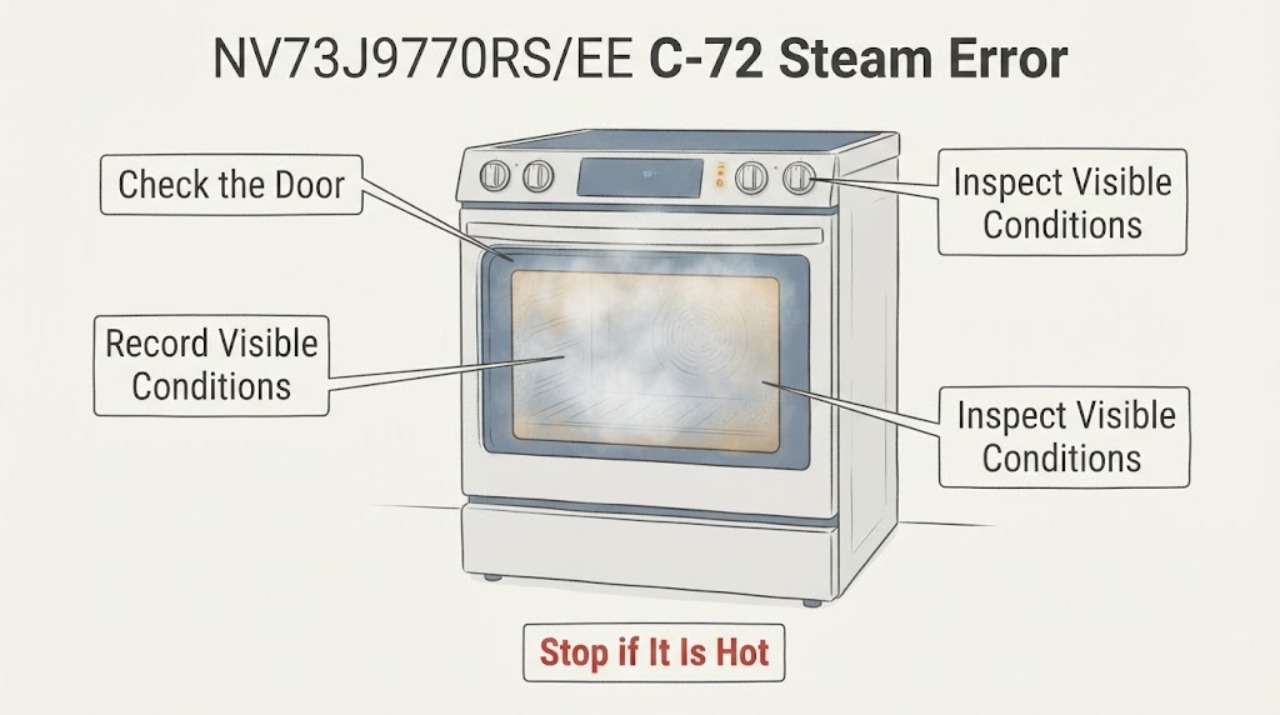
On the Samsung NV73J9770RS/EE, the model's user manual groups C-72 under “Vapour-related problems.” Treat it as a steam-system message, not proof that a water tank, pump, sensor, or board needs replacement. Stop the steam function, let the oven and any water or steam cool, and record whether the message appeared while filling, cooking with vapour, draining, or after descaling. From a cool, unpowered appliance, check only the user-accessible water reservoir area for an obvious spill, residue, or seating problem described by the manual; do not force a drawer, insert tools, or open covers. The manual permits turning the oven off and restarting once; if C-72 remains, turn off all power for at least 30 seconds and contact a Samsung service centre. Do not use the oven through a persistent code, leak, unusual heat, smoke, sparking, or a damaged electrical connection.
Work through in order
Diagnostic checks
Use only checks that match the exact appliance or system and its official guide.
-
Check 1
Stop the vapour function and leave the oven alone until the cavity, door, reservoir area, and any visible water or steam have cooled. Do not open the door into escaping steam or reach into a hot cavity.
Expected result: C-72 appeared during or immediately after a vapour operation, the oven is still hot or steaming, or there is visible water around the reservoir or oven.
Next step: Keep the oven off while it cools. If water is spreading, reaches electrical parts, or the door or controls behave abnormally, stop all use and arrange qualified service; do not repeat the steam cycle.
Stop if: Do not handle hot water, wipe inside a hot cavity, remove a cover, or test the oven while steam, smoke, sparks, or uncontrolled heat is present.
Why this matters
Why: The timing makes the steam circuit the relevant decision path, but it does not identify whether the issue is a normal drain state, a reservoir condition, a blockage, a sensor, or another internal fault. Heat and steam hazards take priority over code interpretation.
-
Check 2
Read the display from outside the oven and write down the complete code exactly as shown, including the hyphen, letter case, any accompanying “drain” or water instruction, and the point in the vapour programme when it appeared. Confirm the rating-label identity is NV73J9770RS/EE rather than a related suffix.
Expected result: The display clearly reads C-72, shows a different C-code, alternates between messages, or the model suffix is missing or different.
Next step: Use the complete NV73J9770RS/EE manual only when the identity and code match. If the code is incomplete or the suffix differs, preserve the display and model information for Samsung service rather than guessing from a similar oven.
Stop if: Do not infer C-72 from a partial display, translate a different code into a steam fault, or use another model's service sequence.
Why this matters
Why: The exact manual binds C-72 to this model's vapour-related path; Samsung also says code design and meaning can vary by model. A different code or suffix can change the permitted check and cannot be safely merged with C-72 guidance.
-
Check 3
With the oven cool and isolated from power, inspect only the user-accessible water reservoir or drawer area described in the manual. Look for an obvious spill, dried residue, a visibly mis-seated removable reservoir, or a trapped item; wipe only accessible exterior moisture with a dry cloth and do not insert a probe or tool into the water path.
Expected result: The reservoir area is visibly wet or dirty, a removable piece is plainly out of position, the area is empty and dry, or access requires force or cover removal.
Next step: Correct only the ordinary accessible condition shown in the exact manual, then leave the oven off and observe whether the display clears after the permitted restart. If access requires force, tools, or disassembly, stop and use Samsung service.
Stop if: Do not pour extra water, flush the internal steam path, use descaler outside the documented programme, remove tubing, or work near wet electrical parts.
Why this matters
Why: A visible, user-accessible water or seating condition may explain why a vapour operation cannot complete, but a clean and correctly seated area does not prove that the drain path, pump, sensor, or control is healthy.
-
Check 4
Separate a water-reservoir state from a code recurrence. Note whether the reservoir was recently filled or emptied, whether the oven requested a drain or descaling operation, whether water actually moved, and whether C-72 returned without any visible reservoir problem. Do not start a new vapour or descaling cycle solely to reproduce the fault.
Expected result: The message occurred during a documented drain or descaling prompt, water visibly remained or failed to move, or C-72 appears immediately again with no visible water condition.
Next step: Record the sequence and leave the steam function unused. Provide the complete model, code, water state, and any visible leak or residue to Samsung or an authorised appliance technician.
Stop if: Do not force a drain, run repeated descaling cycles, bypass a water-level or door safety, or select a pump, valve, sensor, or board from the symptom.
Why this matters
Why: The operating context can tell the technician whether the event was associated with the steam reservoir and drain sequence, but it cannot distinguish a pump, hose, sensor, scale, wiring, or control fault from outside the appliance.
-
Check 5
If no immediate safety symptom is present, follow the exact manual's one-time reset boundary: turn the oven off and restart it once. If C-72 remains, turn off all power to the oven for at least 30 seconds, then restore power once; do not extend or repeat the interval as an experiment.
Expected result: C-72 clears after the normal restart, returns after power is restored, or the oven shows another code or abnormal behaviour.
Next step: Leave the vapour function unused and arrange Samsung service for any recurrence, persistent code, water leak, failed drain, or abnormal operation. Give the technician the reset result rather than repeatedly cycling power.
Stop if: Do not reset power with smoke, sparks, gas or burning odour, active water near electrics, a hot uncontrolled oven, or a damaged cord; use the appropriate emergency or qualified electrical response.
Why this matters
Why: A clear display after one reset only shows that the stored information state changed; it does not prove the steam circuit is repaired. A recurrence supports an unresolved vapour-system or control fault.
-
Check 6
Before service, collect the complete NV73J9770RS/EE identity, the exact C-72 display, the vapour mode and stage, reservoir fill or drain history, descaling history, visible water or residue, reset result, and any heat, smell, noise, leak, or power symptom.
Expected result: The code is repeatable, the oven is blocked from normal use, the steam feature is the only affected function, or ordinary heating is also abnormal.
Next step: Keep the oven off when the code persists or any safety symptom is unresolved, and request qualified Samsung appliance service. Ask the technician to verify the steam water path and all components before replacing anything.
Stop if: Do not remove panels, test live terminals, open the steam assembly, bypass safety devices, or continue cooking around a persistent code.
Why this matters
Why: These distinctions help Samsung separate a steam-function fault from a wider electrical, temperature, door, or control issue without unsafe owner testing. They do not justify ordering a replacement part.
Use your observations
Decision map
Find the observation that best matches what you see, then follow the next safe action.
-
PATH 01Next step
What you see
The display is not C-72, the model suffix is not NV73J9770RS/EE, or the message is incomplete.
Do this next
Record the complete display and rating-label identity and use the matching Samsung manual or service channel. Do not translate the code from another Samsung oven.
Why this path and its safety boundary
Why it matters: The exact-model C-72 table cannot be applied. Samsung explicitly notes that information-code design and meaning can differ by model.
-
PATH 02Next step
What you see
C-72 appears during a vapour, drain, or descaling sequence and the oven is hot, steaming, wet, or visibly leaking.
Do this next
Stop the affected function, let the oven cool, keep clear of wet electrical areas, and arrange qualified service for a leak, failed drain, or recurring code. Do not repeat the sequence.
Why this path and its safety boundary
Why it matters: The immediate steam, hot-water, or electrical risk is more important than deciding which internal component is involved.
-
PATH 03Next step
What you see
The cool reservoir area has an obvious, ordinary accessible seating or spill condition, and the code clears after the single manual-directed restart.
Do this next
Do not immediately run another steam or descaling cycle. Monitor only normal non-steam operation and stop if C-72 or abnormal water behaviour returns.
Why this path and its safety boundary
Why it matters: A user-accessible water state or temporary display state is possible, but the reset does not prove the internal steam path is sound.
-
PATH 04Next step
What you see
The reservoir area is dry and correctly seated, C-72 returns after the permitted reset, or water does not drain as expected.
Do this next
Leave the vapour function and oven off as appropriate and arrange Samsung service with the exact model, code, programme stage, and reset result.
Why this path and its safety boundary
Why it matters: An unresolved steam drain, pump, sensor, scale, wiring, or control issue is more likely, but the failed part cannot be identified from this observation.
-
PATH 05Next step
What you see
C-72 is accompanied by smoke, sparks, burning odour, uncontrolled heat, a tripped breaker, exposed wiring, or water near electrical parts.
Do this next
Stop using the oven and keep clear. Isolate power only if safely accessible and dry, then use qualified appliance/electrical service; if there is smoke or fire, leave and call emergency services.
Why this path and its safety boundary
Why it matters: A fire, shock, heat, or water hazard takes priority over the steam-code diagnosis.
When checks do not resolve it
Need a professional?
Arrange qualified Samsung appliance service when C-72 remains after the manual's one-time restart and 30-second power-off step, returns during a vapour or drain sequence, is accompanied by a leak or failed water movement, or diagnosis would require opening covers, accessing the steam path, testing live electrical parts, or replacing a component. Stop immediately for smoke, sparks, burning odour, uncontrolled heat, exposed wiring, a damaged cord, or water near electrical parts.
Common questions
FAQ
What does C-72 mean on the Samsung NV73J9770RS/EE?
The exact model's user manual lists C-72 as “Vapour-related problems.” It does not authorize choosing a replacement pump, sensor, reservoir, or control board from the code alone. Use the manual's one-time off/restart boundary and arrange service if the code remains.
Can I keep using the oven if C-72 appears only after steam cooking?
Do not use the vapour function while C-72 is persistent. Let the oven cool and make only the manual-permitted external check. If the code recurs, water does not drain, or any leak or electrical symptom appears, keep the oven off and contact Samsung service rather than repeatedly testing it.
Does emptying the water reservoir clear C-72?
Not necessarily. A reservoir or drain observation can help describe the event, but an empty drawer does not prove that the internal steam path, drain, sensor, wiring, or control is healthy. Do not force a drain or open the steam assembly; report the exact sequence to a technician.
Read the exact guide
Official sources
- Check out the information codes on my ovenSamsung Ireland · Samsung oven information-code guidance, model-dependence warning, reset boundary, and service escalation
- NV73J9770RS/EE | Samsung Support IESamsung Ireland · Exact Samsung NV73J9770RS/EE product-support identity and model-specific manual listing
- NV73J9770RS_EE_DG68-00613D-08_SV-NO-FI-DA-EN.pdfSamsung · Samsung NV73J9770RS/EE built-in vapour oven user and installation manual for the EE market, including steam operation, water/drain context, safety, and information codes
Community feedback
Share a repair observation
Share a plain-text repair observation. Accepted observations are published automatically; this page may take a moment to update.