
On this page
Start here
Quick answer
For the Samsung RT18M6213SR, a long or changing compressor sound does not by itself prove a failed compressor. Samsung says its compressor can run at low or high speed and can change speed, and its cooling guidance says service is not required when the refrigerator is running, food is not spoiling, and no error code is displayed. Since the reported unit already had its condenser area, fans, evaporator area, defrost time, and door seals checked, the next decision should come from measured refrigerator and freezer temperatures after the appliance has had time to stabilize, not from the sound alone. If food is warming or spoiling, the noise is unusually loud, or temperatures remain out of range after the external checks and recovery period, request Samsung service; do not diagnose a refrigerant leak or replace the compressor yourself.
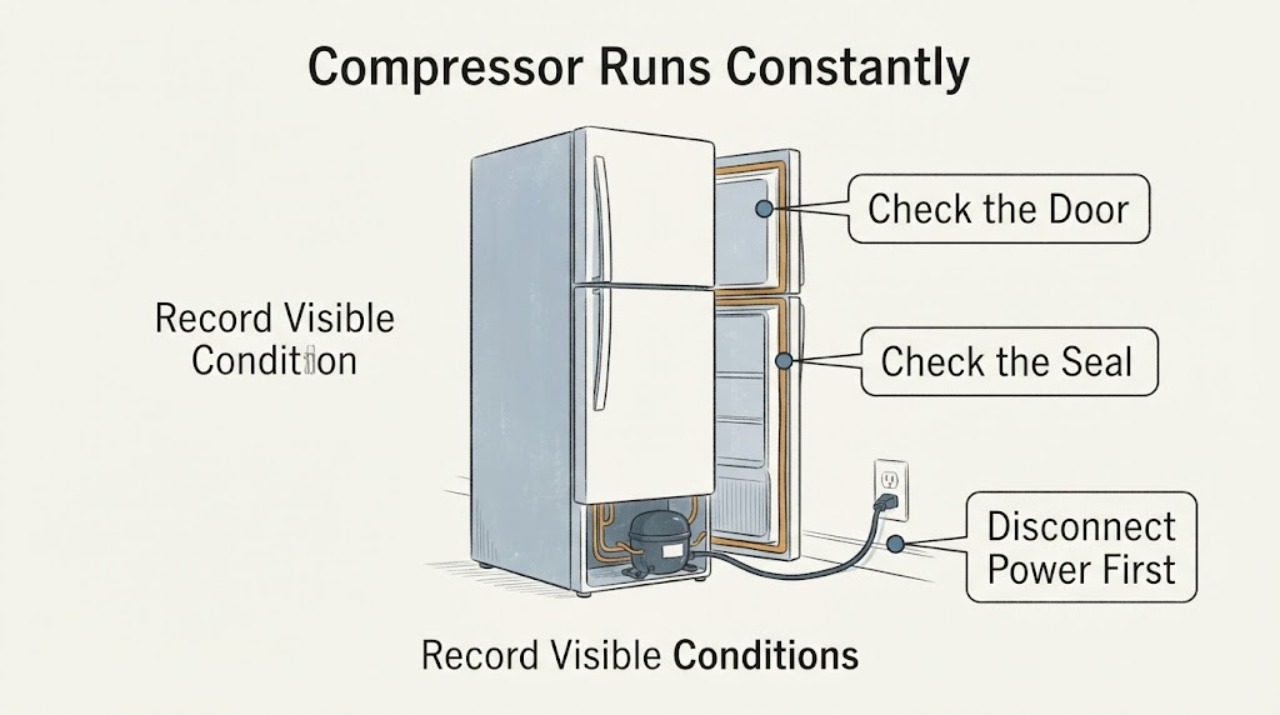
Work through in order
Diagnostic checks
Use only checks that match the exact appliance or system and its official guide.
-
Check 1
Confirm that the sound is coming from the compressor rather than a circulation fan, ice maker, or cabinet vibration, and record the actual refrigerator and freezer temperatures with thermometers while keeping the doors closed as much as practical.
Expected result: The compartments hold their intended temperatures and food is not spoiling, or one or both compartments are warming despite the reported compressor sound.
Next step: If temperatures and food condition are stable, continue observation instead of declaring the compressor failed. If temperatures are rising, continue with the external checks below and prepare for service if they do not recover.
Why this matters
Why: Samsung says compressor sound can vary with operating speed, and its cooling guidance says a running refrigerator with no spoilage and no error code does not require service. A warm compartment or spoiled food makes the sound a cooling symptom rather than a standalone noise concern.
-
Check 2
After any temperature or cooling-setting change, leave the RT18M6213SR undisturbed long enough for the setting and compartments to stabilize. Samsung states that the panel may take up to four hours to show a changed temperature and the refrigerator may take up to 28 hours to reach it when the doors remain closed.
Expected result: The measured temperatures return to the expected range during the recovery period, or they remain warm after the recovery period has passed.
Next step: If temperatures recover, stop changing settings and monitor a normal cycle. If they do not recover, request Samsung service after confirming the external airflow and door checks; do not keep forcing resets.
Why this matters
Why: A temporary long run after a setting change, restart, or warm-up period does not establish a compressor defect. Persistent warming after the documented stabilization period is evidence that the cooling problem needs further diagnosis.
-
Check 3
Check the external cooling conditions without opening the sealed system: leave Samsung's recommended clearance around the refrigerator, keep food from blocking interior vents, confirm the doors close fully, and inspect the gaskets for damage or gaps. Repeat a check only if the installation or contents have changed since the checks reported in the original post.
Expected result: A tight installation, blocked vent, door obstruction, failed gasket seal, direct heat, or insufficient ventilation is present, or those conditions are already clear.
Next step: Correct only the visible external condition, then allow the full stabilization period and recheck temperatures. If the conditions are already correct and the compartments remain warm, move to service rather than repeating the same checks.
Why this matters
Why: Samsung identifies blocked airflow, doors that do not seal, frequent door opening, heat, and direct sunlight as conditions that increase cooling load and compressor activity. These observations do not prove an internal compressor or refrigerant failure.
-
Check 4
Use the measured results to decide whether the complaint is normal operation or a cooling fault: compare the stable temperatures and food condition with the reported loudness of the compressor. Do not use cabinet warmth or sound alone to identify a sealed-system leak.
Expected result: The refrigerator cools normally but the sound is unusually loud, or it runs loudly while temperatures are poor and food is warming or spoiling.
Next step: Request Samsung service with the model, temperature log, duration of the run, and checks already completed. Keep the refrigerator operating only while it maintains safe food temperatures; transfer perishable food if it does not.
Why this matters
Why: Samsung says a compressor sound that is very loud warrants support, and its cooling guide directs service when food is spoiling after the external steps. Neither result identifies a failed compressor, refrigerant leak, or other specific internal part without professional testing.
Use your observations
Decision map
Find the observation that best matches what you see, then follow the next safe action.
-
PATH 01Next step
What you see
The RT18M6213SR holds stable temperatures, food is not spoiling, and no error code is displayed even though the compressor sound is noticeable.
Do this next
Monitor temperatures and noise over normal cycles. If the sound becomes very loud or starts interrupting conversation, contact Samsung support even if cooling remains adequate.
Why this path and its safety boundary
Why it matters: Samsung documents variable compressor operation and says service is not required when the refrigerator is running normally without spoilage or an error code.
-
PATH 02Next step
What you see
The refrigerator or freezer remains warm after the 28-hour stabilization period, or food is spoiling, while the reported external airflow and door-seal checks are correct.
Do this next
Request Samsung service with the exact RT18M6213SR model and temperature measurements. Do not open the sealed system, add refrigerant, or order a compressor from the symptom alone.
Why this path and its safety boundary
Why it matters: The refrigerator has a persistent cooling problem that the supported external checks did not resolve; the compressor sound alone still does not identify the failed part.
-
PATH 03Next step
What you see
The sound is unusually loud, the cabinet is exposed to heat or restricted ventilation, or a door is not sealing fully.
Do this next
Correct the visible external condition, allow the refrigerator to stabilize, and recheck temperatures. Contact Samsung if the loudness remains or cooling is poor.
Why this path and its safety boundary
Why it matters: Samsung identifies installation, heat, door, and airflow conditions that can increase compressor activity or noise, but a loud sound that persists after correction can require service.
-
PATH 04Next step
What you see
A temperature log shows worsening cooling, food is warming or spoiling, an error appears, or the refrigerator repeatedly trips power.
Do this next
Stop user troubleshooting and request Samsung service. Protect perishable food and do not perform live electrical or sealed-system tests.
Why this path and its safety boundary
Why it matters: The symptom has exceeded normal operating-noise guidance and needs professional evaluation; it does not prove a compressor or sealed-system failure.
Helpful context
Understand the symptom
A constant sound is not the same as a confirmed compressor failure
Samsung's RT18M6213SR/AA product page identifies this as a 17.6 cu. ft. top-freezer refrigerator with Twin Cooling Plus. Samsung's noise guide says the compressor can sound like a quiet engine or motor, run at low or high speed, and change speeds as it operates. The reported Reddit post names this model and says the owner already checked the condenser area, fans, evaporator area, defrost time, and door seals, but the post's sealed-system suspicion is not a confirmed diagnosis. Use compartment temperatures and food condition to decide whether the cooling system is actually failing.
Give the exact model time to stabilize after a setting change
Samsung's cooling guide says the display can take up to four hours to show a changed setting and the refrigerator can take up to 28 hours to reach that temperature when the doors are not opened. Do not keep changing the setting or treat a short run after a restart as proof of a failed compressor. If the measured temperatures remain poor after the documented recovery period and the external checks are sound, the next step is service-level diagnosis.
When checks do not resolve it
Need a professional?
Contact Samsung service if the RT18M6213SR remains warm or food is spoiling after the documented stabilization period and external checks, if the compressor noise is unusually loud, or if an error or power symptom appears. Do not infer a compressor or refrigerant failure without professional testing.
Common questions
FAQ
Does a Samsung RT18M6213SR compressor running constantly prove it is bad?
No. Samsung says the compressor can run at low or high speed and change speeds. Judge the condition by stable compartment temperatures, food condition, error codes, and unusual loudness rather than run time alone.
How long should the RT18M6213SR take to stabilize after a temperature change?
Samsung's cooling guide says the display may take up to four hours to show a changed setting and the refrigerator may take up to 28 hours to reach the temperature when the doors are not opened. Use a temperature log instead of repeatedly changing the setting.
What should I check after the condenser, fans, evaporator, defrost, and door seals were already checked?
Check the measured refrigerator and freezer temperatures and food condition over the stabilization period, then confirm external clearance and that vents and doors remain unobstructed. If cooling stays poor, request service instead of repeating the same checks or diagnosing a sealed-system leak.
Can I add refrigerant or replace the compressor myself?
No. Continuous operation does not identify a refrigerant leak or compressor failure. Samsung's guidance directs service when cooling remains poor or noise is very loud; sealed-system and compressor work should be left to qualified service.
Read the exact guide
Official sources
- How to fix a noisy Samsung refrigerator compressorSamsung Gulf Support · Used for external causes that can increase compressor activity or noise, including ventilation, door closure, temperature changes, food/vent arrangement, heat, and the service boundary for suspected internal gas-system problems. It explicitly says specific compatibility should be checked against the model manual.
- Samsung Fridge/Freezer compressor constantly running(basic trouble shooting already completed)Reddit r/appliancerepair · Used only to preserve the reported identity and prior checks: Samsung RT18M6213SR, constant loud running, condenser/fan/evaporator/defrost/door-seal checks, and an unverified sealed-system suspicion. No repair outcome or diagnosis is treated as established.
- 17.6 cu.ft.Top-Mount Refrigerator with Twin Cooling Plus™ and Flex Zone™ | RT18M6213SR/AASamsung Business Canada · Used for exact product identity and model-specific design context: 17.6 cu. ft. top-mount refrigerator, Twin Cooling Plus, and Samsung user-manual support entry. It is not used to infer a compressor failure or an unseen repair procedure.
- Cooling issues with Samsung refrigerator or freezerSamsung Support US · Used for measured cooling decisions, 4-hour display/28-hour stabilization guidance, clearance and vent checks, door-seal checks, and the condition that service is not required when the refrigerator runs, food is not spoiling, and no error code is displayed.
- Understanding the different noises coming from your Samsung refrigeratorSamsung Support US · Used for compressor sound and speed variation, the distinction between normal and very loud humming, and the recommendation to request service when the sound is unusually loud.
Community feedback
Share a repair observation
Share a plain-text repair observation. Accepted observations are published automatically; this page may take a moment to update.