
On this page
Start here
Quick answer
For a Samsung refrigerator that is not dispensing, confirm the control lock is off and Water is selected, then separate silent operation from slow flow. Check only visible supply, tubing, and model-specific filter conditions. Persistent no-flow, leaks, or damaged fittings require qualified service.
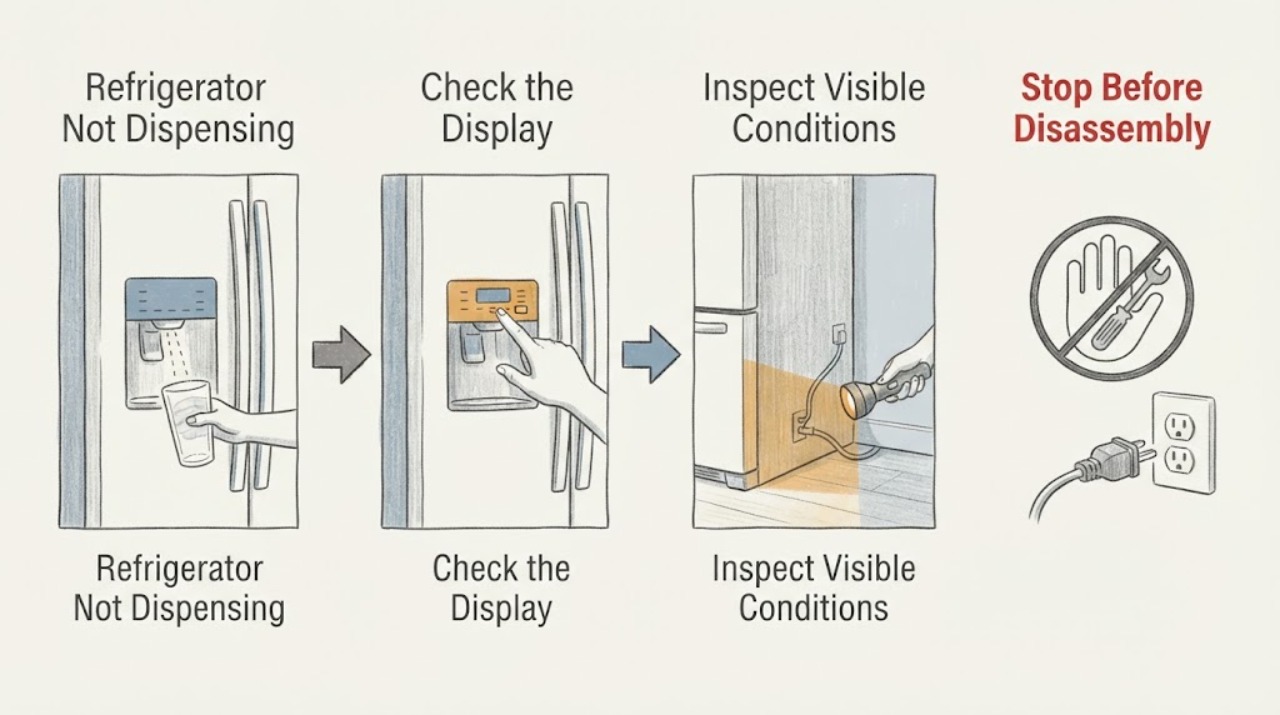
Work through in order
Diagnostic checks
Use only checks that match the exact appliance or system and its official guide.
-
Check 1
Select Water at the dispenser and verify the control lock is off; do not force the paddle or lever.
Expected result: Observe the result of this check and compare it with the symptom described.
Next step: Unlock using the model’s documented control and try once.
Why this matters
Why: Samsung identifies lock state and selecting Water as first user checks.
-
Check 2
Observe whether the dispenser makes a sound, dispenses slowly, or remains completely silent, and whether ice dispensing is affected separately.
Expected result: Observe the result of this check and compare it with the symptom described.
Next step: Record the pattern and stop if the paddle or housing is damaged.
Why this matters
Why: A silent dispenser and a restricted flow lead to different checks; one symptom does not identify a valve or board.
-
Check 3
Check the external water supply and visible tubing for a closed valve, kink, leak, or recent installation change without disconnecting fittings.
Expected result: Observe the result of this check and compare it with the symptom described.
Next step: Restore only an obviously closed accessible valve when safe; do not loosen pressurized connections.
Why this matters
Why: A restricted supply can prevent dispensing, while a leak or damaged tube is a service boundary.
-
Check 4
If the model uses a water filter, check its seating and replacement state using the exact Samsung model manual.
Expected result: Observe the result of this check and compare it with the symptom described.
Next step: Do not force the filter or bypass a safety feature; arrange service if flow remains absent.
Why this matters
Why: Samsung’s guidance varies by model and includes filter checks; a filter symptom does not justify ordering a universal part.
-
Check 5
Compare water dispensing with ice dispensing and note whether the refrigerator is otherwise powered and cooling.
Expected result: Observe the result of this check and compare it with the symptom described.
Next step: Use the exact model troubleshooting path and keep the unit off for leaks or electrical symptoms.
Why this matters
Why: A single dispenser function points toward its local path; total appliance power loss needs Samsung’s power guidance instead.
-
Check 6
Record model/serial information, lock state, selected mode, flow pattern, filter status, supply/tube observations, and any leak.
Expected result: Observe the result of this check and compare it with the symptom described.
Next step: Arrange qualified service for persistent no-flow, leaks, damage, or any internal-access need.
Why this matters
Why: This gives service a decision-ready symptom record without assuming a clogged filter or failed valve.
Use your observations
Decision map
Find the observation that best matches what you see, then follow the next safe action.
-
PATH 01Next step
What you see
The lock was active or Water was not selected, and dispensing returns after the documented control change.
Do this next
Monitor one normal use and stop if the failure returns.
Why this path and its safety boundary
Why it matters: This matches Samsung’s user-control branch.
-
PATH 02Next step
What you see
Water is selected and unlocked, but flow is slow or absent while visible supply/filter checks are normal.
Do this next
Keep the dispenser out of use and arrange model-specific service.
Why this path and its safety boundary
Why it matters: An internal flow, filter-seat, valve, or control issue is possible, but the symptom alone does not identify a part.
-
PATH 03Next step
What you see
The tube is kinked, leaking, or a fitting is damaged.
Do this next
Stop dispensing, close the supply only when safe, and arrange qualified repair.
Why this path and its safety boundary
Why it matters: The symptom involves water-supply integrity and can cause property damage.
-
PATH 04Next step
What you see
The refrigerator has no power or shows smoke, heat, or electrical damage.
Do this next
Stop use and use qualified appliance/electrical help.
Why this path and its safety boundary
Why it matters: This is a power/safety issue rather than a dispenser adjustment.
Helpful context
Understand the symptom
The dispenser-specific decision is to split control state, flow pattern, and water-supply integrity before suspecting a component: a lock or wrong mode can be corrected, while normal controls with absent flow require model-specific service.
When checks do not resolve it
Need a professional?
Provide the full model and serial information, the exact display or symptom, what changed after each safe check, and any visible hazard to a qualified technician.
Common questions
FAQ
Why is my Samsung refrigerator water dispenser not working?
Check that the lock is off and Water is selected, then inspect only visible supply, tube, and model-specific filter conditions. Persistent no-flow needs service.
Can a Samsung control lock stop dispensing?
Yes. Samsung’s support guidance says to unlock the controls and select Water before testing the dispenser.
Should I force the Samsung water filter?
No. Use the exact model manual for filter seating or replacement; stop for resistance, leaks, or damage.
When should I stop using the dispenser?
Stop for leaks, a damaged tube or fitting, persistent no-flow after safe checks, or any electrical hazard.
Read the exact guide
Official sources
- Samsung refrigerator water dispenser troubleshootingSamsung · Samsung refrigerator not dispensing water: lock, water selection, filter and model-manual checks.
Community feedback
Share a repair observation
Share a plain-text repair observation. Accepted observations are published automatically; this page may take a moment to update.