
On this page
Start here
Quick answer
A Samsung refrigerator that is freezing food needs a temperature, airflow, door-seal, and compartment check before a part is named. Confirm the setting and food placement, inspect the gasket and vents, and monitor after a model-correct adjustment; persistent freezing with an error or damaged seal needs service.
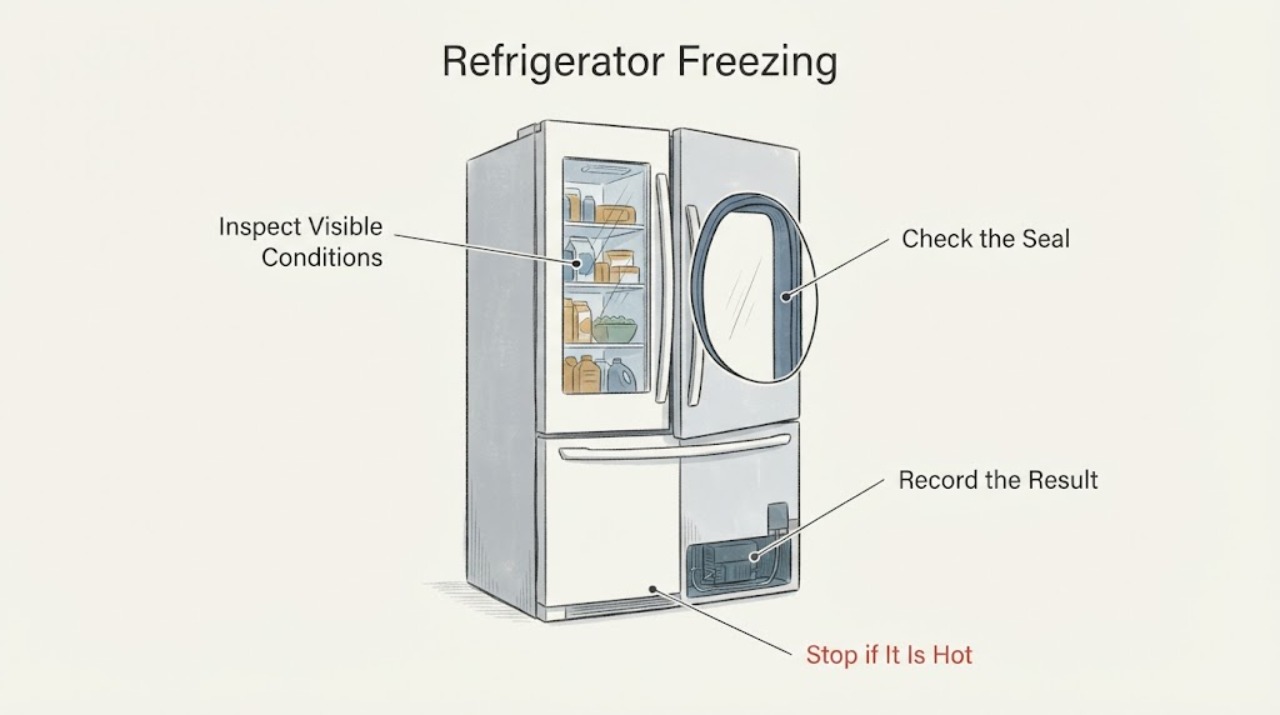
Work through in order
Diagnostic checks
Use only checks that match the exact appliance or system and its official guide.
-
Check 1
Observe the light, display, cooling, sound, and any water or heat from outside the cabinet without removing panels.
Expected result: The symptom is isolated to light, temperature, cooling, drain, noise, heat, or an electrical hazard.
Next step: Stop use and arrange qualified service for any electrical hazard or worsening heat.
Stop if: Stop and arrange qualified service for smoke, burning odor, sparks, damaged wiring, water near electrics, or repeated protective-device trips.
Why this matters
Why: The combination of symptoms identifies the safe branch; sparks, burning odor, smoke, or a hot damaged cord overrides routine checks.
-
Check 2
Check the control setting, door closure, gasket contact, and accessible air vents for an obvious setting or obstruction issue.
Expected result: A door gap, blocked vent, incorrect setting, or no accessible issue is found.
Next step: Correct only an accessible obstruction or documented setting; do not remove covers or harnesses.
Stop if: Stop and arrange qualified service for smoke, burning odor, sparks, damaged wiring, water near electrics, or repeated protective-device trips.
Why this matters
Why: Door sealing, settings, and airflow can alter cooling, frost, temperature alarms, and run time.
-
Check 3
Look for a blinking temperature panel or an exact error code and record it before power cycling.
Expected result: A recognizable code or blinking high-temperature display is present, or the panel is normal.
Next step: Record the display and use the exact model support path; do not try to erase an error by repeated resets.
Stop if: Stop and arrange qualified service for smoke, burning odor, sparks, damaged wiring, water near electrics, or repeated protective-device trips.
Why this matters
Why: Samsung treats codes as diagnostic information and links blinking displays to high temperature, open doors, or recovery after power loss.
-
Check 4
If the symptom remains, note whether one compartment is affected, whether water stands in the drain area, and whether unusual noise or heat persists after external checks.
Expected result: The symptom resolves, remains isolated, or affects cooling and electrical behavior together.
Next step: Protect food and arrange qualified Samsung service; do not add refrigerant or probe live wiring.
Stop if: Stop and arrange qualified service for smoke, burning odor, sparks, damaged wiring, water near electrics, or repeated protective-device trips.
Why this matters
Why: A persistent combined symptom exceeds a user adjustment and may involve a fan, control, drain, or sealed cooling system.
Use your observations
Decision map
Find the observation that best matches what you see, then follow the next safe action.
-
PATH 01Next step
What you see
The issue follows an open door, blocked vent, incorrect setting, or transient high-temperature display and then clears.
Do this next
Correct the accessible condition and monitor using the exact model guidance.
Why this path and its safety boundary
Why it matters: An external condition or documented recovery behavior is more likely than a failed part.
-
PATH 02Next step
What you see
A code remains, a light or display flickers with harness concerns, water remains, or cooling is persistently abnormal.
Do this next
Record the code and symptom pattern, then request Samsung service.
Why this path and its safety boundary
Why it matters: The refrigerator needs model-specific diagnosis beyond routine care.
-
PATH 03Next step
What you see
Sparks, smoke, burning smell, repeated breaker trips, or a hot damaged cord or cabinet is present.
Do this next
Stop operating the refrigerator and contact qualified emergency, electrical, or appliance service as appropriate.
Why this path and its safety boundary
Why it matters: The symptom is an electrical or fire hazard and routine refrigerator checks are unsafe.
Helpful context
Understand the symptom
What the symptom can mean
This samsung refrigerator symptom can come from an accessible condition, a control state, or a component that requires qualified service.
Use the result to choose the next step
Record what you observed and stop when the safety or service boundary below applies.
When checks do not resolve it
Need a professional?
Arrange qualified appliance service when the symptom persists after the documented user-accessible checks, a protective device trips again, or the diagnosis would require opening panels, accessing wiring, refrigerant circuits, sealed mechanisms, or motor and control components.
Common questions
FAQ
Can I keep using the refrigerator while this symptom continues?
Use it only when the accessible checks show normal operation and no safety warning; stop for persistent faults, heat, smoke, water near electrics, sparks, or repeated protective-device trips.
When should I stop troubleshooting?
Stop when the symptom repeats after the documented user checks, when a panel or sealed system would need to be opened, or when any electrical, fire, water, or mechanical hazard appears.
Read the exact guide
Official sources
- Samsung refrigerator error codesSamsung · Samsung refrigerator error-code handling and service boundary
- Cooling issues with Samsung refrigerator or freezerSamsung · Samsung refrigerator cooling, temperature, door, and recovery checks
- Samsung refrigerator temperature display keeps blinkingSamsung · Samsung refrigerator blinking display, high-temperature, and door-open behavior
- Samsung refrigerator is making unusual noisesSamsung · Samsung refrigerator fan, door harness, frost, and unusual-noise checks
Community feedback
Share a repair observation
Share a plain-text repair observation. Accepted observations are published automatically; this page may take a moment to update.