
On this page
Start here
Quick answer
Start by identifying which Samsung vacuum you have, because a corded canister or upright, a cordless Jet or Jet Stick, and a Jet Bot use different no-start checks. For a corded vacuum, confirm the cord is fully inserted into a working outlet. For a cordless Jet, a low or blinking battery indicator means it needs charging, while a blocked pipe, dustbin, brush, or filter can trigger a thermal shutdown. For a Jet Bot, turn on its bottom power switch and check that the docking station has power and the charging pins align. If the vacuum still will not start, repeatedly cuts out, or has a hot or damaged charger, smoke, or a burning odor, stop using it and request Samsung service.
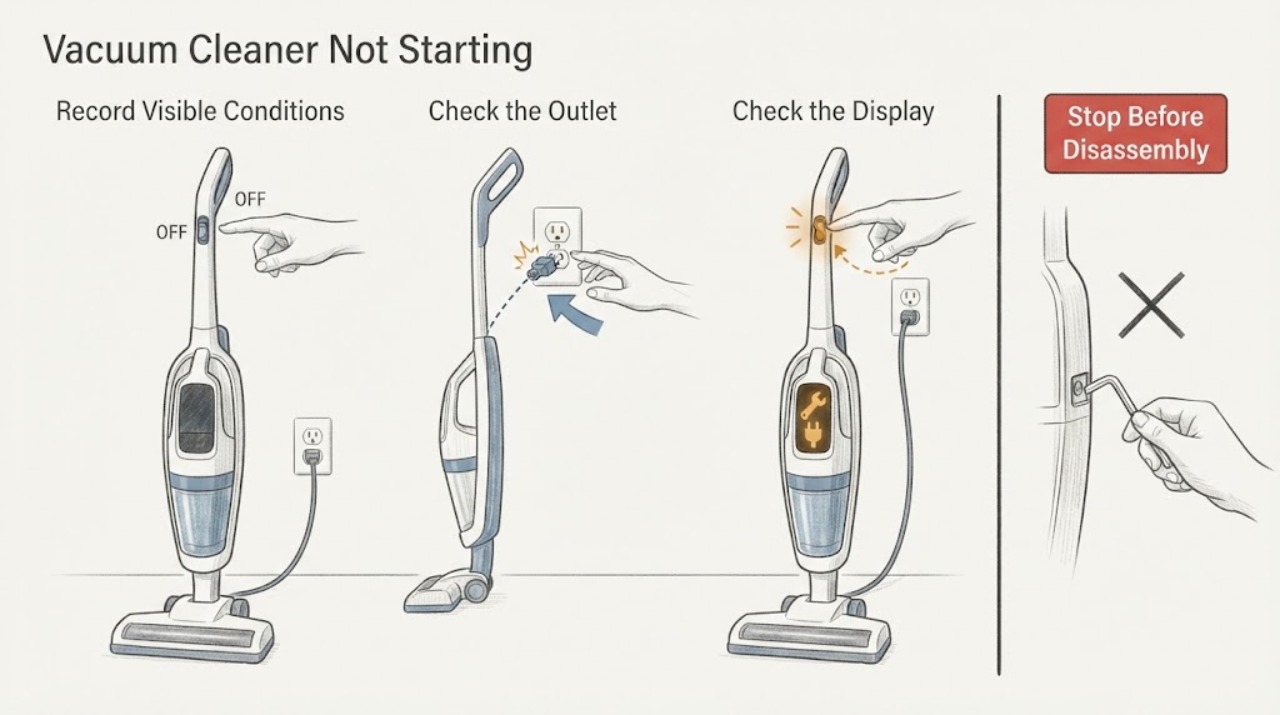
Work through in order
Diagnostic checks
Use only checks that match the exact appliance or system and its official guide.
-
Check 1
Identify the vacuum's architecture and record the model code: a corded canister or upright has a mains cord, a Jet or Jet Stick has a removable or built-in battery and charger, and a Jet Bot has a docking station and a power switch on its underside. Do not use a cordless charging procedure on a corded vacuum or mix instructions from another vacuum family.
Expected result: The vacuum is corded, a cordless Jet or Jet Stick, a Jet Bot robot, or the product type and model code are unclear.
Next step: Use the model code in Samsung Vacuum Support to select the matching family guidance. If the model cannot be identified, stop at identification rather than opening the vacuum or ordering a generic battery, motor, or charger.
Why this matters
Why: Samsung provides separate instructions for these vacuum families. The same no-start symptom can mean an outlet issue on a corded unit, a low battery or thermal cutout on a Jet, or a power or dock issue on a Jet Bot.
-
Check 2
For a corded Samsung canister or upright, firmly insert the power cord into a known working outlet. Test the outlet with a lamp or another safe appliance, and inspect the accessible plug and cord for visible damage without opening the vacuum.
Expected result: The outlet has no power; the cord or plug is visibly damaged or loose; the outlet works but the vacuum remains completely inactive; or the vacuum turns on and off by itself.
Next step: Restore power at the outlet only if the household circuit is safe to use. Do not use a damaged cord or repeatedly test a vacuum that cycles by itself; request Samsung service if the outlet is working but the vacuum still will not start.
Why this matters
Why: A dead outlet or an incompletely inserted cord can explain a corded no-start symptom. A working outlet with a dead or self-cycling vacuum is not explained by the outlet check and needs service diagnosis.
-
Check 3
For a cordless Samsung Jet or Jet Stick, read the battery indicator before pressing the power button repeatedly. If it is at its lowest level or blinking, place the battery or vacuum on its correct charger and confirm the charger plug and charging contacts are clean, aligned, and fully connected.
Expected result: The battery indicator shows a low or blinking charge; charging begins; the charger has no indicator or a damaged plug; or the vacuum still does not start after a proper charge.
Next step: Charge using the model's normal setup and do not substitute an unapproved charger. If the contacts, plug, or battery are damaged, or the vacuum remains inactive after charging, stop and request Samsung service with the model code and indicator behavior.
Why this matters
Why: Samsung identifies a low or blinking battery as a charging condition and says dust or a poor fit at charging contacts can prevent charging. A correctly connected charger that does not restore operation leaves a battery, control, or motor fault unresolved.
-
Check 4
With a Jet or Jet Stick turned off and disconnected from its charger, inspect the dustbin, pipe, filter, and spinning brush for an accessible blockage or packed debris. Empty the dustbin and clean only the user-removable filter or path described by the model instructions; do not dismantle the motor or battery housing.
Expected result: The dustbin is full, the pipe or brush is blocked, the filter needs cleaning, the brush is stuck, or the accessible paths are clear.
Next step: Clear the accessible obstruction and allow the vacuum to cool before one supervised retest; Samsung's Jet guidance allows a cooling period that can range from 5 to 30 minutes. If it still will not operate, stop testing and request service.
Why this matters
Why: Samsung says a full dustbin or blockage can make a Jet work harder and overheat, causing an automatic protective shutdown. A clear path does not prove which internal part has failed, but it makes repeated blockage less likely.
-
Check 5
For a Samsung Jet Bot, switch the power switch on the bottom off, wait at least 5 seconds, switch it back on, and press the Start/Stop button on the robot itself. If it remains off, place it on a powered dock with the charging pins aligned and wait at least 5 minutes before trying the button again.
Expected result: The Jet Bot powers on after the switch cycle; the dock shows charging; the pins do not make a clean connection; or the robot remains inactive after the docked charge attempt.
Next step: Keep the dock and vacuum on a stable, powered surface and request Samsung service if the Jet Bot still will not start. Do not open the robot or bypass its battery or charging safety controls.
Why this matters
Why: Samsung's Jet Bot procedure treats the underside switch, local Start/Stop control, working dock outlet, pin alignment, and charge indication as separate checks. Failure after those checks is a service boundary rather than evidence for a particular replacement part.
Use your observations
Decision map
Find the observation that best matches what you see, then follow the next safe action.
-
PATH 01Next step
What you see
A corded canister or upright vacuum is dead at a known working outlet, or it turns on and off by itself.
Do this next
Stop repeated power testing and request Samsung service, providing the model code and whether the vacuum was completely inactive or self-cycling.
Why this path and its safety boundary
Why it matters: Samsung's corded-vacuum guidance does not attribute this pattern to a normal operating state once outlet power and cord insertion are confirmed.
-
PATH 02Next step
What you see
A Jet or Jet Stick shows a low or blinking battery indicator, or it stopped after the pipe, dustbin, brush, or filter became restricted.
Do this next
Charge with the proper setup, clear the accessible path, and allow the vacuum to cool before one retest. Request service if the indicator, cutoff, or no-start condition returns.
Why this path and its safety boundary
Why it matters: The immediate next decision is charging or cooling after clearing an accessible restriction, rather than replacing a motor based only on the no-start symptom.
-
PATH 03Next step
What you see
A Jet or Jet Stick has a clean, unobstructed path and a properly connected charger but still remains inactive, or the charger plug or contacts are damaged.
Do this next
Keep the vacuum out of use and request Samsung service with the model, battery indication, charging behavior, blockage findings, and visible charger condition.
Why this path and its safety boundary
Why it matters: The external battery and airflow checks have not established a user-serviceable cause. Continued testing can stress a damaged charging connection or conceal an internal fault.
-
PATH 04Next step
What you see
A Jet Bot remains off after its underside power cycle and a correctly aligned, powered docking charge attempt.
Do this next
Stop testing and request Samsung service. Keep the exact model and the dock or LED observations available for the service request.
Why this path and its safety boundary
Why it matters: Samsung routes a Jet Bot that still will not turn on to service; the symptom alone does not identify the battery, dock, switch, or control board.
Helpful context
Understand the symptom
A Samsung vacuum that does not start may be a corded canister or upright, a cordless Jet or Jet Stick, or a Jet Bot robot. Confirm the product type before trying a reset or ordering a part. Samsung's support area uses the model code or product name to locate the matching instructions, and the manufacturer routes a vacuum that remains inoperative to service.
When checks do not resolve it
Need a professional?
Request Samsung service when a corded canister or upright remains inactive at a known working outlet, a vacuum starts and stops by itself, a Jet or Jet Stick remains off after a proper charge and accessible blockage check, or a Jet Bot remains off after the documented switch and dock checks. Provide the exact model code, battery or display indication, charger and dock behavior, blockage findings, and whether the vacuum stopped after overheating. Stop using it immediately for a hot or damaged plug, charger, or cord, smoke, burning odor, sparking, or abnormal heat, and obtain qualified appliance or electrical help.
Common questions
FAQ
Why does the Samsung vacuum model matter if it will not start?
Samsung has separate no-start paths for corded canister or upright vacuums, cordless Jet and Jet Stick models, and Jet Bot robots. Their power sources, controls, charging arrangements, and protective shutdown behavior differ, so use the model code to select the matching support instructions.
Could a blocked Samsung Jet stop it from starting?
Yes. Samsung says a full dustbin or blocked pipe or brush can make a Jet overheat and shut off protectively. Turn it off, clear only accessible restrictions, clean the model-approved filter, and let it cool before one retest. If it remains inactive, request service.
What should I check if my Samsung Jet Bot will not turn on?
Use the power switch on the bottom, wait at least 5 seconds, switch it back on, and press Start/Stop on the robot. If it remains off, connect it to a powered dock with the charging pins aligned and wait at least 5 minutes. Request service if it still will not start.
Should I replace the Samsung vacuum battery or motor because it will not start?
No part is established by the no-start symptom alone. First identify the model and use its power, charging, blockage, and cooling checks. If the external checks do not restore operation, let Samsung service identify the failed part and compatible repair.
Read the exact guide
Official sources
- Jet Bot will not turn onSamsung · Samsung Jet Bot robot vacuum power-cycle, local Start/Stop, dock charging, and service guidance.
- Samsung Jet Stick suddenly stops during cleaningSamsung · Samsung Jet Stick overheating protection, dustbin, blockage, cooling, and service guidance.
- How to troubleshoot & resolve a Jet Vacuum power issueSamsung · Samsung Jet cordless vacuum power, battery, charging-contact, blockage, filter, and thermal-shutdown guidance.
- Canister or upright vacuum will not turn onSamsung · Samsung corded canister and upright vacuum no-start power and outlet checks.
- Vacuum SupportSamsung · Samsung vacuum model-code and product-name support lookup, troubleshooting, and service routing.
Community feedback
Share a repair observation
Share a plain-text repair observation. Accepted observations are published automatically; this page may take a moment to update.