
On this page
Start here
Quick answer
Check power or charging, then clear ordinary-access blockages and verify the filter is correctly fitted and fully dry. Retry once after cooling; persistent silence, cutout, damaged wiring, or a burning smell requires service.
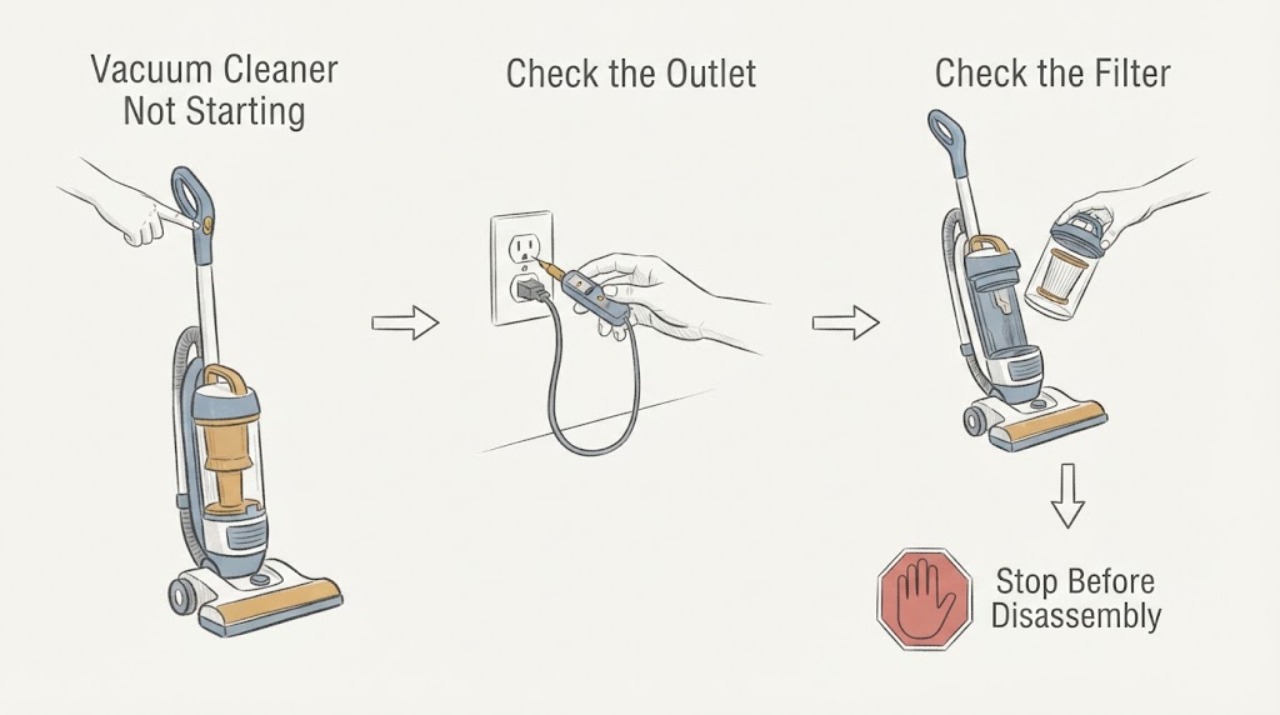
Work through in order
Diagnostic checks
Use only checks that match the exact appliance or system and its official guide.
-
Check 1
Check the household outlet or charger, plug/cord condition, and the machine’s power indicator; charge a cordless unit using its normal charger.
Expected result: The outlet is dead, the indicator shows no charge, or the machine has a battery/charger alert.
Next step: Use a known working outlet and the correct charger; do not use a damaged cord or charger.
Why this matters
Why: Incoming power, depleted battery, or charger failure can prevent starting before a motor fault is considered.
-
Check 2
With power disconnected, inspect and clear the bin inlet, wand, hose, cleaner head, and filter for blockages or incorrect seating.
Expected result: Hair/debris blocks the path, the filter is not fitted, or the airflow path is clear.
Next step: Clear removable obstructions and refit the filter; do not operate while partially dismantled.
Why this matters
Why: Dyson identifies blockages and filter condition as reasons for cutout or failure and requires correct filter fit.
-
Check 3
Allow the vacuum to cool, then retry once after the filter is fully dry and all parts click into place.
Expected result: It starts normally, pulses/cuts out, or remains completely silent.
Next step: Arrange Dyson or qualified service for repeated failure or a hot/burning symptom.
Why this matters
Why: Recovery after cooling points to thermal protection; persistent silence with power and assembly confirmed points to battery, charger, switch, or main body service.
Use your observations
Decision map
Find the observation that best matches what you see, then follow the next safe action.
-
PATH 01Next step
What you see
The outlet/charger works and the vacuum starts after clearing a blockage or cooling.
Do this next
Use the correct filter maintenance and monitor for repeat cutouts.
Why this path and its safety boundary
Why it matters: A restricted airflow path or thermal protection was likely involved.
-
PATH 02Next step
What you see
Power is present but the unit remains silent after dry filter, clear path, and cooldown checks.
Do this next
Stop and contact the manufacturer or qualified service.
Why this path and its safety boundary
Why it matters: Battery, charger, switch, or main body failure is more likely than a simple blockage.
Helpful context
Understand the symptom
This guide focuses on vacuum cleaner not starting and uses each observation to select the next safe check.
When checks do not resolve it
Need a professional?
Arrange qualified service when external checks do not restore operation or when there is damaged wiring, smoke, burning smell, sparking, gas odor, overheating, or repeated breaker trips.
Common questions
FAQ
What should I check first on a cordless vacuum?
Dyson recommends checking charge, battery, charger, and the main body before deeper service.
Can a blocked filter stop a vacuum starting?
A blocked or incorrectly fitted filter can trigger protection or prevent operation on some models; follow the exact guide.
How long should it cool?
Use the model guidance; Dyson troubleshooting for an overheated unit instructs unplugging and cooling before retrying.
Read the exact guide
Official sources
- Support | Dyson V15 Detect™ vacuumDyson · vacuum cleaner no power and not turning on
- Support | TroubleshootingDyson · vacuum cleaner power and filter checks
Community feedback
Share a repair observation
Share a plain-text repair observation. Accepted observations are published automatically; this page may take a moment to update.