
On this page
Start here
Quick answer
Start by identifying whether your Samsung vacuum is a corded canister or upright, a cordless Jet Stick, or a Jet Bot robot, because the first check differs. For a corded vacuum, test the wall outlet and fully seated power cord. For a Jet Stick, empty the dustbin, clear the pipe and spinning brush, and let the vacuum cool if it stopped during cleaning. For a Jet Bot, turn on the bottom power switch and confirm the dock has power, clean charging pins, and aligned contacts. If the correct model-specific checks do not restore operation, request Samsung service rather than opening the battery, motor, or charging electronics.
Work through in order
Diagnostic checks
Use only checks that match the exact appliance or system and its official guide.
-
Check 1
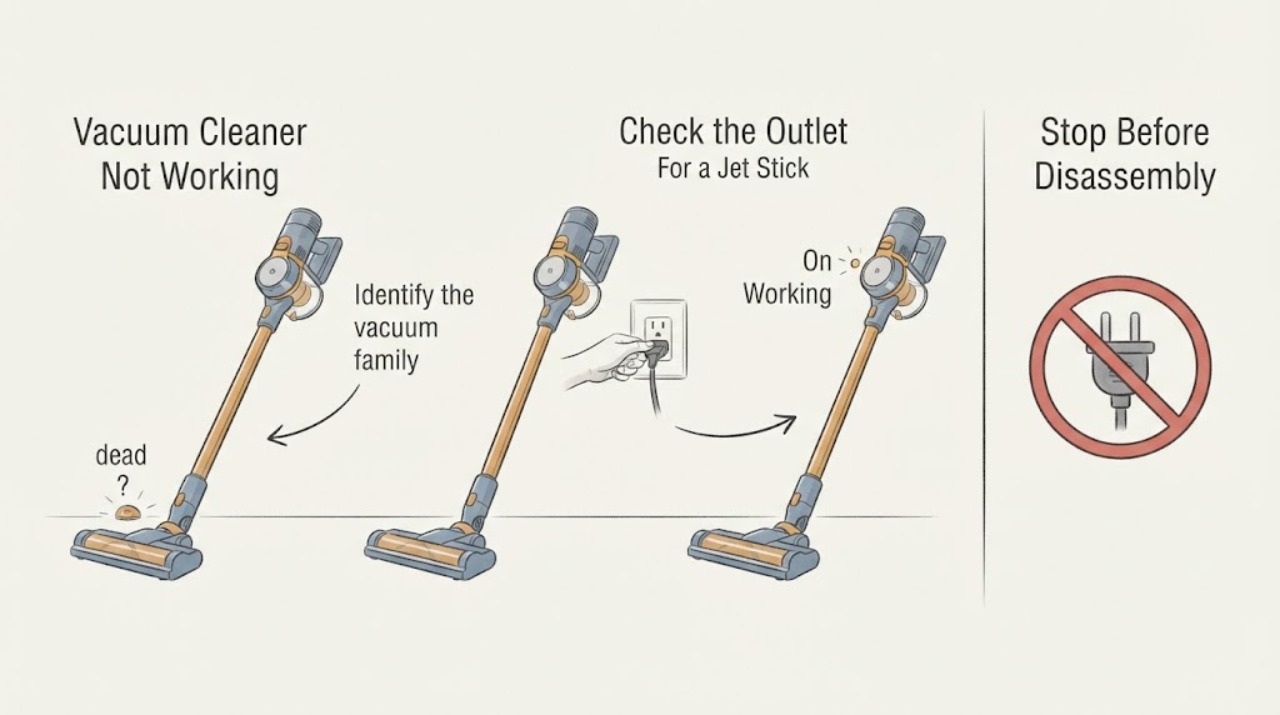
Identify the vacuum family from its model label and physical design, then note the exact failure: no lights or motor, starts and stops, stopped while cleaning, brush not spinning, or Jet Bot not charging.
Expected result: A wall cord indicates a canister or upright; a removable battery and handheld body indicate a Jet Stick; a floor robot and docking station indicate a Jet Bot.
Next step: Use the matching branch below and keep the full model number for any later service request or part lookup.
Why this matters
Why: Samsung provides different first checks for these families, so the same no-power instruction should not be applied to a cordless stick or robot.
-
Check 2
For a Samsung canister or upright vacuum, firmly insert the power cord into a known-working wall outlet and test that outlet with a lamp or other small device; press the center of the vacuum's power button once.
Expected result: If the lamp also fails, the outlet has a household power problem. If the outlet works but the vacuum has no response or repeatedly turns itself on and off, the vacuum remains abnormal.
Next step: Use a working outlet for the vacuum only when the cord and plug are undamaged; if it still does not run or cycles by itself, stop testing and request Samsung service.
Why this matters
Why: Samsung's corded-vacuum guidance uses the outlet and fully inserted cord to separate a supply problem from a vacuum that needs service.
-
Check 3
For a Samsung Jet Stick that stopped during cleaning, turn it off, empty the dustbin, and check the pipe, inlet, and spinning brush for hair or other foreign matter before restarting it.
Expected result: A full dustbin or blocked suction path can cause overheating protection to stop the Jet Stick; a brush that remains stuck after clearing indicates a separate brush or motor issue.
Next step: With the vacuum off, allow it to cool for up to 30 minutes and try again; if it still does not operate or the brush remains stopped, request service.
Why this matters
Why: Samsung says a full dustbin or clog can overheat the Jet Stick, and its brush guide says a brush motor may need time to cool after overheating protection operates.
-
Check 4
For a Samsung Jet Bot, turn on the power switch on the bottom, press Start/Stop on the robot itself, and place it on the dock with the charging contacts aligned; confirm the dock is plugged into a working outlet.
Expected result: A charging LED that changes while the robot is on the dock indicates charging activity; no response after the switch, Start/Stop button, working outlet, and aligned contacts are checked indicates a power or service fault.
Next step: Leave the Jet Bot on the dock for at least five minutes after aligning the contacts; if it still will not turn on, request service.
Why this matters
Why: Samsung's Jet Bot power guide starts with the bottom switch and robot button, then directs you to verify the dock outlet and charging position.
-
Check 5
If a Jet Bot turns on but will not charge or repeatedly leaves the dock, unplug the dock and wipe the charging pins on both the dock and robot with a dry cloth, then return the level dock to a clear, stable location.
Expected result: Dirty or misaligned pins can prevent charging; a dock that moves, a robot that repeatedly connects and disconnects, or an LED that never indicates charging after cleaning points to a dock, contact, battery, or robot fault.
Next step: Reconnect the dock to a known-working outlet and retry once; if charging still fails, do not disassemble the battery or dock and request Samsung service.
Why this matters
Why: Samsung identifies clean contacts, a powered level dock, and correct contact alignment as the relevant charging checks before service.
Use your observations
Decision map
Find the observation that best matches what you see, then follow the next safe action.
-
PATH 01Next step
What you see
A corded canister or upright vacuum has no response, but the wall outlet powers a lamp and the cord and plug are intact.
Do this next
Stop cycling the power button and request Samsung service with the model number.
Why this path and its safety boundary
Why it matters: The external supply check passed and the vacuum itself is more likely to need service; Samsung also treats repeated self-starting or stopping as abnormal.
-
PATH 02Next step
What you see
A Jet Stick stopped during cleaning and runs again after the dustbin and suction path are cleared and the unit cools.
Do this next
Keep the dustbin, pipe, filter, and brush maintained according to the exact model guide, and stop using it if the shutdown returns without a blockage.
Why this path and its safety boundary
Why it matters: The pattern is consistent with a protective shutdown caused by restricted airflow or brush overheating, rather than proof of a failed battery.
-
PATH 03Next step
What you see
A Jet Stick remains dead after clearing obstructions and waiting for it to cool, or its powered brush remains stopped.
Do this next
Request Samsung service and do not open the battery pack or motor housing.
Why this path and its safety boundary
Why it matters: A battery, motor, control, or brush fault cannot be identified safely from external checks alone.
-
PATH 04Next step
What you see
A Jet Bot powers on but will not remain on the dock, shows no charging response, or repeatedly disconnects after the pins are cleaned and aligned.
Do this next
Leave the robot and dock unplugged if they become hot or show damage, and request Samsung service.
Why this path and its safety boundary
Why it matters: The outlet and basic contact checks did not restore charging, so the dock, contacts, battery, or robot electronics require model-specific diagnosis.
-
PATH 05Next step
What you see
Any vacuum has a damaged cord, battery swelling, liquid intrusion, burning odor, unusual heat, smoke, or exposed wiring.
Do this next
Disconnect power only if it is safe, keep the vacuum out of use, and contact Samsung or a qualified appliance technician; if there is active smoke or fire, leave the area and call emergency services.
Why this path and its safety boundary
Why it matters: This is a safety stop condition and is beyond a household no-power or clog check.
Helpful context
Understand the symptom
Samsung sells several vacuum families, and not working can mean no power, a protective shutdown, a blocked brush or airflow path, or a charging problem. Identify the form factor before choosing a check: a corded canister or upright has a wall plug, a Jet Stick has a removable battery and powered cleaning head, and a Jet Bot uses a dock.
A vacuum that stopped during cleaning may have shut down to protect the motor or brush from overheating. A robot that appears dead may simply have a switched-off base unit or charging contacts that are not meeting. These observations point to different next steps, so do not order a battery, brush, or charger from the symptom alone.
Keep the checks external and model-appropriate. Samsung's support pages direct you to service when the listed checks do not restore operation.
Only after diagnosis
Potential parts
- Jet Stick battery assembly
Consider this part only if Samsung or a qualified technician confirms that the battery no longer accepts or holds a charge after clog, cooling, and charger checks.
Confirm the complete model number and manufacturer's fit information; Jet Stick batteries are not interchangeable based on appearance alone. - Jet Bot charging dock or power adapter
Consider this part class only if a technician confirms the dock or adapter is the failed point after the outlet, dry-pin, alignment, and robot checks.
Match the dock or adapter to the exact Jet Bot model and electrical specification before ordering. - corded vacuum power cord
Consider this part only when the cord is visibly damaged and the exact model service documentation specifies a replacement.
Do not substitute a cord by connector shape; verify the model, rating, and approved replacement information.
When checks do not resolve it
Need a professional?
Provide the exact Samsung model number, vacuum family, symptom pattern, outlet or charging result, any display icon, and whether the vacuum stopped during cleaning or failed from startup.
Common questions
FAQ
Why did my Samsung vacuum stop while it was cleaning?
On a Jet Stick, a full dustbin, clogged suction path, or brush obstruction can lead to overheating protection. Turn it off, clear the obstruction, empty the dustbin, and let it cool before trying once more.
My Samsung Jet Bot has no lights. What should I check first?
Turn on the switch on the bottom, press Start/Stop on the robot, confirm the dock has power, align the charging contacts, and leave it on the dock for at least five minutes. Request service if it still does not respond.
How do I tell whether a corded Samsung vacuum has an outlet problem?
Test the same outlet with a lamp or another small device. If that device also fails, the household outlet needs attention. If the outlet works but the vacuum does not respond with its cord fully inserted, the vacuum needs service.
Should I replace the battery or charger first?
Do not choose a part from the symptom alone. Clear clogs and allow a Jet Stick to cool, or check Jet Bot dock power and dry contacts first. Use the full model number and a confirmed diagnosis before ordering a battery, dock, adapter, or cord.
Read the exact guide
Official sources
- Brush stops spinning Samsung Jet StickSamsung · Samsung Jet Stick powered brushes that stop spinning.
- Samsung Jet Stick suddenly stops during cleaningSamsung · Samsung Jet Stick cordless vacuums that stop during cleaning.
- Jet Bot will not chargeSamsung · Samsung Jet Bot charging failures involving the dock, outlet, or charging contacts.
- Jet Bot will not turn onSamsung · Samsung Jet Bot robot vacuums that do not turn on.
- Vacuums | Samsung Support USSamsung · Samsung vacuum support landing page with links to Jet Stick, Jet Bot, and model-specific manuals and service.
- Canister or upright vacuum will not turn onSamsung · Samsung canister and upright vacuums with a wall power cord.
Community feedback
Share a repair observation
Share a plain-text repair observation. Accepted observations are published automatically; this page may take a moment to update.