
On this page
Start here
Quick answer
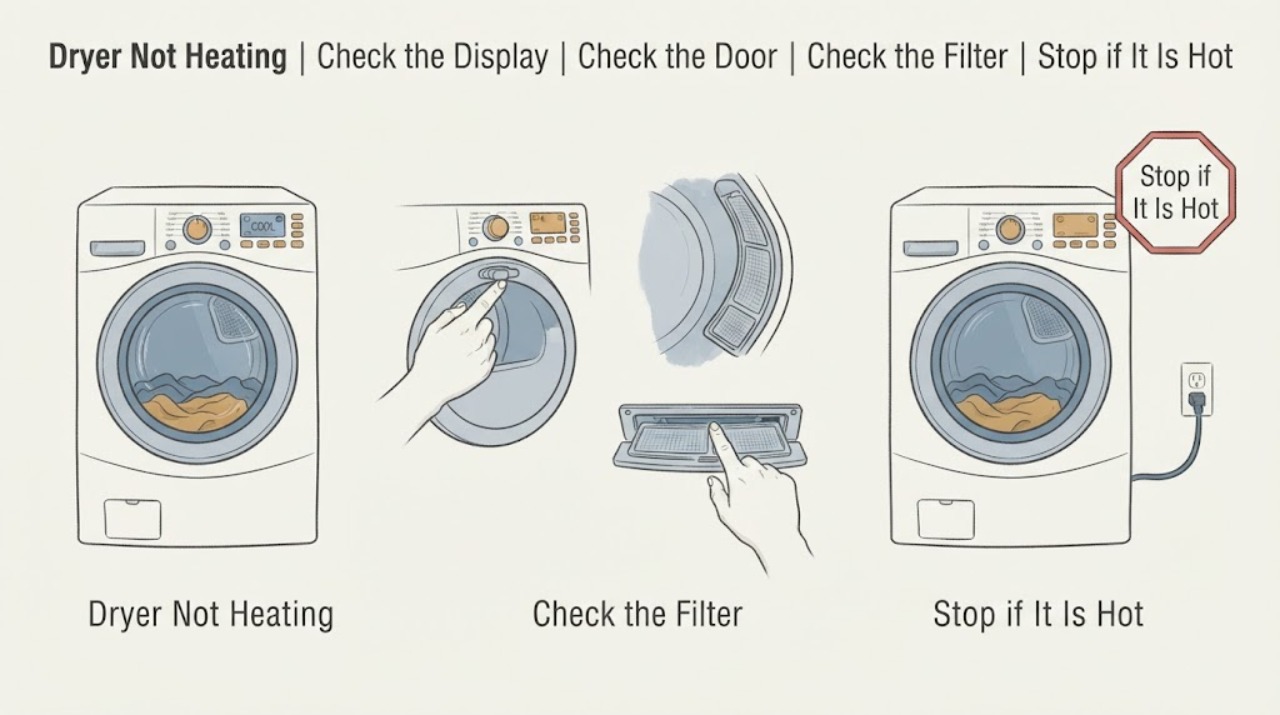
First identify the Sharp dryer's model and whether it is vented, condenser, or heat-pump, because the controls and maintenance points differ. Confirm that a heated program—not an air-only or cool cycle—is selected, the door is closed, and any model-specific water tank or filter indicator is clear. Clean only the accessible lint filter and the external vent path or heat-exchanger area described in the manual. If the drum runs but remains cold, the display shows a fault, the breaker opens, or there is smoke, a burning odor, a hot cord, or unusual noise, stop using the dryer and arrange qualified service. Do not open the cabinet or work on the heater, thermal protection, wiring, or control board.
Work through in order
Diagnostic checks
Use only checks that match the exact appliance or system and its official guide.
-
Check 1
Read the Sharp model and rating information from the appliance and use Sharp's official support lookup to open the matching manual; note whether the manual identifies a vented, condenser, or heat-pump dryer and which indicators it provides.
Expected result: The exact model manual is available and identifies the dryer type, or the label is missing, unreadable, or the appliance type is uncertain.
Next step: Follow only the matching manual for external checks. If the model or installation cannot be confirmed, stop using the dryer and arrange qualified service.
Stop if: Stop for a missing safety label, damaged cord, smoke, burning odor, or any need to open the cabinet.
Why this matters
Why: The correct maintenance points and program names depend on the model; uncertainty makes a generic reset or heater instruction unsafe and unreliable.
-
Check 2
Check the selected Sharp program, temperature or heat setting, delay state, and door closure against the model manual; make sure the cycle is not Air Only, Cool Air, airing, or another no-heat option.
Expected result: A no-heat program, low-heat setting, delay, open-door indication, or control lock is active, or the display shows a normal heated cycle ready to run.
Next step: Select the model's ordinary heated program and run one supervised cycle with a small, suitable load or as the manual directs. If it remains cold, stop repeating cycles and continue to the airflow and service branches.
Stop if: Stop for smoke, a burning smell, abnormal heat at the cabinet or cord, a breaker trip, or a door that will not latch safely.
Why this matters
Why: A program choice can explain a cool drum without a hardware fault; a valid heated cycle with a cold drum shifts attention to airflow, supply, sensors, protection, or the heater.
-
Check 3
With the dryer stopped and cool, clean the accessible lint filter as the Sharp manual directs; for a vented model, inspect the visible hose and outside outlet for crushing, blockage, or weak exhaust, and for a condenser or heat-pump model, inspect only the accessible condenser or heat-exchanger area named in its manual.
Expected result: The filter is coated, the hose is crushed, the outside flap does not open during a supervised run, the air path is visibly blocked, or the accessible path is clean and open.
Next step: Restore only the accessible filter, hose, cover, or heat-exchanger parts described by the manual. If the dryer remains cold or airflow is still poor, stop using it and arrange service or qualified vent cleaning.
Stop if: Stop for lint near a hot area, smoke, a burning odor, damaged or loose ducting, a blocked outlet that cannot be cleared safely, or abnormal cabinet heat.
Why this matters
Why: Restricted airflow can lengthen drying and allow excess heat to build; a clear accessible path makes an internal heater, sensor, thermal protector, or control issue more likely but does not identify the failed part.
-
Check 4
For a Sharp condenser or heat-pump model, check the display for a full water tank, filter, condenser, heat-exchanger, or airflow indicator and follow only the manual's accessible emptying or cleaning step; do not assume a vented-model procedure applies.
Expected result: A tank or filter warning is active, the model has an accessible maintenance item that is obstructed, or no such warning is present and the dryer remains cold.
Next step: Clear only the item and method named by the exact manual, then run one supervised heated cycle. If the warning returns or heat does not return, arrange qualified service.
Stop if: Stop for water near electrical connections, a damaged tank or cover, smoke, burning odor, or any need to access sealed refrigeration or electrical parts.
Why this matters
Why: Some Sharp dryer types use condensate and heat-exchanger maintenance that can affect cycle operation, while other models use a different air path. An absent warning does not clear an internal heating fault.
-
Check 5
From a dry, safe position, check the accessible plug, cord, outlet, and household breaker status against the Sharp installation instructions; do not remove covers, probe wiring, use an extension cord, or repeatedly close a breaker that opens.
Expected result: The breaker is open, the plug or cord is hot or damaged, the outlet is discolored or loose, the dryer was recently installed, or the accessible supply looks normal.
Next step: If the breaker opens again or any connection warning is present, stop using the dryer and arrange qualified electrical and appliance inspection. If supply is normal, internal heater or control diagnosis is still required.
Stop if: Stop for smoke, arcing, a hot or melted plug, exposed conductors, a damaged cord, water at the outlet, or repeated trips.
Why this matters
Why: A supply or connection fault can allow some controls or drum movement while leaving the heater without proper power; heat or damage at the connection is a fire or shock warning.
-
Check 6
Arrange qualified Sharp appliance service when the correct heated cycle, accessible care steps, and safe power checks do not restore heat; provide the model, dryer type, program, display code, load condition, and whether the drum still turns.
Expected result: The dryer runs with a cold drum, stops early, shows a fault, heats intermittently, or has an odor, unusual sound, or recurring power issue after the external checks.
Next step: Keep the dryer out of use until the cause is diagnosed, and give the technician the exact symptom sequence and the Sharp manual used.
Stop if: Stop all use for smoke, burning odor, visible damage, overheating, a hot cord, a breaker trip, or any gas or refrigerant concern.
Why this matters
Why: The fault may involve a heater, thermal protector, sensor, fan, compressor or sealed heat-pump circuit, control, or wiring. A no-heat symptom alone cannot identify a replacement part.
Use your observations
Decision map
Find the observation that best matches what you see, then follow the next safe action.
-
PATH 01Next step
What you see
The selected Sharp program is Air Only, Cool Air, airing, or another no-heat mode.
Do this next
If a correct heated program is still cold, stop repeating cycles and continue with airflow and service checks.
Why this path and its safety boundary
Why it matters: The cool drum may be expected. Select a heated program named in the exact Sharp manual and supervise one cycle.
-
PATH 02Next step
What you see
The lint filter, hose, outside outlet, condenser, or heat-exchanger area named by the manual is visibly restricted.
Do this next
If airflow remains poor or heat does not return, stop using the dryer and arrange qualified vent or appliance service.
Why this path and its safety boundary
Why it matters: Clean the accessible item only as the Sharp manual describes. Restricted airflow can reduce drying performance and increase heat stress.
-
PATH 03Next step
What you see
The breaker opens, the plug or cord is hot or damaged, or the outlet is wet, loose, or discolored.
Do this next
Appliance service may also be needed if the connection fault has affected the dryer input or controls.
Why this path and its safety boundary
Why it matters: Stop using the dryer and do not keep resetting the protective device. Keep clear of the connection and arrange qualified electrical inspection.
-
PATH 04Next step
What you see
The drum turns on a correct heated cycle but the air and clothes remain cold after the external checks.
Do this next
Stop using the dryer and arrange qualified service; do not open the cabinet or make live electrical checks.
Why this path and its safety boundary
Why it matters: The remaining fault may be in the heater, thermal protection, sensor, fan, control, or model-specific heat-pump system.
-
PATH 05Next step
What you see
Smoke, a burning odor, sparks, unusual cabinet heat, damaged wiring, or a persistent abnormal sound is present.
Do this next
Only qualified personnel should decide when the dryer and its electrical or vent system are safe again.
Why this path and its safety boundary
Why it matters: Stop the dryer, leave it out of service, and use the local emergency route if there is an active fire or immediate danger.
Helpful context
Understand the symptom
Start with the Sharp model and dryer type
Sharp has sold dryers with different control layouts and drying systems in different markets. A model may use a vent, condenser, or heat-pump arrangement, and a tank, filter, heat exchanger, or indicator may be present only on some versions. Use Sharp's support lookup with the model from the rating label and follow that manual. Do not transfer a vent-cleaning or reset sequence from a different Sharp model.
A cold load does not always mean a failed heater
An air-only program intentionally supplies no heat. A blocked lint screen or exhaust path can also reduce drying performance and increase heat stress even when the heater is working. If the drum turns but the interior stays cold on a correct heated program, the remaining possibilities include the power supply, temperature protection, sensor or control, and heating assembly. Those internal checks belong to qualified service.
Safety boundary
Stop conditions
- Stop using the dryer for smoke, a burning odor, sparks, visible damage, abnormal cabinet heat, or a hot or melted cord or plug.
- Do not operate the dryer without the model-required lint filter or with a visibly blocked, crushed, or damaged exhaust path.
- Do not repeatedly reset a breaker, bypass thermal protection, open the cabinet, or make live electrical checks.
- Stop if water reaches electrical connections or a condenser, tank, cover, or hose is damaged and cannot be handled safely.
- Stop ordinary troubleshooting when the correct heated cycle remains cold; arrange qualified Sharp appliance service.
Only after diagnosis
Potential parts
- heating assembly
Consider this category only after qualified diagnosis confirms a heater fault on the exact Sharp model.
Use the full model and manufacturer fit information; do not select a part from a similar-looking dryer. - thermal protection device
Consider this category only when qualified diagnosis identifies an open thermal protector and addresses the airflow or heat condition that may have caused it.
A safety device must not be bypassed, and replacement requires model-specific service data. - temperature sensor or control
Consider this category only when the dryer type, wiring, and airflow are cleared and qualified diagnosis points to sensing or control failure.
Confirm the exact model and approved service information before any replacement.
When checks do not resolve it
Need a professional?
Arrange qualified Sharp appliance service when a correct heated program remains cold after the model-specific external checks, when a fault code returns, or when the drum runs without heat. Arrange qualified electrical inspection for a breaker trip, hot or damaged connection, or outlet concern. Stop immediately and use the local emergency route for smoke, fire, or another immediate hazard.
Have this ready
- Sharp model and rating information
- dryer type
- program and heat setting
- whether the drum turns
- display code and airflow observations
- any odor, noise, or power event
Common questions
FAQ
Why does my Sharp dryer run but not heat?
Confirm the exact model's heated program first. If the drum turns and stays cold after the filter, airflow, door, and accessible power checks, the fault may be in the heater, thermal protection, sensor, control, or model-specific heat-pump system and needs qualified service.
Can an Air Only cycle make a Sharp dryer seem broken?
Yes. Air-only or cool-air programs are designed not to add heat. Check the Sharp manual for the program name, then use a heated cycle if the load and fabric permit.
Can a dirty lint filter cause no heat?
A dirty filter or restricted exhaust can reduce airflow, extend drying, and increase heat stress. Clean accessible parts as the Sharp manual directs. If the dryer remains cold or overheats, stop using it and arrange service.
Should I replace the heating element myself?
Do not open the cabinet or work on the heater, thermal protection, wiring, or control board as an ordinary user. A qualified technician should confirm the fault and the exact Sharp model fit before replacement.
When should I stop using the Sharp dryer?
Stop for smoke, a burning odor, sparks, abnormal cabinet heat, a hot or damaged cord, water near electrical parts, a breaker trip, or a blocked vent that cannot be cleared safely. Arrange qualified appliance or electrical service.
Read the exact guide
Official sources
- Dryer is Not Heating - Product HelpWhirlpool · General dryer no-heat checks, cycle selection, airflow, power, and service boundaries
- Welcome to Sharp product supportSharp Consumer · Sharp product support lookup by model or keyword, including home-appliance manuals and guides
- Clothes Dryer Fire SafetyU.S. Fire Administration · Dryer lint-filter, vent, installation, and professional-service fire safety
- Appliance and Electrical Fire SafetyU.S. Fire Administration · Major-appliance cord, outlet, extension-cord, and electrical fire safety
- CPSC Publication 5022 - Overheated Clothes Dryers Safety AlertU.S. Consumer Product Safety Commission · Clothes-dryer lint, exhaust airflow, overheating, fire prevention, and qualified interior service
Community feedback
Share a repair observation
Share a plain-text repair observation. Accepted observations are published automatically; this page may take a moment to update.