
On this page
Start here
Quick answer
Do not treat a Sharp dryer that is not operating properly as one generic fault. First stop for smoke, a burning or plastic odor, abnormal heat, sparks, a hot or damaged cord, water near power, or a repeated breaker trip. If the dryer is cool and safe, record the full model and classify the symptom: it will not start, the programme stops, drying is slow or damp, there is no heat, the water prompt appears, or the sound is unusual. Sharp manuals point to different external checks for those patterns, including the plug, door, Start/Pause state, child lock, water tank, lint filter, condenser or heat exchanger, ventilation, load size, and room conditions. One Sharp KD-HT9JP-G/KD-HT10JP-G manual adds a model-specific cold-environment branch: frozen condensate can produce an empty-water prompt and prevent operation. Match the exact manual before using that branch, make one permitted restart only, and arrange qualified service for any recurrence. Do not open the cabinet, bypass a thermal protector, run without filters, or test live wiring.
Before you begin
Safety first
- Do not open the cabinet, access the heater, motor, compressor, pump, refrigerant circuit, or live wiring; bypass thermal or door protection; run without filters; use direct heat on a frozen system; or reconnect power around water. Sharp manuals reserve repair for authorized or qualified personnel.
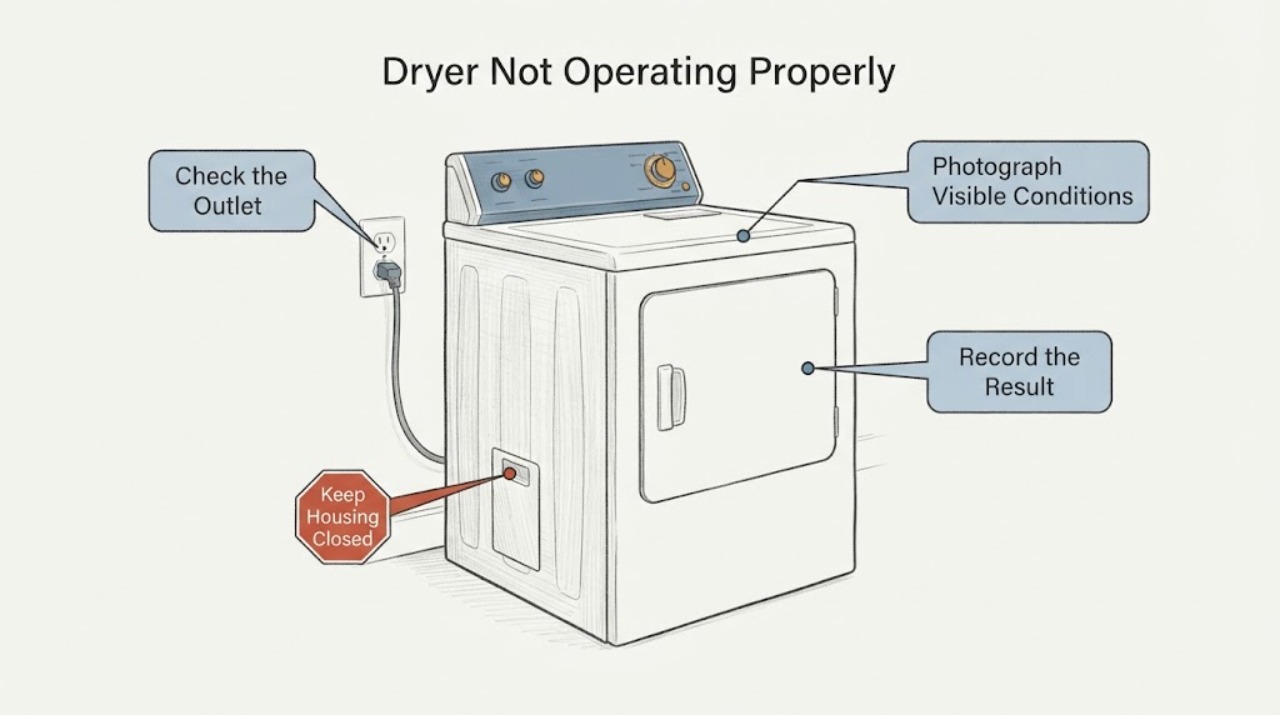
Work through in order
Diagnostic checks
Use only checks that match the exact appliance or system and its official guide.
-
Check 1
Stop the dryer and keep it off if there is smoke, a burning or plastic odor, abnormal heat, sparks, a hot or damaged cord or outlet, water near electrical equipment, or a breaker that trips again. Disconnect power only from a dry, safe position and only when doing so does not put you near a hazard.
Expected result: The dryer is cool and free of immediate danger, or one of the heat, fire, water, or electrical warnings is present.
Next step: For a warning, keep clear and obtain emergency, electrical, or qualified appliance help. Otherwise continue with the identity and symptom check.
Stop if: Do not restart to reproduce a hazardous sound, odor, temperature, spark, leak, or breaker event.
Why this matters
Why: A safety symptom overrides all code, filter, load, and restart checks. Continued operation can increase fire, shock, or water damage risk.
-
Check 2
Photograph the complete display or indicator pattern and record the full Sharp model, product label, programme, load, door position, and when the symptom appears. Classify it as no start, mid-programme stop, slow or damp drying, no heat, water prompt, or abnormal sound without removing panels or moving a stacked or built-in installation.
Expected result: The model and symptom stage are clear, or the display/model is partial, different, or unknown.
Next step: Use the exact model manual or Sharp support page. If identity remains unclear, keep the dryer off when it is not operating normally and arrange service with the photo and label details.
Stop if: Do not copy an error meaning or reset sequence from another Sharp model.
Why this matters
Why: Sharp manuals document different controls and remedies for different platforms. An unidentified symbol or incomplete model cannot safely select a filter, water, ambient, voltage, or internal-fault path.
-
Check 3
For a dryer that will not start or pauses immediately, check only the visible plug and dry outlet area, that a programme is selected, the door closes fully, Start/Pause has been pressed, the child lock is not active, and the water tank is not full. Follow the exact manual if a power interruption occurred.
Expected result: The plug, door, programme, Start/Pause state, lock, and tank condition explain the no-start, or all visible conditions are already correct.
Next step: Correct only the visible condition allowed by the manual and make one supervised start. If the dryer remains unresponsive or stops again, keep it off and arrange qualified service.
Stop if: Do not force the door, bypass the lock, cycle power repeatedly, or use an extension, multi-socket, or adapter as a workaround.
Why this matters
Why: Sharp's model-specific troubleshooting identifies these external states as possible reasons for no activation or an interrupted programme. Correct external settings do not rule out an internal control, motor, heater, sensor, or pump fault.
-
Check 4
For slow, damp, or no-heat drying, let the dryer cool, then clean and correctly refit the user-accessible lint filter and the model-specified condenser or heat exchanger. Check that the front ventilation openings are clear, the load is not excessive, and the selected programme is intended to use heat. Do not reach into sharp fins or the cabinet.
Expected result: The filter or condenser is visibly restricted, ventilation is blocked, the load is excessive, the programme is cool-air or unsuitable, or these external conditions are already correct.
Next step: Restore the external condition and make one supervised cycle within the manual's limits. If there is still no heat, slow drying, abnormal heat, or a returning indication, stop and arrange service.
Stop if: Do not run without the filter, spray water into the cabinet, bend exchanger fins, use industrial chemicals, or perform internal heater or refrigerant work.
Why this matters
Why: Sharp manuals associate long or damp drying with lint, condenser or heat-exchanger restriction, blocked ventilation, load, sensor surface, and programme selection. A clear external path does not prove the heater, compressor, sensor, motor, or control is sound.
-
Check 5
If a water-tank or condensate prompt appears, stop the programme and let the dryer cool before emptying and refitting the tank. If the exact model uses a drain hose, inspect only the visible hose for a kink or obvious blockage. Do not remove the tank while the programme is running or reach the pump.
Expected result: The tank was full, the visible drain hose was kinked, or the tank and visible hose were already clear but the prompt remains.
Next step: Correct only the permitted external condition and make one manual-approved restart. If the prompt returns, water leaks, or the dryer cannot drain safely, keep it off and arrange service.
Stop if: Do not run with uncontrolled water, remove covers, disconnect a water hose under pressure, or reconnect power around water.
Why this matters
Why: Sharp manuals link water prompts to a full tank or condensate path on specific models. A prompt that returns with a clear external path can involve a pump, sensor, freezing condition, or control fault.
-
Check 6
If the exact model is KD-HT9JP-G or KD-HT10JP-G, and the dryer is in a below-freezing environment with an empty-water prompt or an oF indication, treat a frozen condensate hose or pump as a model-specific possibility. Allow the appliance and room to return to a suitable non-freezing condition naturally; do not apply a flame or direct high heat, and do not access sealed cooling or pump components.
Expected result: The exact model and cold-environment condition match the manual, or the model and conditions do not match.
Next step: For a matching model, follow the manual's safe freezing-treatment guidance and make one restart only after the appliance is safe and thawed. For a non-matching model or recurring prompt, use its own manual and arrange service.
Stop if: Do not scrape ice inside the appliance, heat the pump or hose directly, run the dryer while frozen, or dismantle the system.
Why this matters
Why: The opened Sharp manual documents frozen condensate as a cause of the prompt and failed operation for those models. It does not establish the same meaning for every Sharp dryer or prove a failed heater or motor.
-
Check 7
For an unusual sound, record whether it is a brief pump or water sound, a periodic metallic compressor sound, or a new scraping, grinding, rattling, or electrical sound. Stop the dryer if the sound is accompanied by heat, odor, smoke, sparks, poor tumbling, or a protection trip; otherwise do not open the cabinet to locate it.
Expected result: The sound matches the exact manual's described normal pump or compressor behavior, or it is new, worsening, and accompanied by an operating or safety symptom.
Next step: Monitor only a normal sound within the manual's limits. For a new sound or any accompanying symptom, keep the dryer off and provide a recording and model details to qualified service.
Stop if: Do not run repeated loads to reproduce a grinding, burning, sparking, or mechanically unstable condition.
Why this matters
Why: Sharp documents pump and water sounds and occasional compressor sounds as normal on one heat-pump model, but an abnormal or worsening sound with poor operation can indicate a motor, fan, compressor, bearing, or control issue.
Use your observations
Decision map
Find the observation that best matches what you see, then follow the next safe action.
-
PATH 01Next step
What you see
Smoke, burning or plastic odor, abnormal heat, sparks, a hot or damaged cord or outlet, water near power, a repeated breaker trip, or an uncontrolled dryer is present.
Do this next
Stop, keep clear, isolate power only from a dry safe position, and obtain emergency, electrical, or qualified appliance help. Do not restart to test.
Why this path and its safety boundary
Why it matters: This is a fire, shock, water, or thermal safety event; a filter clean or reset is not an adequate response.
-
PATH 02Next step
What you see
The dryer will not start or pauses immediately, and the visible plug, door, programme, Start/Pause, child lock, and water-tank conditions are correct.
Do this next
Leave the dryer off after one documented start attempt and arrange qualified Sharp service. Provide the model, display pattern, stage, tank state, and any power-event history.
Why this path and its safety boundary
Why it matters: The external start conditions do not explain the symptom; a model-specific control, door switch, motor, pump, or other internal fault remains possible.
-
PATH 03Next step
What you see
Slow or damp drying improves after the model-approved filter, condenser or heat-exchanger, ventilation, load, or programme correction, or it remains slow/no-heat with those conditions correct.
Do this next
Use only within the manual's limits if the result remains stable. Stop and arrange service for recurrence, abnormal heat, a repeated prompt, or no improvement.
Why this path and its safety boundary
Why it matters: Improvement supports an airflow, load, programme, or maintenance explanation. Persistent no-heat or slow drying does not identify a safe heater, compressor, sensor, or control part.
-
PATH 04Next step
What you see
The exact KD-HT9JP-G/KD-HT10JP-G model is in a below-freezing environment and shows the manual's empty-water or oF indication, or the model and conditions do not match.
Do this next
Allow a matching appliance to thaw naturally in a suitable environment and use one manual-approved restart. For a mismatch or recurring prompt, keep it off and arrange model-specific service.
Why this path and its safety boundary
Why it matters: For the matching models, frozen condensate can prevent operation; on a different Sharp dryer the same prompt may have another meaning.
-
PATH 05Next step
What you see
A water prompt returns with a clear tank and visible hose, an abnormal sound persists, or a fault returns after one permitted restart.
Do this next
Keep the dryer out of service and arrange qualified Sharp repair. Give the provider the model, code or indicator, symptom stage, load, filter/tank results, and safety observations.
Why this path and its safety boundary
Why it matters: The remaining fault may involve the condensate pump, sensor, motor, compressor, heater, wiring, or control, and the observation cannot select a replacement part.
Helpful context
Understand the symptom
Classify the symptom before choosing a check
Sharp dryer manuals use different controls, indicators, condensate arrangements, and fault responses by model. A dryer that never starts has a different first branch from one that tumbles but stays damp, stops after heating, shows a water prompt, or makes an unfamiliar sound. Record the model and complete display or lamp pattern first; a code, icon, or prompt from another Sharp platform is not a diagnosis for this dryer.
Heat and lint are fire-safety boundaries
Sharp's manuals require the lint filters to be fitted and clean, keep ventilation openings clear, and warn against continuing with a damaged product or using unauthorized repairs. A clean filter can explain restricted airflow, but smoke, burning odor, abnormal heat, sparks, a damaged cord, or repeated protection trips requires the dryer to remain out of service rather than another cleaning or reset attempt.
When checks do not resolve it
Need a professional?
Arrange qualified Sharp service when the model-specific external checks do not restore operation, a water prompt returns with a clear tank and visible hose, the dryer will not start or heat, a fault recurs, an abnormal sound persists, or diagnosis would require internal electrical, thermal, motor, pump, compressor, sensor, or control work. Use emergency or electrical help for smoke, fire, sparks, dangerous heat, water near power, a damaged cord, or repeated breaker trips.
Safety scope: Do not open the cabinet, access the heater, motor, compressor, pump, refrigerant circuit, or live wiring; bypass thermal or door protection; run without filters; use direct heat on a frozen system; or reconnect power around water. Sharp manuals reserve repair for authorized or qualified personnel.
Have this ready
- Provide the full model and product label, complete display or indicator photo, programme, load, door and child-lock state, power-event history, filter and condenser or heat-exchanger condition, tank and hose observations, room condition, sound recording, and any heat, odor, leak, or trip details.
Common questions
FAQ
Why does my Sharp dryer not start?
On the opened Sharp manuals, check the visible plug and dry outlet, selected programme, closed door, Start/Pause state, child lock, and full water tank. If all are correct and the dryer remains unresponsive, stop after one documented attempt and arrange service rather than opening the cabinet.
Can a cold room make a Sharp dryer stop?
For the Sharp KD-HT9JP-G/KD-HT10JP-G manual, below-freezing conditions can freeze condensate in the hose and produce an empty-water prompt or oF indication. This is model-specific; match the model before applying that interpretation and allow safe natural thawing rather than applying direct heat.
Does a clean filter prove the dryer is safe to keep running?
No. A clean filter may address airflow, but smoke, burning odor, abnormal heat, sparks, a damaged cord, water near power, or a recurring fault requires the dryer to remain out of service and be assessed by qualified help.
Read the exact guide
Official sources
- User Manual KD-HD8S-W Tumble DryerSharp Home Appliances · Sharp KD-HD8S-W heat-pump dryer; model-specific sound, filter, heat-exchanger and safety guidance
- 10021120 说明书(夏普 JHD6L 英文)-20230705Sharp Home Appliances · Sharp KD-HT9JP-G and KD-HT10JP-G dryer manual; model-specific condensate, filter, heat and cold-environment guidance
- User Manual KD-NCB7S7PW9-CZ Tumble DryerSharp Home Appliances · Sharp KD-NCB7S7PW9-CZ tumble dryer; regional model-specific start, filter, tank, condenser and fault guidance
Community feedback
Share a repair observation
Share a plain-text repair observation. Accepted observations are published automatically; this page may take a moment to update.