
On this page
Start here
Quick answer
A pause in microwave heating after sustained full-power use can be consistent with heat buildup or an airflow-related protective response, but the Sharp R-742INW sources opened here do not document a user-resettable safety-mode timer or prove that this symptom is normal. Sharp's official data sheet identifies this model family as a 900 W microwave with an electronic control panel; its official support site directs owners to search by model for the applicable manual. Stop repeated full-power tests. Once the oven is cool and shows no smoke, burning smell, sparking, door damage, or electrical damage, inspect only the outside vents and surrounding space, remove objects that block airflow, and make one short, supervised test with a microwave-safe container and the exact manual's normal operation. If heating returns after cooling and the pause does not recur under normal use, heat protection or airflow is more plausible, not confirmed. If it stays cold, the pause becomes shorter, or any hazard appears, stop using it and arrange qualified microwave service. Never remove the cabinet, replace a fuse, or test the high-voltage circuit.
Before you begin
Safety first
- Do not remove the microwave cabinet, waveguide cover, or service panels; replace a fuse; bypass a door or thermal interlock; perform live electrical or high-voltage tests; run the oven empty; or keep repeating long full-power tests. Isolate power only from a safe dry position, and keep the door closed for an oven fire.
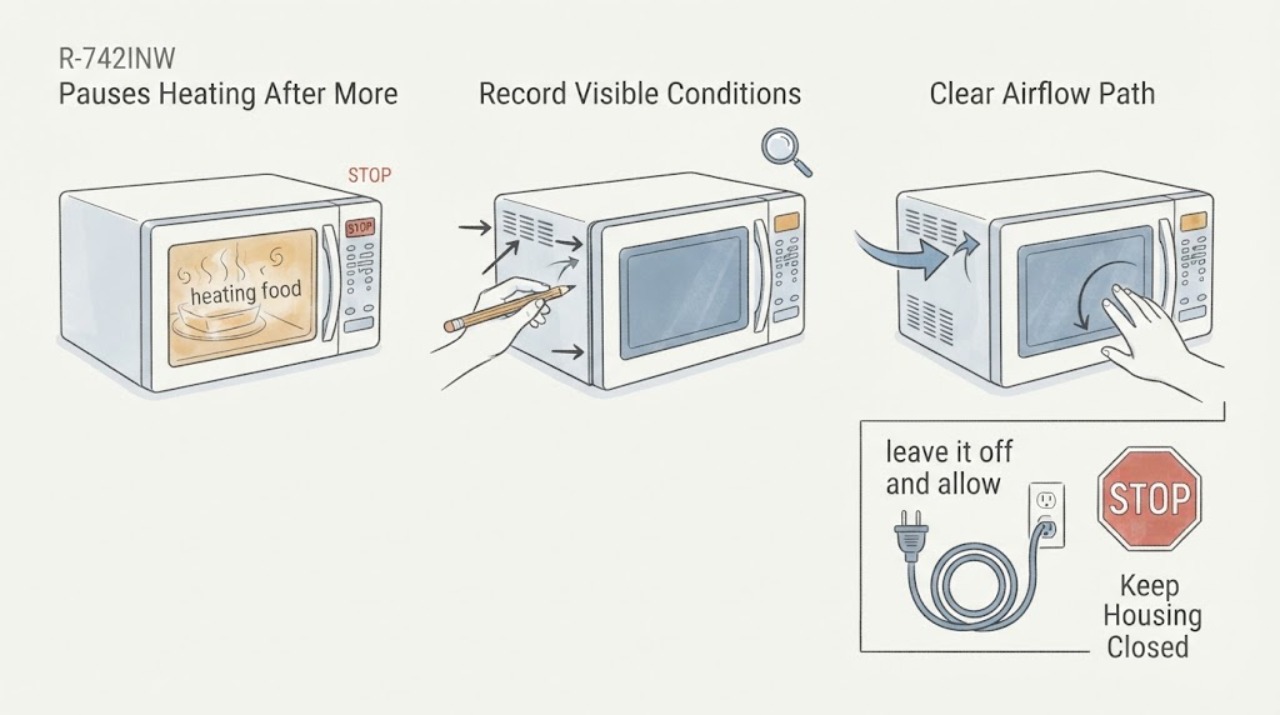
Work through in order
Diagnostic checks
Use only checks that match the exact appliance or system and its official guide.
-
Check 1
Record the complete rating-label model, the country or market, the selected cooking mode and power level, the length of the full-power run, how long heating is absent, and whether the light, fan, turntable, and display continue to operate during the pause. Do not start another test just to fill in a missing detail.
Expected result: The label confirms R-742INW, a different suffix or market appears, the oven stops completely, or the fan, light, turntable, and display continue while food stays cold.
Next step: Save the label photo and the exact timing for the manual lookup or service request. Do not transfer an operating sequence or safety-mode meaning from another Sharp microwave.
Stop if: Do not open the cabinet, remove the waveguide cover, or probe wiring to determine why heating stops.
Why this matters
Why: Sharp's official data sheet identifies the R-742(IN)W family and 900 W microwave output, but the opened official support page requires a model search for manuals. The operating pattern separates a whole-appliance power loss from a running-but-not-heating condition without identifying a component.
-
Check 2
After the oven has stopped, leave it off and allow it to cool naturally. From outside only, note whether the cabinet or air around the vents is unusually hot, whether the fan continues or stops, and whether there is smoke, a burning smell, melted plastic, sparking, or an abnormal electrical sound.
Expected result: The unit is merely warm and later resumes heating, or it is extremely hot, smoking, burning-smelling, sparking, melted, or making an abnormal sound.
Next step: For a normal cool-down with no hazard, proceed only to the outside ventilation check. For any hazard, stop use, keep the door closed for an oven fire, isolate power only from a safe dry position, and arrange qualified service or emergency help as appropriate.
Stop if: Do not touch a hot cabinet or plug, repeatedly restart the oven, or continue after smoke, fire, arcing, burning odor, or melting.
Why this matters
Why: Recovery after cooling makes a heat-buildup or airflow-related protective response more plausible, but it does not prove that the protection is a documented normal mode. Smoke, burning, sparking, melting, or extreme heat is a hazard and not a cooling experiment.
-
Check 3
With the oven cool and not running, inspect the outside intake and exhaust areas and the space around the appliance. Remove only loose objects, cookware, packaging, or visible dust that can be reached without opening or moving the oven; follow the exact Sharp manual for required clearance and cleaning.
Expected result: An opening is blocked, an object is sitting on the oven, the oven is enclosed or crowded by a heat source, visible dust is present, or the outside airflow path looks clear.
Next step: Correct only the plainly visible external obstruction and let the oven return to room temperature. If the airflow path is inaccessible, the installation is unsuitable, or the pause returns, stop testing and request service.
Stop if: Do not remove grilles or panels, insert tools or liquids into vents, add an improvised fan, or relocate a hot or damaged oven.
Why this matters
Why: A blocked or crowded airflow path can make heat buildup more likely, but an apparently clear exterior does not rule out an internal fan, thermostat, power, or microwave-generation fault. The official Sharp support page makes the exact model manual the authority for setup and care.
-
Check 4
Only after cooling and the outside check, perform one short, supervised normal-operation test using a microwave-safe container and the exact R-742INW manual's recommended setup. Use the manual's stated operating time and power rather than repeating the original long full-power run, and keep clear of the door and hot container.
Expected result: The test heats normally, the oven runs but the container remains cold, the pause returns quickly, or the door does not close firmly or appears bent or damaged.
Next step: If the test is normal, use only the documented settings and monitor without repeated high-power stress. If it is cold again, the pause recurs, or the door is damaged, stop using the microwave and arrange qualified Sharp or appliance service.
Stop if: Do not run the oven empty, exceed the manual's time guidance, heat sealed containers, or continue with a damaged door, latch, or seal.
Why this matters
Why: Normal heating after cooling supports a temporary heat or airflow branch but does not establish a safe long-run duty cycle. Persistent no-heat or a fast recurrence points toward a fault needing diagnosis. Door damage is a radiation-safety boundary regardless of heating result.
-
Check 5
Prepare a service record without opening the oven: model and serial photos, market, cookware and food used, mode and power setting, the first full-power duration, each cooling-pause duration, fan and turntable behavior, vent observations, door condition, and any odor, spark, smoke, breaker, or sound event.
Expected result: The pause is repeatable only after sustained use, the oven remains cold after cooling, or any hazard or door defect is present.
Next step: Keep the oven out of service and give the record to an authorized Sharp or qualified microwave technician. Ask for a model-appropriate safety and heating diagnosis before any part is ordered.
Stop if: Do not replace a fuse, bypass an interlock or thermal device, perform a live test, or approve cabinet access by an unqualified person.
Why this matters
Why: A repeatable timing pattern helps a technician separate a possible thermal or airflow response from a persistent microwave-generation, control, interlock, or power fault. It cannot safely identify the magnetron, capacitor, diode, transformer, fuse, or thermostat from user observations alone.
Use your observations
Decision map
Find the observation that best matches what you see, then follow the next safe action.
-
PATH 01Next step
What you see
After the oven cools, a short normal test heats again, the door is intact, no hazard appears, and the pause occurs only after sustained full-power use.
Do this next
Keep the outside vents clear, follow the exact R-742INW manual, avoid repeating the original stress test, and monitor whether the pause returns during normal documented use. Arrange service if it recurs or lengthens.
Why this path and its safety boundary
Why it matters: A heat-buildup or airflow-related protective response is more plausible than a permanently failed heating circuit, but the opened official Sharp sources do not confirm a model-specific safety-mode timer or guarantee repeated long runs.
-
PATH 02Next step
What you see
The exterior airflow path is blocked or crowded, the oven sits near another heat source, or the cabinet and vent area become unusually hot before the pause.
Do this next
Remove only visible external obstructions, let the oven cool fully, and perform no more than one manual-compliant test. If the symptom returns, stop use and arrange service.
Why this path and its safety boundary
Why it matters: Heat dissipation is a plausible contributor, but an external clearance correction cannot rule out an internal cooling or heating fault.
-
PATH 03Next step
What you see
The light, fan, display, or turntable operates but the food stays cold after cooling and the outside vents are clear.
Do this next
Stop repeated heating tests, leave the appliance out of use, and arrange qualified microwave service with the timing and operating record. Do not guess at a high-voltage part.
Why this path and its safety boundary
Why it matters: The microwave is powered or running but the no-heat symptom persists; user observations cannot distinguish a control, interlock, power-supply, or microwave-generation fault.
-
PATH 04Next step
What you see
The pause becomes shorter, the oven never resumes heating after cooling, the breaker trips, or a new noise, odor, smoke, spark, melted area, or uncontrolled heat appears.
Do this next
Stop using the oven and arrange qualified Sharp or microwave service. For smoke or fire keep the door closed, isolate power only if safe, and follow local emergency guidance.
Why this path and its safety boundary
Why it matters: This is not a supported normal-cooldown pattern; it raises the probability of an unresolved fault or an active electrical or fire hazard.
-
PATH 05Next step
What you see
The door, latch, hinges, or sealing surfaces are bent, loose, damaged, or do not close firmly, or the oven appears to operate with the door open.
Do this next
Stop use immediately and obtain qualified manufacturer or appliance service. Do not adjust, tape, defeat, or test the interlock yourself.
Why this path and its safety boundary
Why it matters: This is a radiation-safety boundary. FDA advises not using a microwave with damaged or poorly closing doors and discontinuing use if it operates with the door open.
Helpful context
Understand the symptom
The timing matters: the oven heats at full power, then stops heating for several minutes after more than three minutes of use. That pattern is compatible with accumulated heat or an airflow-related protective response, especially if the oven works again after it cools. It is not proof of a normal feature, because the official Sharp pages opened for this task identify the product and support route but do not publish a recovery timer or a model-specific explanation of a displayed safety mode. Treat the pause as a result to verify, not as permission to keep repeating the test.
An outside-only ventilation check is reasonable: keep the oven on a stable counter, keep the intake and exhaust openings unobstructed, and remove items sitting on or immediately around the oven. Do not drill, remove panels, reach into openings, or try to improve airflow by dismantling the case. A microwave can contain hazardous stored energy even when it is unplugged, and a heating fault cannot be safely identified by a user fuse or high-voltage test.
Use the exact R-742INW manual from Sharp's support search for any clearance, operating-mode, cookware, and cleaning instructions. If the model-specific manual cannot be retrieved, keep the advice at the external-check level. A successful short test after cooling supports a temporary thermal or airflow explanation; it does not clear the oven for long repeated full-power runs. Persistent no-heat, worsening pauses, unusual noise, smoke, burning odor, arcing, or door damage moves directly to qualified service.
When checks do not resolve it
Need a professional?
Call qualified Sharp or microwave service for persistent no-heat after cooling and a single safe external test, repeatable or worsening safety-mode pauses, unclear model-specific instructions, or any odor, smoke, spark, heat damage, breaker, door, latch, or seal problem.
Safety scope: Do not remove the microwave cabinet, waveguide cover, or service panels; replace a fuse; bypass a door or thermal interlock; perform live electrical or high-voltage tests; run the oven empty; or keep repeating long full-power tests. Isolate power only from a safe dry position, and keep the door closed for an oven fire.
Have this ready
- Provide the complete R-742INW rating label and serial, market, the exact mode and power setting, the original run duration, pause and recovery timing, food and container used, fan/light/turntable behavior, outside vent observations, door condition, and any odor, spark, smoke, noise, or breaker event.
Common questions
FAQ
Is the Sharp R-742INW safety pause after more than three minutes definitely normal?
No. It is compatible with heat buildup or an airflow-related protective response if heating returns after cooling, but the official Sharp sources opened here do not publish a model-specific safety-mode timer. Treat recovery as a clue, keep vents clear, and arrange service if the pause recurs, worsens, or the oven stays cold.
What can I inspect without opening the microwave?
Record the model, timing, fan and turntable behavior, and visible hazards; once cool, inspect outside vents and the surrounding space for obstruction or crowding. Do not remove panels, insert tools into vents, or test the high-voltage section.
Can I keep running it at lower power to avoid the pause?
Do not use a lower setting as a workaround until the exact manual and the symptom are checked. One short, supervised, manual-compliant test after cooling may separate a temporary heat pattern from persistent no-heat; repeated stress testing can obscure or worsen the fault.
When is the microwave unsafe to keep testing?
Stop for smoke, fire, burning odor, sparks, melted plastic, repeated electrical trips, uncontrolled heat, a damaged or poorly closing door, or operation with the door open. Keep the door closed for an oven fire and obtain qualified service.
Read the exact guide
Official sources
- support - Sharp ConsumerSharp Consumer · The opened Sharp Consumer support page directs owners to search by model name or keyword for product information, manuals, quick-start guides, and other documents. It is the route for checking the exact R-742INW manual; it does not define the reported safety pause.
- R-742(IN)W - R742INW - Microondas DomésticosSharp Electronics (Europe) Limited · The opened Sharp-hosted datasheet identifies the R-742(IN)W/R742INW family, 900 W microwave output, electronic controls, and the 25-litre product configuration. It does not document a safety-mode timer or authorize any internal repair.
- Microwave OvensU.S. Food and Drug Administration · The opened FDA consumer guidance explains microwave heating, advises following the model manual and recommended heating times, says not to use an oven with a damaged or poorly closing door, and says to discontinue use if it operates with the door open. It supports safety boundaries rather than a Sharp-specific thermal-mode diagnosis.
Community feedback
Share a repair observation
Share a plain-text repair observation. Accepted observations are published automatically; this page may take a moment to update.