
On this page
Start here
Quick answer
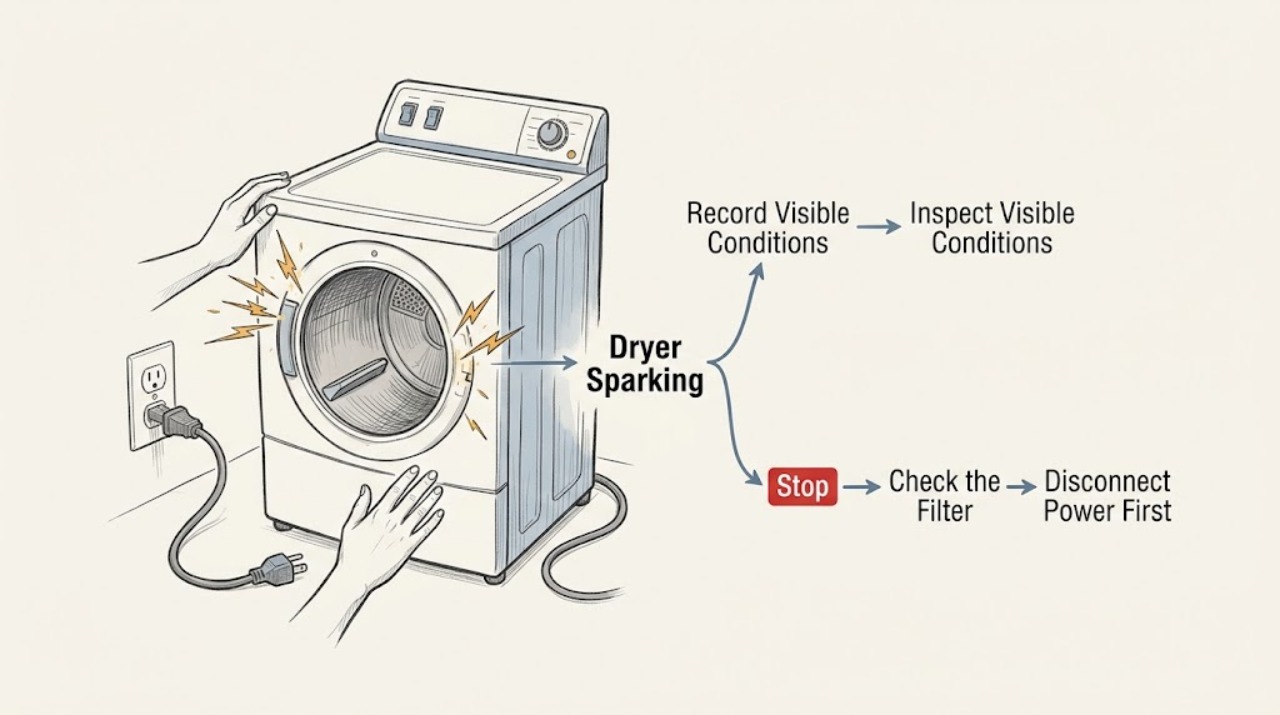
Treat any visible spark or arc from a Siemens tumble dryer as abnormal and stop using it immediately; do not run another cycle to see whether it happens again. A brief static snap from synthetic clothing away from the dryer is different from a spark at the drum, plug, cord, receptacle, control panel or cabinet, but an appliance spark cannot be safely diagnosed while energized. From a safe, dry position, record where and when the flash occurred, inspect only for an obviously loose metal object or externally damaged cord and plug, and keep the dryer out of service if there is a burning smell, smoke, heat, shock or breaker trip. Siemens manuals are model specific: use the exact model guide for user-accessible lint or drum checks, and arrange qualified appliance or electrical service rather than opening the cabinet or testing a suspected arc.
Work through in order
Diagnostic checks
Use only checks that match the exact appliance or system and its official guide.
-
Check 1
Stop the dryer immediately and do not restart it. From a safe, dry position, record the exact location and timing of the flash without touching the cabinet: did it appear at the wall receptacle or plug, near the cord entry, behind the control area, through the door at the drum, or only as a static snap when clothing was handled after the cycle?
Expected result: The flash was visible at the plug or receptacle, followed drum rotation, appeared inside the cabinet or control area, or was only a one-time static snap away from the energized dryer.
Next step: Keep the dryer off for every visible appliance spark. If there is smoke, heat, odor, shock or a repeated breaker trip, isolate power only from a safe dry position and obtain qualified help immediately.
Why this matters
Why: A plug or receptacle flash suggests an external connection or wiring hazard; a drum-linked or cabinet flash suggests an appliance or moving-metal fault. A static snap may be unrelated, but it does not justify powering the dryer again when the location is uncertain.
-
Check 2
Without moving the dryer or touching a suspect connection, look at the accessible plug, cord and receptacle from outside. Note scorch marks, melted plastic, looseness, frayed or pinched insulation, discoloration, a hot faceplate, smoke or a smell of burning. Do not wiggle the plug, bend its blades, use an extension cord, or switch a visibly damaged receptacle back on.
Expected result: The plug, cord or receptacle is hot, discolored, damaged, loose, smoky or visibly arcing, or the external connection looks intact and cool.
Next step: For any external warning, keep the dryer out of service and have the connection assessed by a qualified electrician or appliance technician. Do not use another outlet as a test and do not resume operation merely because the mark is small.
Why this matters
Why: External heat, damage or arcing is a power-connection hazard and can persist even when the dryer is switched off. An intact-looking connection does not clear an internal spark, especially if the flash was seen through the door or synchronized with drum movement.
-
Check 3
After the dryer is safely isolated and fully stopped, inspect only the door opening, drum surface and lint-filter area for a loose coin, metal fastener, bra wire or other object that is plainly visible without tools. Compare the finding with the exact Siemens model manual. Do not reach behind the drum, remove a panel, insert a tool, or turn the dryer on to watch the object move.
Expected result: A loose metal object is visible and removable without tools, the drum has a scrape or burn mark, the object is trapped in a gap, or no object is visible.
Next step: Remove only an obviously loose item when the exact manual permits that user-level access. If the item is trapped, the drum is damaged, or the source is unclear, leave the dryer off and request qualified service.
Why this matters
Why: A visible object can explain a localized scrape or contact mark, but it cannot explain away a spark from the plug or control area. A trapped object, burn mark or empty drum with an unexplained flash needs appliance inspection rather than improvised extraction.
-
Check 4
Check the event pattern from your recorded observation, not by running the dryer: a flash that occurred only as a garment was removed may be static, a flash that appeared when the drum rotated points toward the drum or an internal moving part, and a flash when starting or stopping points toward power or control circuitry. Record whether the load contained metal fasteners and whether the dryer was hot or overloaded when the event occurred.
Expected result: The flash was a one-time static event after handling fabric, repeated with drum movement, tied to start or stop, or accompanied by a hot-plastic or burning odor.
Next step: Keep the dryer disconnected or otherwise isolated as safely possible for every repeated, drum-linked or heat-related event. Give the technician the timing, location, load and odor details instead of trying a different cycle.
Why this matters
Why: The pattern can help a technician separate static discharge from a rotating mechanical contact or electrical arc, but it cannot make a visible appliance spark safe to reproduce. Heat or odor increases the fire-risk concern.
-
Check 5
Use the exact Siemens model manual to identify only the user-accessible maintenance items, such as the lint filter or a model-specific drum-care area. If the manual warns about accumulated fluff, clean that item only after power is safely isolated and the appliance has cooled; do not use a vacuum nozzle, metal tool or abrasive object inside the cabinet to chase a spark.
Expected result: The manual identifies a user-cleanable filter or area, the filter contains heavy fluff, the dryer is a different configuration than the manual, or the flash source is not reachable through the permitted opening.
Next step: Complete only the manual-authorized external maintenance and keep the dryer out of service after any visible spark. Arrange trained service for the appliance fault; do not remove a cover or bypass a thermal or door safety device.
Why this matters
Why: Fluff and restricted airflow can increase heat stress, but cleaning a filter does not repair an arc, damaged insulation, failed control or metal-to-drum contact. A model mismatch or inaccessible source is a firm stop boundary.
-
Check 6
Before requesting service, photograph the unplugged or de-energized external condition only if it is safe, and write down the exact Siemens model, programme, load, flash location, whether the drum was turning, breaker behavior, smoke or odor, and any visible cord or receptacle damage. Do not perform a confirmation cycle, use a different outlet, or reconnect the dryer to see whether the symptom returns.
Expected result: The evidence points to the receptacle or cord, the appliance interior or drum, or remains uncertain because the flash was brief and not seen clearly.
Next step: Keep the Siemens dryer out of service until qualified help has assessed it. If the home has smoke, fire, a hot outlet or repeated breaker operation, follow local emergency and electrical-safety procedures from a safe location.
Why this matters
Why: This information lets an electrician or appliance technician choose the correct inspection boundary without exposing the user to another arc. Uncertainty is itself a reason not to energize the dryer.
Use your observations
Decision map
Find the observation that best matches what you see, then follow the next safe action.
-
PATH 01Next step
What you see
The only event was a brief static snap from clothing after the dryer was stopped, with no visible flash from the appliance, plug or receptacle and no odor, heat or damage.
Do this next
Do not test an uncertain event by running the dryer. Record the circumstances and use qualified service if any flash was seen at the drum, cabinet, cord, plug or outlet.
Why this path and its safety boundary
Why it matters: Static discharge is plausible, but the dryer has not been cleared if the user actually saw a spark from the appliance.
-
PATH 02Next step
What you see
The flash appeared at the plug, cord entry or wall receptacle, or the connection is hot, loose, scorched or damaged.
Do this next
Stop using the dryer and keep away from the suspect connection. Have a qualified electrician or appliance technician assess it; do not wiggle the plug, use an extension cord or try another outlet.
Why this path and its safety boundary
Why it matters: The external power connection may be arcing or overheating and can present a shock or fire hazard.
-
PATH 03Next step
What you see
The flash followed drum rotation, appeared through the door or cabinet, or was accompanied by scraping, a loose metal object or a burn mark.
Do this next
Keep the dryer out of service. Remove only an obviously loose item if the exact Siemens manual permits that access; otherwise request trained appliance service without opening the cabinet.
Why this path and its safety boundary
Why it matters: A drum-to-object contact or internal appliance fault is possible; the source cannot be safely confirmed while operating.
-
PATH 04Next step
What you see
The spark is repeated, its location is uncertain, or there is smoke, a burning odor, abnormal heat, shock, a damaged cord or another breaker trip.
Do this next
Stop using the dryer, isolate power only from a safe dry position and obtain qualified appliance or electrical help. Do not reconnect it for a confirmation cycle.
Why this path and its safety boundary
Why it matters: This is an immediate electrical and fire-safety boundary, not a cleaning or load experiment.
Helpful context
Understand the symptom
A visible dryer spark is not a normal troubleshooting sound
Static electricity can produce a brief snap when synthetic fabric is handled, but a visible flash from the rotating drum, cabinet, control area, plug or receptacle is an electrical or mechanical warning. Do not touch the dryer to locate the flash, hold the door open while it runs, or repeat the cycle with a smaller load. The safest useful observation is location and timing from outside the appliance after it is stopped.
The exact Siemens model changes what a user may clean
Siemens sells different tumble-dryer designs, including vented, condenser and heat-pump configurations. A Siemens manual for one model can identify a fluff filter, drum area or maintenance flap, but it does not authorize the same access on every model. Retrieve the exact manual before any user-level cleaning; never treat a generic diagram as permission to remove a panel or defeat a safety device.
Separate external power evidence from an internal arc
A flash at the wall connection or plug points toward the cord, plug or receptacle. A flash that follows drum rotation or appears inside the cabinet points toward an appliance fault or a metal object contacting a moving part. Both require the dryer to remain out of service when a spark is visible. A qualified technician or electrician can determine which side of the boundary is safe to repair.
When checks do not resolve it
Need a professional?
Call a qualified appliance technician or electrician for every visible spark from the dryer, especially when it is drum-linked, repeated, unexplained or accompanied by heat, smoke, odor, shock, cord or receptacle damage, or a breaker trip.
Common questions
FAQ
Is a small spark from a Siemens dryer always dangerous?
A static snap from clothing after the dryer is stopped is different from a visible flash at the drum, cabinet, cord, plug or receptacle. Any appliance spark should be treated as abnormal: stop using the dryer and do not run a confirmation cycle, especially if the location or cause is uncertain.
Can I remove the metal object that caused the spark?
Only remove an obviously loose object from a user-accessible area when the exact Siemens manual permits that access and the dryer is safely isolated and stopped. Do not reach behind the drum, remove a panel or use a tool. A trapped object, scrape mark or unexplained flash needs trained service.
Should I try another outlet to see whether the dryer sparks again?
No. Do not use another outlet or reconnect the dryer to reproduce a spark. A flash at the plug or receptacle can indicate an overheating or arcing connection, and a flash inside the dryer can indicate an appliance fault. Have the relevant connection and dryer assessed by qualified help.
What should I tell a Siemens dryer technician?
Give the exact model, programme, load, flash location, whether the drum was turning, any metal object or scrape mark, lint condition, breaker behavior, cord or receptacle damage, and whether there was smoke, heat, burning odor or shock. This lets the technician choose an appliance or electrical inspection without another test cycle.
Read the exact guide
Official sources
- Home Electrical Safety ChallengeElectrical Safety Foundation International · General appliance safety guidance; it does not identify a Siemens dryer model or internal fault.
- CPSC Guide to Home Wiring HazardsU.S. Consumer Product Safety Commission · General electrical safety guidance for stopping use of an appliance with smoke, sparks, heat, shock or cord and plug damage; it is not a Siemens dryer diagnosis.
- User manual and installation instructions WQ56C8C10W | SiemensSiemens · A model-specific Siemens dryer manual used to establish the boundary for fluff-filter, drum and user-accessible maintenance checks; it is not a universal instruction for every Siemens dryer.
Community feedback
Share a repair observation
Share a plain-text repair observation. Accepted observations are published automatically; this page may take a moment to update.