
On this page
Start here
Quick answer
A Signature Kitchen Suite refrigerator with not cooling should be checked from outside using the owner manual. Start with the control state, door and airflow conditions, water or ice path as relevant, and any visible leak or electrical symptom. If the symptom persists after safe external checks, use model-specific service.
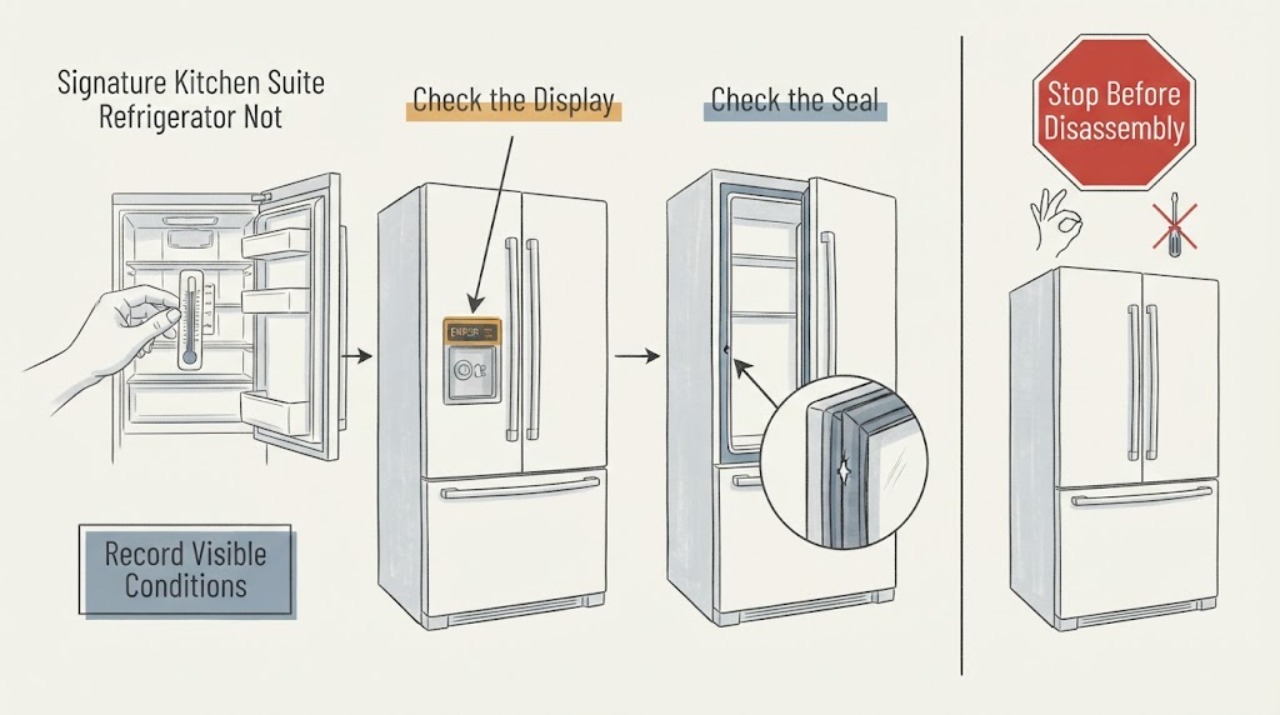
Work through in order
Diagnostic checks
Use only checks that match the exact appliance or system and its official guide.
-
Check 1
Record when the symptom occurs and whether the refrigerator display, lights, cooling, water, and ice functions respond normally.
Expected result: Only the assigned symptom appears, or several functions change together.
Next step: Continue with the symptom-specific external check. Stop for heat, smoke, water near electricity, or repeated trips.
Why this matters
Why: A single symptom favors its local path; several functions changing together makes power, control, or door-state causes more likely.
-
Check 2
Use the owner manual to verify the refrigerator control state, door position, and Display Mode or lock settings before changing other settings.
Expected result: A mode or setting is active, or settings appear normal.
Next step: Correct only a documented external setting. Do not guess at hidden service menus.
Why this matters
Why: The manual documents Display Mode as a state that can disable cooling while controls and lights still work; settings can also affect ice and dispensing.
-
Check 3
Inspect the accessible area most related to not cooling: door seal and vents for frost or door issues; visible water and outlet for leaks or dispensing; bin, icemaker, and water source for ice issues; or the external sound and cabinet clearance for noise.
Expected result: An obstruction, poor seal, visible spill, missing water source, or abnormal sound is found, or the area is clear.
Next step: Correct only an obvious obstruction or setting and observe one normal cycle. Do not remove panels or reach into fans or mechanisms.
Why this matters
Why: The finding makes an accessible installation or use condition more likely. A clear area with persistent symptoms needs model-specific diagnosis.
-
Check 4
Check whether the symptom changes after one safe, documented control or power reset allowed by the manual.
Expected result: The symptom clears and stays clear, or it returns.
Next step: Record the timing and arrange service for recurrence.
Why this matters
Why: A temporary control state may clear once; recurrence is evidence for a fault rather than a reason to repeat resets.
-
Check 5
Protect food and floors while observing: move food only as needed, wipe accessible water, and keep doors and vents clear.
Expected result: Temperatures rise, water continues, food is at risk, or the appliance remains stable.
Next step: Use qualified service promptly for continuing leak or cooling loss.
Why this matters
Why: Persistent warming or leaking can cause secondary damage even when the display is lit.
-
Check 6
Stop for smoke, burning odor, exposed wiring, water near electrical parts, or repeated breaker trips.
Expected result: Any safety hazard is present.
Next step: Disconnect power only when safe and arrange qualified appliance or electrical service.
Why this matters
Why: This is outside routine owner troubleshooting.
Use your observations
Decision map
Find the observation that best matches what you see, then follow the next safe action.
-
PATH 01Next step
What you see
The symptom follows a documented setting, blocked vent, door obstruction, or missing water source and clears after correction.
Do this next
Keep the corrected setup and monitor one normal cycle.
Why this path and its safety boundary
Why it matters: An external operating condition is more likely than an internal component fault.
-
PATH 02Next step
What you see
The display and lights work but cooling is absent or food temperature rises.
Do this next
Verify Display Mode and controls once; arrange service if cooling does not return.
Why this path and its safety boundary
Why it matters: Display Mode, control state, defrost, airflow, or a cooling-system fault remains possible; the manual specifically warns Display Mode can disable cooling.
-
PATH 03Next step
What you see
A leak, harsh recurring noise, persistent frost, failed dispensing or ice production, or door problem remains after external checks.
Do this next
Stop repeated testing and arrange model-specific service.
Why this path and its safety boundary
Why it matters: A hidden water, airflow, control, seal, or mechanical fault is more likely.
-
PATH 04Next step
What you see
Smoke, burning odor, water near electricity, exposed wiring, or repeated breaker trips occurs.
Do this next
Keep clear and use qualified appliance or electrical service.
Why this path and its safety boundary
Why it matters: Immediate safety escalation is required.
Helpful context
Understand the symptom
A Signature Kitchen Suite refrigerator with not cooling should be checked from outside using the owner manual. Start with the control state, door and airflow conditions, water or ice path as relevant, and any visible leak or electrical symptom. If the symptom persists after safe external checks, use model-specific service.
Use the exact model manual for controls and installation details. Keep user checks external and stop before opening covers or making live electrical measurements.
When checks do not resolve it
Need a professional?
Provide the exact model, symptom timing, control or Display Mode state, door and vent condition, water or ice observations, temperature concern, and any visible leak or electrical sign to qualified service.
Common questions
FAQ
What should I check first?
Start with the control state, doors and vents, and the accessible path related to the symptom. Use the exact owner manual for settings.
Could Display Mode cause a problem?
Yes. The Signature Kitchen Suite manual says Display Mode can leave controls and lights working while disabling cooling. Verify and disable it only as documented for the model.
Can I remove a panel to find the cause?
No. Keep checks external and leave sealed-system, wiring, fan, and control work to qualified service.
When is service needed?
Use service for persistent symptoms, leaks, cooling loss, harsh noise, damaged seals or wiring, or electrical hazards.
Read the exact guide
Official sources
- en-us_main.book.bookSignature Kitchen Suite · Signature Kitchen Suite refrigerator controls, Display Mode, temperature, icemaker, and troubleshooting
Community feedback
Share a repair observation
Share a plain-text repair observation. Accepted observations are published automatically; this page may take a moment to update.