
On this page
Start here
Quick answer
If a Smeg oven in a new home seems not to heat, first find the product code and the exact manual because Smeg controls and fuel types vary. On electronic Smeg ovens, the clock may need to be set before a cooking function can start. Select a documented heating program rather than defrost or another non-heating mode, close the door normally, and wait for the preheat indication. A factory smell during the first use can be normal: Smeg’s oven FAQ recommends an empty first-use heat cycle with ventilation, following the exact manual. If the oven remains cold after a normal heating cycle, the display or preheat control does not respond, a breaker trips, or there is smoke, gas odor, arcing, or uncontrolled heat, stop testing and arrange qualified appliance or electrical service.
Work through in order
Diagnostic checks
Use only checks that match the exact appliance or system and its official guide.
-
Check 1
Read the product code from the oven label and use it in Smeg’s official manual finder before interpreting the controls, fuel type, or cooking symbols.
Expected result: The code returns an exact manual, or the label is missing, unreadable, or identifies a different regional model.
Next step: Use the complete product code and region to obtain the matching manual. Until the identity is confirmed, make only the general safe observations below and do not select parts.
Why this matters
Why: Smeg oven interfaces and functions differ across models; a generic knob or display sequence can leave the oven in a non-heating state or be unsafe for a gas or combination model.
-
Check 2
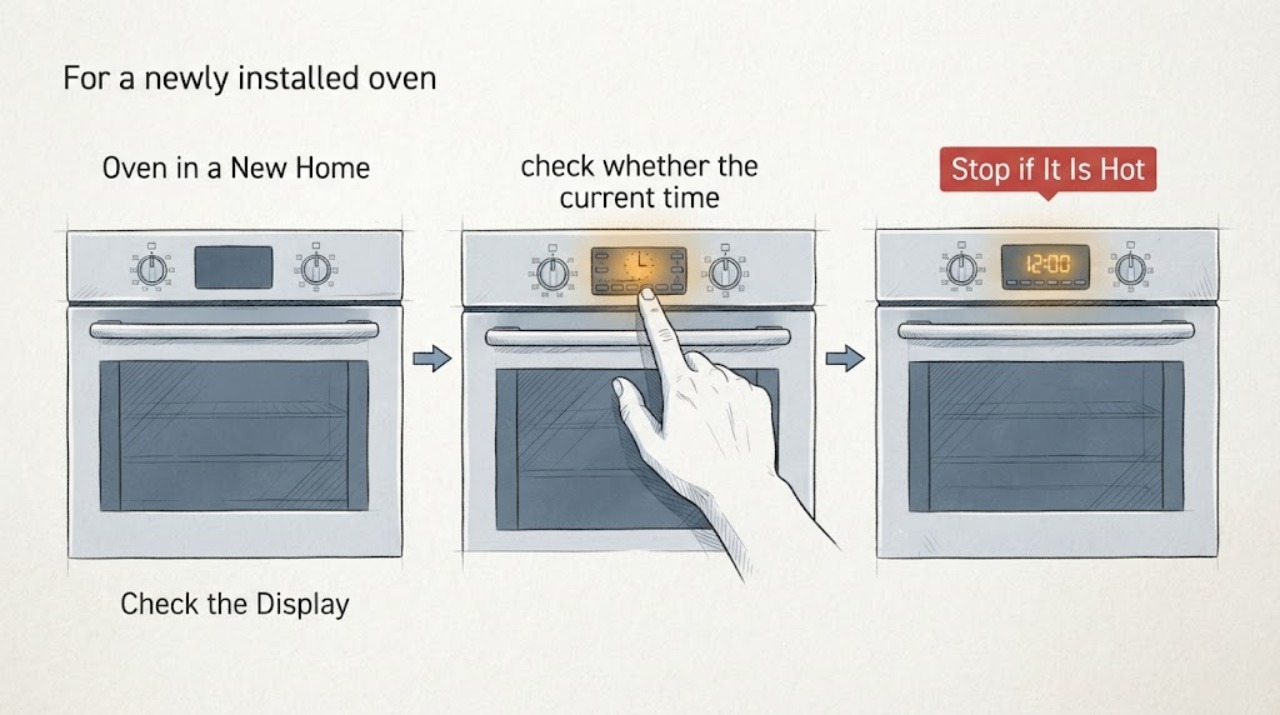
If the oven has an electronic display or programmer, check whether the current time is set and whether a delayed-start, timer, demo, lock, or other mode is active; follow only the exact manual’s normal setup or cancellation sequence.
Expected result: The display accepts the clock or program setting and then permits a cooking function, or it remains unable to start a function.
Next step: Set the clock or cancel the documented non-heating state for the exact model, then make one normal start attempt. If the display remains unresponsive, record the product code and message for service.
Why this matters
Why: For Smeg’s EvoScreen control family, the official guide says the clock must be set before first use or the oven will not turn on or start cooking. Other Smeg interfaces may differ, so this is a model-specific setup check rather than a universal button sequence.
-
Check 3
For a newly installed oven with no hazard signs, perform the exact manual’s first-use preparation with the cavity empty and ventilation available; Smeg’s oven FAQ recommends an empty high-temperature cycle for about one hour with a window open.
Expected result: A temporary factory odor appears and fades while the oven heats, or there is no heat, persistent smoke, a gas odor, arcing, or an abnormal burning smell.
Next step: For only the normal odor pattern, let the oven cool and follow the exact manual before cooking food. For persistent smoke, gas odor, arcing, or no heat, stop the cycle, isolate power only if safely accessible, and arrange qualified service or gas assistance.
Stop if: Do not run a high-temperature first-use cycle when the oven has a gas smell, electrical burning smell, visible smoke, sparks, damaged wiring, or uncontrolled heating.
Why this matters
Why: A short-lived factory odor can be normal during first use according to Smeg’s FAQ. Smoke, gas odor, arcing, or a cold cavity is not a normal reason to extend the cycle or repeat it.
-
Check 4
Select one heating function documented for the exact model, set a normal cooking temperature, close the door without force, and wait for the stated preheat indication instead of testing with defrost or another non-heating function.
Expected result: Start is accepted and the thermostat flashes or changes, a beep indicates readiness, the cavity warms, or the cavity remains cold with no expected indicator response.
Next step: If preheat occurs, continue with the exact manual’s rack and temperature guidance. If the oven remains cold or the control does not respond after one normal attempt, stop repeating the test and arrange qualified appliance service.
Why this matters
Why: Smeg says a selected cooking program automatically begins preheating and can indicate readiness by beep or flashing thermostat. Defrost, cooling, keep-warm, or a special mode may not provide the same heat behavior; a cold cavity after a documented heating cycle keeps a supply, control, sensor, or heating fault in scope.
-
Check 5
From a dry, safe position, note whether the display and interior light have power and whether the dedicated breaker or isolator has visibly tripped; do not remove panels or test live wiring.
Expected result: The display is blank, the protective device trips again, the connection is hot or scorched, or the controls have power but the cavity stays cold.
Next step: Leave the oven off after a repeat trip or any visible damage and contact qualified electrical or appliance service with the product code and symptom timing. Do not change the protective device or open the oven.
Stop if: Stop for repeated tripping, smoke, sparks, a hot or scorched connection, water near electrical parts, or any need to access live wiring.
Why this matters
Why: A blank display or repeated trip points toward supply, wiring, or an internal fault, while powered controls with no heat require model-specific appliance diagnosis. Neither observation identifies a safe replacement part by itself.
Use your observations
Decision map
Find the observation that best matches what you see, then follow the next safe action.
-
PATH 01Next step
What you see
On the first empty cycle, the oven heats normally and produces only a temporary factory odor that fades, with no gas smell, smoke, arcing, or abnormal heat.
Do this next
Let the oven cool, ventilate as directed, and follow the exact model manual before cooking food. Do not repeat the cycle solely to chase a smell that has resolved.
Why this path and its safety boundary
Why it matters: This pattern is consistent with Smeg’s documented first-use behavior and does not by itself indicate a failed heating element.
-
PATH 02Next step
What you see
The electronic display will not start a cooking function until the clock is set, or a documented delayed, demo, lock, or timer state is active.
Do this next
Use the exact manual to set the clock or cancel the state, then make one normal start attempt. If it remains unavailable, request qualified service with the product code.
Why this path and its safety boundary
Why it matters: The apparent no-heat symptom is more likely a setup or control state than a proven heating-part failure; the exact Smeg interface still controls the next step.
-
PATH 03Next step
What you see
A documented heating function starts, the preheat indicator responds, but the cavity remains cold after the model’s normal preheat period.
Do this next
Stop repeated heating tests and arrange qualified appliance service with the product code, fuel type, selected function, target temperature, and indicator behavior.
Why this path and its safety boundary
Why it matters: The symptom has moved beyond first-use setup and can involve the supply, heating system, sensor, control, or door interlock; the observation does not select a part.
-
PATH 04Next step
What you see
There is a gas odor, persistent smoke, electrical burning smell, arcing, repeated breaker trip, cracked glass, damaged wiring, or heat that continues after cancellation.
Do this next
Stop using the oven, keep clear, avoid ignition sources and unsafe switching for a gas odor, and contact the local gas utility, emergency response, qualified electrician, or appliance service from a safe location as appropriate.
Why this path and its safety boundary
Why it matters: This is an immediate safety boundary, not a first-use or cooking-setting question.
Helpful context
Understand the symptom
Treat a new-home first use as commissioning first
A newly installed oven can appear faulty when it has not been configured for its control system or when the first empty heat cycle produces a factory odor. Smeg’s official guidance says to consult the supplied manual for the exact cooking functions, and its oven FAQ describes automatic preheating and a first-use odor. These observations are useful only when there is no gas odor, smoke, arcing, or other hazard.
Do not use a first-use odor as a heat test after a safety symptom
The first-use conditioning guidance is for a newly installed oven with no safety warning. It is not a reason to keep operating an oven that stays cold, repeatedly trips its supply, smells of gas, smokes, sparks, or heats uncontrollably. Once the exact model instructions and ordinary controls have been checked, persistent no-heat behavior belongs with qualified service.
When checks do not resolve it
Need a professional?
Arrange qualified Smeg appliance service when a documented heating mode leaves the cavity cold, the control setup remains unavailable, or the supply trips again. Stop immediately for gas odor, smoke, arcing, burning smell, damaged wiring, cracked glass, or uncontrolled heating.
Common questions
FAQ
Is a smell normal the first time I use a Smeg oven?
Smeg’s official oven FAQ says a new oven can give off a factory odor during first use and recommends an empty, ventilated high-temperature cycle for about one hour before cooking. Follow the exact manual and stop for gas odor, persistent smoke, arcing, or an abnormal burning smell.
Why will my Smeg oven not start heating after installation?
First confirm the exact product manual and check the clock or programmer. Smeg’s EvoScreen guide says that control family requires the current time to be set before the oven can turn on or start a cooking function. A different Smeg interface may use different steps.
How do I know whether my Smeg oven is actually preheating?
Smeg says a selected cooking program automatically begins preheating and can indicate readiness with a beep or flashing thermostat. Use a documented heating function and the exact model manual; a cold cavity after the normal preheat period should be referred to qualified service.
Read the exact guide
Official sources
- User manualsSmeg S.p.A. · Official Smeg manual finder for obtaining the complete manual that describes the exact appliance functions.
- User manualsSmeg USA · Official Smeg USA manual finder; establishes the need to identify the product code before using model-specific instructions.
- Smeg Oven: EVOSCREEN Display & Intuitive Knob GuideSmeg S.p.A. · Specific to Smeg ovens using the EvoScreen control family; used only to explain why an unset clock can block operation on that interface.
- Oven FAQSmeg USA · Official Smeg USA oven FAQ with general guidance; the exact product manual controls when a model or regional instruction differs.
Community feedback
Share a repair observation
Share a plain-text repair observation. Accepted observations are published automatically; this page may take a moment to update.