
On this page
Start here
Quick answer
When a Speed Queen washer-dryer is not cleaning, first confirm that the washer—not the dryer—is leaving the clothes dirty. Then check the load size and soil level, selected cycle and water temperature, detergent type and amount, dispenser condition, fill and drain behavior, and the cleanliness of the door seal or tub. A washer that fills, tumbles, rinses, and drains normally but still leaves soil needs a model-specific cycle or service assessment; a washer that barely fills, leaves suds, does not drain, or shows an error needs that fault corrected first. Speed Queen provides model-number manuals and user guides, so use the exact guide before changing a cycle or ordering a part.
Work through in order
Diagnostic checks
Use only checks that match the exact appliance or system and its official guide.
-
Check 1
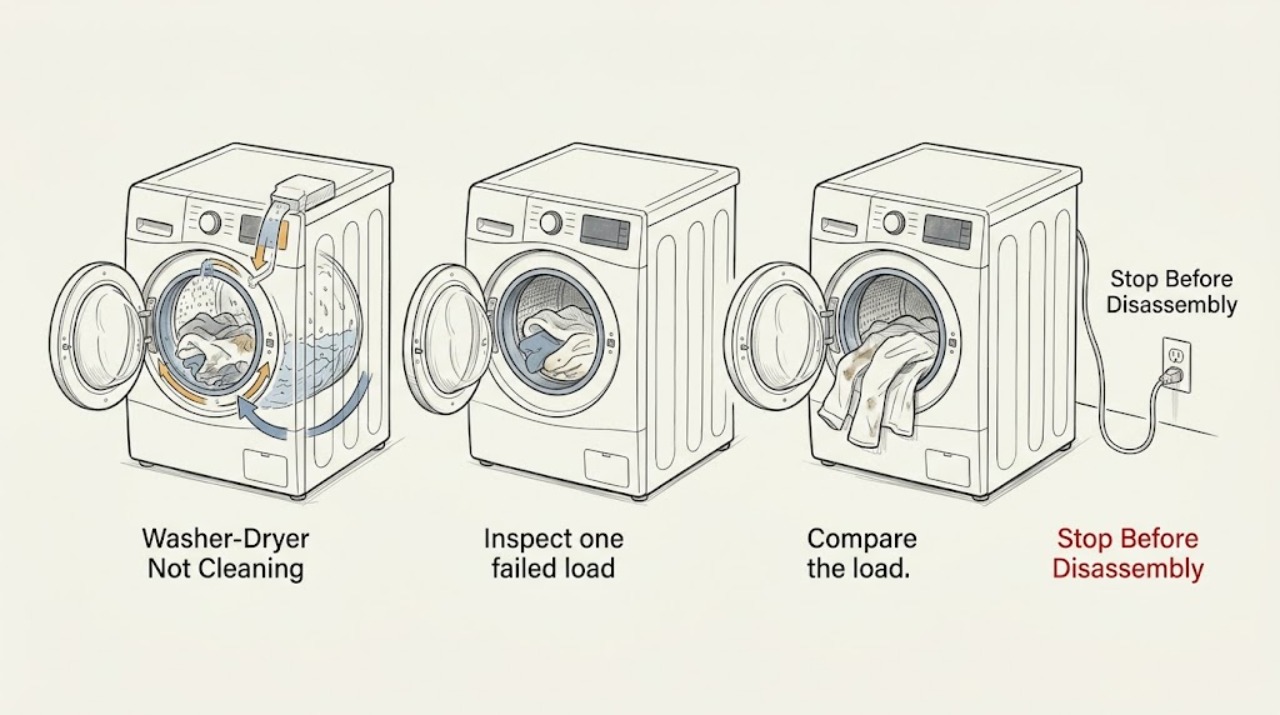
Inspect one failed load and classify the result: visible soil remains, oily marks remain, odor remains, detergent film is present, or the clothes are clean but simply wet. Note fabric type, load size, soil level, and whether the complaint affects every cycle or only one load.
Expected result: The washer leaves soil or odor; residue appears on otherwise clean clothes; or clothes are clean but wet after the washer-dryer cycle.
Next step: Continue with washer checks for soil or residue. If the clothes are clean but wet, check the washer's final spin and then use the dryer troubleshooting path in the model manual.
Why this matters
Why: Soil and odor point toward wash selection, detergent delivery, water, or machine cleanliness. Wet-but-clean clothes point toward rinse/spin or dryer performance and should not be diagnosed as a cleaning failure.
-
Check 2
Compare the load with the selected cycle, soil level, temperature, and any prewash, soak, or extra-rinse option in the exact Speed Queen guide. Run an appropriate cycle with a correctly sized load; do not pack the drum tightly or mix a heavily soiled item with a delicate, very small load and infer a machine failure from that result.
Expected result: The cycle or temperature was unsuitable, the load was overloaded or too small, or the same soil remains with a correctly selected cycle and load.
Next step: Correct the cycle/load selection and compare the next result. If cleaning remains poor, continue to detergent, fill, and machine-condition checks instead of increasing chemicals blindly.
Why this matters
Why: The washer cannot expose all fabric surfaces or provide the intended wash action when the load or program is mismatched. A repeat failure with a suitable load makes detergent, water movement, or a machine fault more likely.
-
Check 3
Check the detergent label and the Speed Queen manual for the required detergent type and amount. Inspect the dispenser for hardened residue or a blocked outlet, and confirm detergent is reaching the wash rather than remaining in the drawer. Do not add extra detergent to compensate for poor cleaning.
Expected result: The detergent is wrong for the model, overuse creates heavy suds or film, the dispenser is dirty, or the detergent is delivered normally.
Next step: Clean the accessible dispenser as the model guide permits, use the documented detergent amount, and run a correctly loaded test. If suds, residue, or poor cleaning persists, request service rather than changing to an unverified product.
Why this matters
Why: Too much or unsuitable detergent can leave residue and suds that interfere with rinsing; a blocked dispenser can leave too little detergent in the wash. Normal delivery shifts attention to water, load, and mechanical checks.
-
Check 4
Observe one cycle's fill, wash action, rinse, and drain without opening service panels. Confirm the loading door or lid closes and locks, the washer receives the expected water, the drum or agitator moves, and the water drains fully.
Expected result: The washer barely fills, has incorrect water temperature, does not tumble or agitate, leaves water, or shows an error; or all stages complete normally.
Next step: Stop and use the model-specific fault guidance for any missing stage or error. Do not bypass a lid/door lock or open the cabinet. If every stage completes, continue with machine-cleanliness and load-result checks.
Why this matters
Why: A fill, movement, drain, or door-lock fault can prevent proper cleaning even when detergent and cycle selection are correct. A normal sequence with poor results makes a dirty machine or water-quality/load issue more likely.
-
Check 5
With the washer empty and off, clean visible detergent buildup from the door glass, rubber seal, dispenser, and accessible drum surfaces using the method allowed by the manual. Leave the door or lid open afterward so the interior can dry; do not mix cleaners or pour unapproved chemicals into the machine.
Expected result: Residue, lint, mold-like buildup, or odor is present; or the visible interior is clean and the complaint is fresh soil rather than transferred odor/film.
Next step: Complete the model-approved cleaning routine and retest with a normal load. If fresh soil remains with a clean interior and correct settings, arrange a service diagnosis.
Why this matters
Why: A dirty seal, dispenser, or damp interior can reintroduce odor or residue. If the interior is clean, cleaning the machine is unlikely to explain fresh soil by itself.
-
Check 6
Find the full Speed Queen model number and record the failed cycle, load, detergent, water temperature, fill/drain behavior, error display, and before/after result. Use the official manual portal to compare the model's cleaning, maintenance, and service guidance.
Expected result: The model and repeatable symptom are documented; or the result is inconsistent and the model is unknown.
Next step: Provide the model number and notes to Speed Queen support or an authorized technician. Do not order a pump, valve, control, seal, or motor from a cleaning complaint alone.
Why this matters
Why: Speed Queen washer-dryer families differ in controls and programs. A repeatable, model-specific symptom is more useful to a technician than a general statement that clothes are dirty.
Use your observations
Decision map
Find the observation that best matches what you see, then follow the next safe action.
-
PATH 01Next step
What you see
Clothes are clean but wet, while the complaint was described as not cleaning.
Do this next
Check final spin, load balance, drain completion, and then the dryer side; use the model manual for drying and vent guidance rather than changing wash detergent.
-
PATH 02Next step
What you see
The load, cycle, or detergent was mismatched, and the washer fills, tumbles, rinses, and drains normally.
Do this next
Correct the program, load size, and documented detergent amount, then compare one correctly loaded cycle. Do not add extra detergent or repeat harsh cleaning chemicals.
-
PATH 03Next step
What you see
The dispenser, door seal, or drum has visible residue or odor.
Do this next
Clean the accessible areas using the model-approved method, dry the interior, and retest. Request service if odor or residue returns despite correct use.
-
PATH 04Next step
What you see
The washer does not fill, move, drain, lock, or complete its cycle, or an error appears.
Do this next
Stop treating the symptom as a detergent problem. Follow the exact model fault guidance and arrange service if the basic operating fault remains; do not bypass a lock or open service panels.
-
PATH 05Next step
What you see
A correctly loaded cycle completes normally but clothes remain dirty or odor persists after the accessible cleaning routine.
Do this next
Arrange a model-specific service diagnosis for water temperature, fill volume, circulation, drive action, drain performance, or control behavior. Avoid guessing at a replacement part.
Helpful context
Understand the symptom
Separate washing from drying
If the clothes are still visibly dirty, greasy, or odorous after the cycle, start with the washer side of a stacked or combination unit. If they are clean but remain wet, the complaint is drying performance rather than cleaning. If the drum never fills, the cycle stops with water, or the display shows an error, correct that basic operating problem before judging wash quality.
A clean machine is part of the result
Detergent residue, minerals, lint, and damp buildup can transfer odor or film back to clothes. Speed Queen's cleaning guidance starts with visible surfaces, the door seal and dispenser, then an appropriate cleaning cycle. Follow the exact model guide for any clean-out cycle or product recommendation, and never mix cleaning chemicals.
Safety boundary
Stop conditions
- Stop using the washer-dryer for smoke, burning odor, sparking, a damaged cord, water near electrical parts, repeated breaker trips, or a leaking cabinet or hose that cannot be safely isolated.
- Stop if the door or lid lock does not operate, the drum or agitator is jammed, the machine moves violently, or water remains and an accessible drain check does not resolve it.
- Do not bypass a safety lock, open the cabinet, work on wiring or live voltage, or use unapproved chemical mixtures to force a cleaning result.
Only after diagnosis
Potential parts
- detergent dispenser or dispenser seal
Consider only if a qualified diagnosis confirms that a damaged or blocked dispenser is preventing detergent delivery after accessible cleaning and correct detergent use.
Confirm the complete model number and documented fit before ordering; poor cleaning alone does not identify a dispenser fault. - water inlet valve or inlet screen
Consider only if a qualified technician confirms inadequate or incorrect water entry as the reason the wash program cannot clean properly.
Water and electrical service require model-specific diagnosis and safe isolation; do not dismantle the inlet assembly from a cleaning complaint alone. - door seal or lid seal
Consider only if inspection confirms a damaged seal that causes water loss, prevents the intended wash action, or holds soil and odor after the approved cleaning routine.
Confirm the exact washer-dryer model and installation method before ordering; do not defeat the door or lid lock.
When checks do not resolve it
Need a professional?
Arrange qualified Speed Queen service when a correctly loaded and correctly dosed cycle still leaves fresh soil, the washer misses a fill, wash, rinse, spin, or drain stage, an error returns, or odor and residue return after the model-approved cleaning routine.
Common questions
FAQ
Why is my Speed Queen washer-dryer leaving clothes dirty?
Start with load size, cycle and soil selection, water temperature, detergent type and amount, dispenser delivery, fill/wash/drain behavior, and the cleanliness of the seal and drum. If all are correct and the result remains poor, arrange service.
Can too much detergent make cleaning worse?
Yes. Excess detergent can create residue and suds that interfere with rinsing. Follow the exact Speed Queen guide and detergent label for the required type and amount rather than adding more to compensate.
What if clothes are clean but still wet?
That is usually a spin or drying complaint, not a cleaning complaint. Check drain completion and final spin, then use the dryer section of the exact model manual.
What should I tell a Speed Queen technician?
Provide the full model number, cycle and options, load and detergent details, water and drain behavior, any error, and whether the problem is soil, odor, residue, or clean-but-wet clothes.
Read the exact guide
Official sources
- How to Clean Your Washer So You’re Not Put in a SpinSpeed Queen · Speed Queen washer cleaning and residue/odor maintenance guidance
- Tricks your washer or dryer might be playing on you (and how to solve them!)Speed Queen · Speed Queen washer and dryer basic troubleshooting, detergent, drainage, and service guidance
- User's GuideSpeed Queen · Speed Queen washer user-guide troubleshooting, maintenance, and wash-operation guidance
- Manuals & DownloadsSpeed Queen · Speed Queen washer and dryer model-specific manuals, installation documents, and warranty literature
Community feedback
Share a repair observation
Share a plain-text repair observation. Accepted observations are published automatically; this page may take a moment to update.