
On this page
Start here
Quick answer
When a Speed Queen washing machine is not cleaning well, first compare the result with the selected cycle, water temperature, load size, and detergent instructions. Speed Queen guidance says clothes need room to circulate, water level must fit the load, and the wash temperature should match both the soil and the fabric label. Check that the washer fills with the expected hot or cold water, the detergent reaches the wash rather than remaining in the dispenser, and the load is not packed tightly. If the machine has a model-specific tub-clean or maintenance programme, use it only as the owner guide describes. Excessive suds, standing water, leaks, hot water, smoke, burning odor, sparks, or repeated breaker trips are stop conditions; a persistent poor-cleaning result after these checks needs qualified service.
Before you begin
Safety first
- This article supports ordinary-access observations and model-specific controls only. Do not mix chemicals, handle hot or pressurized water, open wet pump areas, bypass locks, probe wiring, or dismantle panels.
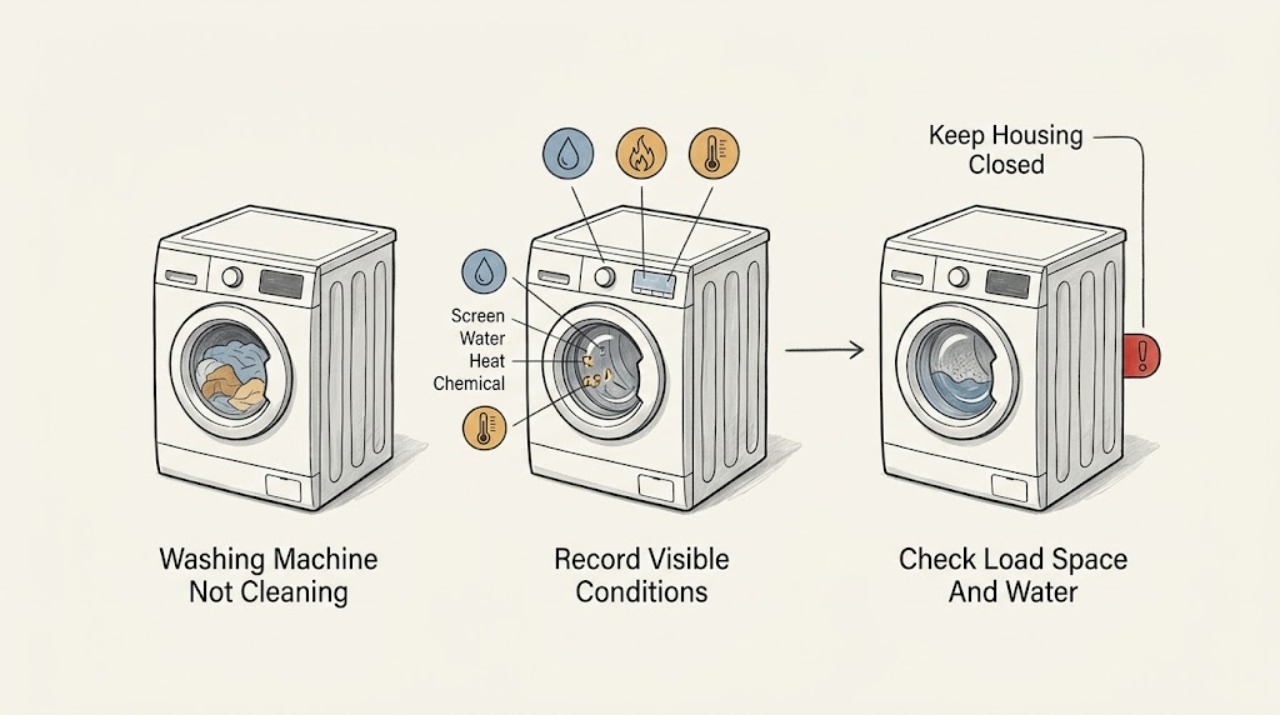
Work through in order
Diagnostic checks
Use only checks that match the exact appliance or system and its official guide.
-
Check 1
Before changing settings or opening a dispenser, look for pooled or leaking water, water near the plug or controls, unusually hot water or cabinet surfaces, smoke, burning odor, sparks, damaged cord, or repeated breaker trips.
Expected result: Record whether the machine is safe and dry, whether water or detergent residue is escaping, whether heat is expected for the selected cycle, and whether any smoke, odor, spark, or electrical trip occurred.
Next step: Stop the machine. If safe without touching wet electrics, close the water taps and isolate power at the normal disconnect; keep clear and arrange qualified appliance, plumbing, electrical, or emergency help as appropriate.
Stop if: Do not touch wet electrical parts, mix cleaning chemicals, handle hot water, or restart after smoke, burning odor, sparks, flooding, or a repeated trip.
Why this matters
Why: Flooding, chemical exposure, hot water, fire, and electrical hazards override a cleaning-performance check. A machine with those signs should not be run to compare cycles.
-
Check 2
Record the Speed Queen model, top-load or front-load design, selected cycle and temperature, load type and fullness, detergent type and amount, and the exact result: stains, residue, odor, poor rinsing, no wash action, or a stopped cycle.
Expected result: Clothes that are tightly packed point to load and water-level checks; dry items or no wash action point to fill or programme checks; residue or suds points to detergent and dispenser checks; a stopped or undrained cycle points to an operating fault.
Next step: Follow the branch matching the observed symptom and use the exact owner manual for model-specific cycle names and controls.
Stop if: Do not run repeated full cycles while the washer is leaking, full of standing water, electrically unsafe, or showing smoke or overheating.
Why this matters
Why: The same phrase ‘not cleaning’ can describe a chemistry or loading issue, an inlet problem, excessive suds, poor draining, or a mechanical/control fault. The failed stage changes the next test.
-
Check 3
With the machine stopped and safe, redistribute the load by space rather than weight, remove obvious overloading, and choose the load or water-level setting required by the exact Speed Queen model.
Expected result: Items should move or circulate through the wash water rather than forming a packed mass. A load that moves freely and has the correct water level can improve soil removal; a load that remains packed or dry indicates the size, level, or fill branch is unresolved.
Next step: Run the appropriate cycle once with the corrected load only if there is no safety or drain problem. If the load still receives little water or the washer cannot complete, check inlet and control symptoms instead.
Stop if: Do not reach into a moving tub, exceed the model capacity, or continue if the machine leaks, walks violently, or leaves standing water.
Why this matters
Why: Speed Queen says free movement and sufficient water relative to the load are important for cleaning and rinsing. Adding detergent cannot correct a load that cannot circulate.
-
Check 4
Compare the selected cycle and temperature with the fabric-care label and the exact Speed Queen manual; then observe from the normal controls whether the expected water enters and whether the hot and cold hose connections match the marked inlets.
Expected result: The selected cycle should provide the intended wash action and the expected hot, warm, or cold inlet behavior. Little or no fill, an unexpectedly cold hot selection, a kinked hose, or reversed connections points to a supply or installation branch rather than a stain-removal problem.
Next step: Correct only an obvious control selection or safely visible hose-routing error. If the inlet remains wrong, the supply is unavailable, or the machine cannot fill, arrange qualified service or plumbing help.
Stop if: Do not disconnect pressurized hoses, handle hot water, open panels, or continue if water is leaking or near electrical parts.
Why this matters
Why: Speed Queen manuals tie cleaning performance to the correct cycle, temperature, and hot/cold hose connection. Temperature should not be increased beyond fabric limits or used to conceal a fill fault.
-
Check 5
Use the detergent type and amount stated on the product label and the exact Speed Queen manual, and inspect only the accessible dispenser or detergent entry for residue or a visible blockage after the machine is stopped.
Expected result: Correct detergent delivery with normal suds supports a load, temperature, or wash-action branch. Detergent left in the dispenser, unusually heavy suds, or a wrong product points to a dispenser or detergent-use issue; persistent residue after correction needs service or model-specific maintenance.
Next step: Use only the model-approved dispenser cleaning or rinse procedure. Do not add another chemical to counteract the first; if suds persist or the cycle will not drain, follow the drain/service branch.
Stop if: Do not mix bleach, vinegar, peroxide, descaler, or other cleaners, pour unapproved chemicals into the washer, or handle detergent in a wet electrical area.
Why this matters
Why: Too much detergent can create suds and interfere with operation, while detergent that never reaches the load cannot clean it. More product is not a safe substitute for the correct dose.
-
Check 6
If the issue is residue or odor and the washer has no leak, standing water, or electrical hazard, check the exact model manual for a tub-clean or maintenance programme; before using it, confirm the drain path is functioning and the drum is empty as directed.
Expected result: A supported maintenance cycle may remove model-appropriate residue, while a cycle that cannot start, cannot drain, produces heavy suds, or leaves residue unchanged indicates an operating or service issue rather than a cleaning-cycle choice.
Next step: Follow only the exact manual and use only its permitted cleaner or procedure. If the issue returns or the maintenance cycle fails, keep the washer off and arrange service.
Stop if: Do not mix chemicals, open a filter or pump area with water present, or run a maintenance programme after a leak, smoke, odor, sparks, or electrical trip.
Why this matters
Why: Cleaning programmes and permitted products vary by Speed Queen model. Maintenance cannot compensate for a blocked drain, failed fill, control fault, or mechanical wash-action problem.
-
Check 7
Stop troubleshooting when the load, cycle, temperature, detergent delivery, and model-approved maintenance checks are correct but cleaning remains poor, or when the washer cannot fill, wash, drain, or complete the selected programme.
Expected result: Provide the model and serial information, symptom and failed stage, cycle and temperature, load and detergent details, inlet observations, dispenser or tub-clean result, error message, suds, water, odor, and electrical observations.
Next step: Keep the washer unused if water remains or a hazard appeared and arrange qualified Speed Queen appliance service; use plumbing or electrical help when the evidence points outside the appliance.
Stop if: Do not bypass a lid or door lock, probe wiring, open panels, repeatedly reset a breaker, or continue cycles after a safety warning.
Why this matters
Why: A qualified technician can distinguish a supply, dispenser, drain, pump, motor, wash-action, sensor, heating, or control fault without unsafe user disassembly.
Use your observations
Decision map
Find the observation that best matches what you see, then follow the next safe action.
-
PATH 01Safety boundary
What you see
There is a leak, standing water near electrics, hot uncontrolled water, smoke, burning odor, sparks, a damaged cord, violent movement, or a repeated breaker trip.
Do this next
Stop the cycle; if safe without touching wet electrics, close the water taps and isolate power at the normal disconnect, keep clear, and arrange qualified or emergency help.
Why this path and its safety boundary
Why it matters: This is a safety stop, not a cleaning adjustment.
Safety stop: Do not touch wet electrical parts, add chemicals, reach into the tub, or retry the washer.
-
PATH 02Safety boundary
What you see
Clothes are packed tightly, cannot circulate, or the selected load or water level does not fit the amount of laundry.
Do this next
Reduce or redistribute the load and select the model-appropriate size or level, then run the suitable cycle once if the machine is otherwise safe.
Why this path and its safety boundary
Why it matters: The wash action and water-to-fabric ratio may be preventing soil removal.
Safety stop: Stop if the washer still receives little water, leaks, walks violently, or leaves standing water.
-
PATH 03Safety boundary
What you see
The cycle or temperature is unsuitable, hot and cold hose observations do not match the selected setting, or the machine fills slowly or not at all.
Do this next
Use the exact manual and fabric label to correct a safe setting or visible hose-routing issue; arrange plumbing or appliance service for a persistent fill problem.
Why this path and its safety boundary
Why it matters: The result may be caused by a programme or water-supply condition rather than detergent strength.
Safety stop: Do not disconnect pressurized or hot hoses, open panels, or work near water and electricity.
-
PATH 04Safety boundary
What you see
Detergent remains in the dispenser, the dose or product is incorrect, or heavy suds are present.
Do this next
Follow the detergent label and exact Speed Queen manual, clean only the accessible dispenser as directed, and use the drain/service branch if foam or water remains.
Why this path and its safety boundary
Why it matters: Detergent delivery or excess foam can reduce cleaning and may interfere with draining or cycle completion.
Safety stop: Do not add another chemical, mix cleaners, or run repeated cycles with heavy suds or standing water.
-
PATH 05Safety boundary
What you see
The main issue is residue or odor, the washer is empty and safe, and the exact model manual provides a tub-clean or maintenance programme.
Do this next
Run only the documented maintenance procedure with its permitted product, then reassess with a suitable load and cycle.
Why this path and its safety boundary
Why it matters: Model-specific maintenance may address residue, but it does not diagnose fill, wash-action, or drain faults.
Safety stop: Stop if the maintenance cycle cannot drain, produces a leak, heavy suds, smoke, odor, sparks, or an electrical trip.
-
PATH 06Safety boundary
What you see
The washer leaves water, produces a drain or suds warning, stops before completing, or cannot run the selected cycle after the load and detergent checks.
Do this next
Keep the washer off if water remains, record the display and failed stage, and arrange qualified Speed Queen service; do not guess a component replacement.
Why this path and its safety boundary
Why it matters: A drain, pump, control, motor, sensor, or other operating fault may be preventing a complete wash.
Safety stop: Do not open a wet pump area, bypass a door or lid lock, or continue full cycles.
-
PATH 07Safety boundary
What you see
The load, cycle, temperature, water entry, detergent, dispenser, and applicable maintenance checks are correct but clothes remain poorly cleaned.
Do this next
Keep notes and arrange qualified Speed Queen appliance service with the exact model and test observations.
Why this path and its safety boundary
Why it matters: A hidden wash-action, fill, drain, heating, sensing, motor, or control fault remains possible.
Safety stop: Do not dismantle the washer or keep adding detergent to force a result.
Helpful context
Understand the symptom
Define what ‘not cleaning’ means
Separate a stain that needs a different pretreatment from a washer that is not washing mechanically. Note whether the problem is visible soil left behind, detergent residue, a bad smell, poor rinsing, clothes staying dry, or a cycle that stops. Record the model, cycle, temperature, load size, detergent type and amount, and whether water enters and drains. That record determines whether the next check is load and chemistry, water supply, dispenser, or machine operation.
Make room for the wash action
A packed tub can keep fabrics from moving through wash water and can leave both soil and detergent behind. Load by the space the items occupy, keep large and small items balanced as the model guide describes, and choose the matching load or water-level setting when the machine provides one. Do not compensate for a crowded load by adding more detergent; change the load and cycle first.
Temperature and detergent must fit the model
Cold, warm, and hot selections have different cleaning effects and fabric limits. Confirm that the selected temperature reaches the intended inlet and that hot and cold hoses are connected as the model manual requires. Use the detergent type and amount on its label and the washer instructions; too much detergent can create suds that interfere with draining, while the wrong product or a blocked dispenser can keep detergent from reaching the load.
Maintenance is a model-specific branch
A dirty dispenser or tub can contribute to residue or odor, but a cleaning procedure is not the same as a repair. Use only the exact Speed Queen owner guide for a tub-clean or dispenser procedure and never mix cleaning chemicals. If the washer leaves standing water, has persistent suds, leaks, fails to fill, or cannot complete a cycle, resolve that operating fault before running a maintenance programme.
When checks do not resolve it
Need a professional?
Arrange qualified Speed Queen appliance service when cleaning remains poor after the correct load, cycle, temperature, water entry, detergent, dispenser, and model-approved maintenance checks; when the washer cannot fill, wash, drain, or complete; or when an error returns. Use plumbing help for a household supply or drain restriction. Stop and seek urgent help for flooding, water near electricity, hot uncontrolled water, smoke, burning odor, sparks, damaged wiring, violent movement, or repeated breaker trips.
Safety scope: This article supports ordinary-access observations and model-specific controls only. Do not mix chemicals, handle hot or pressurized water, open wet pump areas, bypass locks, probe wiring, or dismantle panels.
Common questions
FAQ
Why is my Speed Queen washing machine not cleaning clothes?
Start with the load size, water level, cycle, temperature, detergent type and amount, and whether the expected water enters. Clothes need room to circulate, and a machine that leaves suds, standing water, or a stopped cycle needs an operating-fault check rather than more detergent.
Can an overloaded Speed Queen washer clean poorly?
Yes. Speed Queen guidance says items should move freely through the wash water and that overcrowding or an incorrect water level can reduce washing and rinsing. Redistribute or reduce the load and use the model-appropriate size or level.
Should I use more detergent when my Speed Queen washer leaves stains?
No. Follow the detergent label and exact washer manual. Too much detergent can create excess suds and interfere with operation, while a blocked dispenser or wrong product can keep detergent from reaching the load.
Does wash temperature affect Speed Queen cleaning?
Yes, but select temperature with the fabric-care label and model instructions in mind. Confirm the expected hot, warm, or cold water actually enters; an inlet or hose problem should not be corrected by repeatedly increasing temperature.
When should I stop using a Speed Queen washer that is not cleaning?
Stop for leaks, hot uncontrolled water, water near electrical parts, smoke, burning odor, sparks, violent movement, or repeated breaker trips. Also stop when water remains or a drain or cycle error returns, and arrange qualified service rather than mixing cleaners or opening panels.
Read the exact guide
Official sources
- Speed Queen | Tricks your washer or dryer might be playing on you (and how to solve them!)Speed Queen · Official Speed Queen article covering visible drain-hose obstruction, foreign objects, pump conditions, excess suds, and manual/service boundary; use the exact model manual for any procedure.
- Speed Queen | What’s in a Load?Speed Queen · Official Speed Queen loading article covering space, water, detergent amount, top-load circulation, and front-load overfill guidance.
- Speed Queen | How to Clean Your Washer So You’re Not Put in a SpinSpeed Queen · Official Speed Queen maintenance article for cleaning surfaces, dispenser, seal, and tub; exact permitted products and programmes remain model-specific.
- User's GuideSpeed Queen / Alliance Laundry Systems · Official user guide with model-specific troubleshooting for drainage, suds, load size, water temperature, controls, and foreign-object pump trap; other models may differ.
- User's GuideSpeed Queen / Alliance Laundry Systems · Official user guide with load movement, water level, temperature, detergent, cycle, and cleaning-performance guidance; other models may differ.
Community feedback
Share a repair observation
Share a plain-text repair observation. Accepted observations are published automatically; this page may take a moment to update.