
On this page
Start here
Quick answer
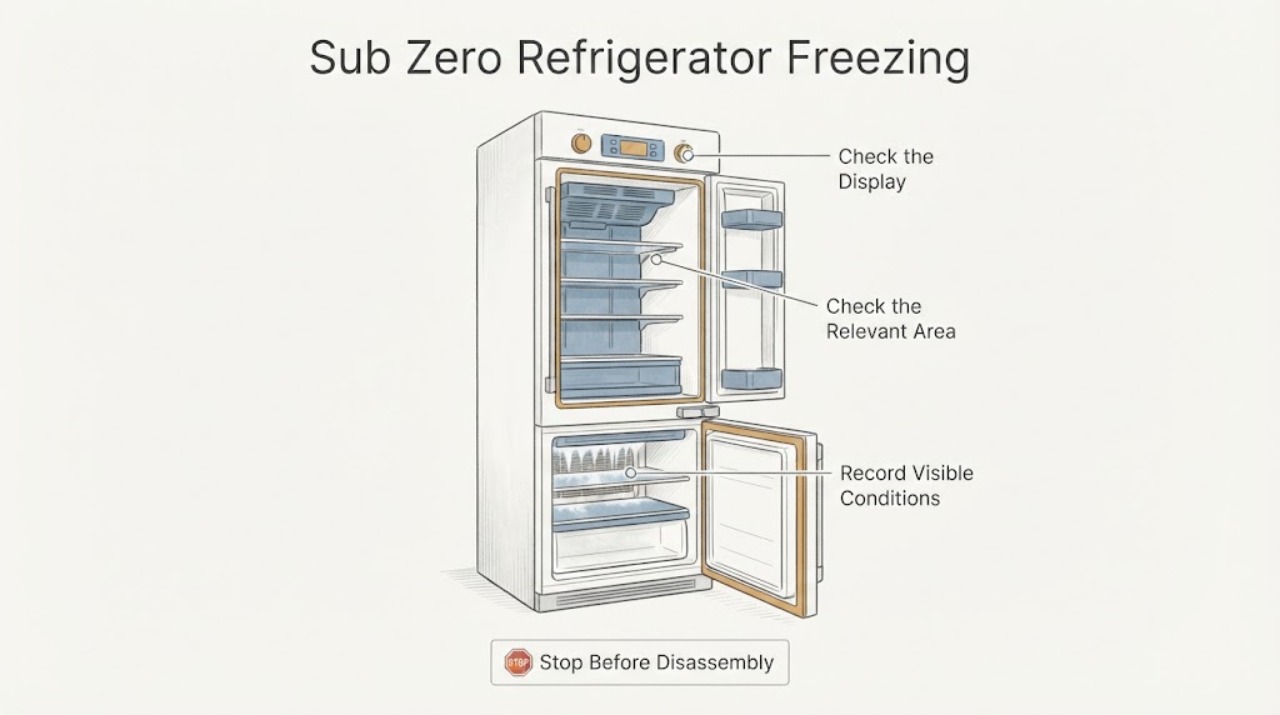
First identify whether all refrigerator food is freezing, only the crisper drawer is affected, or there is ice or frost on the back wall. Sub-Zero's general guidance is to check error messages and the temperature setting, use the model-appropriate control range, clean the condenser if it is overdue, and verify the light diffuser is installed. Measure food temperature rather than relying on the displayed setpoint, then allow the unit time to respond after a setting change. A damaged door gasket, recurring frost, an error, or continued freezing after these checks needs Factory Certified Service.
Work through in order
Diagnostic checks
Use only checks that match the exact appliance or system and its official guide.
-
Check 1
Map the symptom before changing the control: check whether food is freezing throughout the refrigerator, only in a crisper drawer, or near a back wall, and note any error or service message and whether the display shows °F or °C.
Expected result: All shelves are affected, one drawer is affected, ice or frost is on the back wall, the control shows an error, or the displayed units do not match the expected units.
Next step: Follow the matching check below. If an error or service message is present, stop ordinary troubleshooting and arrange Factory Certified Service according to the exact model guidance.
Why this matters
Why: Sub-Zero treats general overcooling, crisper-drawer airflow or fan behavior, back-wall frost, and error messages as different problem paths. A unit may also appear extremely cold when the display is being read in the wrong temperature units.
-
Check 2
Verify the refrigerator temperature setting using the control type and model instructions. For electronic controls, compare with Sub-Zero's recommended refrigerator setting of 38°F (3°C); for numbered dials, use the model-specific dial guidance rather than translating an electronic setting to a dial number.
Expected result: The refrigerator is set below the recommended electronic setting, the display is in °C when °F was expected, a dial is at a colder position than the model guidance, or the setting already appears appropriate.
Next step: Correct only the setting supported by the exact model manual, then allow 24 hours before judging the change. If the setting is already appropriate or freezing continues after the waiting period, measure food temperature and continue with the location-specific checks.
Why this matters
Why: A colder setting can make the refrigerator run more, while a unit that freezes at an appropriate setting points toward airflow, frost, condenser, sealing, control, or sensor conditions. The display is a setpoint and does not prove the food temperature.
-
Check 3
Measure the refrigerator compartment with a thermometer in a glass of water placed halfway from front to back and halfway from top to bottom, and leave it for 12 hours before recording the result.
Expected result: The water temperature is substantially colder than the intended setpoint, the measured food temperature is reasonable despite a cold air reading, or the result varies or remains inconsistent with the setpoint.
Next step: Use the measured result with the setting and symptom location when contacting service. Do not keep lowering or raising the setting repeatedly; a setting change itself needs 24 hours to settle.
Why this matters
Why: Sub-Zero says air temperature alone is not an accurate measure of cooling and that food temperature is the proper measurement. An inconsistent food result after the measurement period makes a control, sensor, airflow, or sealed-system issue more plausible than a simple display misunderstanding.
-
Check 4
Inspect the refrigerator door and gasket from the outside: remove anything preventing full closure, confirm the door closes all the way, and look for a torn or damaged rubber gasket. If there is ice or frost on the back wall, also note whether it is returning after the door-seal check.
Expected result: A container blocks closure, the door does not seal, the gasket is damaged, or the door and gasket look normal while frost remains or returns.
Next step: Remove only the visible obstruction and monitor one normal cooling period. If the gasket is damaged or frost returns, stop repeated defrosting and schedule Factory Certified Service; do not remove panels or attempt a sealed-system repair.
Why this matters
Why: Sub-Zero identifies door-seal problems and air leakage as causes associated with back-wall ice or frost. Correcting an obstruction may restore sealing, but a damaged gasket or returning frost can require a model-specific repair or drain diagnosis.
-
Check 5
Check condenser maintenance and the light diffuser only as described for the exact Sub-Zero series. Clean the condenser if it has not been maintained within the period in the applicable official guidance, and verify the light diffuser is installed rather than removed or missing.
Expected result: The condenser is overdue for cleaning, the light diffuser is missing or incorrectly installed, or both are already correct.
Next step: Perform only the user maintenance shown for the model, restore the applicable diffuser, and allow up to 24 hours for the temperature response where the guidance says so. If freezing persists, request service rather than opening the refrigeration system.
Why this matters
Why: Sub-Zero lists an overdue condenser and a missing light diffuser among checks for a refrigerator section that is too cold. These observations support a maintenance or component-configuration correction, but they do not establish a failed compressor, fan, or sensor.
-
Check 6
For food freezing only in a crisper drawer, check the drawer-specific temperature and visible ice or water beneath or behind the drawer. On models covered by Sub-Zero's crisper guidance, if the refrigerator is set above 35°F, adjust it to 34°F and monitor exactly as that guidance directs.
Expected result: Only the crisper is affected, ice is behind or water is beneath it, the covered model is above 35°F, or the drawer remains freezing after the model-specific setting and visible checks.
Next step: Apply the 34°F crisper procedure only when the exact model is covered by that official guidance and monitor the result. If an error appears, the drawer continues freezing, or ice or water returns, contact Factory Certified Service.
Why this matters
Why: Sub-Zero associates this crisper symptom with airflow or a fan that is not cycling and states that, on the covered models, a setting above 35°F may make crisper fans run excessively. Ice or water behind or beneath the drawer can indicate a separate frost or drain path.
Use your observations
Decision map
Find the observation that best matches what you see, then follow the next safe action.
-
PATH 01Next step
What you see
Freezing stops after correcting a colder-than-intended setting, and the measured food temperature is stable after the required waiting period.
Do this next
Keep the documented setting and monitor the affected food location. If freezing returns at the same setting, use the recorded measurement and request service.
Why this path and its safety boundary
Why it matters: The result is consistent with a setpoint or unit-display issue, although it does not prove that no underlying control problem exists.
-
PATH 02Next step
What you see
Food is freezing throughout the refrigerator even though the setting is appropriate and the 12-hour food-temperature measurement remains unusually cold or inconsistent.
Do this next
Stop repeated setting changes, preserve the measured temperature and any display message, and arrange Factory Certified Service. Do not open the control or refrigeration compartments.
Why this path and its safety boundary
Why it matters: A simple user setting explanation is less likely; airflow, temperature control, sensor, or sealed-system diagnosis may be needed.
-
PATH 03Next step
What you see
Only the crisper drawer freezes, especially when ice or water is behind or beneath it, or the drawer remains affected after the covered model's documented setting check.
Do this next
Follow only the drawer and drain guidance for the exact model. If the condition or frost returns, request service rather than substituting a general refrigerator setting or ordering a fan.
Why this path and its safety boundary
Why it matters: The pattern is more consistent with a crisper airflow or fan-cycling issue, or with a localized frost or drain condition, than with general refrigerator overcooling.
-
PATH 04Next step
What you see
Ice or frost is on the back wall, the door gasket is damaged or does not seal, or frost returns after a visible obstruction is removed.
Do this next
Keep the door seal unobstructed and schedule Factory Certified Service for a damaged gasket or returning frost. Use the model-specific frost or drain procedure only when it is explicitly documented.
Why this path and its safety boundary
Why it matters: Air leakage, a gasket problem, airflow, or a drain condition remains possible; repeated frost is not resolved by guessing at a temperature number.
-
PATH 05Next step
What you see
An error or service message appears, the unit continues running after being turned off at its control, or the temperature remains erratic despite correct settings and maintenance.
Do this next
Stop using trial-and-error adjustments and contact Factory Certified Service with the model, message, settings, measured food temperature, and symptom location. Do not remove panels or test live parts.
Why this path and its safety boundary
Why it matters: Sub-Zero's official guidance places these patterns beyond ordinary customer troubleshooting and identifies possible control, sensor, fan, or other internal faults.
Helpful context
Understand the symptom
Freezing food in a Sub-Zero refrigerator does not automatically mean the whole unit is set too cold. The location matters: food throughout the refrigerator, only a crisper drawer, and ice or frost on the back wall point to different checks. Record the affected compartment, food location, displayed setting and units, and any error or service message before changing anything.
The control-panel number is a setpoint, not a direct measurement of the food. Sub-Zero recommends checking food temperature with a thermometer in a glass of water placed in the middle of the refrigerator and allowing 12 hours for a meaningful reading. A change to the setpoint also needs time before its effect can be judged.
Keep the repair boundary clear. User checks can cover settings, visible door sealing, condenser maintenance, the applicable light diffuser, and model-documented crisper or drain checks. A persistent error, frost return, damaged gasket, or a unit that continues running after its control is turned off requires professional diagnosis rather than a guessed fan, sensor, or control part.
Only after diagnosis
Potential parts
- refrigerator door gasket
Consider a gasket only when the exact model's inspection confirms a torn or damaged seal or a technician confirms that the door cannot maintain a seal after visible obstructions are removed.
Confirm the complete Sub-Zero model and the manufacturer's fit information before ordering; frost or freezing alone does not identify a gasket failure. - temperature sensor or control component
Consider this part class only after service confirms that the setting, food-temperature measurement, condenser, diffuser, seal, and model-specific airflow checks are correct but temperature remains erratic or too cold.
Sensor and control components are model-specific and should be diagnosed and fitted by a qualified Sub-Zero technician. - refrigerator drawer fan or airflow component
Consider this class only for a confirmed drawer-localized freezing symptom when the exact model's crisper guidance and setting check do not resolve it and service identifies a fan or airflow fault.
Crisper fan behavior varies by series and serial range; verify the exact model and approved part information before ordering.
When checks do not resolve it
Need a professional?
Provide the complete Sub-Zero model and series, affected location, displayed units and setpoint, 12-hour food-temperature measurement, whether the condenser and light diffuser were correct, door-gasket and frost observations, any error or service message, and the result after the required waiting period.
Common questions
FAQ
Why is my Sub-Zero refrigerator freezing food?
Check the affected location, temperature setting and units, food temperature with a 12-hour measurement, condenser maintenance, light diffuser, and door seal. Freezing limited to a crisper or accompanied by back-wall frost follows a different model-specific path.
What temperature should a Sub-Zero refrigerator be set to?
Sub-Zero lists 38°F (3°C) as an ideal electronic-control refrigerator setting, but ranges and dial instructions vary by product family. Allow 24 hours after a change before deciding whether it helped.
How do I measure whether the refrigerator is actually too cold?
Place a thermometer in a glass of water at the center of the refrigerator and leave it for 12 hours. The control-panel number is a setpoint, and an air reading alone is not the proper food-temperature check.
Why does only my Sub-Zero crisper drawer freeze?
Sub-Zero associates this localized symptom with crisper airflow or fan cycling and also asks you to check for ice behind or water beneath the drawer. Use the 34°F step only when the exact model is covered by the official crisper guidance; persistent freezing needs service.
When should I call for Sub-Zero refrigerator service?
Arrange Factory Certified Service for an error or service message, erratic or persistently too-cold food temperatures, a damaged gasket, frost that returns, or a refrigerator that continues running after its control is turned off.
Read the exact guide
Official sources
- Ice or Frost on Back Wall of RefrigeratorSub-Zero Group, Inc. · Official Sub-Zero back-wall frost guidance with model-specific exclusions and drain instructions; use the exact product guide for detailed cleaning or defrosting.
- Extremely Cold Temperature on DisplaySub-Zero Group, Inc. · Official Sub-Zero guidance for a refrigerator or freezer displaying an extremely cold temperature or continuing to run after control shutdown.
- Sub-Zero Refrigerator or Freezer Too ColdSub-Zero Group, Inc. · Official Sub-Zero troubleshooting page for food freezing in the refrigerator section or a refrigerator that seems colder at the top than the bottom.
- Sub-Zero Refrigerator and Freezer Temperature SettingsSub-Zero Group, Inc. · Official Sub-Zero temperature-setting guidance covering electronic controls, dial controls, model-dependent ranges, and the waiting period after a change.
- Sub-Zero Food Freezing in Crisper DrawerSub-Zero Group, Inc. · Official Sub-Zero crisper-drawer freezing guidance for the listed Classic, 500, and 600 series and related model-specific paths; apply the 34°F step only where the page and exact manual cover the model.
- Measure Temperatures in a Refrigerator or FreezerSub-Zero Group, Inc. · Official Sub-Zero method for measuring refrigerator food temperature rather than relying on an air reading or control-panel setpoint.
Community feedback
Share a repair observation
Share a plain-text repair observation. Accepted observations are published automatically; this page may take a moment to update.