
On this page
Start here
Quick answer
First determine whether the Thermador oven is completely blank or has a display that lights but will not start. A blank display points to the appliance disconnect, household circuit, or control power; a lit display can be held by Panel Lock, a delay or end-time setting, an unconfirmed door, an incomplete mode or temperature selection, or an error state. Record the exact model and fuel type, use the matching Thermador owner manual, and check only normal user controls and visible external power conditions. For a supported oven latch or control issue, Thermador documents model-dependent reset and error-code guidance, but do not repeatedly reset a breaker or bypass a lock. Stop for gas smell, smoke, burning odor, sparks, abnormal flame, damaged wiring, or repeated trips, and arrange qualified Thermador service if the oven remains inactive.
Before you begin
Safety first
- This article supports ordinary-access observations and exact-manual controls only. Do not open panels, test live circuits, bypass locks, force the door, ignite a suspected gas leak, or continue after a safety warning.
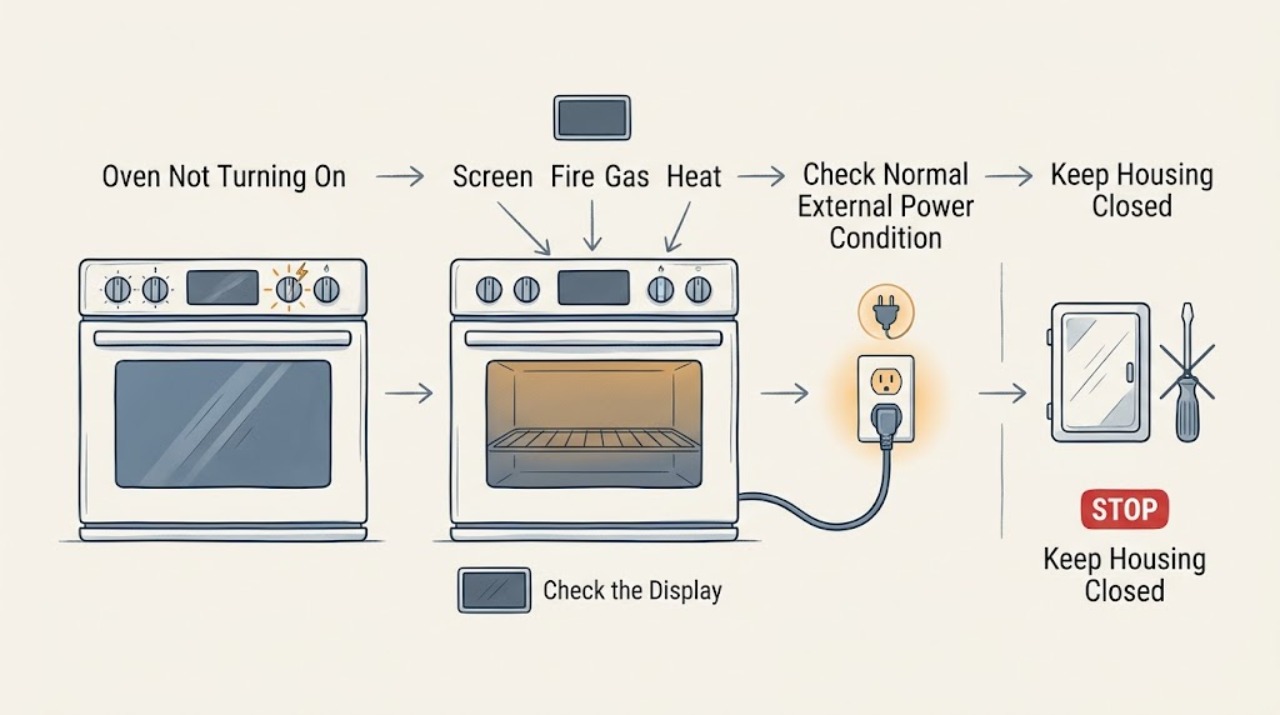
Work through in order
Diagnostic checks
Use only checks that match the exact appliance or system and its official guide.
-
Check 1
Before attempting to start the oven, look from ordinary access for smoke, burning odor, sparks, an abnormal flame, gas smell, hot or damaged wiring, a damaged cord, cracked glass, or a breaker that has tripped repeatedly.
Expected result: Record whether the appliance is electric, gas, or dual fuel, whether any flame or odor is present, whether the control area is unusually hot, and whether there is visible damage or repeated power loss.
Next step: Stop using the oven. If safe without touching hot or wet electrics, isolate the appliance at its normal disconnect; for a gas smell, avoid ignition and electrical controls, leave the area, and seek appropriate help from a safe location.
Stop if: Do not ignite a gas oven, operate switches during a gas smell, touch damaged wiring or hot glass, or reset a tripping breaker repeatedly.
Why this matters
Why: Fire, fuel, heat, and electrical hazards override all no-start checks. A gas smell requires leaving and seeking help, not ignition; repeated trips or damaged wiring require an electrical safety response.
-
Check 2
Record the Thermador model and whether the display, oven light, cooling fan, and controls are completely blank or whether the display is lit but a mode will not start.
Expected result: A completely blank appliance points to external power, the appliance disconnect, or control power. A lit display with no start points to a mode, temperature, Panel Lock, delay or end-time setting, door state, or displayed error.
Next step: Follow the blank-display or lit-display branch and use the owner manual for the exact control layout and model family.
Stop if: Do not remove panels, probe a circuit, or run a cooking test after a safety sign or repeated breaker trip.
Why this matters
Why: The two symptoms have different next checks; replacing a heating component cannot restore a missing control display, and clearing a lock cannot restore household power.
-
Check 3
For a blank display and no hazard, confirm from ordinary access that the appliance's normal plug or disconnect is engaged and that the dedicated household breaker or fuse is in its normal state; do not open the electrical enclosure.
Expected result: Power may return to the display, or the oven may remain blank. A breaker that will not stay set or trips again when the oven is selected is a fault signal, not a reset instruction.
Next step: If power is absent at the home supply, arrange qualified electrical help. If the supply is present but the Thermador display remains blank, keep the oven off and arrange appliance service.
Stop if: Do not repeatedly reset a breaker, use an extension cord, move a built-in appliance, or perform a live voltage test.
Why this matters
Why: A disconnected supply or household circuit can make an oven appear dead, while a persistent blank display or repeated trip needs qualified electrical or appliance diagnosis.
-
Check 4
For a lit display, read the exact model's screen for Panel Lock, delay or end-time, Sabbath or demo state, a timer-only screen, or an incomplete cooking mode; then use only the manual's normal unlock, cancel, mode, temperature, and Start commands.
Expected result: The oven may accept controls and begin a cycle after the documented lock or timer state is cleared, or it may continue to ignore commands or return to the same state.
Next step: Use the exact manual's control sequence once. If the display remains unresponsive or the no-start state returns, proceed to the door and error branch and arrange service if unresolved.
Stop if: Do not press random combinations repeatedly, bypass Panel Lock, or operate with damaged controls, glass, or wiring.
Why this matters
Why: Thermador documents several timer and control states that differ by oven family; an active lock or scheduled start is not proof of a failed heating element.
-
Check 5
With the oven cool, close the door gently and inspect only the visible seal and closing path for a rack, pan, food residue, bent hinge, or obvious latch obstruction; if self-clean was used, check the exact manual's cool-down and latch state.
Expected result: The oven may start after a visible obstruction is removed and the door closes evenly, or it may show a lock, remain misaligned, or leave a gap. A persistent latch or damaged hinge is a service condition.
Next step: Remove only an accessible obstruction and use the exact model's normal door or self-clean completion control once. Keep the oven off if the door does not close or seal evenly.
Stop if: Do not force the door, pry a latch, bend a hinge, remove the door, or operate with a gap, damaged seal, or broken glass.
Why this matters
Why: A door or self-clean interlock can prevent a safe start. Thermador's self-clean and latch behaviors vary by model, so forcing a door cannot safely distinguish them.
-
Check 6
If an error, beep, lock icon, or fault message appears, record the complete code and when it appears, then compare it with the exact Thermador oven or range error-code page or owner manual.
Expected result: A documented user action may clear a transient code, while an unlisted code, a code that returns, or a code accompanied by heat, smoke, gas, or electrical symptoms indicates a service boundary.
Next step: Follow one exact model instruction and stop if the code persists. Provide the code, model, fuel type, programme, and any safety symptom to qualified service.
Stop if: Do not guess the code meaning, bypass an interlock, repeatedly reset power, or continue operation through a recurring fault.
Why this matters
Why: Thermador states that an error code that continues after the documented reset requires professional assistance; codes are model- and platform-dependent.
-
Check 7
For a confirmed gas or dual-fuel Thermador appliance only, record whether the no-start symptom includes gas smell, delayed ignition, an abnormal flame, or no fuel symptom at all; do not turn on the oven or burner to test a suspected leak.
Expected result: Gas smell, delayed ignition, or abnormal flame is a fuel-safety event. No gas symptom leaves the problem in the power, control, door, or model-specific ignition service branches. An electric oven does not use this gas branch.
Next step: If gas is smelled or flame is abnormal, avoid ignition and switches, leave the area, and seek gas or emergency help from a safe location. Otherwise follow the exact manual and arrange service for a persistent no-start.
Stop if: Do not relight repeatedly, test a leak with flame, operate controls during a gas smell, or continue after delayed ignition or an abnormal flame.
Why this matters
Why: Fuel type changes the safe response, but a no-start display alone does not prove a gas fault. Ignition and gas-line diagnosis are not ordinary user tests.
-
Check 8
Stop troubleshooting when the display stays blank after safe external power checks, a lit display still will not start after the exact control and door checks, an error returns, the breaker trips again, or the oven has a fuel, smoke, heat, or electrical symptom.
Expected result: Prepare the model and serial information, oven family, fuel type, blank or lit display state, controls or timer shown, door and latch result, complete error code, power observations, and any gas, smoke, odor, spark, heat, or breaker symptom.
Next step: Keep the Thermador oven unused and arrange qualified appliance service; use qualified electrical or gas help when the evidence points to the household supply or fuel system.
Stop if: Do not open panels, test live wiring, bypass a lock, repeat breaker resets, ignite a suspected leak, or cook through an unresolved no-start fault.
Why this matters
Why: This record lets a qualified technician distinguish household power, control lock or timer state, door interlock, error, ignition, heating, wiring, and control faults without unsafe disassembly.
Use your observations
Decision map
Find the observation that best matches what you see, then follow the next safe action.
-
PATH 01Safety boundary
What you see
Smoke, burning odor, sparks, abnormal flame, gas smell, hot or damaged wiring, cracked glass, or repeated breaker trips are present.
Do this next
Stop using the oven; isolate power only if safe, and for gas smell avoid ignition and switches, leave the area, and seek appropriate help from a safe location.
Why this path and its safety boundary
Why it matters: This is an immediate safety stop, not a no-start reset.
Safety stop: Do not touch hot or damaged parts, operate switches during a gas smell, ignite the oven, or retry the breaker.
-
PATH 02Safety boundary
What you see
The display, light, and controls are all blank and there is no immediate hazard.
Do this next
Check only the normal visible disconnect and household circuit state. Arrange electrical or Thermador service if power is absent, the breaker trips, or the display stays blank.
Why this path and its safety boundary
Why it matters: External power, the appliance disconnect, or control power is the first branch.
Safety stop: Do not open the appliance or perform a live electrical test.
-
PATH 03Safety boundary
What you see
The display is lit but shows Panel Lock, delay or end-time, timer-only, demo, Sabbath, or an incomplete start state.
Do this next
Use the exact model manual to clear or complete that state once, then select the mode, temperature, and Start command normally.
Why this path and its safety boundary
Why it matters: A control or schedule state may be preventing normal activation.
Safety stop: Do not bypass locks or repeat random button combinations.
-
PATH 04Safety boundary
What you see
The door is not closing evenly, a visible obstruction or damaged seal/hinge is present, or self-clean has left a latch state.
Do this next
Remove only an accessible obstruction and follow the exact manual's door or self-clean completion step; service persistent latch, hinge, seal, glass, or alignment faults.
Why this path and its safety boundary
Why it matters: A door or high-temperature safety interlock may be preventing a start.
Safety stop: Do not force, pry, remove, or bypass the door or latch.
-
PATH 05Safety boundary
What you see
A complete error code or fault message appears.
Do this next
Record it, follow one exact Thermador instruction, and arrange service if the code persists or is unlisted.
Why this path and its safety boundary
Why it matters: The code is model- and platform-specific and may require service if it returns.
Safety stop: Do not generalize another model's code or operate through a recurring fault.
-
PATH 06Safety boundary
What you see
A confirmed gas or dual-fuel model has gas smell, delayed ignition, or an abnormal flame.
Do this next
Do not ignite or operate switches; leave the area and seek gas or emergency help from a safe location.
Why this path and its safety boundary
Why it matters: The fuel-safety response overrides power and control diagnosis.
Safety stop: Do not relight, test with flame, or continue troubleshooting in the affected area.
-
PATH 07Safety boundary
What you see
The oven remains inactive after safe power, control, door, and one model-specific error or reset check.
Do this next
Keep the oven unused and arrange qualified Thermador appliance service with the recorded observations.
Why this path and its safety boundary
Why it matters: A control, interlock, wiring, ignition, heating, or other internal fault needs professional diagnosis.
Safety stop: Do not open panels, test live circuits, bypass an interlock, or keep retrying cycles.
Helpful context
Understand the symptom
Blank display and no-start display are different faults
If the display, light, and controls are all blank, begin with the normal appliance disconnect and household circuit observation. If the display is lit but no heating or programme starts, check the selected mode, temperature, timer, Panel Lock, delay or end-time state, and door indication. Thermador has multiple Professional, Masterpiece, steam, speed, and range families, so the exact model manual controls the next step.
Complete the start sequence before diagnosing heat
An oven can appear not to work when a cooking mode or temperature was not confirmed, a delay function was selected, Panel Lock is active, or a door state is not accepted. Clear only a visible obstruction and use the exact manual's normal start and unlock commands. Do not infer an element or igniter failure until the control accepts a valid programme.
Fuel type changes the safety boundary
Confirm whether the Thermador appliance is electric, gas, or dual fuel before interpreting a no-start symptom. On a gas appliance, a gas smell, delayed ignition, or abnormal flame is not a troubleshooting invitation: do not ignite or operate electrical controls, leave the area, and seek appropriate help from a safe location. An electric oven follows the power and control branches and does not have an oven gas supply.
Persistent codes and repeated power loss need service
Thermador publishes an error-code path that uses the exact displayed code and a model-appropriate reset, then calls for service if the code returns. A display that remains dead, a breaker that trips again, or an oven that stays inactive after the documented controls is not a reason to open the appliance or test live wiring. Keep the model information and observations for a qualified technician.
When checks do not resolve it
Need a professional?
Arrange qualified Thermador appliance service when the display remains blank after safe external power checks, the display is lit but the oven will not start after the exact control and door checks, an error code returns, the latch or door is damaged, or the breaker trips again. Request urgent help for smoke, burning odor, sparks, abnormal flame, gas smell, cracked hot glass, exposed wiring, or other immediate danger. Use qualified electrical or gas service when the evidence points to the household circuit or fuel supply.
Safety scope: This article supports ordinary-access observations and exact-manual controls only. Do not open panels, test live circuits, bypass locks, force the door, ignite a suspected gas leak, or continue after a safety warning.
Common questions
FAQ
Why is my Thermador oven completely blank?
A completely blank display points first to the normal appliance disconnect, household circuit, or control power. Check only visible external power conditions; if power is absent, the breaker trips again, or the display remains blank, arrange qualified electrical or Thermador service.
Why does my Thermador oven display light up but not start?
Check the exact model's Panel Lock, delay or end-time, timer-only, mode, temperature, door, and error states. Use the normal manual start sequence once. A persistent no-start or recurring code needs service.
Can Panel Lock or Delay Cook stop a Thermador oven from starting?
Yes, applicable Thermador oven families include Panel Lock and timer or delay functions, but controls vary by model. Use the owner manual to clear or complete the state rather than pressing random combinations or bypassing a lock.
What should I do if my Thermador oven shows an error code?
Record the complete code and when it appears, then follow the exact Thermador model guidance once. Thermador says a code that continues after the documented reset should be serviced; do not generalize another model's code.
What if my gas Thermador oven will not start and I smell gas?
Do not attempt ignition or operate electrical switches. Leave the area and seek gas or emergency assistance from a safe location. Do not return to test the oven until qualified help says it is safe.
Read the exact guide
Official sources
- Oven Controls & Settings | Ovens Support | ThermadorThermador · Official Thermador controls page covering cooking-mode activation, Panel Lock, timers, Delay Cook or End Time, and model-family differences.
- Error Codes | Ovens Support | ThermadorThermador · Official Thermador oven error-code page; codes and reset steps are model- and platform-dependent.
- Search for Owner ManualsThermador · Official Thermador manual lookup for exact oven and range instructions, controls, fuel type, door interlocks, and error handling.
- CPSC News Feature: Getting Ready For Cold WeatherU.S. Consumer Product Safety Commission · Government guidance for gas smell: do not attempt ignition or operate electrical switches, leave the area, and seek appropriate help; this is not a Thermador repair procedure.
- Oven Troubleshooting for Ranges | Support | ThermadorThermador · Official troubleshooting page covering door and hinge observations, self-clean latch cooling, vent behavior, and model-dependent latch reset guidance.
Community feedback
Share a repair observation
Share a plain-text repair observation. Accepted observations are published automatically; this page may take a moment to update.